LinkedIn Prospecting Guide 2026: Build Pipeline With Signal-Based Targeting
The complete LinkedIn prospecting guide for 2026. ICP definition, lookalike audiences, SmartList building, and signal-based targeting. Turn LinkedIn into your #1 pipeline source.
LinkedIn has 1 billion members, but most B2B teams are still prospecting like it is 2020: scrape a list, blast a generic message, pray for replies. The result? 3-5% reply rates and wasted hours. The teams booking 15-25% reply rates in 2026 are doing something fundamentally different.
This guide is the definitive LinkedIn prospecting playbook for 2026. It covers everything from ICP definition and lookalike audiences to SmartList building and advanced multi-channel tactics. Every strategy is backed by real data from 5,000+ B2B campaigns run on ReactIn.
average reply rate for signal-based LinkedIn prospecting campaigns
ReactIn internal data, 5,000+ campaigns, H1 2026
The single biggest shift in LinkedIn prospecting? Signal-based targeting. Instead of filtering by job title and hoping for the best, you target prospects who are actively showing buying signals: engaging with relevant content, changing jobs, growing their teams, or researching your category.
Why LinkedIn Is the #1 B2B Prospecting Channel in 2026
LinkedIn is no longer just a professional network. In 2026, it is the single most valuable prospecting channel for B2B sales teams. No other platform gives you the same combination of decision-maker density, professional context, and engagement data.
While email open rates have dropped to 15-20% and cold call pickup rates hover around 4%, LinkedIn connection acceptance rates for targeted outreach remain at 30-45%. The platform has become where deals start, not where they are promoted.
LinkedIn vs Other B2B Channels
Here is how LinkedIn stacks up against other prospecting channels for B2B teams in 2026:
| Channel | Avg. Response Rate | Cost Per Lead | Best For |
|---|---|---|---|
| LinkedIn (signal-based) | 15-25% | $5-15 | Mid-market & Enterprise |
| Cold email | 3-8% | $10-30 | SMB & Volume plays |
| Cold calling | 1-4% | $25-60 | Enterprise & Urgency |
| Paid ads (LinkedIn/Google) | 0.5-2% | $50-200 | Awareness & Retargeting |
Why LinkedIn Outperforms in 2026
Four structural advantages make LinkedIn the prospecting channel of choice for B2B teams:
- Decision-maker density - 80% of B2B decision-makers are active on LinkedIn, vs 30% reachable by cold email
- Professional context - every profile is a mini-CRM: title, company, tenure, posts, connections. You know who you are talking to before you reach out
- Intent signals - post likes, comments, profile views, and job changes reveal buying intent in real time
- Trust layer - mutual connections, shared groups, and visible activity create social proof that email cannot replicate
of B2B decision-makers actively use LinkedIn weekly
LinkedIn Business, 2026
Defining Your Ideal Customer Profile (ICP) for LinkedIn
Every successful LinkedIn prospecting campaign starts with a clearly defined ICP. Without one, you are just filtering by job title and hoping for the best. An ICP tells you exactly who to target, what signals to track, and how to prioritize your outreach.
The best ICPs combine firmographic criteria (who the company is) with intent signals (what the prospect is doing right now). The firmographic layer defines your total addressable market. The intent layer tells you who inside that market is ready to buy.
Building Your ICP in 4 Steps
Follow this framework to build an ICP that drives 15%+ reply rates on LinkedIn:
Analyze your 10 best customers
List your 10 highest-LTV customers. For each, note: industry, company size, decision-maker title, how they found you, and what pain you solved. Look for patterns across all 10.
Identify firmographic commonalities
Group the patterns: What industries cluster together? What headcount range? What titles made the buying decision? What geography? Your firmographic ICP should narrow your total market to under 5,000 companies.
Layer intent signals
Add behavioral criteria: What content do your best customers engage with on LinkedIn? What events do they attend? What job changes preceded the purchase? What tools do they use? Intent signals turn a static ICP into a dynamic one.
Validate and iterate
Run a test campaign with 50-100 prospects matching your ICP. If reply rates are below 10%, your ICP is too broad. Add more filters. If your prospect pool drops below 200, your ICP might be too narrow. Adjust and test again.
Firmographic vs Intent Signals
Your ICP should combine both layers. Firmographic criteria define who could buy. Intent signals reveal who is likely to buy right now.
Firmographic criteria:
- Industry and sub-industry (SaaS, FinTech, eCommerce, etc.)
- Company headcount (11-50, 51-200, 201-500, etc.)
- Decision-maker titles (VP Sales, Head of Growth, CRO, etc.)
- Geography (region, country, timezone alignment)
Intent signals:
- Engaged with posts about your category (liked, commented, shared)
- Recently changed jobs or got promoted (new budget, new priorities)
- Company is hiring for roles you support (growth signal)
- Viewed your profile or a teammate's profile (direct interest)
Lookalike Audiences: Find More of Your Best Customers
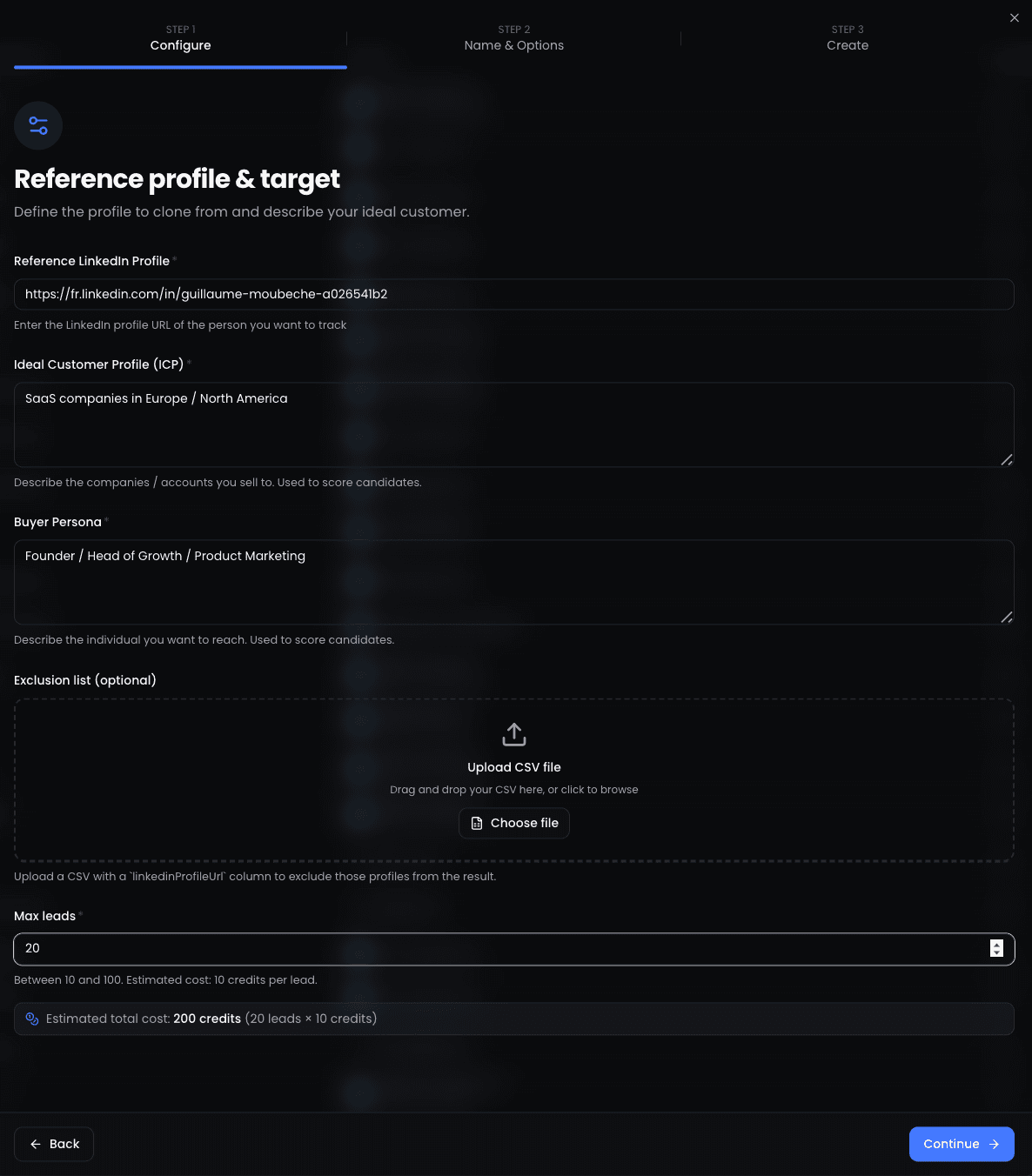
Once you have a clear ICP, the fastest way to fill your pipeline is with lookalike audiences. The concept is simple: give the system a seed (one or more profiles of ideal customers), and it finds more people who match the same pattern.
LinkedIn never shipped a native lookalike audience for outbound prospecting. But tools like ReactIn have built this capability by combining AI-powered profile analysis with LinkedIn data. The result: you can go from one great customer profile to a list of 100 matching prospects in under 5 minutes.
reply rate from lookalike audience campaigns vs 5-8% from standard Sales Navigator searches
How Lookalike Audiences Work
The lookalike workflow has four steps:
- Select your seed - pick 1-3 LinkedIn profiles of your best customers or champions
- Define your ICP criteria - add firmographic constraints (industry, headcount, title, geography)
- Run the lookalike search - the system analyzes shared traits and finds matching profiles across LinkedIn
- Review and launch - review the matched prospects, exclude existing connections, and add to your campaign
For the complete step-by-step workflow with screenshots, see our guide: How to Build a LinkedIn Lookalike Audience in 2026.
Lookalike Playbooks by Role
The lookalike strategy works differently depending on your role and use case:
- For agencies: Use your best client's decision-maker as the seed. The system finds similar decision-makers at companies with the same profile. One agency seed can generate 50-100 qualified prospects.
- For founders: Seed with your 3 best design partners or champions. The system finds peers at similar-stage companies who share their operating context and challenges.
- For SDRs: Seed with the last 5 closed-won contacts from your CRM. The system identifies what made those deals close and finds more of the same profile.
Read the full playbook for each role: LinkedIn Lookalike Audience: How to Find Leads That Match Your Best Customers.
Cloning Your Best Customers at Scale
The most advanced lookalike tactic: drop a single LinkedIn profile, describe your ICP, and let AI generate up to 100 matching prospects. This is the Meta Lookalike playbook applied to B2B prospecting.
- One profile in, 100 matched prospects out - 3 minutes vs 45 minutes on Sales Navigator
- AI analyzes career trajectory, content interests, and company profile to find genuine matches
- Exclusion lists prevent reaching out to existing customers, competitors, or current pipeline
See this in action: LinkedIn Lookalike Leads: Clone Your Best Customers in 3 Minutes.
Smart List Building: SmartLists, CSV Imports, and Signal-Based Lists
Your prospect list is the foundation of every LinkedIn campaign. The quality of your list determines your reply rate more than your messaging, your sequence, or your timing. In 2026, the best teams have moved from static CSV imports to dynamic, signal-based lists.
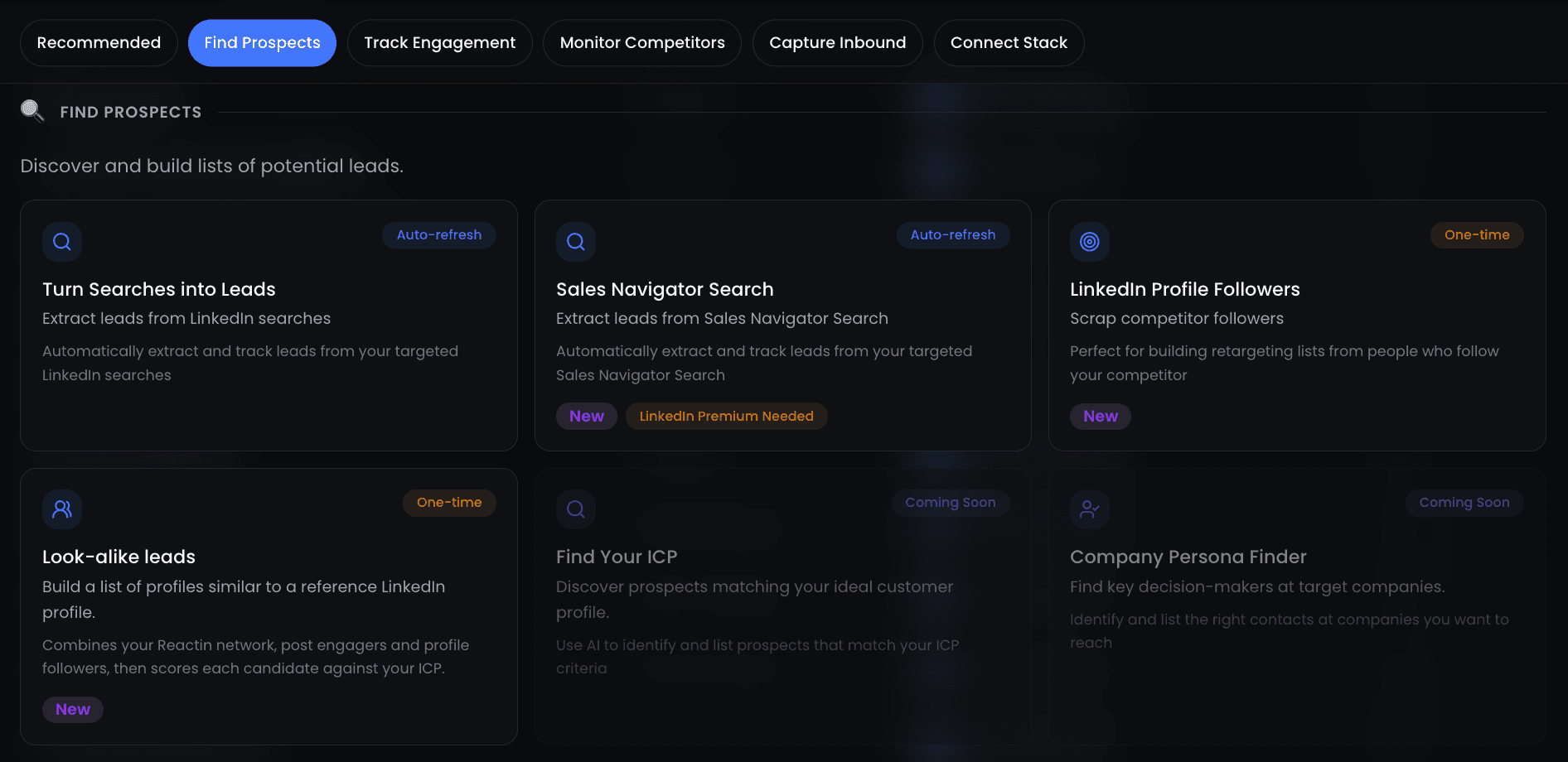
SmartLists vs CSV Imports
Here is how the two list-building approaches compare:
| Feature | SmartLists | CSV Imports |
|---|---|---|
| Update frequency | Real-time (new matches added automatically) | Static (one-time upload) |
| Intent freshness | High (triggered by live signals) | Low (data ages from upload day) |
| Avg. reply rate | 18-25% | 8-12% |
| Best for | Ongoing campaigns, intent-based prospecting | Event attendees, conference lists, one-off outreach |
Signal-Based List Triggers
SmartLists in ReactIn update automatically based on triggers you define. The most effective triggers for LinkedIn prospecting are:
- Post engagement - someone liked or commented on a post in your niche (or your own post)
- Job changes - a prospect changed role, got promoted, or joined a new company
- Company growth - a target company is hiring, raised funding, or expanded to a new market
- Profile views - someone viewed your profile or a teammate's profile
Sales Navigator Search Optimization
If you use Sales Navigator alongside ReactIn, optimize your searches with these steps:
- Start with your ICP filters: industry, headcount, geography, seniority level
- Add boolean keywords in the title field to narrow by function (e.g., 'VP Sales' OR 'Head of Revenue' OR 'CRO')
- Exclude current customers and competitors using account lists
- Save the search and import matching profiles into a ReactIn SmartList for ongoing enrichment and outreach
From Prospect to Pipeline: Connection Strategy and Handoff
Building a great prospect list is only half the battle. The other half is turning those prospects into pipeline. This section covers the connection-to-conversation workflow that converts LinkedIn prospects into qualified meetings. What happens after the meeting is the rest of the B2B SaaS sales funnel, and each of its stages has a conversion rate worth benchmarking.
The 3-Step Connection Strategy
Every successful LinkedIn prospecting sequence follows this pattern:
Warm the ground
Before sending a connection request, engage with the prospect's content: like a post, leave a thoughtful comment, view their profile. This creates familiarity and increases acceptance rates by 20-35%.
Connect with context
Your connection request should reference something specific: the content they posted, a mutual connection, a shared challenge. Never send a blank request or a pitch as your first message.
Start a conversation, not a pitch
Once connected, your first message should open a dialogue, not sell. Ask a question about their experience with a problem you solve. Share a relevant insight. The goal is to earn a reply, not to book a meeting on message one.
“Hi Sarah - saw your comment on the ABM thread about data quality issues with intent providers. We ran into the same problem at two of our clients last quarter. Curious: did you end up building internal enrichment or finding a vendor that actually works?”
“Hi Sarah - I noticed we are both in the B2B space! I would love to show you how our platform can help you generate 10x more leads. Want to hop on a 15-minute call this week?”
Qualifying Prospects in the DMs
Not every reply is a qualified lead. Use these signals to qualify prospects directly in LinkedIn conversations:
- They describe a pain point you solve (not just interest - actual frustration or urgency)
- They mention a timeline or trigger event ('we are evaluating tools this quarter', 'our current contract ends in Q3')
- They ask about pricing, features, or next steps (self-qualifying behavior)
Handoff to Outreach or CRM
Once qualified, move the prospect from LinkedIn to your sales workflow:
- Tag them in your CRM with the intent signal and qualification notes
- Send a calendar link for a discovery call (Calendly, Cal.com, etc.)
- Add them to a nurture sequence if timing is not right yet (email + LinkedIn touchpoints)
For detailed outreach playbooks, see our LinkedIn Outreach Playbook 2026 and the Complete LinkedIn Automation Guide.
higher connection acceptance rate when you engage with a prospect's content before connecting
Advanced Prospecting Tactics
Once you have mastered the fundamentals (ICP, lookalike audiences, SmartLists, connection strategy), these advanced tactics can 2-3x your results.
Multi-Channel Prospecting
The best prospecting campaigns in 2026 combine LinkedIn with at least one other channel. This creates multiple touchpoints and increases response rates by 40-60% compared to LinkedIn-only campaigns.
- LinkedIn + email - connect on LinkedIn, follow up via email 2 days later. The LinkedIn connection adds a face and context to the email
- LinkedIn + content - share a relevant blog post or case study as your first DM, then follow up with a question about their specific challenge
- LinkedIn + events - connect with attendees before a webinar or conference, reference the shared event in your message
Competitive Targeting
Target prospects who are actively engaging with your competitors' content. This signals category awareness and potential dissatisfaction with their current solution.
- Monitor your top 3 competitors' LinkedIn company pages and key employees' posts
- Build a SmartList triggered by engagement on competitor content (likes, comments, shares)
- Reach out with a differentiated message - don't bash the competitor, instead highlight your unique angle
Event-Based Prospecting
Industry events, webinars, and LinkedIn Live sessions create concentrated intent windows. Prospects who attend or engage with event content are 3-5x more likely to respond to outreach.
- Before the event: connect with speakers and attendees, reference the event in your invite
- During the event: engage with live posts and comments, add active participants to your SmartList
- After the event: follow up within 48 hours while the topic is still fresh. Reference a specific session or insight
Tools & Measurement: KPIs, Comparisons, and ReactIn Features
The right tool stack makes the difference between a prospecting system that scales and one that breaks. Here is how to measure, compare, and optimize your LinkedIn prospecting setup.
5 KPIs That Matter for LinkedIn Prospecting
Track these metrics weekly to optimize your prospecting performance:
- Connection acceptance rate: Target 30-45%. Below 25%, your targeting or message needs work. Above 50%, you might be too conservative.
- Reply rate: Target 15-25% for signal-based campaigns. Below 10%, revisit your ICP. Above 30%, you have found a great niche - scale carefully.
- Meeting booking rate: Target 5-10% of total outreach. This is your true pipeline conversion metric. Everything else is a leading indicator.
- Time to first reply: Track the median days from connection request to first meaningful reply. Signal-based campaigns should see replies within 3-5 days.
- Cost per qualified meeting: Divide your total prospecting costs (tools + time) by meetings booked. Best-in-class teams achieve $30-80 per meeting with LinkedIn prospecting.
Tool Comparison for LinkedIn Prospecting
Here is how the main LinkedIn prospecting tools compare on the features that matter most:
| Feature | ReactIn | Sales Navigator + Manual |
|---|---|---|
| Lookalike audiences | ✅ Built-in, AI-powered | ❌ Manual only |
| SmartLists with triggers | ✅ Real-time, automated | ❌ Static saved searches |
| Intent signals | ✅ Post engagement, profile views, job changes | ⚠️ Limited (job changes only) |
| AI enrichment | ✅ Automatic per lead | ❌ Requires separate tools |
ReactIn Features for Prospecting
ReactIn is built specifically for signal-based LinkedIn prospecting. Here are the features that matter for the strategies in this guide:
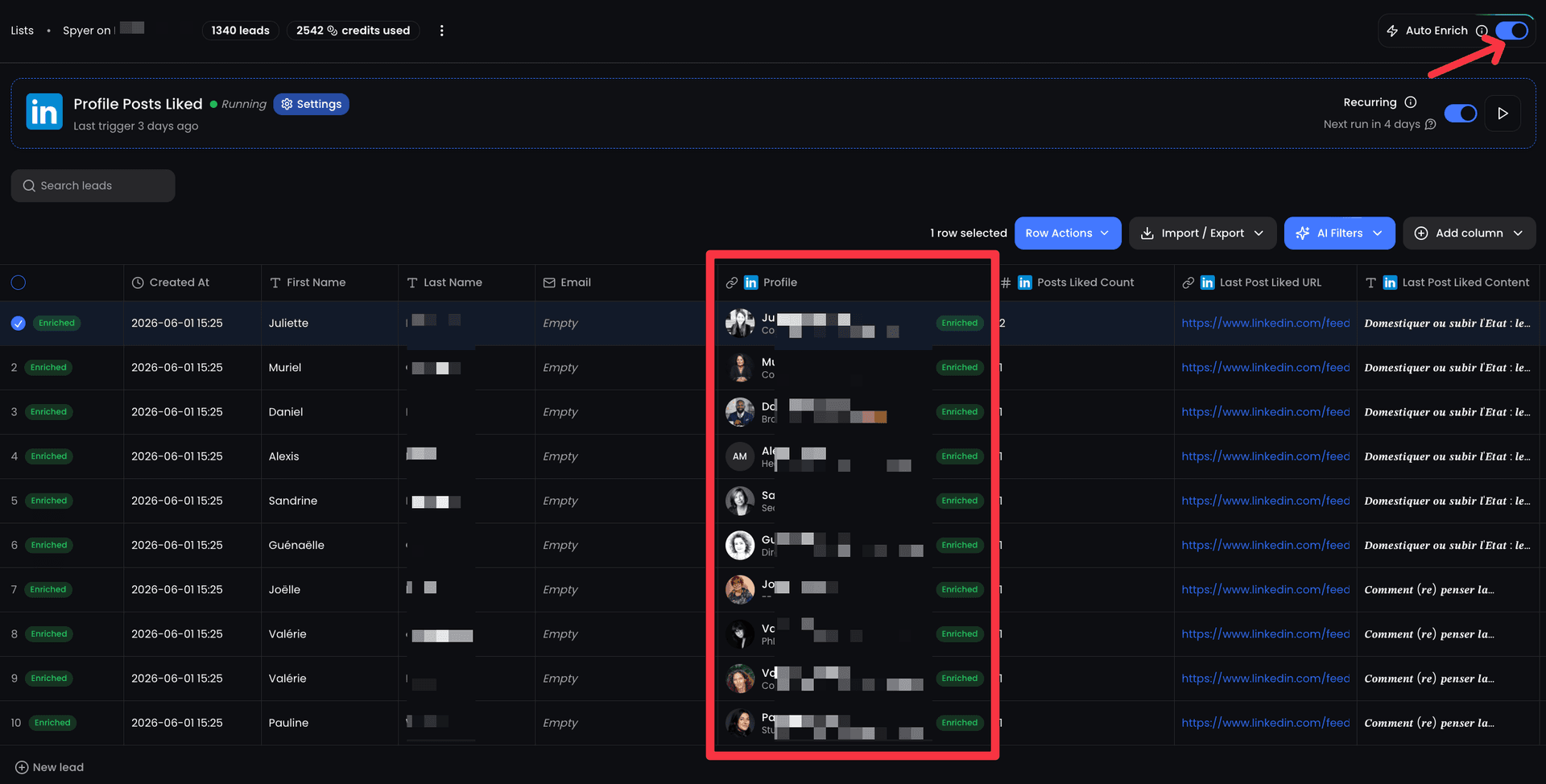
- Lookalike Audiences - drop a profile, describe your ICP, get up to 100 matching prospects in minutes
- SmartLists - dynamic lists that update in real-time based on intent triggers (post engagement, job changes, profile views)
- AI Enrichment - every lead is automatically enriched with email, phone, company data, and AI-generated insights
- Campaign Sequences - multi-step outreach with connection request, follow-ups, and conditional branching based on prospect behavior
per sender - ReactIn replaces 3-4 tools (Sales Navigator, enrichment provider, sequencer, analytics)
For a full comparison of the tools that power prospecting, see our Best LinkedIn Tools guide for 2026.
Timing matters as much as targeting. Read our analysis of the best time to post on LinkedIn in 2026 to maximize your content engagement alongside your outreach.
LinkedIn prospecting in 2026 is not about volume. It is about precision. The teams that win are the ones who know exactly who to target, when to reach out, and what to say.
Start with a tight ICP, build lookalike audiences from your best customers, use SmartLists to capture intent signals in real time, and let signal-based targeting do the heavy lifting. The pipeline will follow.
Frequently Asked Questions
Sources & Further Reading
- For advanced search and targeting capabilities, LinkedIn Sales Navigator's documentation details how to use boolean search, lead recommendations, and account filters to build precise prospect lists.
- Research from Gartner on buyer intent data confirms that signal-based targeting dramatically outperforms cold outreach by reaching buyers who are already researching solutions in your category.
- The McKinsey report on B2B sales and digital engagement highlights that 70% of B2B buyers now prefer digital self-service or remote engagement, making LinkedIn prospecting more critical than ever.
Related Articles
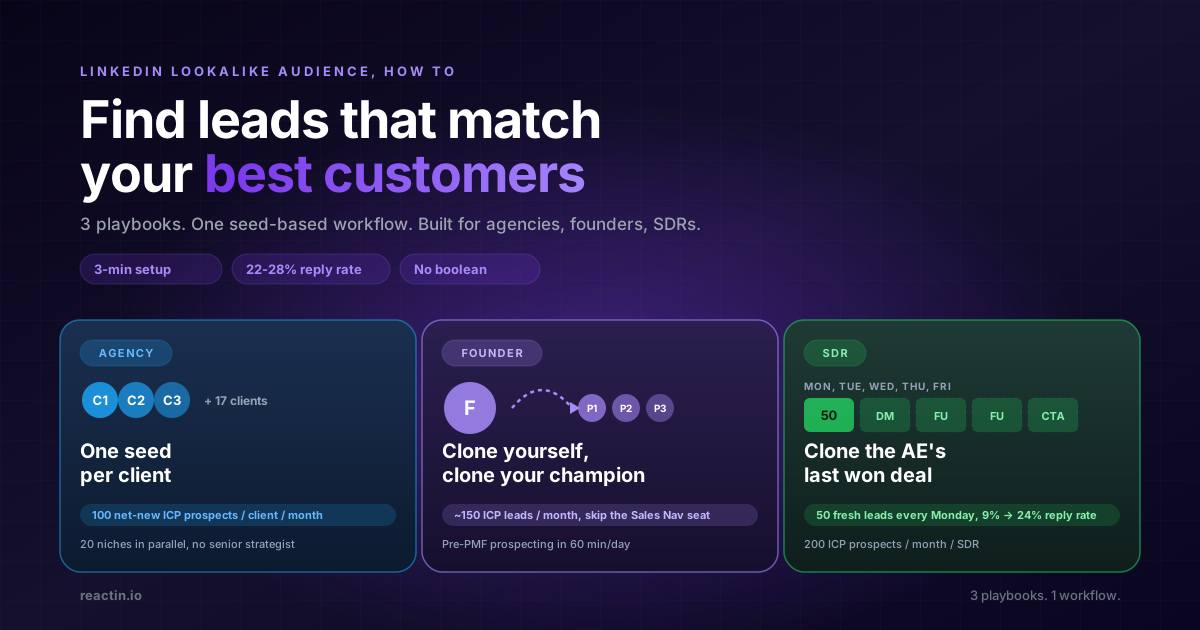
LinkedIn Lookalike Audience: How to Find Leads That Match Your Best Customers (2026)
LinkedIn never shipped a native lookalike audience for outbound. Here is how to build one in 3 minutes, with 3 detailed playbooks for agencies, founders, and SDRs hitting 22-28% reply rates.
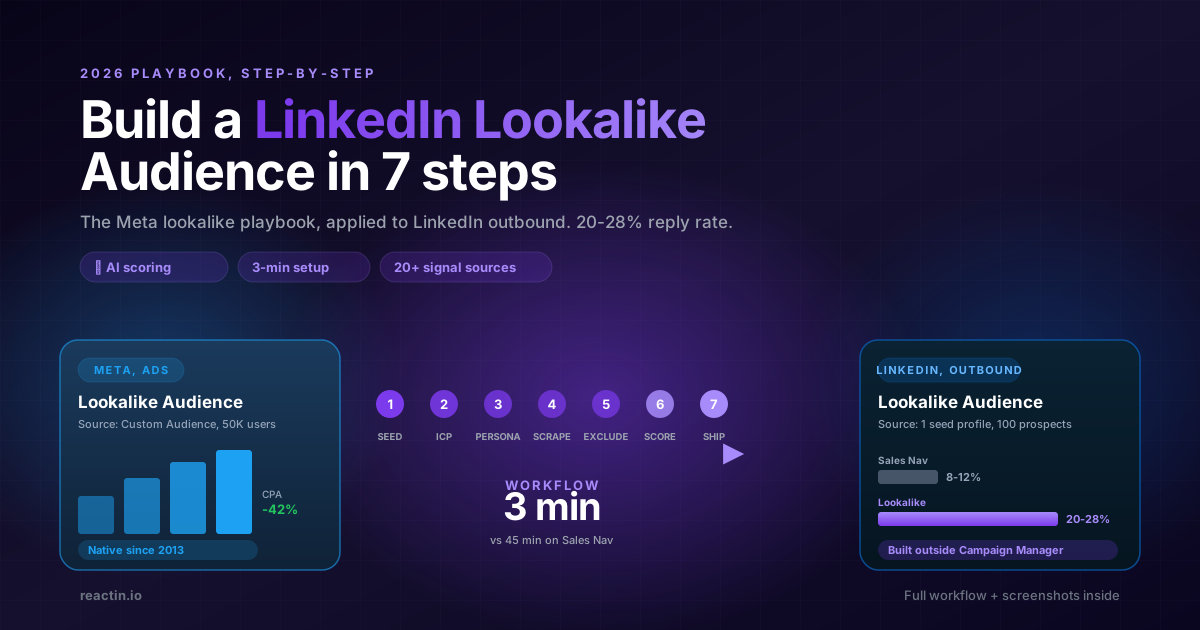
How to Build a LinkedIn Lookalike Audience in 2026 (Full Workflow + Screenshots)
LinkedIn never shipped a native Lookalike Audience for outbound. Here is the full 2026 workflow: pick the seed, write your ICP, run the waterfall scrape, ship a 50-lead audience in under 5 minutes that hits 20-28% reply rates.
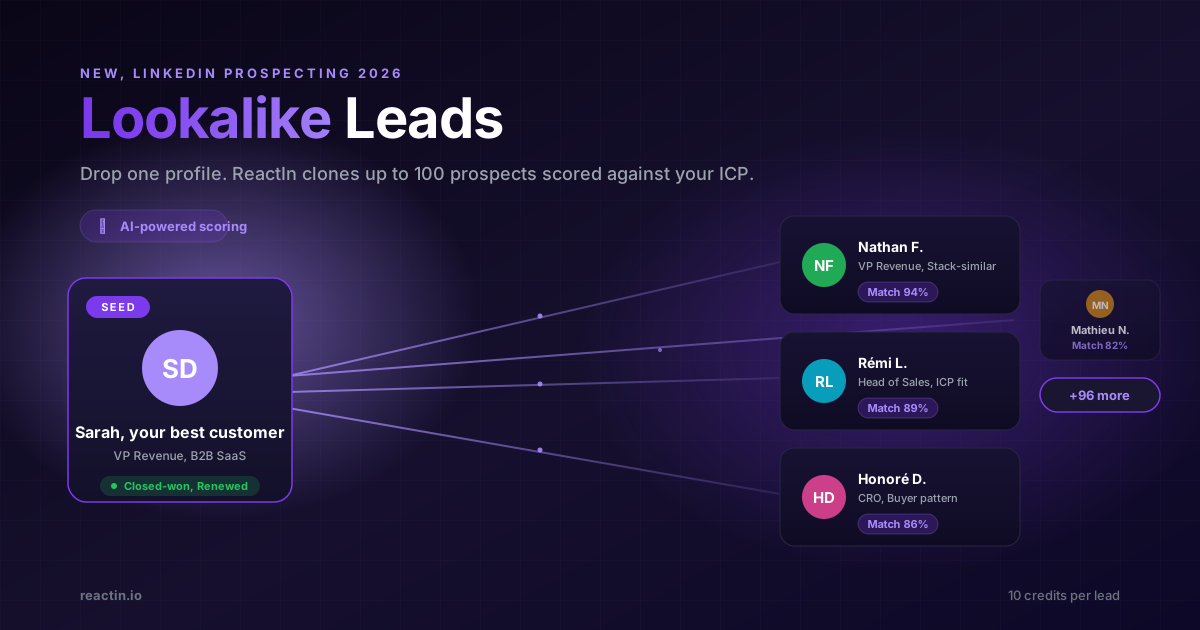
LinkedIn Lookalike Leads: Clone Your Best Customers in 3 Minutes (2026)
Drop one LinkedIn profile, describe your ICP and persona, and ReactIn returns up to 100 prospects who match. The Meta Lookalike playbook, applied to B2B prospecting. 22% reply rates vs 8% from Sales Nav.
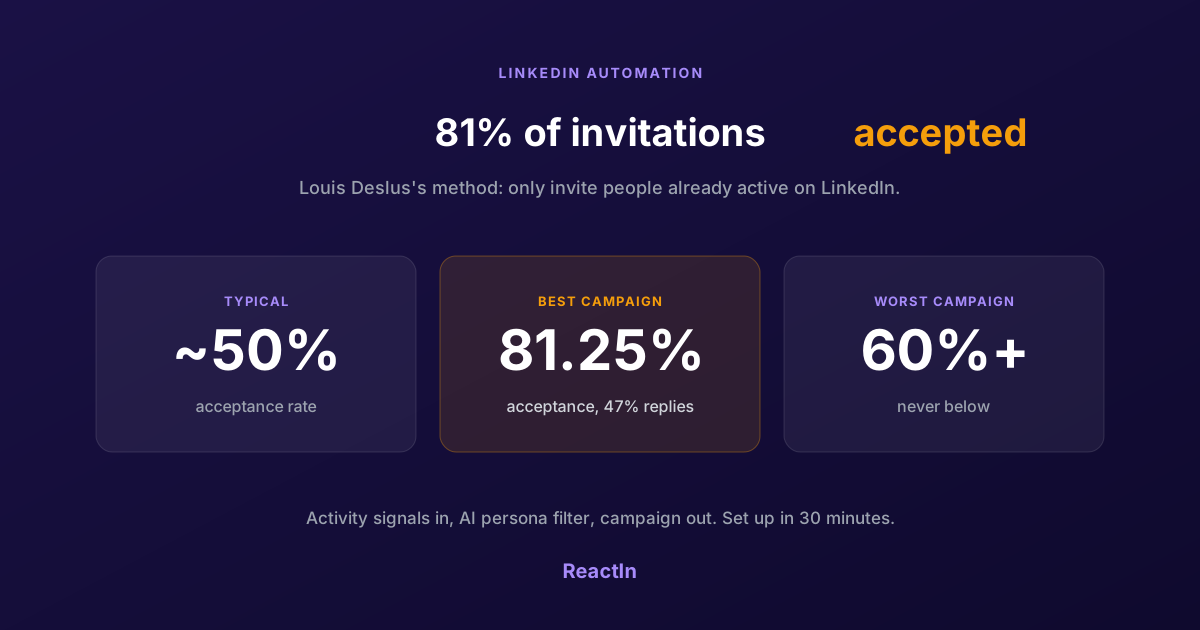
81% LinkedIn Acceptance Rate: Louis Deslus's Method, Set Up in 30 Minutes
Louis Deslus gets 81% of his LinkedIn invitations accepted and no campaign under 60%. The method: invite only people already active on LinkedIn, filter them to your persona, and let the list feed the campaign.