How to Automate LinkedIn Connection Requests (Auto Connect) Safely in 2026
Automate invitations on LinkedIn without getting restricted: 2026 daily limits by plan, the 300-character note, acceptance rates by approach, and a 5-step ReactIn setup.
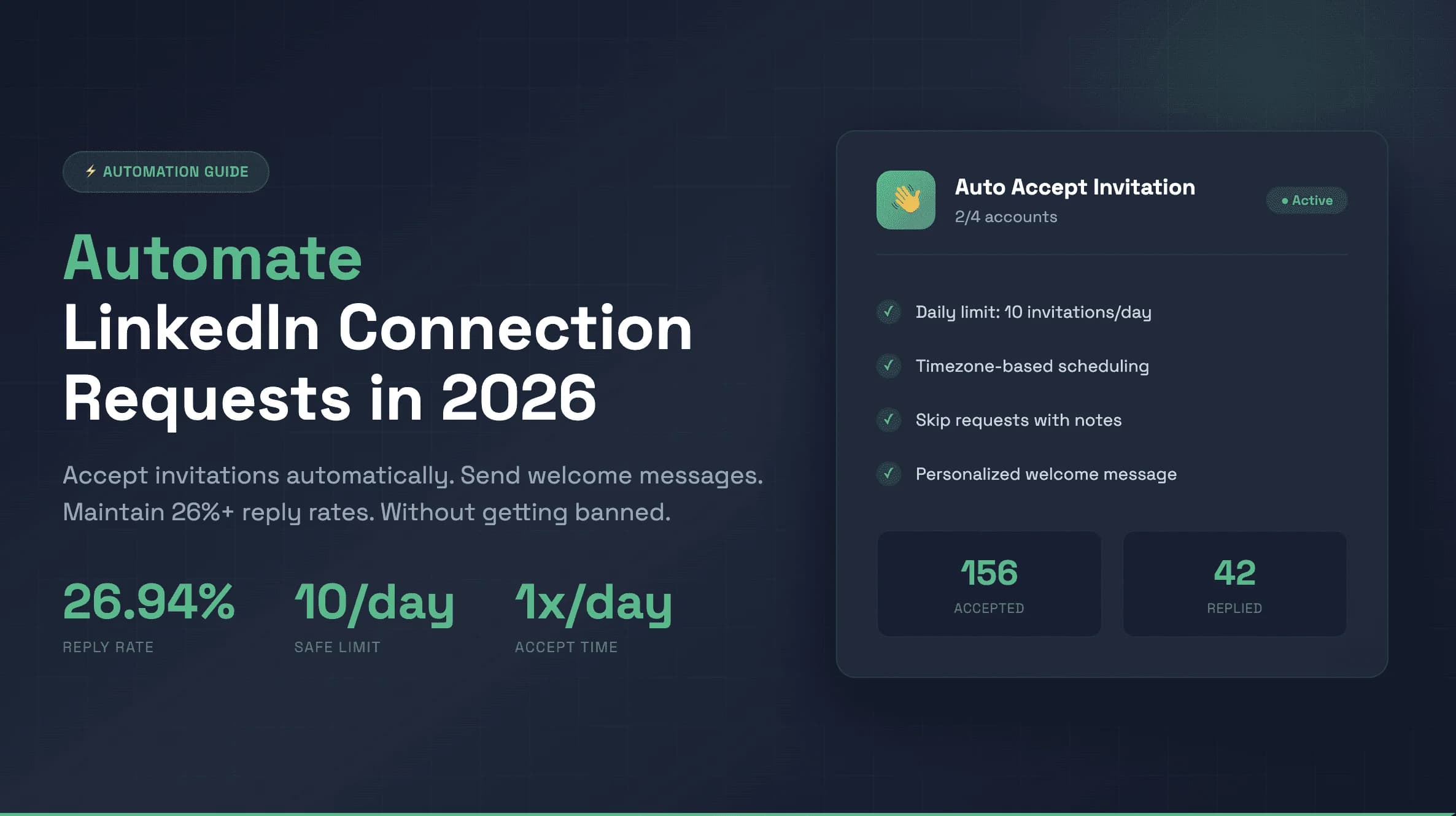
Sending LinkedIn connection requests by hand caps you at a few dozen a week, and the people most likely to accept are the ones you never get to.
Automating invitations on LinkedIn fixes the volume problem. It also creates a new one: send them too fast, to the wrong people, with a generic note, and LinkedIn restricts the account long before the first reply comes in.
acceptance rate when automated connection requests target intent signals with a personalized note
ReactIn campaign benchmarks, 2026
The fix? Automate it like a human would do it. LinkedIn does not ban automation as such, it flags patterns: 50 invitations in ten minutes, the same note to everyone, activity at 3 AM on a Sunday.
This guide shows how to automate LinkedIn connections safely in 2026: the connection request limit per day for each plan, the 300-character note limit, when to send without a note, the acceptance rates to expect, and a 5-step setup to automate invitations on LinkedIn with ReactIn.
Why Automate LinkedIn Connection Requests?
Every connection request is a door you knock on. Knock on enough of the right doors and the pipeline fills itself.
Doing it by hand, most people send 5-10 invitations on a good day and none on a busy one. Automation keeps the pace steady every working day, at a volume LinkedIn tolerates, and lets you spend the saved time on the conversations that follow.
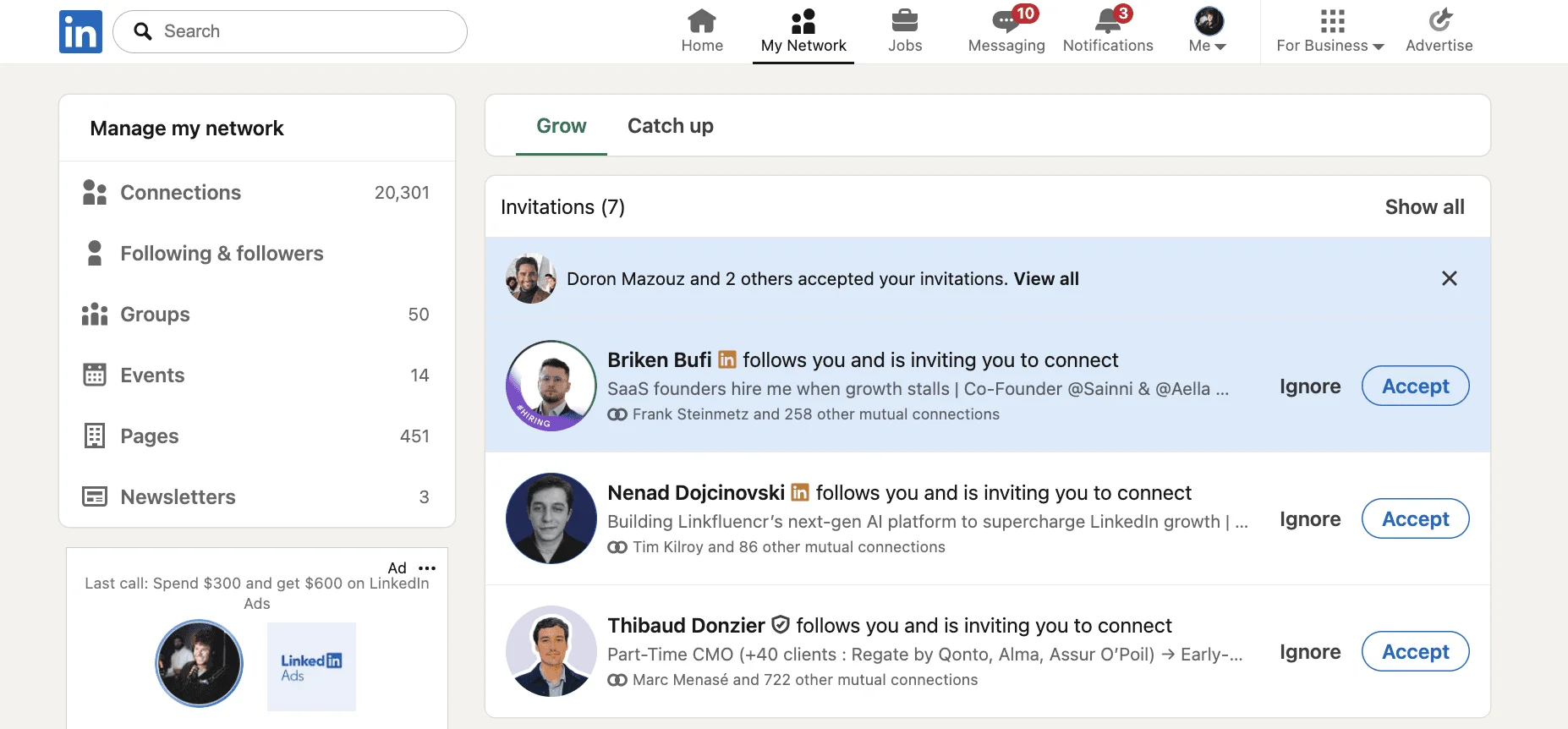
The Data: Acceptance Rates by Approach
The approach matters more than the volume. Here is what automated connection requests get depending on how they are targeted and written:
| Approach | Average acceptance rate |
|---|---|
| Generic note (template, no personalization) | 15-25% |
| Personalized note (120-180 characters) | 42-55% |
| No note | 55-68% |
| Intent-based targeting + personalized note | 55-72% |
Your acceptance rate is also your safety gauge: a low rate tells LinkedIn nobody wants to hear from you. Keep it above 35-40% and the account stays healthy.
The Problem with Most LinkedIn Automation
LinkedIn’s algorithm watches for patterns. Here’s what triggers account restrictions:
Most automation tools ignore these signals. They prioritize speed over safety. The result? Accounts get restricted, shadowbanned, or worse.
The fix: make automation look human.
LinkedIn Connection Request Best Practices: How to Automate Safely in 2026
These are the linkedin connection request best practices for 2026. Here’s the framework we use across 4 accounts with zero restrictions, using safe LinkedIn automation tools:
Rule 1: Respect the LinkedIn Connection Request Limit Per Day (2026)
What's the LinkedIn connection request limit per day in 2026? Free accounts get roughly 100 invitations per week, about 15-20 per day. Firing the whole weekly quota in one afternoon is the fastest way to get flagged.
Safe approach:
- Set a daily limit per account and stay under your plan quota
- Spread invitations across working hours
- Ramp up gradually instead of jumping to the maximum
If you usually send 5-10 invitations a day by hand, do not jump to 50 on the first day of automation.

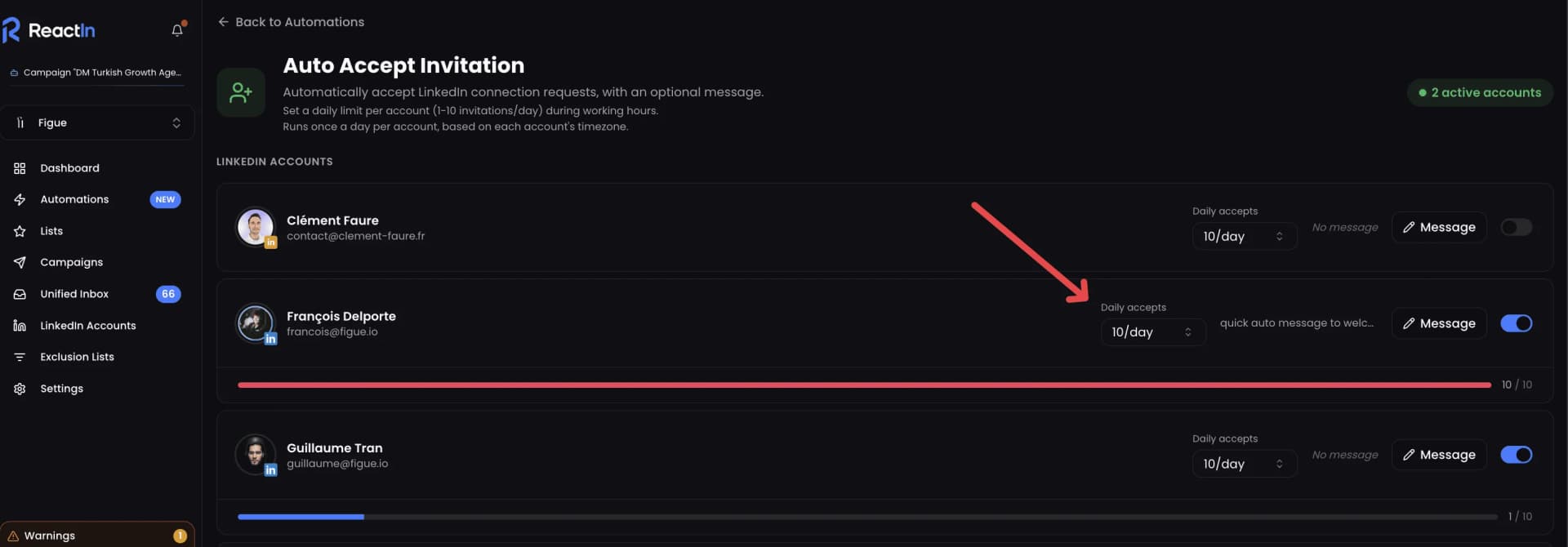
Rule 2: Timezone-Based Automation
Sending invitations at 3 AM looks like a bot.
Smart automation:
- Runs based on each account’s timezone
- Only during working hours (9 AM - 6 PM)
- Adds random delays between invitations
This mirrors human behavior. You check LinkedIn during the day, not at midnight.
Rule 3: Skip the Note Unless You Can Personalize It
A note feels like the polite option, but a generic one hurts: templated notes get 15-25% acceptance, while blank requests get 55-68%.
Best practice:
- Send without a note by default
- Add a note only when you have a real reason to connect (a shared event, a post they wrote)
- Save the pitch for the first message after they accept
The full test, with acceptance rates on both sides, is in our guide to sending a LinkedIn connection request with or without a note.
Rule 4: Personalize Within the LinkedIn Connection Request Character Limit
When you do add a note, the LinkedIn connection request note character limit in 2026 is 300 characters. That is it. Generic notes that waste those 300 characters kill acceptance rates.
“Hi, I'd like to add you to my professional network.”
“Hi {{firstName}}, saw your comment on the {{company}} hiring post - we are working on the same problem. Happy to connect.”
Use variables:
- {{firstName}} - First name
- {{lastName}} - Last name
- {{fullName}} - Full name
- {{company}} - Company name
- {{jobTitle}} - Job title
A personalized note moves acceptance from 15-25% to 42-55%.
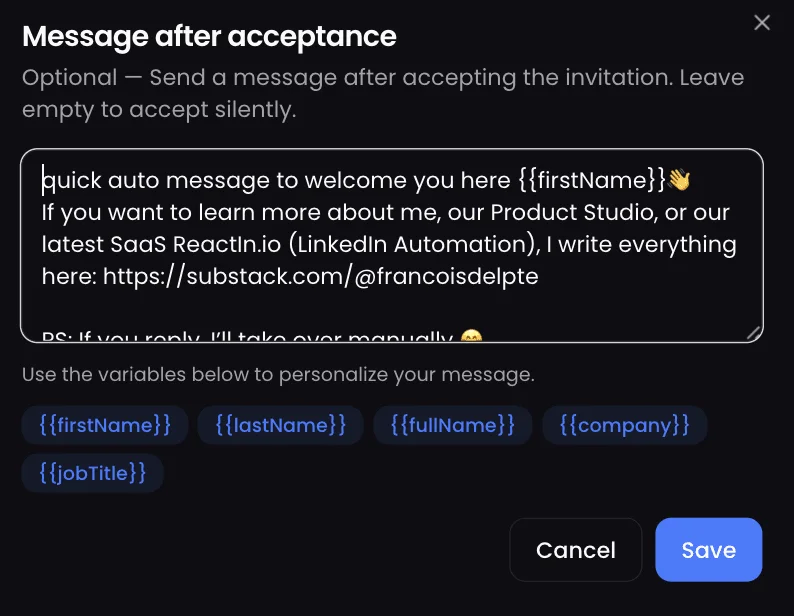
acceptance rate range when moving from a generic to a personalized connection note
Rule 5: Follow Up After They Accept, Then Hand Over to a Human
The invitation opens the door; the first message after acceptance starts the conversation. It should not feel automated.
Our template (26.94% reply rate):
“Hey {{firstName}} 👋 If you want to learn more about me, our Product Studio, or our latest SaaS ReactIn.io (LinkedIn Automation), I write everything here: https://substack.com/@francoisdelporte PS: If you reply, I’ll take over manually 😊”
Why this works:
- Casual tone (not corporate)
- Offers value (blog link)
- Sets expectation (manual takeover on reply)
- Single emoji (not excessive)
- Personal sign-off
The “I’ll take over manually” line is key. It tells people there’s a human behind the automation.
LinkedIn Connection Request Limits in 2026: Daily, Weekly & Monthly Breakdown
Understanding the exact LinkedIn connection request limits is critical before you automate anything. These limits changed in late 2025 and apply differently depending on your account type. Here's the complete breakdown for 2026.
Daily and Weekly Limits by Account Type
LinkedIn enforces connection request limits based on your subscription tier. These numbers represent the maximum safe volume - not the amount you should send from day one.
| Account Type | Daily Limit | Weekly Limit | Monthly Limit |
|---|---|---|---|
| Free Account | 15-20/day | ~100/week | ~400/month |
| LinkedIn Premium | 25-30/day | ~200/week | ~800/month |
| Sales Navigator | 50-60/day | ~400/week | ~1,600/month |
Important: These are upper limits for mature accounts. New accounts (under 6 months old) should start at 30-50% of these numbers and ramp up over 2-4 weeks.
Sales Navigator Connection Request Limits in 2026
Sales Navigator users get significantly higher limits, but the rules are different. Here's what you need to know:
- InMail credits (50/month) are separate from connection requests - they don't count toward your daily limit
- Sales Navigator allows up to 400 connection requests per week, but spreading them across 5 business days is safer
- Lead recommendations and saved leads don't affect your connection request quota
How to Warm Up to Full Volume
Never jump straight to your maximum limit. Here's a safe warmup schedule:
- Week 1: 5 connection requests per day (regardless of account type)
- Week 2-3: Increase by 5 per day each week
- Week 4+: Reach your target daily volume (10-15 for free, 25-30 for Premium, 40-50 for Sales Navigator)
The warmup period is non-negotiable. Skipping it is the #1 reason accounts get restricted in the first month of automation.
LinkedIn Connection Request Note Character Limit in 2026: 300 Characters
The LinkedIn connection request note character limit in 2026 is 300 characters. It applies to every account type — free, LinkedIn Premium and Sales Navigator — so upgrading your subscription does not buy you a longer note. Type past character 300 and LinkedIn simply stops accepting input: there is no truncation warning, no "continued" field, nothing. Whatever you wanted to say has to fit in roughly 50 words.
Note, Message, InMail: Three Different Character Limits
Most people searching for the LinkedIn connection request message character limit in 2026 are actually looking at one of three separate fields, and each has its own cap. Mixing them up is why a message that looked fine in your draft gets cut off at send time.
| Field | Character limit | When you use it |
|---|---|---|
| Connection request note | 300 characters | Attached to the invitation, before they accept |
| LinkedIn message (DM) | 8,000 characters | After the invitation is accepted — this is where your welcome message goes |
| InMail (Premium / Sales Navigator) | 200 subject / 1,900 body | To people outside your network, using InMail credits |
The practical consequence: the 300-character cap only constrains the invitation itself. Your welcome message has 26 times more room, which is exactly why Rule 5 above puts the real conversation after the acceptance, not inside the note.
How to Write Inside the 300-Character Limit
The LinkedIn connection note character limit in 2026 is tight enough that every generic sentence costs you a specific one. Four rules that survive the cut:
- Open with why you are reaching out, not with your job title. "I help B2B teams…" burns 40 characters saying nothing about them.
- Name exactly one thing: the post they published, the role they are hiring for, the group you share. One specific detail beats three vague ones.
- Delete any sentence that would work unchanged in an invitation to someone else. That is the test.
- Leave the ask out. The note buys the connection; the pitch belongs in the 8,000-character message that follows.
And count what your variables actually cost. A template that fits in 300 characters for "Jo" can blow past the limit for "Maximilian" — write against your longest prospect name, not your shortest, or your automation will send a note that stops mid-sentence.
Is LinkedIn Automation Safe? How LinkedIn Detects Automation Tools in 2026
The #1 question we hear: are LinkedIn automation tools safe in 2026? The honest answer: it depends entirely on the tool and how you use it. Here's how LinkedIn's detection works and how to stay invisible.
How LinkedIn Detects Automation (4 Methods)
LinkedIn uses multiple detection layers to identify automated behavior:
- Browser fingerprinting - LinkedIn detects Chrome extensions that inject scripts into the page. This is why browser-based automation tools are inherently unsafe in 2026.
- Behavioral analysis - LinkedIn's algorithm tracks action velocity, timing patterns, and session duration. Sending 30 connection requests in 2 minutes is inhuman.
- IP and device monitoring - Multiple accounts running from the same IP address, or a single account accessed from different countries within hours, triggers review.
- Content pattern detection - LinkedIn flags identical messages sent to multiple recipients. Even small variations (like changing just the first name) can be detected if the rest is identical.
What Makes a LinkedIn Automation Tool Safe in 2026
Safe LinkedIn automation tools share these characteristics:
- Cloud-based execution - no browser extension, no injected scripts, no fingerprint to detect
- Dedicated IP addresses - each LinkedIn account gets its own residential IP, matching the account's geographic location
- Human-like delays - random intervals between actions (not fixed 5-second delays, but variable 30-second to 3-minute gaps)
- Timezone-aware scheduling - actions only during the account holder's working hours
- Gradual warmup - adjustable daily limits that you increase progressively from low volume to target volume over 2-4 weeks
Our ranking of the safest tools also exists in French: meilleurs outils d'automatisation LinkedIn sûrs en 2026.
Human-Like Behavior Patterns That Keep You Safe
Beyond the tool itself, your automation settings determine safety. Follow these patterns:
- Vary your daily volume - don't send exactly 15 requests every single day. Some days send 12, others 18. Humans aren't consistent.
- Take breaks - pause automation for a day or two each week. No one is on LinkedIn 7 days a week.
- Mix automated and manual activity - log in manually, engage with posts, comment on updates. Pure automation with zero manual activity looks suspicious.
- Rotate message templates monthly - even personalized templates become patterns after hundreds of sends. Refresh your copy regularly.
LinkedIn Auto Connect vs. Auto-Accept: Two Different Automations
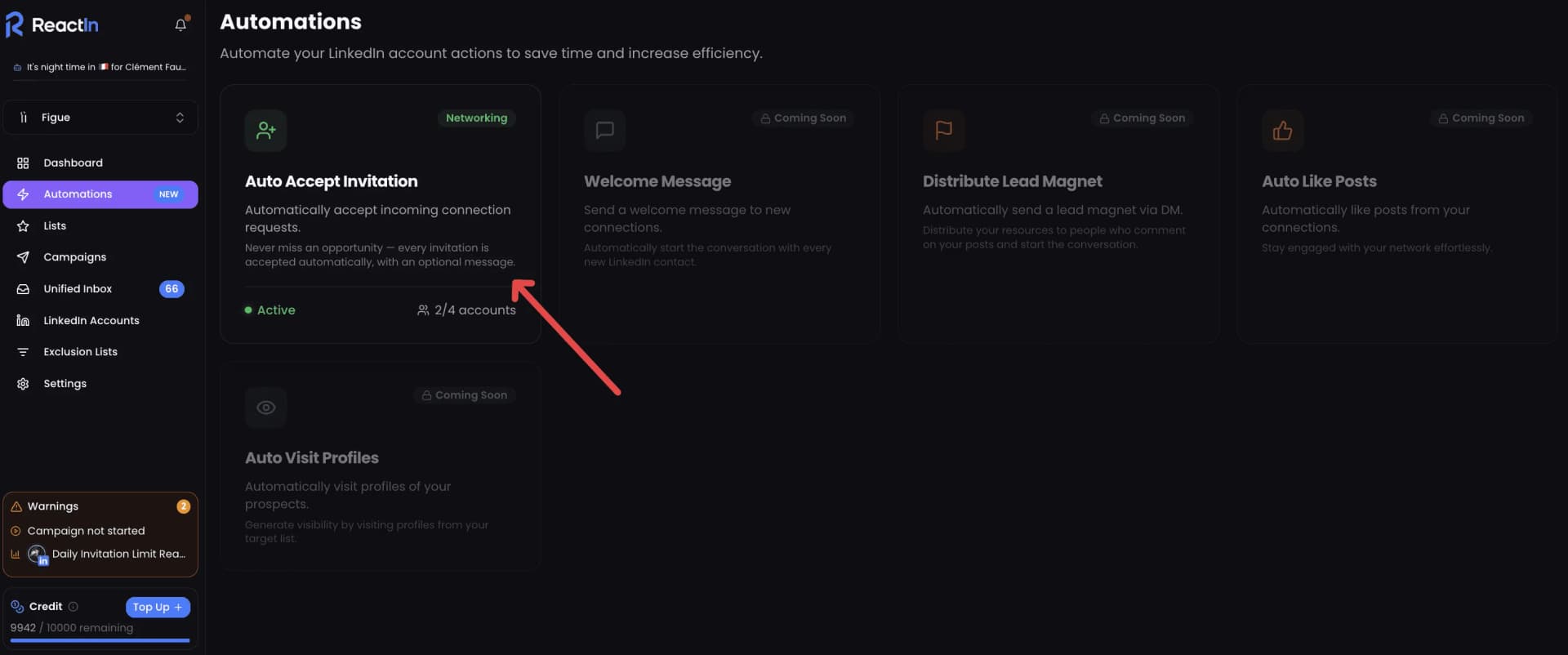
LinkedIn auto connect means sending connection requests automatically: outbound, you reach new people. Auto-accept is the opposite direction: it accepts the invitations you receive and welcomes the people who already want to connect. Both run from the same account quota, so plan them together.
If your goal is the incoming side, follow our guide to automatically accept LinkedIn connections and send a welcome DM.
LinkedIn Automation Policy in 2026: What's Allowed and What's Not
LinkedIn's Terms of Service explicitly address automation. Understanding their policy helps you stay compliant while still benefiting from automation tools.
What LinkedIn's Terms of Service Say About Automation
LinkedIn's Professional Community Policies and User Agreement prohibit:
- Using bots, scrapers, or other automated methods to access, search, or collect data from LinkedIn
- Sending unsolicited messages or connection requests in bulk through unauthorized software
- Creating fake profiles or using profiles for automated mass outreach
- Using browser extensions that modify LinkedIn's interface or inject code into the platform
How to Stay Compliant in Practice
The reality is that LinkedIn's enforcement targets disruptive, spammy behavior - not thoughtful automation. Here's how compliant automation looks:
- Respect rate limits - stay within the daily and weekly connection request limits for your account type
- Personalize every interaction - no mass-blast identical messages to hundreds of people
- Provide value - every automated message should offer something useful, not just pitch
- Maintain human oversight - review automation performance regularly, respond personally when prospects reply
The bottom line: LinkedIn targets tools that damage user experience. Automation that respects limits, personalizes messages, and adds value doesn't trigger enforcement. Tools like ReactIn are designed specifically to operate within these boundaries.
How to Automate Invitations on LinkedIn with ReactIn (Step by Step)
Before you automate connection requests from a new profile, follow our 4-week LinkedIn warm-up plan.
Here is the 5-step method to automate LinkedIn connection requests safely with ReactIn:
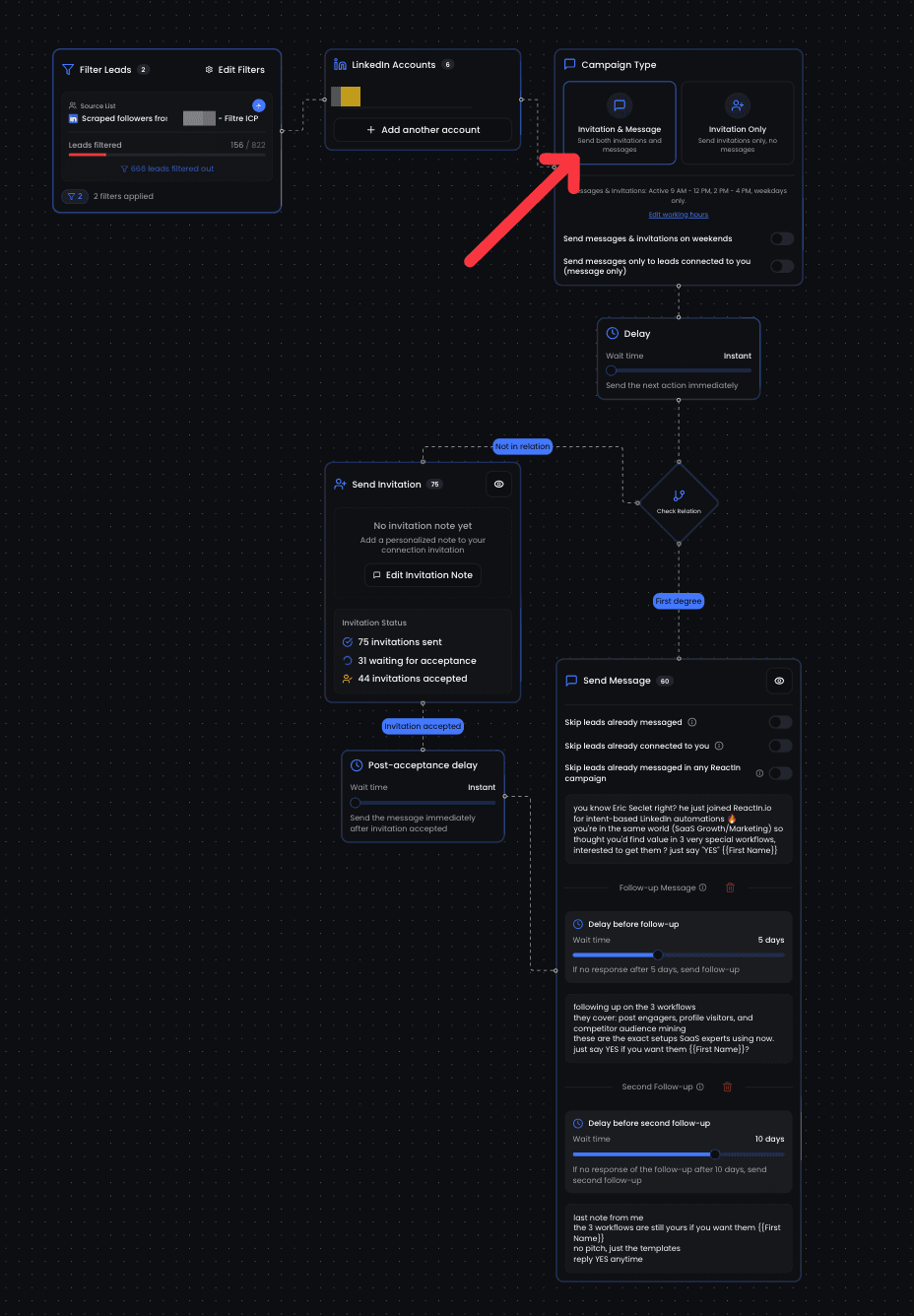
Connect your LinkedIn account and set a low starting limit
Link your LinkedIn account to ReactIn, which runs in the cloud rather than in your browser. In the LinkedIn Accounts settings, start at 5 invitations per day and raise the limit over 2-4 weeks, following the warmup schedule above.
Build a targeted list from intent signals
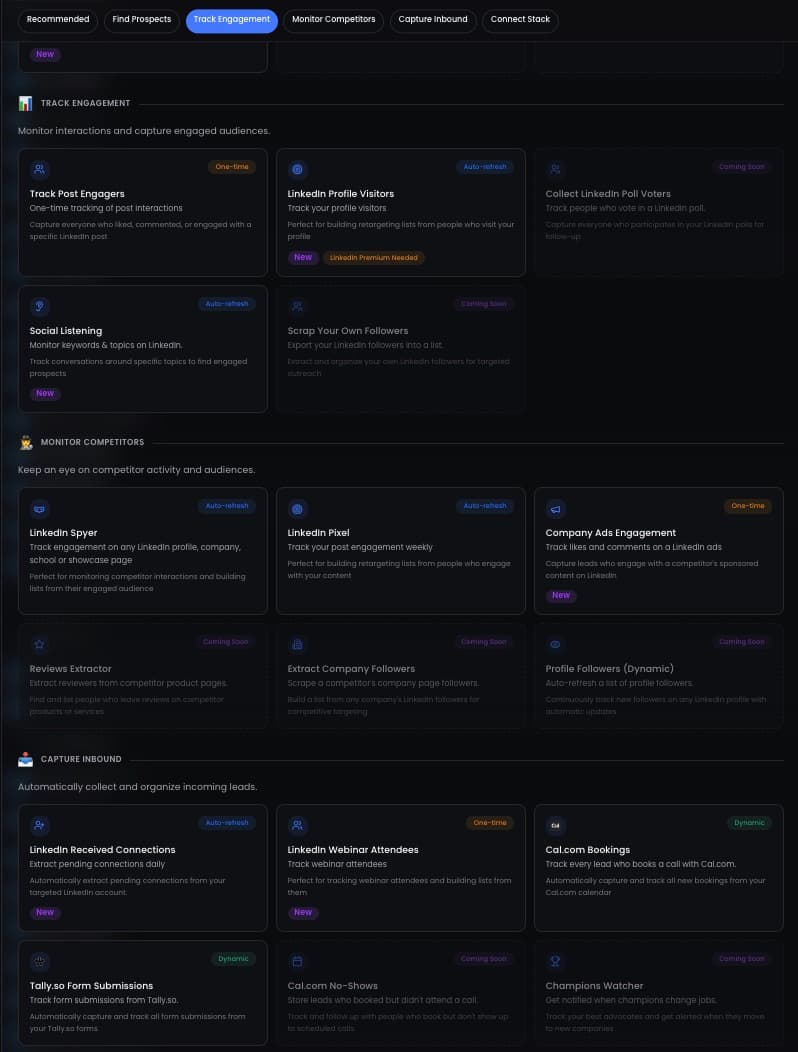
Create a SmartList from intent signals: people who engaged with a post, changed jobs, attended an event, or match your ideal customer profile. Warm prospects accept far more often than a cold list. You can also import from Sales Navigator or a CSV.
Decide note or no note, then personalize
Send without a note by default. If you add one, keep it between 120 and 180 characters and personalize it with variables like {{firstName}} and {{company}}, or with an AI column that writes a line per prospect from their profile.
Set the daily limit and schedule
Set the daily invitation limit for your plan (see the limits table above) and let the campaign run on working hours in the account timezone, with random delays between actions.
Monitor acceptance and adjust weekly
Check the acceptance rate every week. Above 40%, you can raise volume gradually. Below 35%, lower the daily limit by about 20% and review your targeting and note.
What NOT to Do
We’ve tested (and broken) enough automations to know what kills accounts:
Beyond Cold Lists: 18 Intent Signals to Target
Automating connection requests is only as good as the list behind it. The highest acceptance rates come from stacking intent signals and inviting people at the moment they show interest.
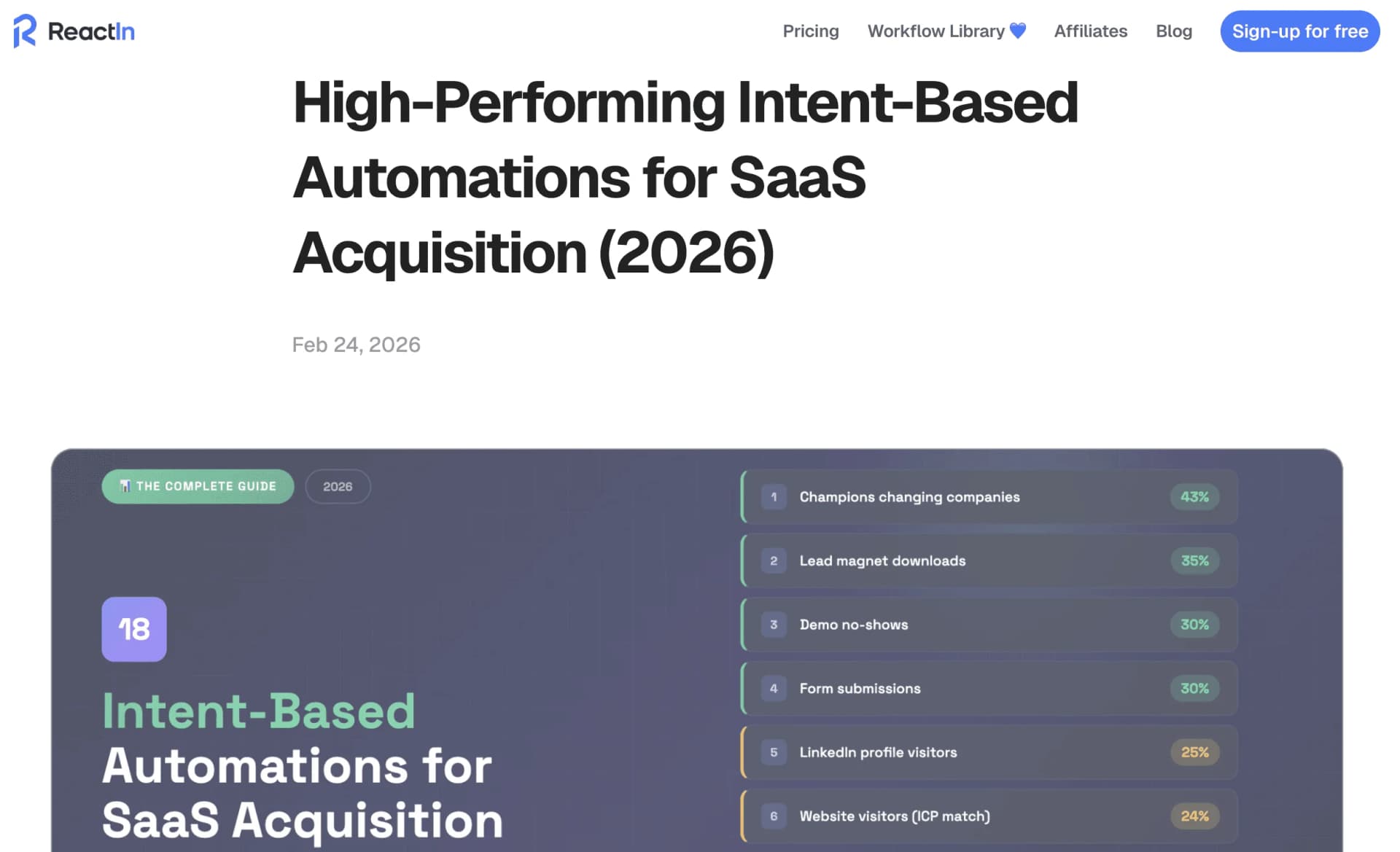
Top Tier Signals (30%+ Meeting Rate)
Champions changing companies - 43% meeting rate. Former customers starting new roles.
Lead magnet downloads - ~35% meeting rate. Trigger a LinkedIn DM within 24 hours.
Demo no-shows - ~30% meeting rate. Friendly follow-up 2-4 hours after missed call.
Form submissions - ~30% meeting rate. LinkedIn + email double tap.
High Intent Signals (20-29% Meeting Rate)
LinkedIn profile visitors - ~25% meeting rate. “Noticed we crossed paths” message.
Website visitors (ICP match) - 24% meeting rate. LinkedIn outreach within 24-48 hours.
Engaged with YOUR posts - 22% meeting rate. Follow-up DM referencing the post.
Engaged with competitor posts - 21% meeting rate. Value-first outreach (don’t mention competitor), built from the commenters you pull off their posts.
How to Stack These Signals
The magic happens when you combine multiple signals:
- Auto-accept connection requests (this guide)
- LinkedIn Pixel captures post engagers
- Lead magnet downloads trigger DM
- Profile visitors get follow-up
- Spyer monitors competitor audiences
Result: 5 intent signals running 24/7, feeding qualified leads into your pipeline automatically.
Conclusion
Automating LinkedIn connection requests is not about sending more. It is about sending steadily, to the right people, without looking like a bot.
Stay under your quota, warm up, target intent. Invite the right people, then start the conversation yourself.
Done right, automated invitations reach 55%+ acceptance and take the manual prospecting off your day.
“27% average reply rate across 5,000+ user campaigns”
Ready to automate? The signals are everywhere. Now go capture them.
This guide is part of our complete LinkedIn automation playbook for 2026 - covering everything from intent signals to safety limits.
Frequently Asked Questions
Sources & Further Reading
- Weekly invitation limits and what triggers them are documented in the LinkedIn Help Center on account restrictions.
- Automation sits under LinkedIn's terms. Read the LinkedIn User Agreement before you scale volume.
Related Articles
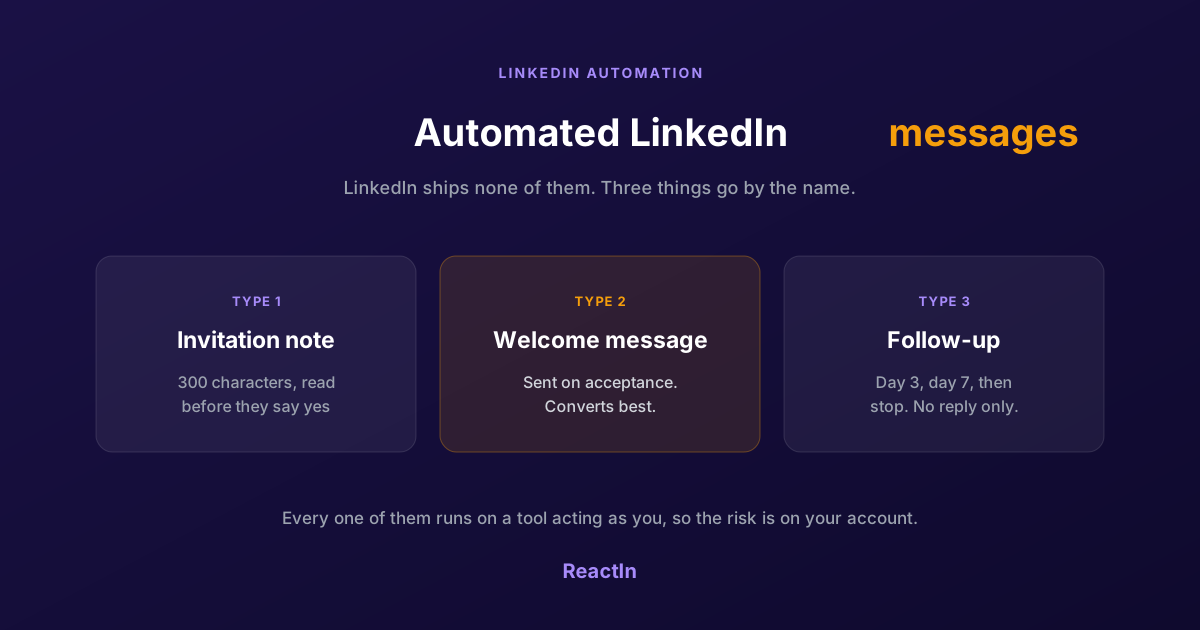
Automated LinkedIn Messages: How to Send Them Without Getting Restricted (2026)
LinkedIn ships no automated messaging at all. Here are the three things people call an automated LinkedIn message, how to set one up, what the terms actually say, and the three cases where writing by hand wins.
Best LinkedIn Automation Tool for Agencies in 2026 (Ranked by Total Cost, Not Feature Lists)
The 7 best LinkedIn automation tools for agencies in 2026, ranked by true cost at scale. ReactIn replaces 3-4 tools ($69/mo vs $300+/mo stack) with intent signals, AI enrichment, and unified inbox. Full "True Cost for 10 Accounts" comparison included.
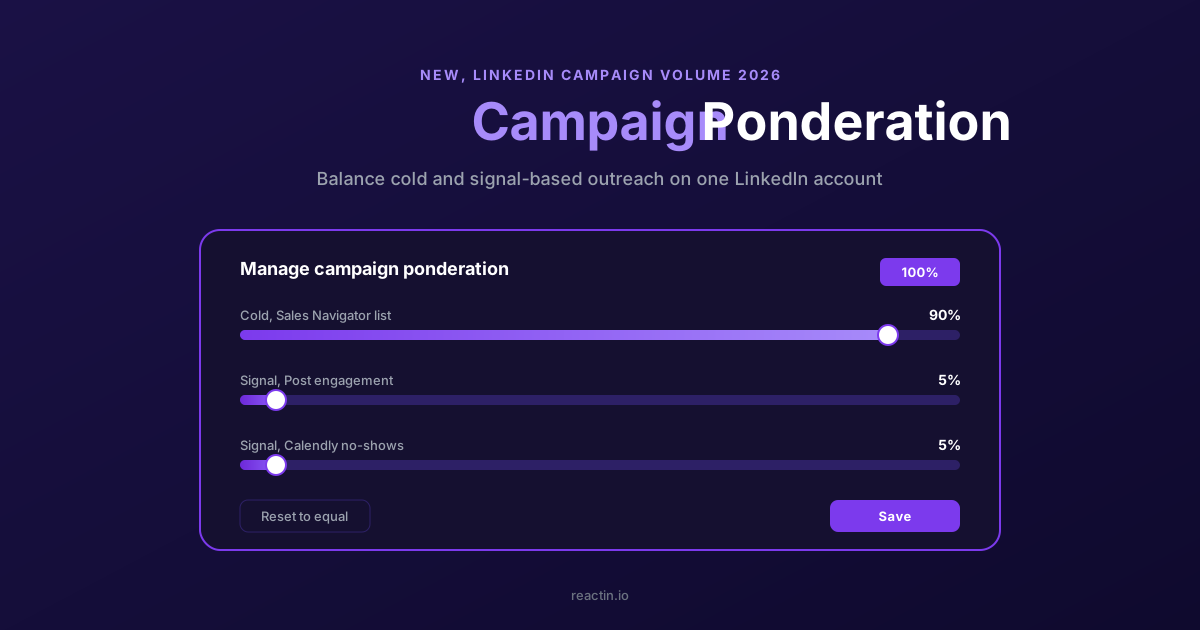
How to Balance LinkedIn Campaign Volume Across Tools (Waalaxy, HeyReach, Expandi, Dripify, LGM, PhantomBuster, Gojiberry vs ReactIn)
Most LinkedIn automation tools force you to pick: one big cold campaign, or none. Here is how Waalaxy, HeyReach, Expandi, Dripify, LGM, PhantomBuster and Gojiberry actually let you split daily volume between campaigns - and how ReactIn’s new Campaign Ponderation finally lets you run a 90/5/5 mix of cold + signal-based outreach.
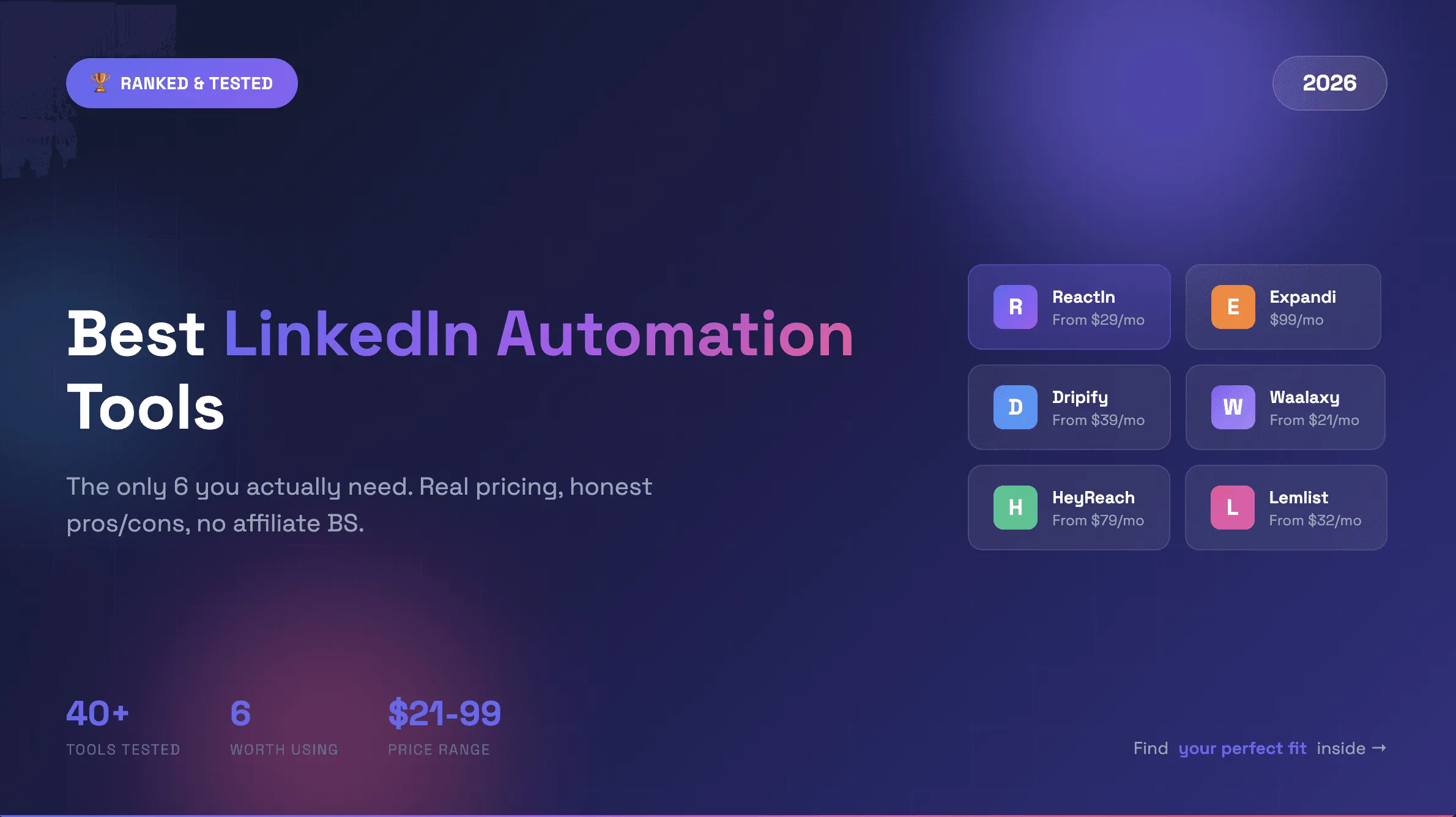
Best LinkedIn Automation Tools 2026 - Top 6 Ranked (Safest & Cheapest)
Honest comparison of the 6 best LinkedIn automation tools in 2026, tested hands-on with real campaigns. Ranked by ban risk and results, with full pricing, the free plans that actually exist, and where AI SDRs fit.