LinkedIn Lookalike Leads: Clone Your Best Customers in 3 Minutes (2026)
Drop one LinkedIn profile, describe your ICP and persona, and ReactIn returns up to 100 prospects who match. The Meta Lookalike playbook, applied to B2B prospecting. 22% reply rates vs 8% from Sales Nav.
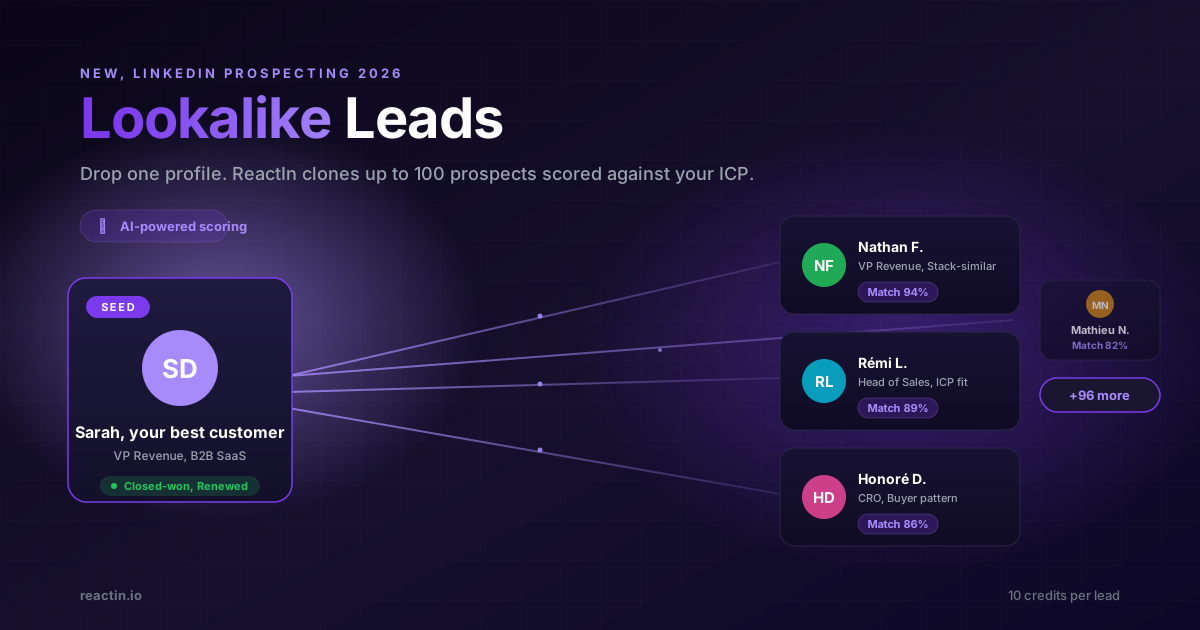
You spent 45 minutes in Sales Navigator. Boolean filters. Industry. Headcount. Job title. Seniority. Geography.
You got 2,134 results. Maybe 30 of them actually look like the customers you closed last quarter.
You already know who your best customers are. You just cannot tell LinkedIn "find me 100 more of those". Until now.
TL;DR
Lookalike Leads in 6 bullets:
- Drop one LinkedIn profile. ReactIn finds up to 100 prospects that match.
- Describe your ICP and Buyer Persona. Plain text. No boolean. No filters.
- Each lead is scored. Temperature labels (low / medium / high) tell you who to reach first.
- 10 credits per lead. Cost shown before you click "Continue". No hidden charges.
- Exclusion list supported. Upload a CSV of existing customers so you never re-prospect them.
- Early reply rates: 22% vs 8%. Same offer, same DMs, lookalike list instead of Sales Nav search.
Why Sales Navigator lists cap your reply rate
Sales Navigator gives you filters. Industry. Headcount. Title. Seniority. Tenure. Geography.
It does not let you say: "Find me 100 more people like Sarah, my best customer".
So you guess. You try to reverse-engineer Sarah into filters. You end up with 2,000 leads where 30 are actually relevant.
The 1,970 mismatched leads still get a DM. They never reply. Your average reply rate drops to 8%. Your inbox looks dead. You blame the copy.
What Lookalike Leads actually do
Meta has had Lookalike Audiences since 2013. Drop in your customer list, Meta finds people who behave the same way, and your CPA drops 30 to 60%.
Lookalike Leads on ReactIn brings the same logic to LinkedIn outreach. You give us:
- A reference profile. Your best customer, a competitor's founder, an industry leader.
- Your Ideal Customer Profile. Plain text describing the company you sell to.
- Your Buyer Persona. Plain text describing the human inside that company.
We run a waterfall scrape across 20+ signal sources, score every candidate against your ICP and persona, and return up to 100 leads ready to push into a campaign.
No boolean. No 45 minutes of filters. No guessing what tag the prospect put in their headline.
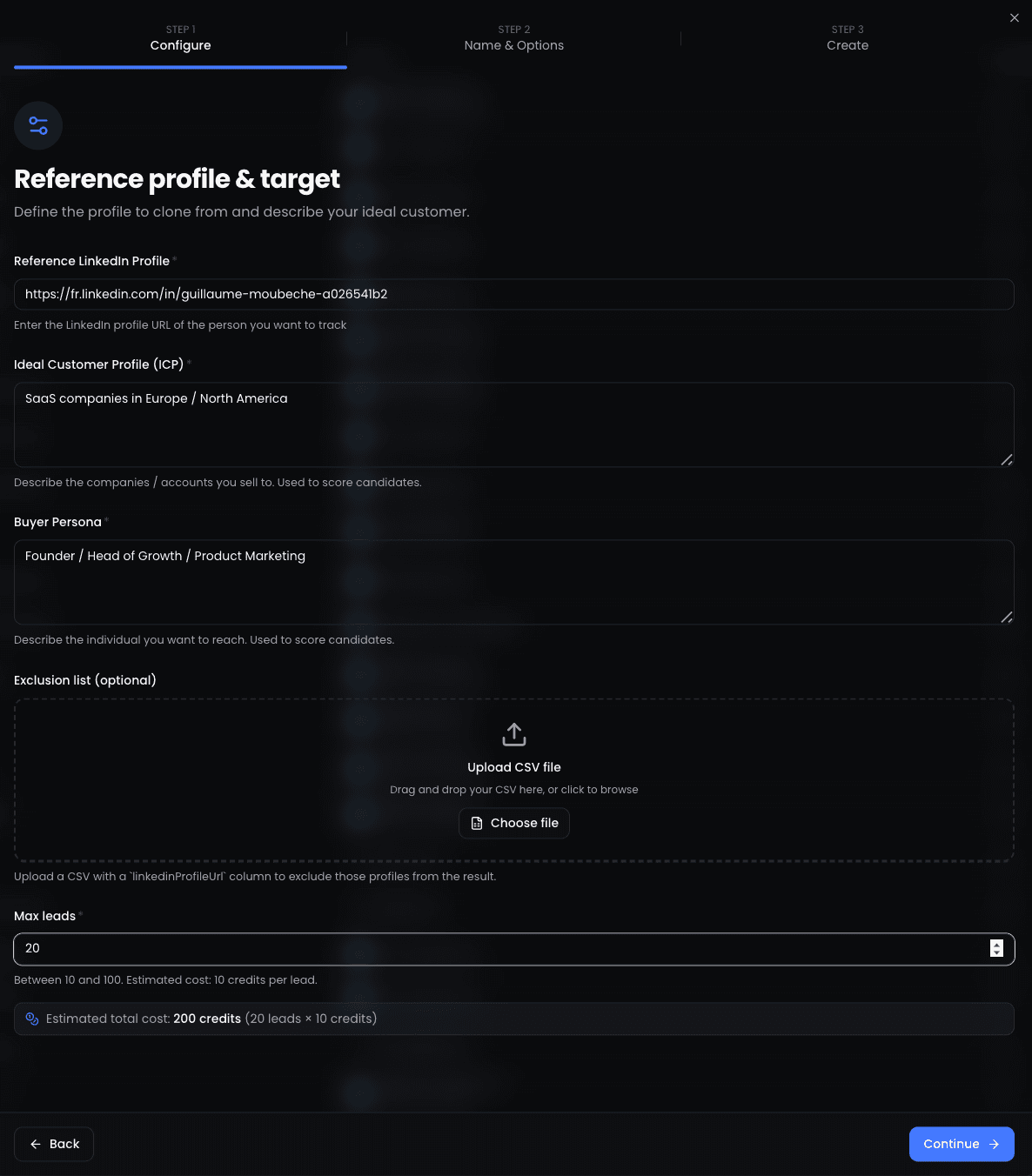
How it works in ReactIn
Three inputs. One scrape. A scored list of fresh leads. Here is the flow under the hood.
You provide a seed
ReactIn parses your ICP and persona
Waterfall scrape across signal sources
AI scores every candidate
Leads land in a list
Step-by-step setup (3 minutes)
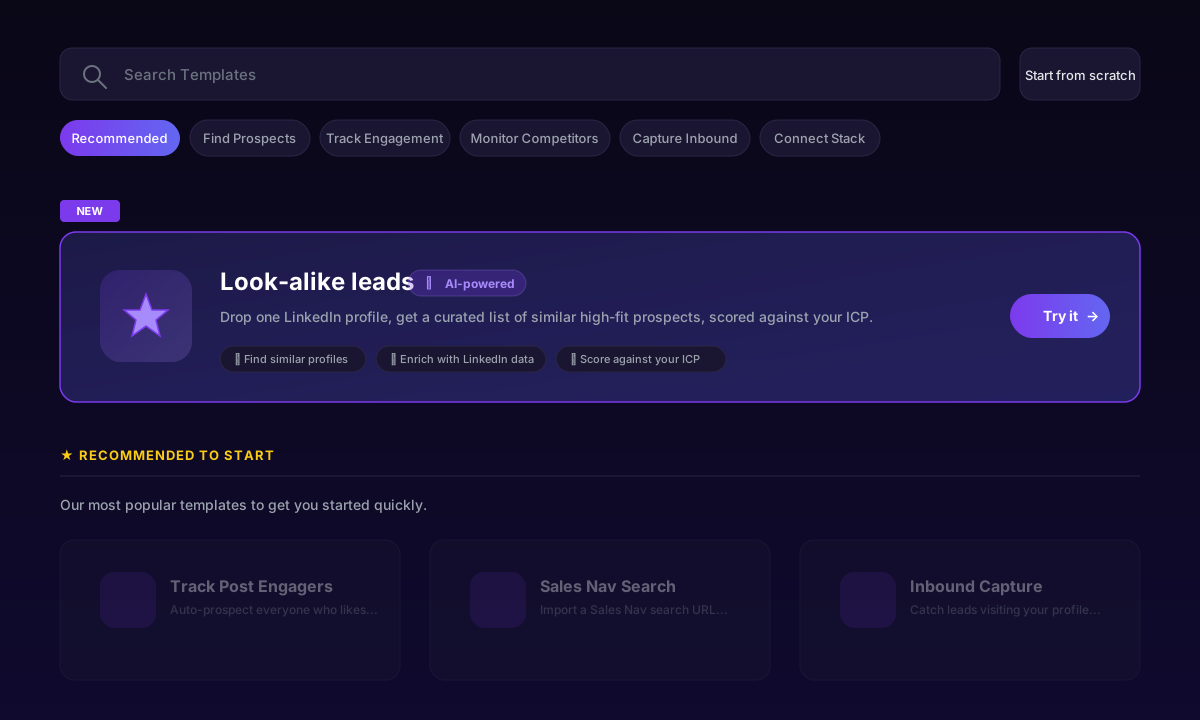
From the dashboard, open the templates panel and look for the "NEW - Lookalike leads" card with the AI-powered badge. Click "Try it" to start.
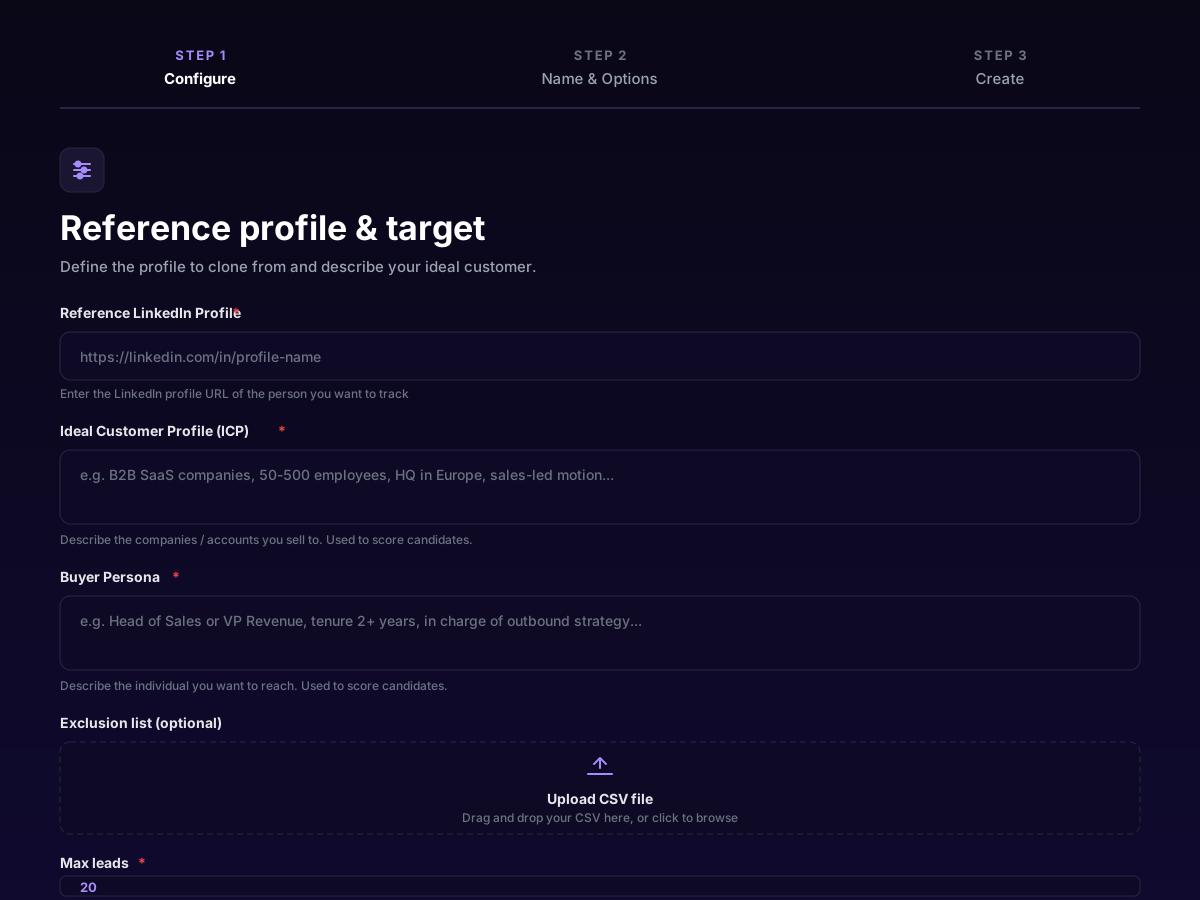
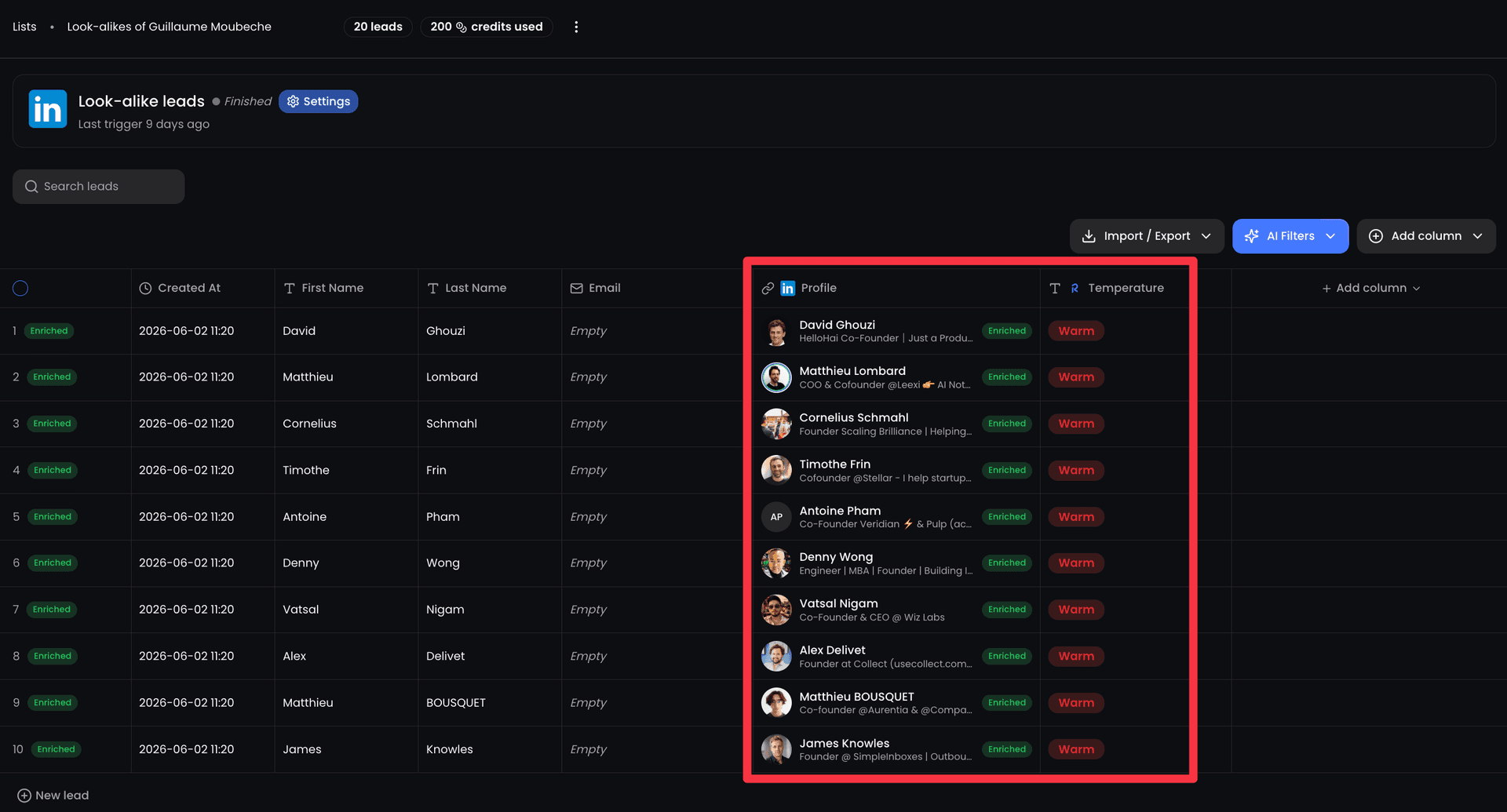
Drop the reference profile
Describe your ICP
Describe your buyer persona
Upload an exclusion list (optional)
Set max leads and confirm cost
Why Lookalike Leads beat keyword filters
Sales Navigator filters reward people who fill in the right fields. Lookalike Leads reward people who behave like your best customers, regardless of how they wrote their headline.
That gap matters. The CTOs you want do not always put "CTO" in their headline. The buyers you close do not always work in companies that fit your industry dropdown.
Filters target text. Lookalikes target patterns. Patterns convert better.
5 use cases that work today
These are the seeds that produce the highest reply rates in our internal benchmarks.
1. Clone your top 5 closed-won customers
Pick the customers who closed fast and renewed. One scrape per seed. 50 leads each. Push into a single campaign with the exact same DM that worked the first time.
2. Mirror a competitor's best champion
Find a public case study or testimonial on a competitor's site. Use that profile as the seed. ReactIn surfaces people who match the same buying pattern.
3. Replay the audience of an industry leader
An influencer's followers are not a list, but the people who look like that influencer often are. Use their profile as the seed and target the lookalike, not the influencer themselves.
4. Expand a winning vertical
You closed 3 deals in fintech. Pick the warmest one as the seed. ReactIn surfaces 100 more fintech buyers without you typing a single boolean operator.
5. Prospect the buyers behind a hire
A new VP of Sales just got hired at a target account. Use their profile as the seed. ReactIn finds the rest of the buying committee that fits your persona.
Pricing, credits, and the exclusion list
Lookalike Leads cost 10 credits per lead. The number is shown on the configuration screen, before you confirm. No surprises after the run.
If a lead cannot be enriched, you are not charged. You only pay for usable, contactable profiles delivered to your list.
The exclusion list is optional but high leverage. Upload your existing customers, lost deals, and people you have already prospected in the last 90 days. ReactIn skips them automatically. You stop wasting messages and credits on the same inbox twice.
Sales Nav search vs Lookalike Leads
Both have a place in your stack. Sales Nav is great for territory carving and account-based work. Lookalike Leads is built for fast prospecting that converts.
| Capability | Sales Nav | ReactIn Lookalike |
|---|---|---|
| Setup time per list | 30 to 60 min | 3 min |
| Targeting input | Boolean filters | 1 profile + plain text |
| AI scoring vs ICP | ||
| Exclusion list (CSV) | ||
| Built-in enrichment | ||
| Pushes into a campaign | ||
| Reply rate (internal benchmark) | 8 to 12% | 20 to 28% |
Plug Lookalike Leads into a real campaign
A list with no campaign behind it is just a CSV. Here is the workflow we use internally.
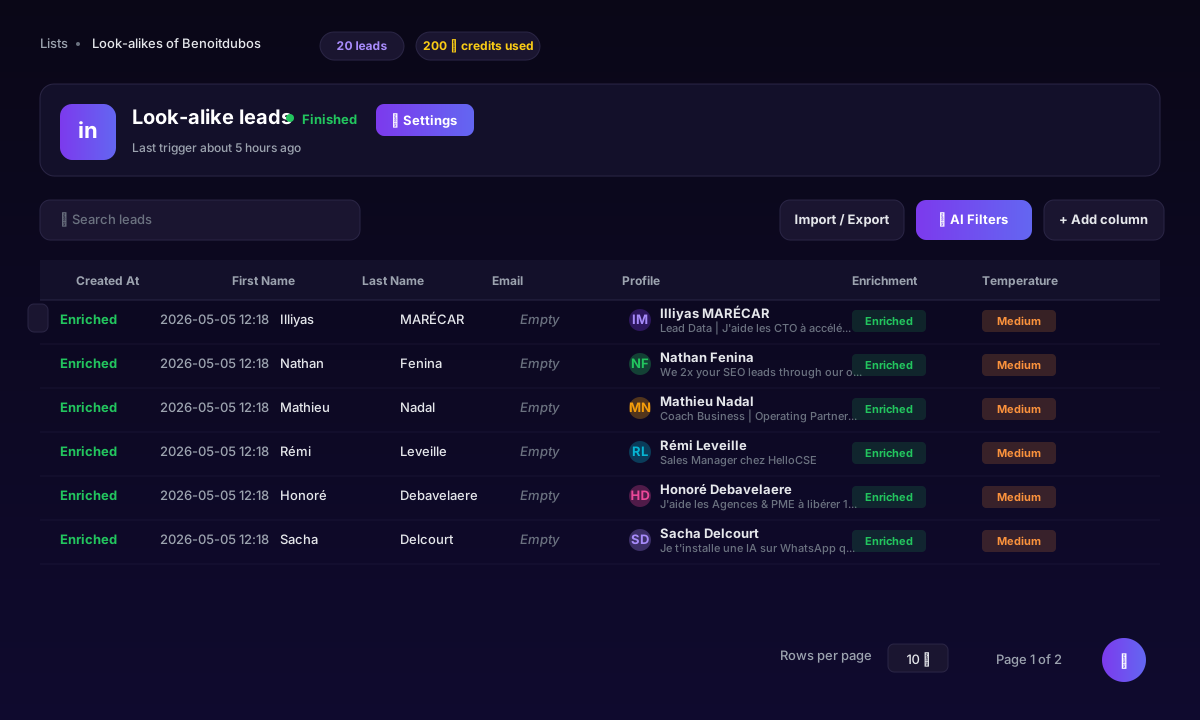
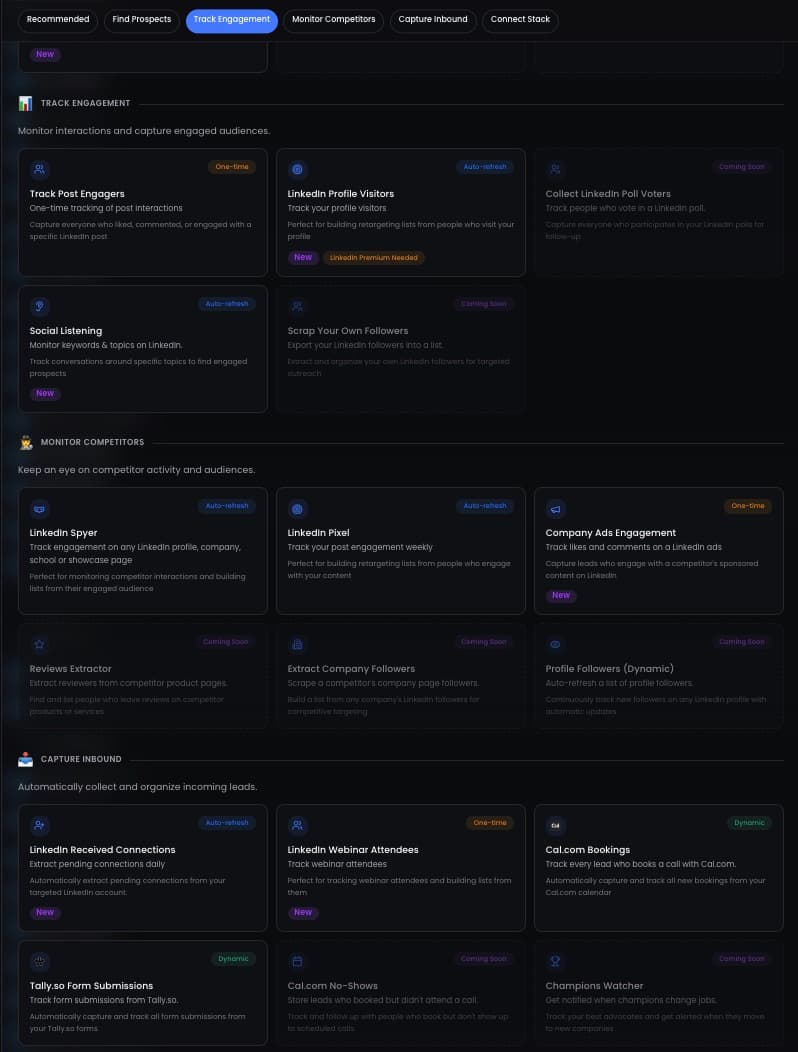
Generate 50 lookalike leads
Send a connection request, no note
Day +1: short context message
Day +4: value drop
Day +7: soft CTA
Key takeaways
- Sales Nav rewards people who type the right keywords. Lookalikes reward people who behave like your customers.
- One profile + ICP + persona is enough to clone an audience that converts 2 to 3x better.
- 10 credits per lead, fixed cost, no charge for unenriched profiles.
- Always upload an exclusion list. It pays for itself in saved DMs and saved credits.
- Run 3 small seeds before scaling. Find the seed with the best reply rate, then 10x it.
Stop searching. Start cloning.
You already know who your best customers are. The 30 minutes you spend rebuilding the same Sales Nav search every Monday is wasted.
Drop one profile. Describe your ICP. Hit go. In 3 minutes you have 20 prospects scored against the customer who already bought from you. Run the same DM that worked the first time.
The seed is the moat. The boolean search is not.
Sources & Further Reading
- Cloning a customer profile usually starts from Sales Navigator filters. Check current plans on the LinkedIn Sales Navigator pricing page.
- Any automated outreach sits under LinkedIn's terms. Read the LinkedIn User Agreement.
This article is part of our complete LinkedIn Prospecting Guide for 2026 - covering ICP definition, signal-based targeting, and pipeline building.
Frequently Asked Questions
Related Articles
LinkedIn Prospecting Guide 2026: Build Pipeline With Signal-Based Targeting
The complete LinkedIn prospecting guide for 2026. ICP definition, lookalike audiences, SmartList building, and signal-based targeting. Turn LinkedIn into your #1 pipeline source.
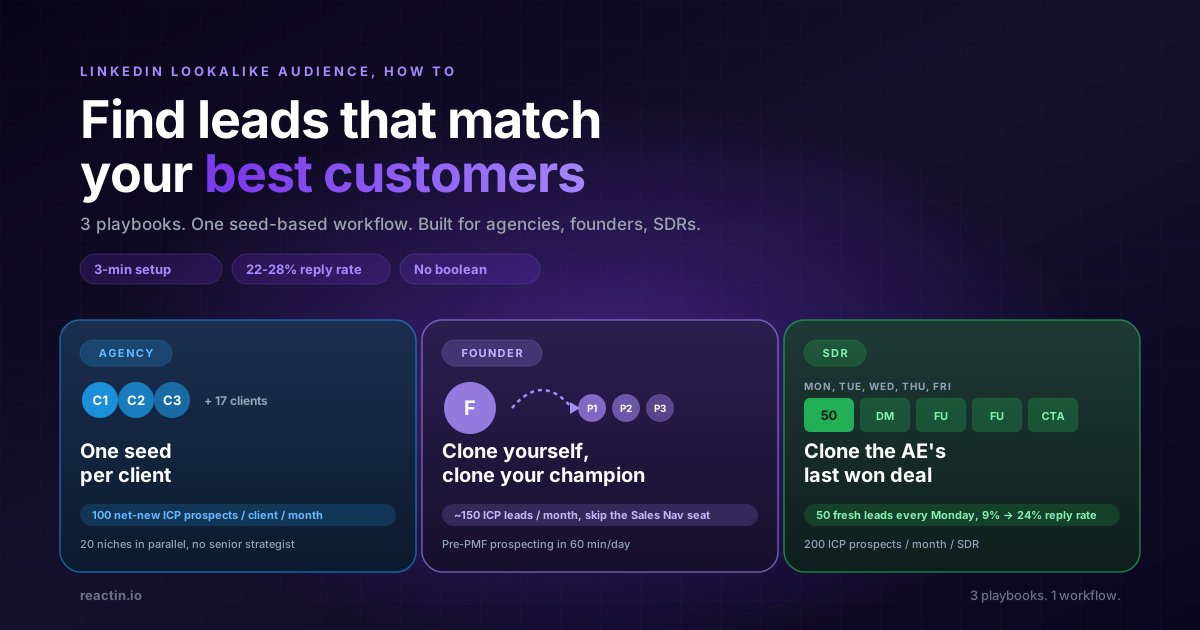
LinkedIn Lookalike Audience: How to Find Leads That Match Your Best Customers (2026)
LinkedIn never shipped a native lookalike audience for outbound. Here is how to build one in 3 minutes, with 3 detailed playbooks for agencies, founders, and SDRs hitting 22-28% reply rates.
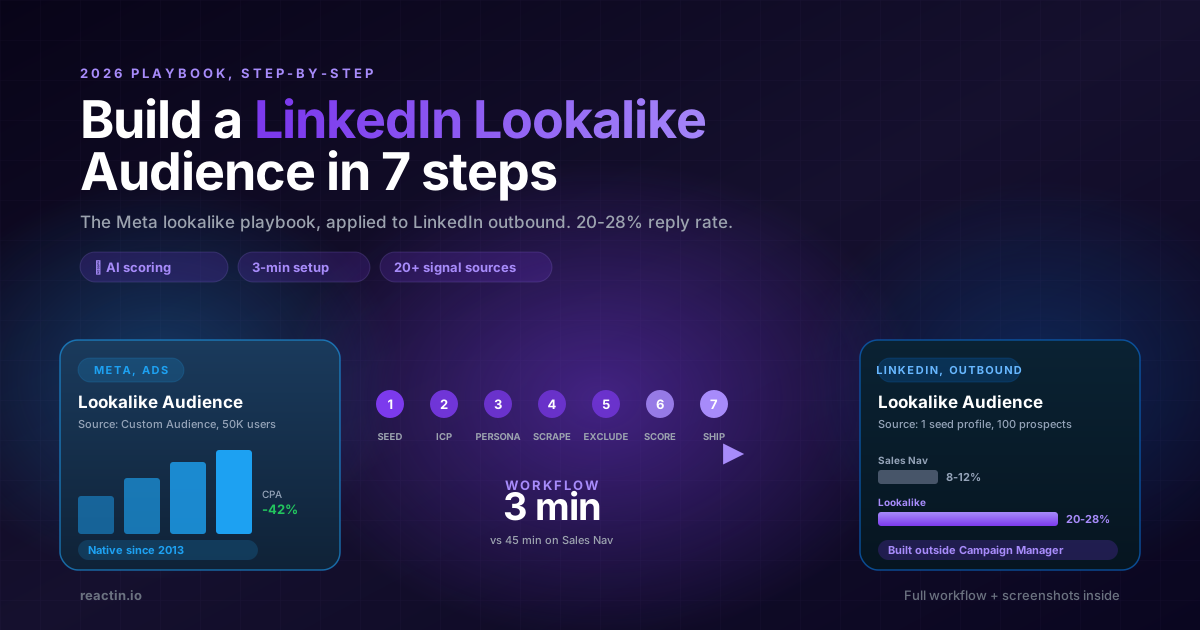
How to Build a LinkedIn Lookalike Audience in 2026 (Full Workflow + Screenshots)
LinkedIn never shipped a native Lookalike Audience for outbound. Here is the full 2026 workflow: pick the seed, write your ICP, run the waterfall scrape, ship a 50-lead audience in under 5 minutes that hits 20-28% reply rates.
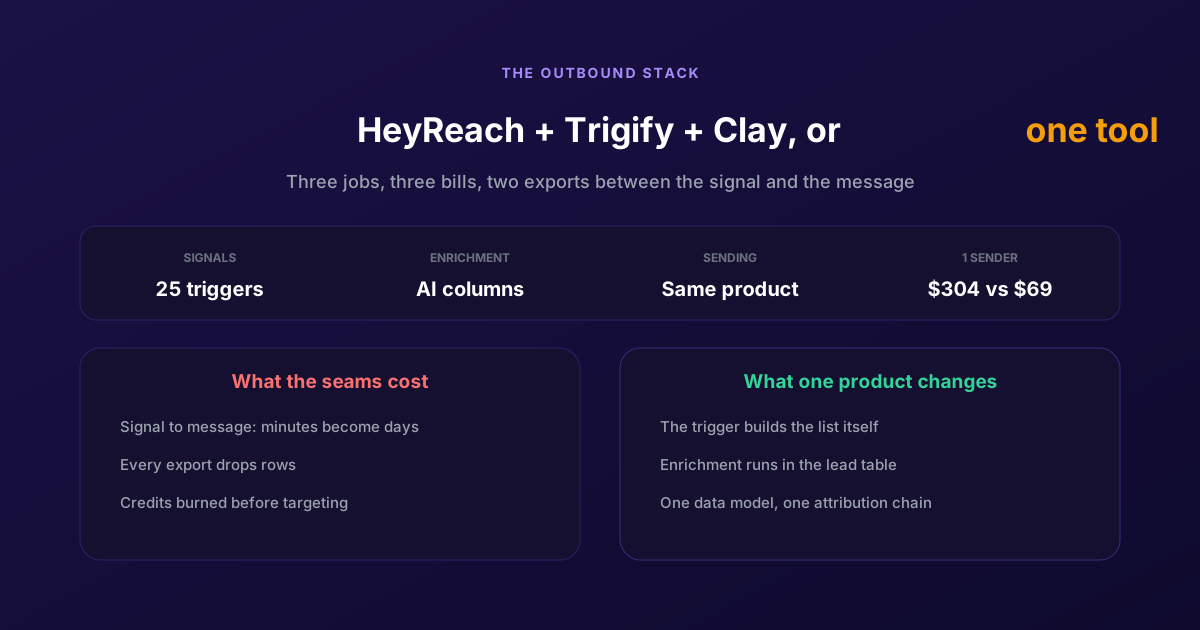
ReactIn = HeyReach + Trigify + Clay: One Tool for Cold and Warm Outreach
Three products, three bills, and two exports between the signal and the message. Here is what each tool owns, what the seams cost in latency and credits, and when keeping the stack is still the right call.