How to Build a LinkedIn Lookalike Audience in 2026 (Full Workflow + Screenshots)
LinkedIn never shipped a native Lookalike Audience for outbound. Here is the full 2026 workflow: pick the seed, write your ICP, run the waterfall scrape, ship a 50-lead audience in under 5 minutes that hits 20-28% reply rates.
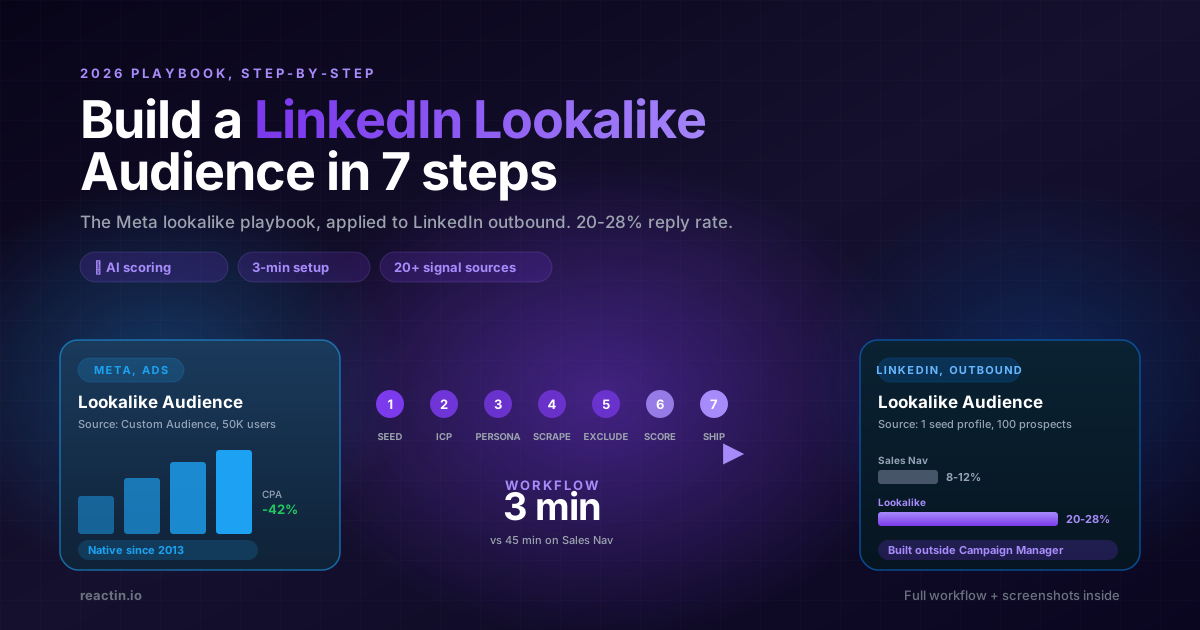
On Facebook and Instagram, every performance marketer knows the trick: upload your best customers, let Meta build a Lookalike Audience, and watch your CPA fall 30 to 60% overnight.
On LinkedIn, that button does not exist. Campaign Manager lets you target by job title, company size, industry, seniority. It does not let you say: "give me 1,000 people who behave like the 50 customers I already closed".
In 2026, that gap finally closes. This guide is the full workflow to build a LinkedIn lookalike audience, what it actually means in a B2B outbound context, how to pick the right seed, and how to ship a working list in under 5 minutes.
TL;DR
A LinkedIn lookalike audience in 6 bullets:
- It is not a Campaign Manager feature. LinkedIn never released a native Lookalike Audience for organic outbound. You build it outside the platform.
- One seed profile, plus ICP and persona in plain text. No boolean filters. You describe who you want and pass one example.
- Waterfall scrape across 20+ signal sources. The lookalike engine cascades multiple data sources so a missed signal in source A is caught by source B.
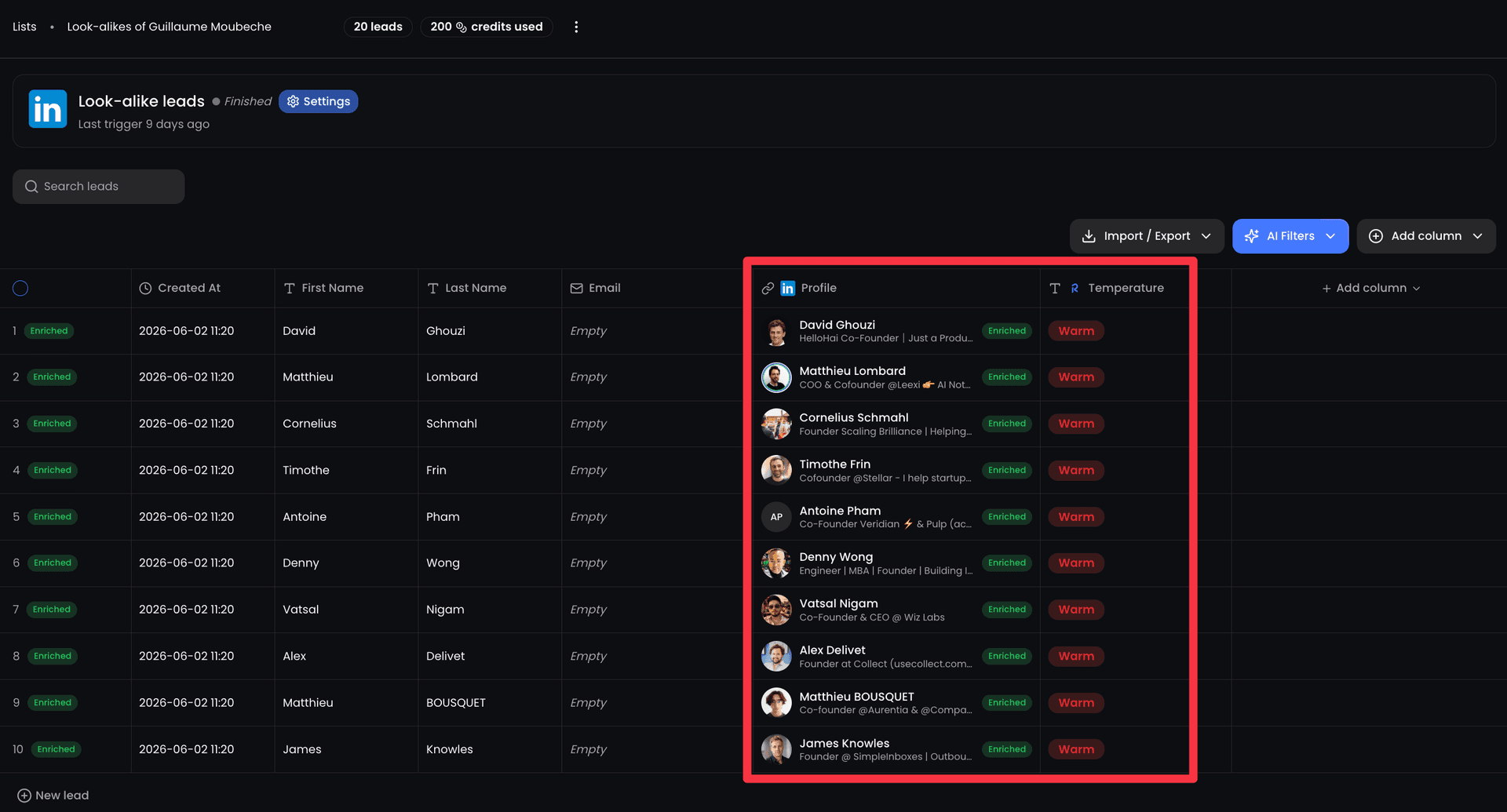
- AI scores every candidate. Each lead gets a temperature label (low / medium / high) against your ICP and persona.
- Exclusion list strips current customers and dead deals. Upload a CSV once, ReactIn dedupes every future audience against it.
- Expected outcome. A 50-100 lead list, ready to push into a campaign in under 5 minutes, with 2-3x the reply rate of a generic Sales Nav search.
What a LinkedIn lookalike audience actually is in 2026
A LinkedIn lookalike audience is a list of LinkedIn profiles that match the behavior, role, and company pattern of one or more reference profiles you already know convert. The reference can be a closed-won customer, a power user, or a champion at a competitor.
The keyword here is behavior. A Sales Navigator search rewards profiles where the right words appear in the right fields. A lookalike audience rewards profiles that look statistically similar to the seed (job graph, tenure shape, company traits, mutual connections, engagement clusters), whether or not the words match.
That distinction is everything. Most of your best buyers do not describe themselves the way you would search for them. They wrote their headline in a hurry three years ago. They are still your perfect match.
Meta vs LinkedIn: why the lookalike button is missing
Meta has shipped Lookalike Audiences since 2013. You upload a Custom Audience (customers, page fans, app events), Meta finds the closest 1-10% of users by behavioral similarity, and the algorithm serves your ads to them. Marketers stopped thinking about who to target and started thinking about who to clone.
LinkedIn Campaign Manager has Matched Audiences (upload contact lists, account lists, retarget website visitors), but the platform never made a public lookalike model for organic prospecting. Predictive Audiences exists for paid ads, in some accounts, in some markets, with limited control over the seed. For outbound (DMs, connection requests, sequences), there is nothing.
Why? Because LinkedIn's economic model is built around Recruiter and Sales Navigator seats. Selling filters is easier than selling a behavioral model. A lookalike audience would compress the value of every Sales Nav license overnight.
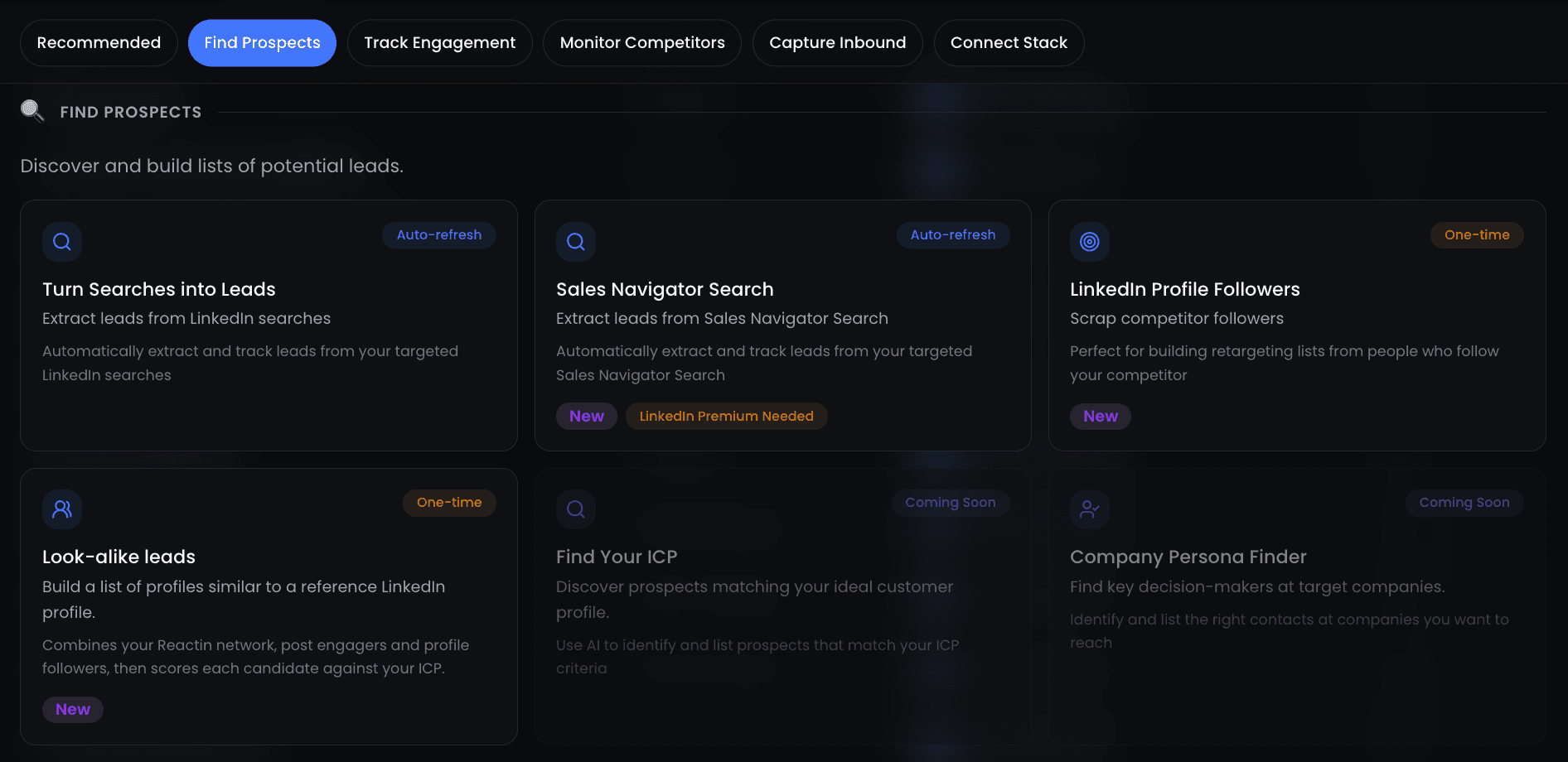
So the lookalike layer for outbound has been built outside LinkedIn, by tools that combine LinkedIn data with their own behavioral signals and AI scoring. ReactIn is one of them, and the rest of this guide is based on its Lookalike Leads workflow.
Why 2026 finally makes lookalike audiences usable
Three things changed at once.
First, the data layer matured. There are now 20+ providers exposing LinkedIn-adjacent signals: hiring data, intent data, technographics, mutual connection graphs, engagement clusters. None is complete on its own. Cascaded together (waterfall scraping), recall jumps above 90%.
- AI is cheap enough to score every candidate. Two years ago, scoring 100 profiles against a free-text ICP would have cost dollars per run. In 2026, it is a rounding error.
- ICP description in plain language works. You no longer translate Sarah into 14 boolean filters. You write one paragraph in English or French and the model handles the rest.
- Behavioral graphs are queryable. The "people who engage with the same content" cluster is a usable input now, not a research project.
- Outbound benchmarks collapsed. Generic cold lists used to convert at 8-12%. They now convert at 3-6%. Lookalike beats it 3x because it skips the noise.
The combined effect: a workflow that took a Growth engineer two days now takes a sales rep three minutes.
How to pick the right seed profile
The seed is the anchor. Everything downstream (the scrape, the scoring, the dedupe) is computed relative to it. A weak seed produces a weak list, no matter how clean the rest of your workflow is.
Treat the seed like you would treat a hyperparameter. Test 3 candidates in parallel, keep the one that produces the highest reply rate, scale that one.
Good seeds (high signal, predictable lookalikes)
- A customer who closed in under 30 days, used the product within a week, and renewed at month 12.
- A champion buyer who quoted you in a case study or testimonial.
- A competitor's most publicly visible customer (logos, reviews, conference talks).
- A new VP hire at an account you already target, the rest of the buying committee will mirror their profile.
Bad seeds (you will pull noise)
- A founder of an early-stage startup, their profile is too generalist to mirror.
- An influencer with 100K followers, their lookalikes are other influencers, not buyers.
- A customer who churned at month 3, their pattern is exactly what you want to avoid.
Write your ICP and persona (plain text, not filters)
The lookalike engine takes two text inputs alongside the seed. They are not optional and they are not filters, they steer the scoring pass.
ICP: the company you sell to
One paragraph describing the company. Industry vertical, headcount range, revenue band, geography, motion (sales-led, PLG, agency-led). Be specific. Vague ICPs return vague lookalikes.
Example: "B2B SaaS companies, 50 to 500 employees, HQ in Europe or North America, sales-led motion, ARR between $2M and $20M, currently hiring on the revenue team."
Persona: the human inside the company
One paragraph describing the buyer. Job family (not just job title), tenure, scope of ownership, what they care about. The persona is what stops the engine from returning the CFO of every account when you want the VP Sales.
Example: "Head of Sales or VP Revenue, 2+ years in role, owns outbound strategy, manages a team of 3 to 15 SDRs, has previously rolled out at least one outbound tool."
The full 7-step workflow
Once seed, ICP, and persona are ready, the workflow is mechanical. Most users finish in under 5 minutes.
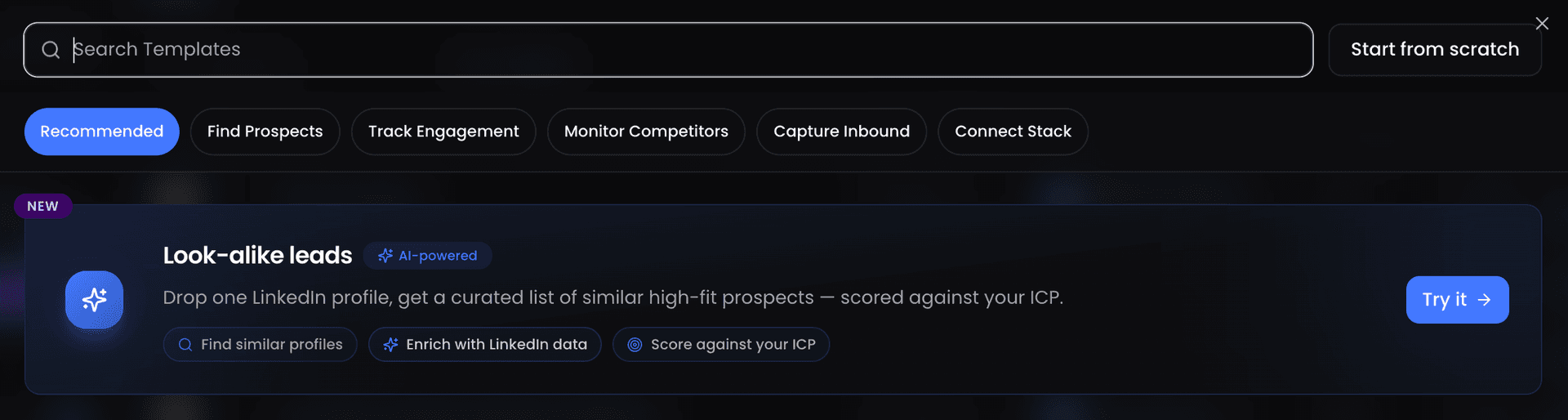
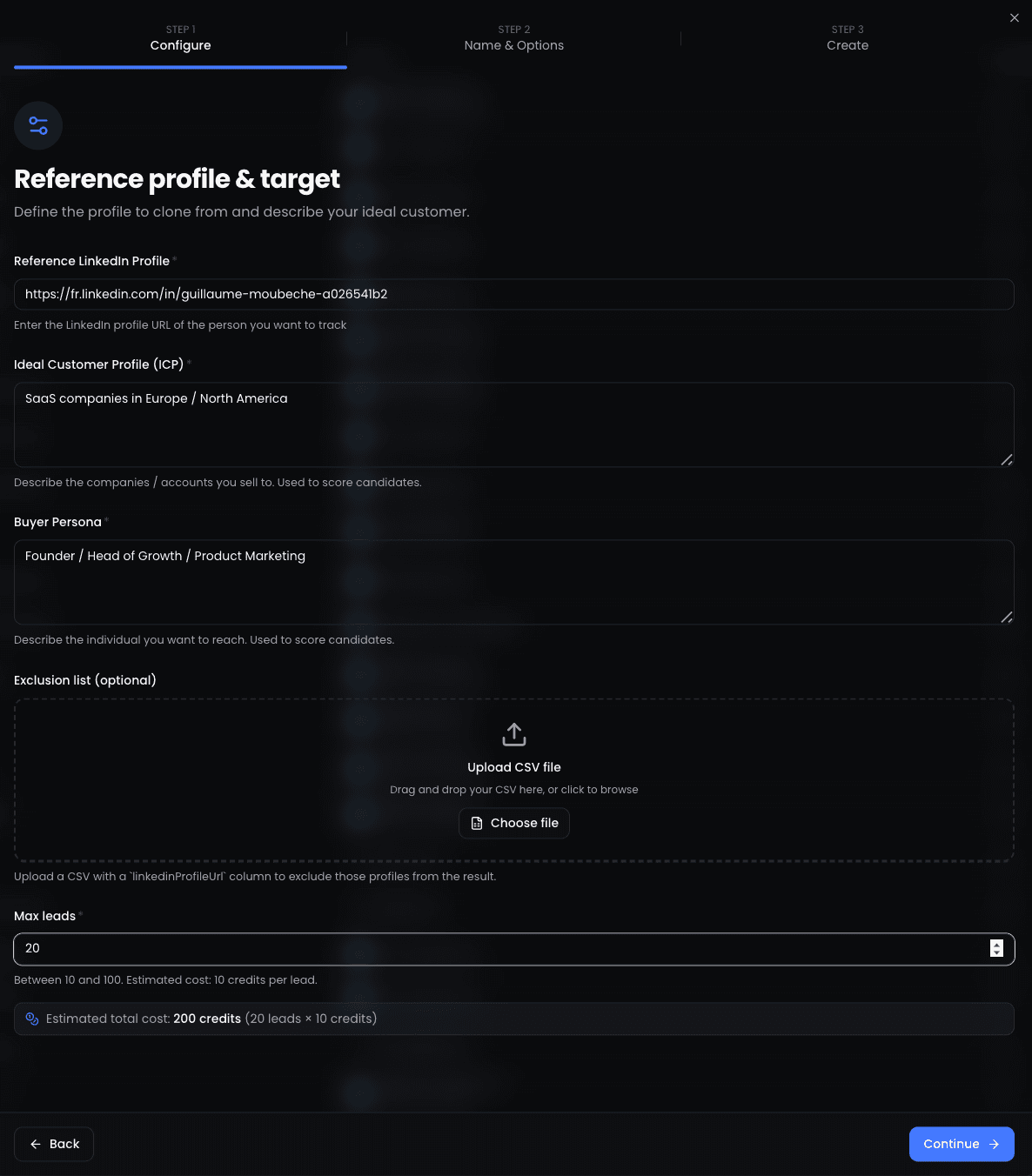
Open the Lookalike Leads template
Paste your seed profile URL
Paste your ICP description
Paste your buyer persona
Upload your exclusion list (optional but recommended)
Set max leads and confirm credits
Wait for the list to land (3 to 15 minutes)
Build your exclusion list (the highest-leverage step)
An exclusion list is the single fastest way to lift the perceived quality of every future lookalike audience. It costs nothing and pays back in saved DMs.
What to put in the CSV:
- All current customers. Active paid accounts, free-trial users, and pilot accounts.
- Closed-lost deals from the last 6 months. Re-prospecting a lost deal a week later is the fastest way to torch a brand.
- Anyone you DMed in the last 90 days. Even if they did not reply. LinkedIn's algorithm penalises repeat outreach.
- Internal employees and investors. Especially competitor employees, who will share your DMs in 24 hours.
How lookalike scoring actually works
Every candidate is scored on two axes: how similar the company is to your ICP, and how similar the human is to your persona. The two scores are combined into one temperature label: low, medium, or high.
The labels are not vanity. They are the order in which you should reach out.
| Label | What it means | Recommended action |
|---|---|---|
| High | Strong match on both ICP and persona, close behavioral cluster to the seed. | DM first, within 24 hours of list delivery. |
| Medium | Matches one of the two axes strongly, the other partially. | Connect with no note, follow up at day 4 if accepted. |
| Low | Weak overlap, often a relevant company with the wrong persona (or vice versa). | Drop into a slow nurture sequence or keep as backfill. |
Plug the audience into a working campaign
A lookalike audience that sits in a list is just a CSV. The reply rate uplift only shows up once it is wired into a real outbound sequence.
Send a connection request, no note
Day +1: short context message
Day +4: value drop
Day +7: yes/no CTA
5 mistakes that kill your lookalike reply rate
Most failed lookalike audiences fail for the same handful of reasons. Skim this list before you ship a campaign.
1. Using your founder profile as the seed
Founders look like other founders, not like buyers. The lookalike engine returns a beautiful list of fellow founders who never bought anything. Always seed from a closed-won customer.
2. Skipping the exclusion list
You will end up re-prospecting current customers and lost deals within a week. The reputational cost is real and the credits are wasted. The CSV upload takes 30 seconds.
3. Writing a vague ICP
"B2B SaaS" is not an ICP. "B2B SaaS, 50 to 500 employees, sales-led, HQ in Europe, ARR 2M to 20M" is. Specificity in plain text drives specificity in the output.
4. Running 100 leads on the first try
Always start at 20. Compare seeds. Then scale. A bad seed at 100 leads is 1,000 credits wasted before you know whether the seed is right.
5. Sitting on the list before launching
Lookalike audiences are perishable. Profiles change jobs, hiring patterns shift, intent windows close. Push the list into a campaign within 48 hours of delivery.
Benchmarks: what good looks like in 2026
Numbers from internal ReactIn campaigns running between Q1 and Q2 2026. Same offer, same DMs, lookalike list vs Sales Navigator boolean search.
| Metric | Sales Nav search | Lookalike audience |
|---|---|---|
| Connection acceptance rate | 38% | 61% |
| Reply rate (warm) | 8 to 12% | 20 to 28% |
| Setup time per list | 30 to 60 min | 3 to 5 min |
| Meetings booked per 100 leads | 1 to 2 | 4 to 7 |
The pattern holds across verticals: B2B SaaS, fintech, agencies, dev tools. The only segment where Sales Nav still wins outright is hyper-niche industrial roles where the lookalike data layer is thinner.
Alternatives, and when they make sense
Lookalike audiences are not the only way to build a list. Three other approaches still earn their slot in 2026, depending on the use case.
Sales Navigator + manual ICP scoring
Use it for territory carving and named-account work. When the target list is 10 accounts and you need every contact mapped, boolean filters in Sales Nav still beat lookalikes. Pair it with manual scoring in a spreadsheet.
Intent-based prospecting (job changes, hires, funding)
When the signal is fresh (a new VP Sales just landed, a Series B just closed, a target account just opened 5 new roles), intent triggers outrank lookalike similarity. Use both: trigger fires, lookalike expands the buying committee around it.
LinkedIn Matched Audiences (paid ads)
If your stack includes paid LinkedIn ads, upload the same lookalike list as a Matched Audience and retarget. Outbound DMs plus paid impressions on the same list often double the meeting rate vs either channel alone.
Key takeaways
- LinkedIn never shipped a native lookalike audience for outbound, so the workflow lives outside Campaign Manager.
- One seed profile plus plain-text ICP and persona is enough, boolean filters are a 2020 habit.
- Always upload an exclusion list. It saves credits, protects the brand, and lifts the perceived quality of every future list.
- Run 3 small seeds (20 leads each) before scaling. Pick the winner. 10x it.
- Lookalike audiences are perishable. Wire them into a campaign within 48 hours.
- Expect 2 to 3x reply rate vs a Sales Nav search on the same offer.
Stop guessing. Start cloning.
Meta marketers stopped describing audiences a decade ago. They started cloning them. B2B sales is finally catching up.
Pick the customer who closed fastest. Describe the company you want more of. Describe the human inside it. Three minutes later, you have 50 leads scored against that exact pattern.
The seed is the moat. The boolean filter is not.
Sources & Further Reading
- LinkedIn Sales Navigator's advanced search capabilities are documented in the LinkedIn Sales Solutions resource hub.
- For a comparison with paid advertising lookalikes, Meta explains their approach in the Meta Business Help Center on Lookalike Audiences.
This article is part of our complete LinkedIn Prospecting Guide for 2026 - covering ICP definition, signal-based targeting, and pipeline building.
Frequently Asked Questions
Related Articles
LinkedIn Prospecting Guide 2026: Build Pipeline With Signal-Based Targeting
The complete LinkedIn prospecting guide for 2026. ICP definition, lookalike audiences, SmartList building, and signal-based targeting. Turn LinkedIn into your #1 pipeline source.
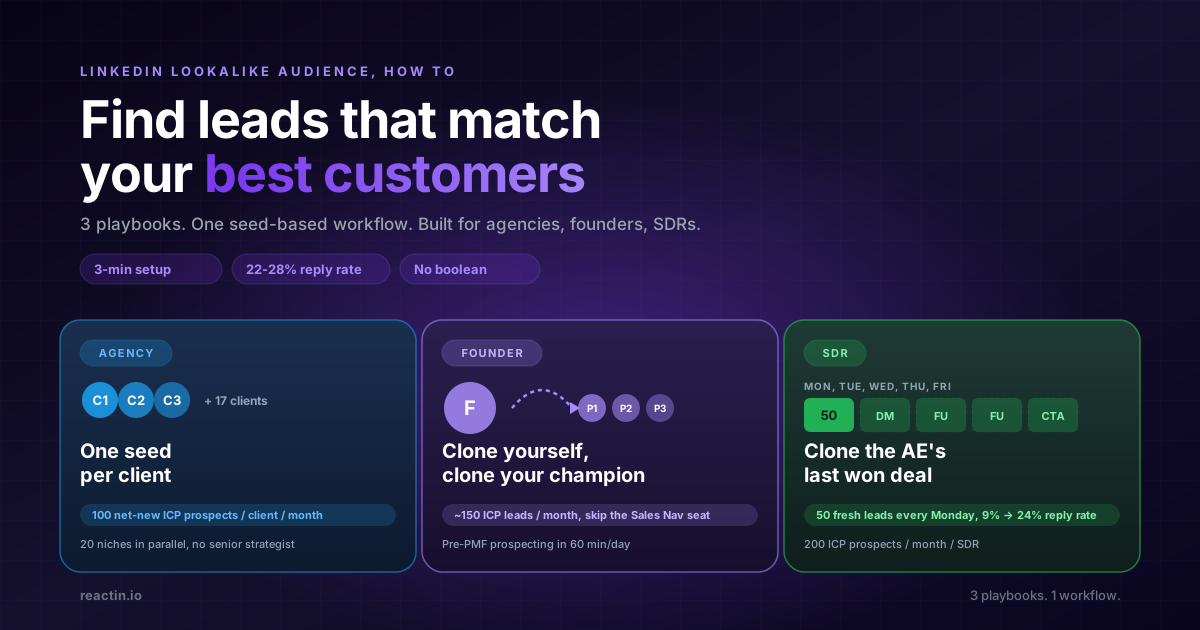
LinkedIn Lookalike Audience: How to Find Leads That Match Your Best Customers (2026)
LinkedIn never shipped a native lookalike audience for outbound. Here is how to build one in 3 minutes, with 3 detailed playbooks for agencies, founders, and SDRs hitting 22-28% reply rates.
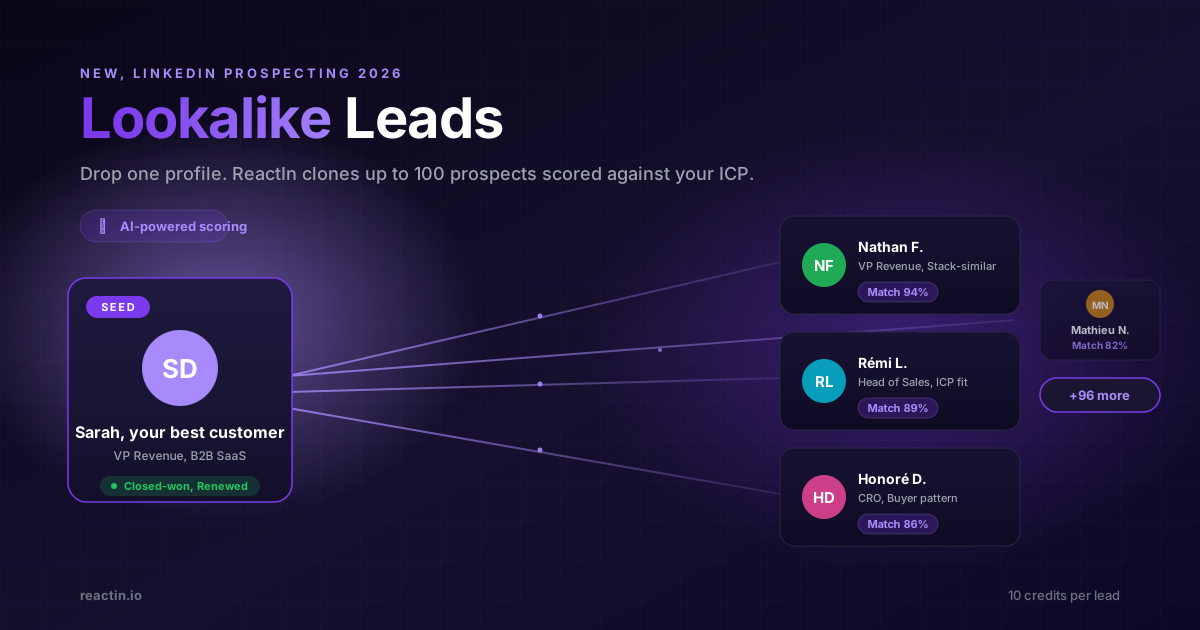
LinkedIn Lookalike Leads: Clone Your Best Customers in 3 Minutes (2026)
Drop one LinkedIn profile, describe your ICP and persona, and ReactIn returns up to 100 prospects who match. The Meta Lookalike playbook, applied to B2B prospecting. 22% reply rates vs 8% from Sales Nav.
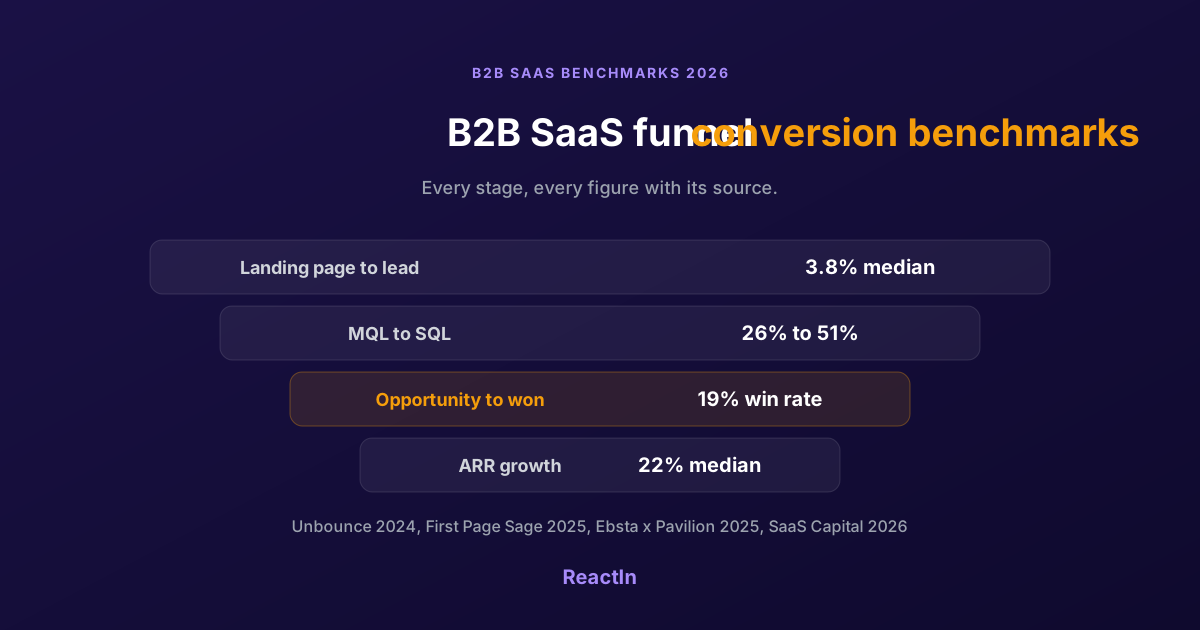
B2B SaaS Funnel Conversion Benchmarks 2026: Every Stage, With Sources
Sourced conversion benchmarks for each stage of the B2B SaaS funnel, from landing page to closed-won, plus growth and retention medians, and why the numbers you find online disagree.