How to Balance LinkedIn Campaign Volume Across Tools (Waalaxy, HeyReach, Expandi, Dripify, LGM, PhantomBuster, Gojiberry vs ReactIn)
Most LinkedIn automation tools force you to pick: one big cold campaign, or none. Here is how Waalaxy, HeyReach, Expandi, Dripify, LGM, PhantomBuster and Gojiberry actually let you split daily volume between campaigns - and how ReactIn’s new Campaign Ponderation finally lets you run a 90/5/5 mix of cold + signal-based outreach.
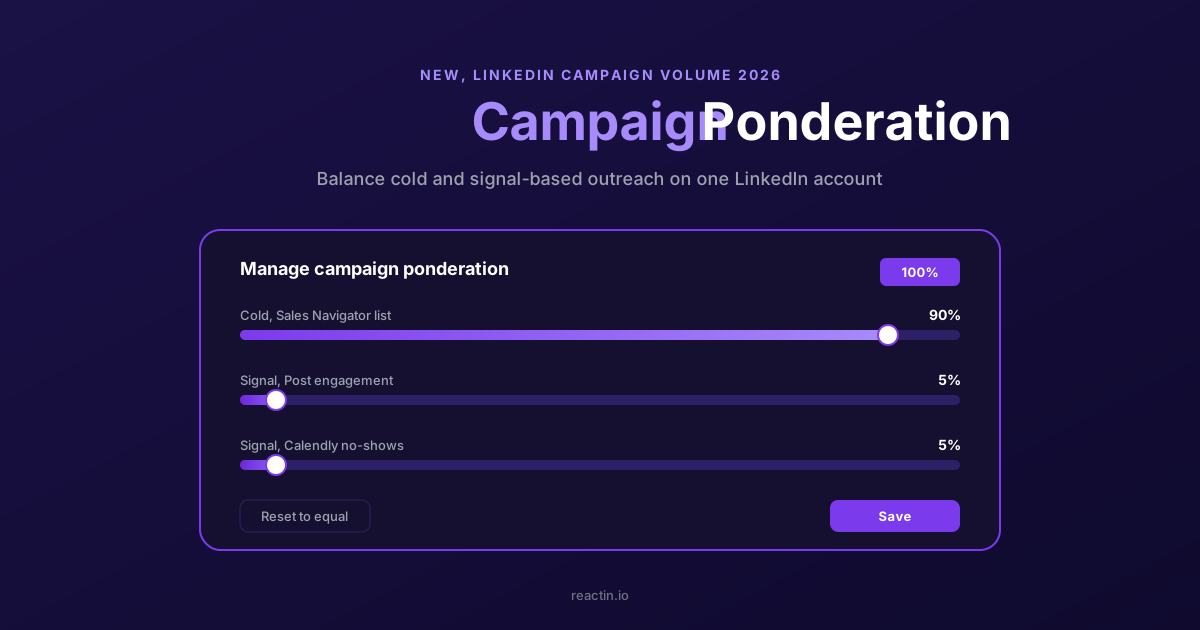
It is Wednesday afternoon. Your LinkedIn account already burned through its weekly invitation budget on Monday. The big cold campaign ate everything. The post-engagement campaign you launched last week sent two invites, total. The Calendly no-show flow sent zero. Welcome to running more than one LinkedIn campaign on the same account.
Most automation tools were built around campaigns as finite cold lists. Waalaxy, HeyReach, Expandi, Dripify, La Growth Machine, PhantomBuster, Gojiberry. None of them lets you say: this campaign gets 90% of my daily volume, the others 5% each. ReactIn just shipped the fix, called Campaign Ponderation. Here is how the current tools stack up, and how to finally mix cold and signal campaigns on one account.
TL;DR
- Your budget is fixed. LinkedIn caps you at about 100 invites per week per account. Multiple campaigns means splitting that budget.
- Waalaxy, Dripify, Expandi, Gojiberry: per-campaign daily caps only. You do the math yourself, every week.
- HeyReach and LGM: account-level limits with priority queues. Better than nothing. Still no percentage weighting.
- PhantomBuster: no campaign model at all. Volume control means editing agent schedules by hand.
- ReactIn Campaign Ponderation: the only feature that accepts percentage weights per active campaign (90/5/5) and rebalances automatically.
- Why it matters: percentage weighting is how you run one big cold campaign alongside always-on signal campaigns on the same account.
3 signs your campaign volume balancing is broken
Before picking a tool, check if any of these apply to your current setup. If two or more do, percentage weighting is what you need.
- Your LinkedIn account hits its weekly limit by Wednesday. One campaign is eating everything. The others get whatever is left, or nothing.
- You edit per-campaign daily caps every Monday. Warm-up grows, a campaign ends, signals shift. You recompute every single cap by hand.
- Your smallest intent-based campaigns send 0 to 2 actions per day. Post-engagement, Calendly recovery, job-change signals. All starved while the cold campaign eats.
Why balancing campaign volume actually matters
LinkedIn does not count campaigns. It counts actions per account per day. Roughly 100 invites per week, 100 to 250 DMs per day once the account is warmed up, plus profile views and follows. That is the full budget every automation tool plugs into.
One campaign at a time is easy. You hand it your full quota and you are done. The trouble starts when you want to mix two flows every modern outbound playbook recommends. First, a finite cold campaign from a Sales Navigator search. Second, always-on signal campaigns that fire when someone engages with your posts, changes jobs, books a Calendly, or registers for a webinar. Cold campaigns end. Signal campaigns do not.
Most tools answer with per-campaign daily caps. Campaign A does 30 invites a day, campaign B does 10. That works until your warm-up grows, signals slow down, a campaign ends, or you add a fourth play. Every change forces you to recompute every other campaign by hand. What you actually want is a ratio. Campaign A is 90% of my volume. B and C are 5% each. The tool figures out the numbers.
How each LinkedIn automation tool handles campaign volume
Honest, side-by-side view of how each tool distributes your account's daily volume across multiple active campaigns.
| Capability | Most competitors | HeyReach / LGM | ReactIn |
|---|---|---|---|
| Per-campaign daily caps | Yes | Yes | Yes |
| Percentage weighting (90/5/5) | No | No | Yes, Campaign Ponderation |
| Auto-redistribute when a campaign pauses | No, volume is lost | Partial, via priority queues | Yes, weights re-normalize |
| Mix cold and always-on signal campaigns on one account | Painful, manual cap juggling | Workable, priority order | Native, designed for it |
| Account-level safe daily ceiling | Per campaign only | Account-level and per campaign | Account-level, weights distribute it |
| Signal-based trigger campaigns | Limited, a few LinkedIn sources at most | Limited | 20+ sources (LinkedIn, Calendly, Stripe, Tally, webinars, job changes) |
| Reset to equal split in one click | No | No | Yes |
| Visible total safety guardrail | Implicit | Implicit | Total must equal 100% to save |
Waalaxy: per-campaign quotas, no global allocation
Waalaxy is the most popular LinkedIn tool in France. It is built around finite campaigns. You drop a list, Waalaxy runs a sequence until the list is exhausted. Daily volume is set globally on your LinkedIn account. Waalaxy spreads actions across active campaigns on a first-come, first-served basis. Not by percentage weight. Run a 5,000-prospect cold play next to a small post-engager campaign, and the first queue eats most of the quota. No slider, no weighting, no auto-rebalance. You either pause campaigns, add accounts, or watch the small plays starve.
Works for
- A single cold campaign running on one LinkedIn account.
- Solo operators who do not mix cold and signal outreach.
Breaks when
- Running cold and post-engager campaigns on the same account.
- Any scenario where small campaigns need a guaranteed share of volume.
HeyReach: account-level limits with priority order
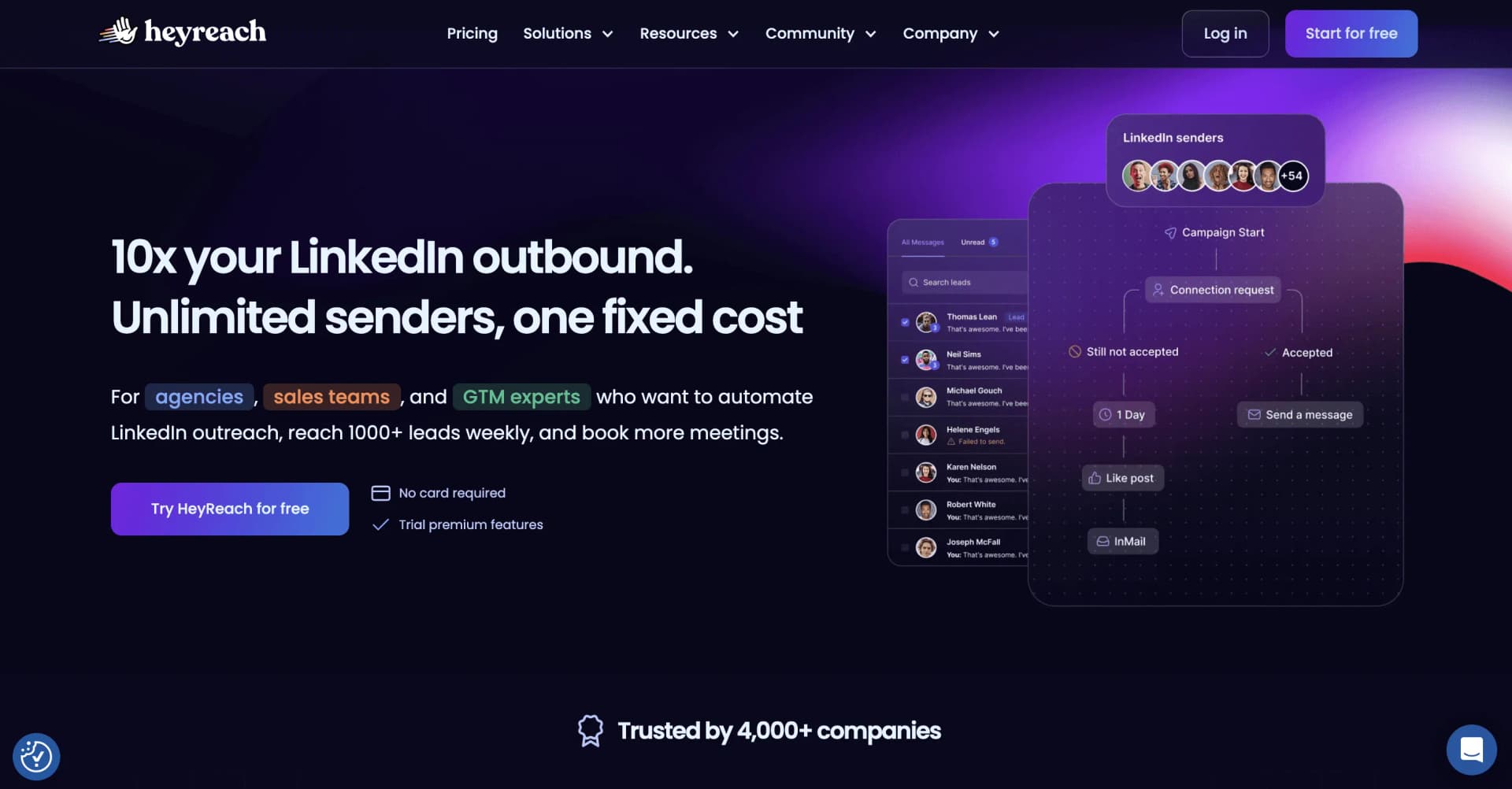
HeyReach is built for agencies managing many LinkedIn accounts. It exposes account-level sending limits and lets you queue multiple campaigns against the same sender. When the account has volume left for the day, HeyReach pulls from campaigns in a priority order you can reorder. The top campaign gets first dibs. The lower ones take leftovers. Closer to what you want, still binary. No native 30/30/40 slider. You end up stacking per-campaign daily caps that, together, stay under the account ceiling. Change one, recompute all the others.
Works for
- Agencies piloting many LinkedIn accounts with account-level ceilings.
- Teams happy with strict priority order instead of percentage splits.
Breaks when
- You want a 30/30/40 ratio rather than a ranked queue.
- Priorities change often and you hate manual cap recomputation.
Expandi: hard per-campaign daily caps
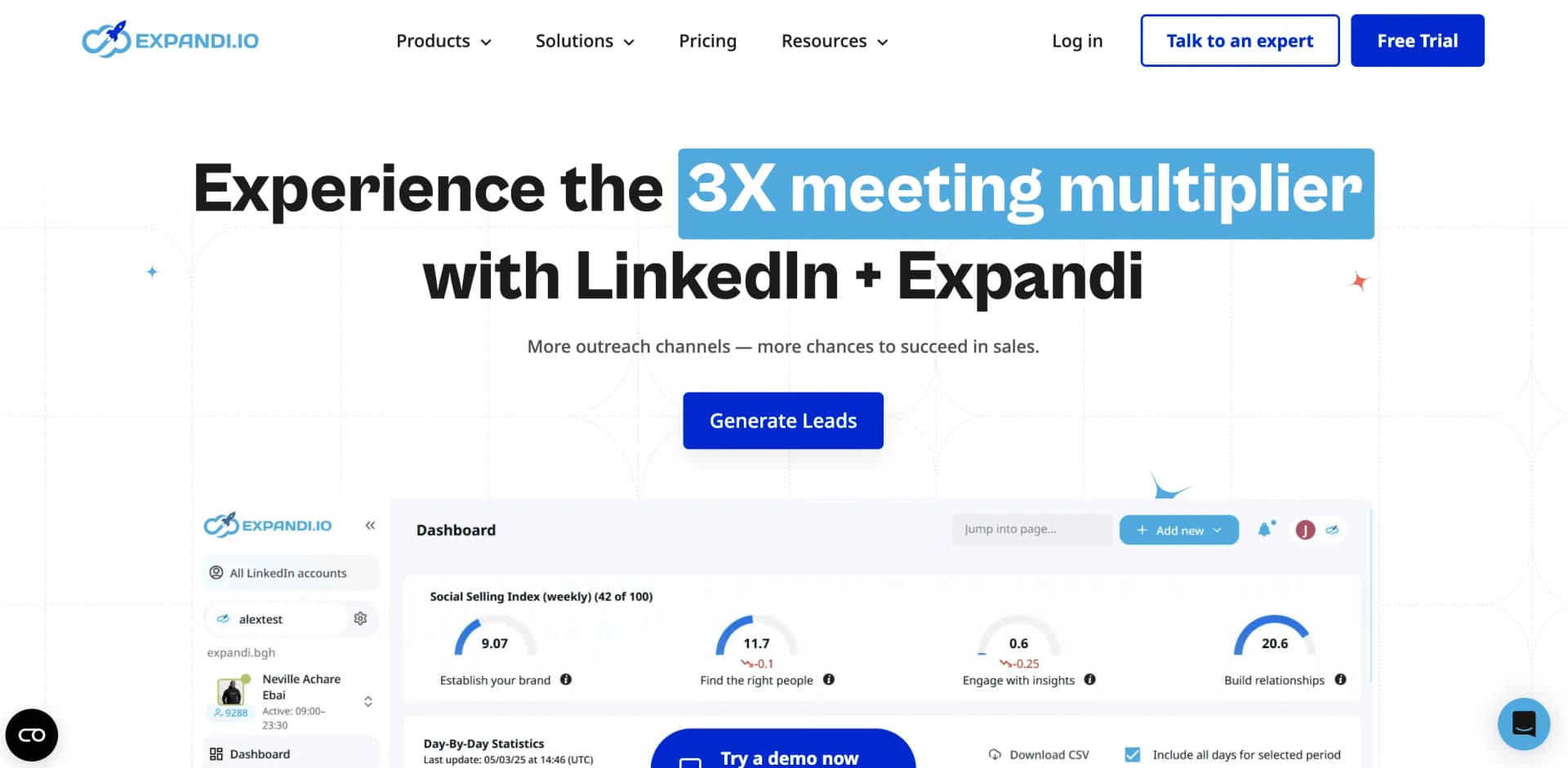
Expandi was early to cloud-based LinkedIn automation. Volume control is built around per-campaign daily caps. Each campaign has its own invites per day, messages per day, profile views per day. Expandi respects those caps. It does not coordinate them at the account level. If you set 50 invites per day on three campaigns and your safe weekly cap is 100, you will trip LinkedIn's rate limits before the campaigns finish. Users typically keep a spreadsheet to sum up their caps. No percentage allocation, no auto-redistribution, no global slider.
Works for
- One cold campaign at a time with predictable pacing.
- Ops teams who enjoy building their own capacity spreadsheets.
Breaks when
- You want the tool to coordinate caps at the account level automatically.
- You forget to update caps when a campaign ends or warm-up grows.
Dripify: simple daily quotas, no cross-campaign logic
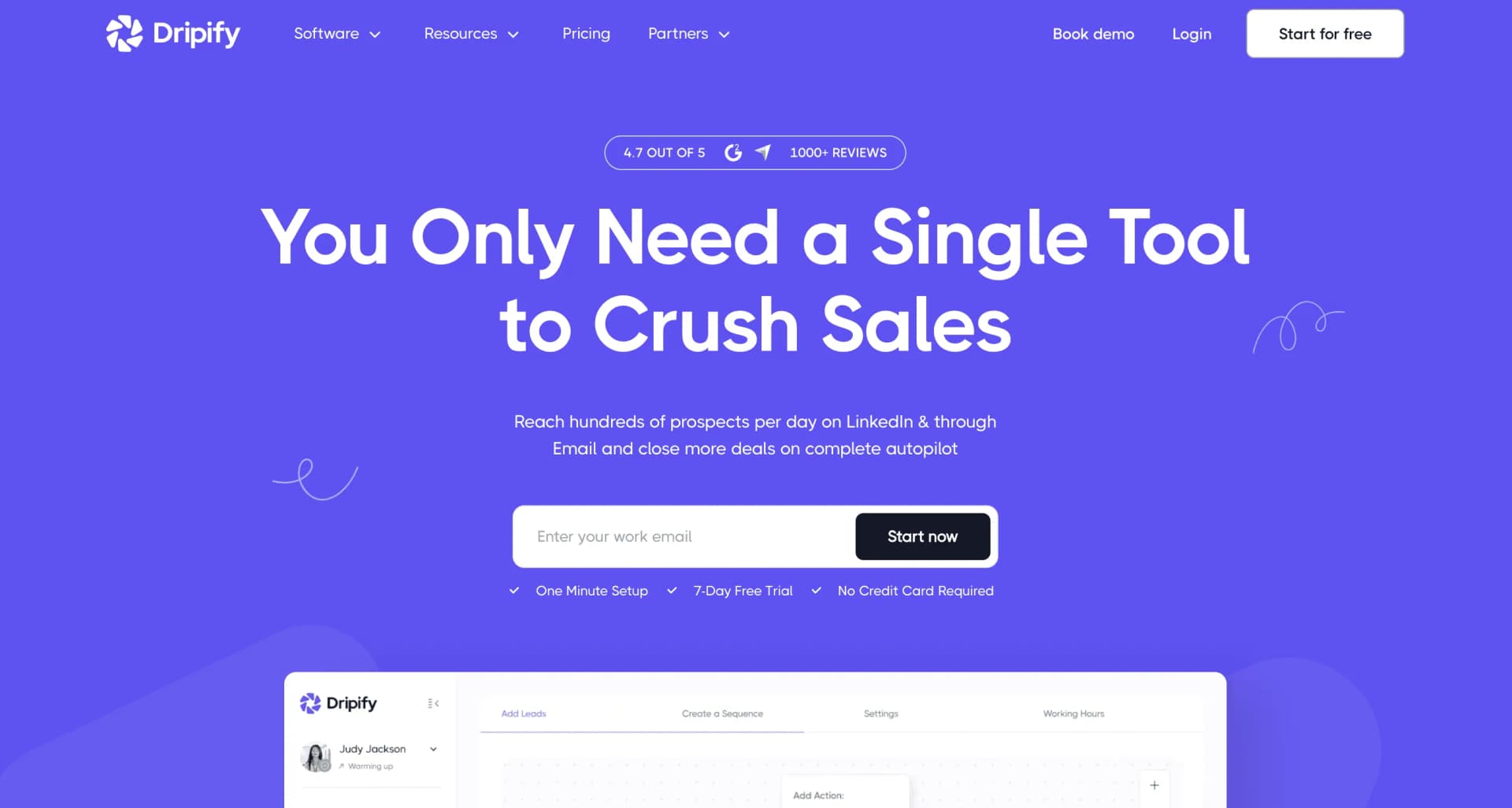
Dripify's pitch is simplicity. Each campaign has its own daily limits for connection requests, messages, follows, and views. Dripify does enforce a global ceiling per LinkedIn account. But the way actions get distributed across campaigns is opaque and effectively first-come-first-served. A 90/5/5 split in Dripify means setting per-campaign caps that approximate that ratio. For example 27 invites per day on the big one, 1 or 2 on the small ones. Update every time a campaign ends or your safe ceiling changes. No native weighting, no priority queues, no auto-rebalance.
Works for
- Beginners running a single campaign with simple per-action limits.
- Users who want the least configuration possible.
Breaks when
- You need visibility on how volume is distributed across campaigns.
- Always-on signal campaigns get starved every week.
La Growth Machine: multichannel, manual prioritization
La Growth Machine (LGM) extends LinkedIn with email and Twitter. It is one of the more polished products in the space. On LinkedIn, LGM uses an account-level daily quota per identity. It lets you run multiple campaigns under that identity in parallel, against the shared quota. Without explicit percentage weighting. Users mix cold and warm by setting per-campaign action limits and launching campaigns at different paces. One slow big cold campaign, plus smaller bursty signal campaigns. It works. It takes constant tuning. No slider says this campaign is 90% of my volume.
Works for
- Multichannel teams mixing LinkedIn, email, and Twitter in the same sequence.
- Experienced operators who tune action limits weekly.
Breaks when
- You want percentage-based volume allocation at the account level.
- Non-technical users who need the tool to rebalance automatically.
PhantomBuster: agents, not campaigns
PhantomBuster does not really have the concept of a campaign. It has Phantoms, which are agents that run on a schedule. You configure how many actions a Phantom performs per launch and how often it launches. Volume control means tweaking schedules. A cold-outreach Phantom runs hourly with 10 invites per launch. A DM-to-post-engagers Phantom runs daily with 5 actions. No shared campaign queue, no account-wide safe ceiling enforced by the tool, no percentage allocation. Coordinating volume between Phantoms is on you and your Make or Zapier glue. Most flexible, least protection.
Works for
- Developers and growth engineers who build custom pipelines.
- One-off scraping or data extraction tasks.
Breaks when
- You want sales campaigns, not agents with cron schedules.
- You do not want to build safety and coordination yourself.
Gojiberry: AI agent, no weighting
Gojiberry is an AI sales agent. It detects 15+ buying and social signals, scores prospects against your ICP and contacts them on LinkedIn and email, either on full auto or after you approve each message. It is not designed for multiple campaigns sharing the same account budget. If you do run several, Gojiberry executes them sequentially under the daily ceiling rather than balancing them by intent. Like the others, no percentage weighting, no priority queue, no auto-rebalance. A fine choice if you want an agent to run outreach for you. It does not solve the cold-plus-signal volume problem.
Works for
- Founders and operators running their own outbound.
- Teams who want an AI agent to find and contact warm leads for them.
Breaks when
- Any multi-campaign scenario on the same LinkedIn account.
- Mixing its outreach with your own cold campaigns at set percentages.
Product snapshot: ReactIn Campaign Ponderation in action
Here is what the feature actually looks like inside ReactIn. Open the campaigns dashboard, click Manage campaign ponderation, and you see every active campaign on the account with a slider from 0 to 100. The total has to hit 100% for the Save button to activate. Move one slider up, the others redistribute proportionally using a largest-remainder method so the integers always sum to exactly 100. One click resets to an equal split.
Once saved, ReactIn distributes your account's safe daily volume, every day, in that ratio. No action required on your side. When a campaign exhausts its list or you pause it, the remaining weights re-normalize so no daily quota is wasted. The full loop looks like this:
- One slider per active campaign. No spreadsheet. Drag to the share you want.
- Total locked at 100%. You cannot accidentally over- or under-allocate.
- Auto-rebalance. Move one slider, the others redistribute proportionally.
- Reset to equal in one click. Starting fresh or running an equal A/B/C test takes a second.
How ReactIn Campaign Ponderation works
ReactIn was built from day one to combine cold outbound with signal-based outreach on the same LinkedIn account. That is exactly the workflow that breaks every other tool's volume model. Instead of asking you to set per-campaign daily caps and hope they add up, ReactIn asks a simpler question. For every active campaign on this account, what percentage of my safe daily volume should it get?
You open the ponderation dialog. You see all active campaigns with a slider each. You assign weights from 0 to 100. The total must equal 100%. ReactIn enforces that so you cannot over- or under-allocate by accident. Move one slider, the others auto-rebalance proportionally. A largest-remainder method keeps the integers summing to exactly 100. A single click resets everything to an equal split.
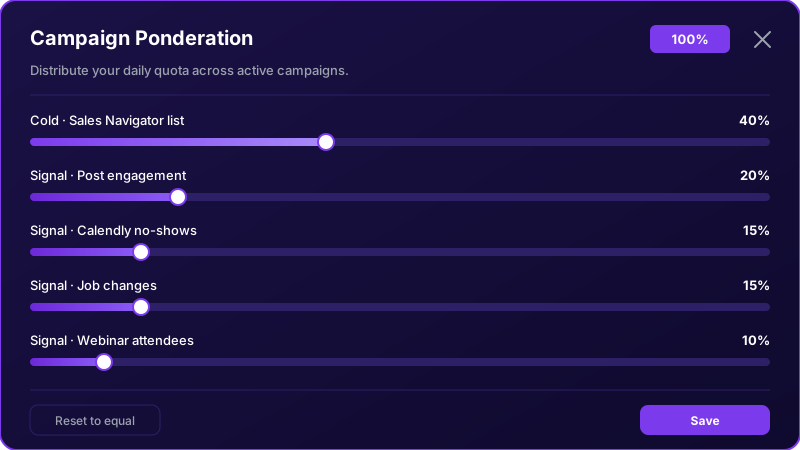
The result: run a 5,000-prospect cold campaign at 90%, a post-engagement signal campaign at 5%, and a Calendly no-show recovery at 5%. ReactIn allocates roughly 27 invites a day to the cold campaign and 1 or 2 to each signal campaign. You never do the math. When the cold campaign finishes, drop it to 0%, the signals absorb the freed-up volume automatically.
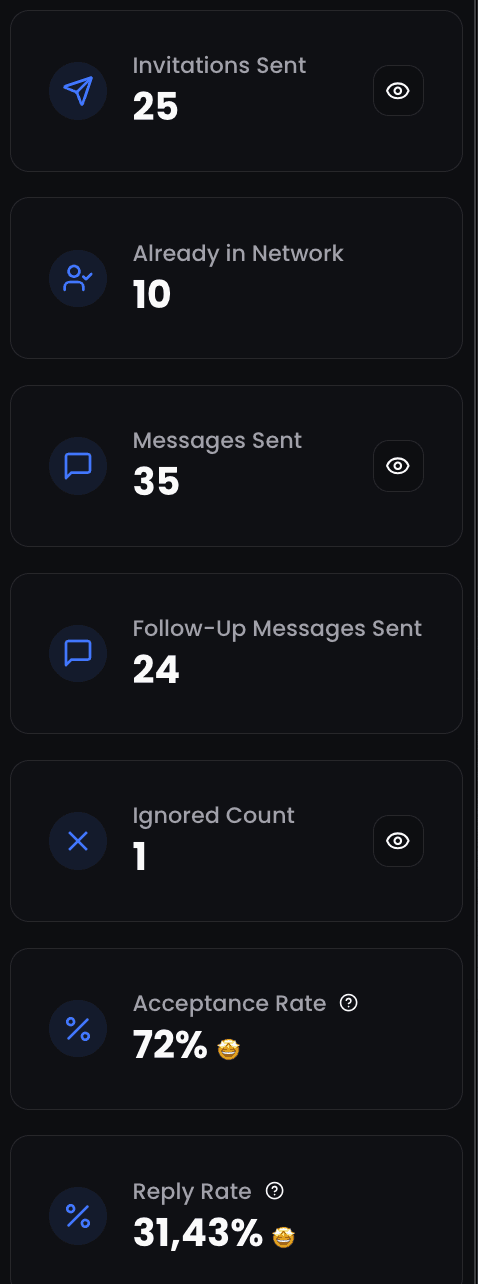
How to set up a 90/5/5 mix in ReactIn
Exact setup for a typical mix. One big cold campaign at 90%, two always-on signal campaigns at 5% each.

- Launch three campaigns in ReactIn. For example: (A) a Sales Navigator cold list of 5,000 prospects, (B) a SmartList that auto-fills with people who engage with your LinkedIn posts, (C) a SmartList that auto-fills with Calendly no-shows from the last 30 days.
- From the campaigns dashboard, click Manage campaign ponderation. You will see all active campaigns, one slider each.
- Drag campaign A to 90%. Campaigns B and C auto-rebalance to 5% each. The total at the bottom must read 100%.
- Click Save. ReactIn now distributes your account's safe daily volume across the three campaigns at the chosen ratio, every day.
- When campaign A is exhausted, open the dialog again, set its weight to 0%, click Reset to equal to put B and C at 50/50. Or assign new percentages manually. No spreadsheet, no per-campaign cap recalculation.
If you pause a campaign or it runs out of leads on its own, ReactIn re-normalizes the remaining weights. No daily volume is wasted. The freed-up budget shifts to the campaigns that still have prospects to reach.
This guide is part of our complete LinkedIn automation playbook for 2026 - covering everything from intent signals to safety limits.
Frequently Asked Questions
Sources & Further Reading
- LinkedIn explains how connection request limits work in their Help Center article on invitation limits.
- For more on how LinkedIn monitors account activity, see their Professional Community Policies.
Related Articles
Automated LinkedIn Messages: How to Send Them Without Getting Restricted (2026)
LinkedIn ships no automated messaging at all. Here are the three things people call an automated LinkedIn message, how to set one up, what the terms actually say, and the three cases where writing by hand wins.
Best LinkedIn Automation Tool for Agencies in 2026 (Ranked by Total Cost, Not Feature Lists)
The 7 best LinkedIn automation tools for agencies in 2026, ranked by true cost at scale. ReactIn replaces 3-4 tools ($69/mo vs $300+/mo stack) with intent signals, AI enrichment, and unified inbox. Full "True Cost for 10 Accounts" comparison included.

How to Automate LinkedIn Connection Requests (Auto Connect) Safely in 2026
Automate invitations on LinkedIn without getting restricted: 2026 daily limits by plan, the 300-character note, acceptance rates by approach, and a 5-step ReactIn setup.
Best LinkedIn Automation Tools 2026 - Top 6 Ranked (Safest & Cheapest)
Honest comparison of the 6 best LinkedIn automation tools in 2026, tested hands-on with real campaigns. Ranked by ban risk and results, with full pricing, the free plans that actually exist, and where AI SDRs fit.