LinkedIn Automation Guide: The Complete 2026 Playbook
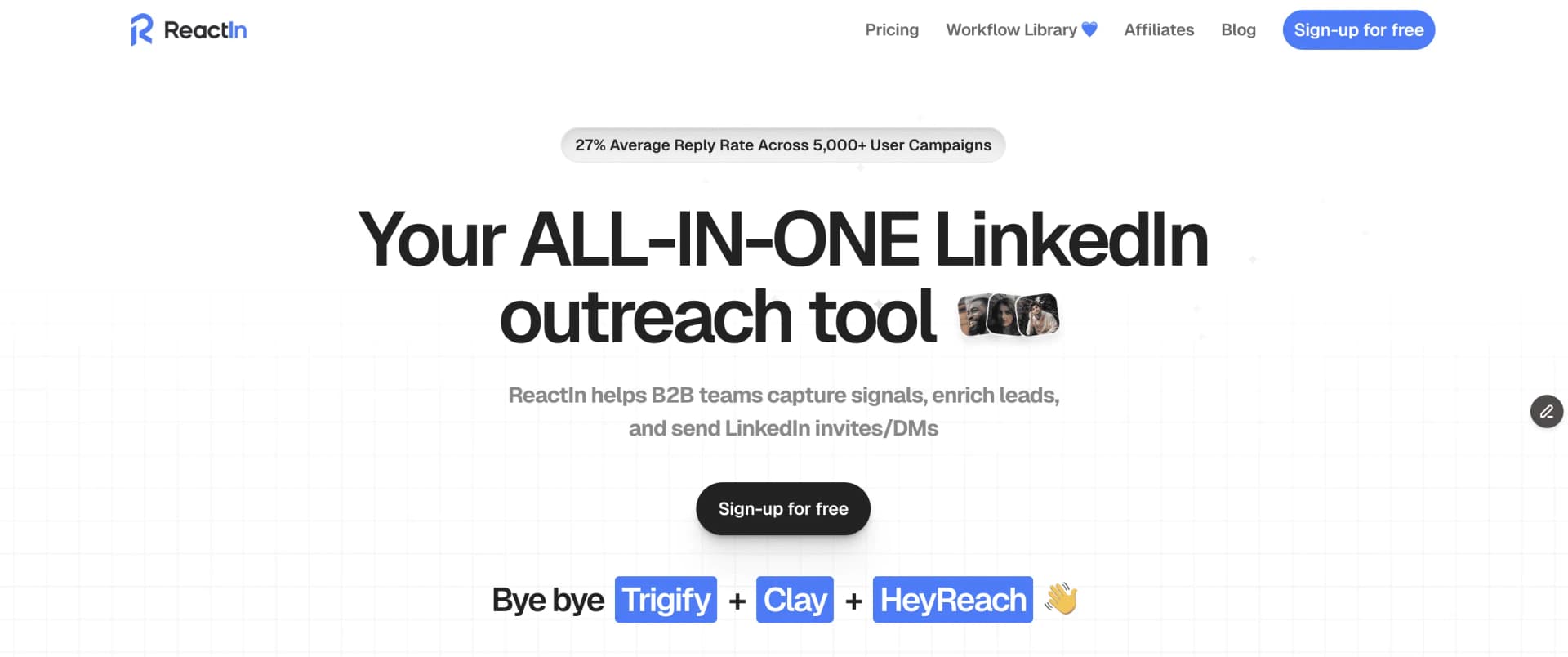
The definitive guide to LinkedIn automation in 2026. 5 intent-based workflows, 10 messaging rules, safety limits, and tool comparisons. 27% average reply rate across 5,000+ campaigns.
Most LinkedIn automation advice is outdated. The playbooks from 2023 - mass connection requests, generic InMails, spray-and-pray sequences - don’t work anymore. LinkedIn’s detection has evolved. Your prospects’ expectations have evolved. Your strategy needs to evolve too.
This guide is the definitive 2026 resource for LinkedIn automation. Whether you’re a sales rep sending 50 connection requests a day or a founder trying to scale outbound, you’ll find actionable workflows, message templates, safety guidelines, and the exact strategies behind a 27% average reply rate across 5,000+ campaigns.
average reply rate across 5,000+ ReactIn campaigns
ReactIn internal data, Q1 2026
The difference between accounts that get banned and accounts that book meetings? Intent-based targeting. Stop reaching out to strangers. Start reaching out to people who already showed interest in what you do.
This playbook covers everything: the fundamentals, linkedin automation best practices for 2026, 5 battle-tested workflows, 10 messaging rules, leading linkedin automation solutions compared, and the exact daily limits to stay safe. Bookmark it - you’ll come back to it.
What LinkedIn Automation Actually Means in 2026 (Best Practices & Policy)
LinkedIn automation is the use of software to perform repetitive LinkedIn actions - sending connection requests, messaging prospects, viewing profiles, engaging with posts - at scale, while mimicking human behavior. But the definition has fundamentally changed from what it meant even two years ago.
In 2024, automation meant sending 100 connection requests a day with a Chrome extension and hoping for a 3% reply rate. In 2026, automation means using intent signals to identify warm prospects, sequencing personalized touchpoints, and letting software handle the repetitive parts while you focus on real conversations.
The 3 Types of LinkedIn Automation
Every LinkedIn automation strategy combines three core actions:
- Connection automation - sending and accepting connection requests based on targeting criteria or intent signals
- Messaging automation - sending personalized DMs, follow-ups, and sequences to connections
- Engagement automation - tracking post interactions, profile views, and engagement signals to build audiences
Old vs. New Approach
The shift from 2024 to 2026 is fundamental:
The old way (2024):
- Scrape a Sales Navigator list of 5,000 people
- Send identical connection requests to all of them
- Follow up with a pitch on day 2 - 1-3% conversion
The new way (2026):
- Monitor engagement on posts in your niche
- Connect with people who commented or liked relevant content
- Reference their specific engagement in your outreach - 10-25% conversion
LinkedIn’s Official Policy on Automation Tools in 2026
LinkedIn’s automation policy has gotten stricter and their detection algorithm significantly smarter. Understanding LinkedIn’s official policy on automation tools is critical before you start. Here are the 5 red flags that trigger account restrictions:
The solution is not to avoid automation. It’s to use cloud-based tools that operate from dedicated IPs with human-like delays. Tools like ReactIn run actions during business hours, randomize delays, and never exceed safe thresholds.
typical cold outreach conversion rate vs. 10-25% with intent-based automation
Based on 5,000+ ReactIn campaigns
Intent-Based LinkedIn Automation
Intent-based automation is the single biggest shift in LinkedIn outreach. Instead of reaching out to everyone who matches your ICP, you only reach out to people who have already shown interest - through their engagement, profile activity, or content interactions.
This is the core principle behind ReactIn’s approach, and it’s why campaigns built on intent signals consistently outperform cold outreach by 5-10x.
Intent Signal Categories
Not all signals are equal. Here’s how to categorize them:
High intent (15-30% expected reply rate):
- Commented on your post
- Viewed your profile (especially multiple times)
- Engaged with your lead magnet or content
Medium intent (8-15% expected reply rate):
- Liked your post (without commenting)
- Commented on a competitor’s post in your niche
- Connected with someone in your network recently
Low intent (3-8% expected reply rate):
- Matches your ICP but no recent engagement
- Liked a general industry post without deeper interaction
3 Methods to Build Intent-Based Audiences
Here are the three most effective approaches to capture intent signals at scale:
Capture engagement on your own posts
Every post you publish is a lead generation engine. Track who likes, comments, and shares your content. These people have self-selected into your audience.
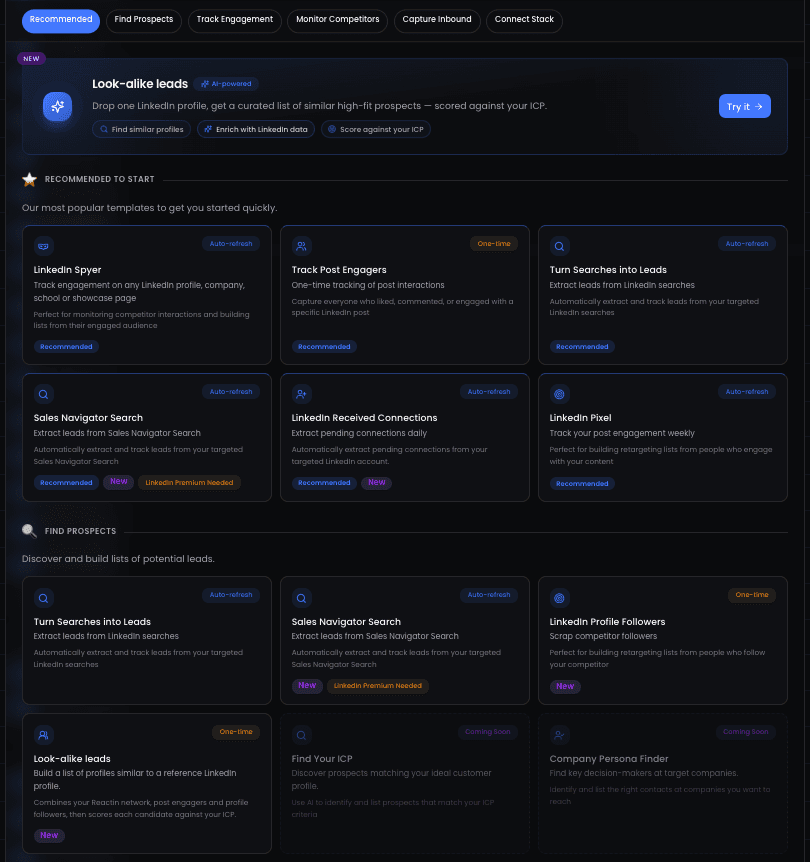
Learn more: The LinkedIn Pixel automation.
Monitor competitor post engagement
Your competitors’ audience is your audience. Track engagement on posts from competitors and thought leaders in your space. People commenting on their content have a problem you can solve.
Learn more: LinkedIn Spyer: capture competitor leads.
Track profile visitors
Someone who visits your profile is already curious about you. With Sales Navigator, you can see up to 90 days of profile visitors. Automate outreach to these warm prospects.
Learn more: How to contact LinkedIn profile visitors.
To build the right audience before automating, start with our LinkedIn Prospecting Guide.
5 Safe LinkedIn Automation Workflows
These are the 5 workflows that consistently produce the best results across thousands of ReactIn campaigns. Each one is built on intent signals, respects LinkedIn’s limits, and includes proven message templates.
Workflow 1: Comment → Connection → Conversation
This is the highest-converting workflow. Someone comments on your post (or a competitor’s post), showing clear interest in the topic. Capturing those commenters and their comment text is the first step; from there you connect with a personalized note referencing their comment, then follow up with value.
average reply rate for comment-to-connection workflows
- Publish content that attracts your ICP (how-tos, data insights, contrarian takes)
- ReactIn automatically captures everyone who comments
- Send personalized connection request referencing their comment
- After acceptance, follow up with a relevant resource or question
“Hey {{firstName}}, saw your comment about {{topic}} - really solid point. I actually wrote a deeper breakdown on this. Want me to share it?”
“Hi {{firstName}}, I noticed we’re in the same industry. I’d love to connect and explore synergies. Let’s hop on a call!”
For the complete setup guide, see our article on automating LinkedIn connection requests.
Workflow 2: Competitor Post → Cold Connection
Monitor posts from competitors and thought leaders in your space. People engaging with their content have a problem you can solve - they just don’t know about you yet.
average reply rate for competitor-post workflows
- Identify 5-10 competitor or thought leader accounts to monitor
- ReactIn captures likers and commenters on their posts automatically
- Send connection requests WITHOUT mentioning their competitor (the 80% rule)
- Follow up with your own perspective on the same topic
Workflow 3: Profile View → Message
Someone who views your profile is already curious. This workflow turns passive profile visitors into conversations.
average reply rate for profile-visitor workflows
- Optimize your LinkedIn profile headline and banner for your ICP
- ReactIn tracks profile visitors and adds them to your pipeline
- Send a connection request or direct message if already connected
Workflow 4: Connection → Nurture → Convert
Not everyone is ready to buy today. This workflow builds relationships over time through value-first messaging sequences.
conversion rate for nurture sequences (measured over 30 days)
- Accept new connections and send a value-first welcome message
- Share relevant content or resources over the next 2 weeks
- Ask a qualifying question based on their engagement
- Propose a specific next step only if they show buying signals
Learn how to set up the first step automatically in our guide on auto-accepting LinkedIn connections.
Workflow 5: Lead Magnet Distribution
Use posts that offer a free resource (template, checklist, guide) to generate leads. Anyone who comments “interested” or engages with the post gets the resource automatically, plus a follow-up sequence.
- Publish a post offering a valuable lead magnet
- ReactIn automatically sends the resource to commenters via DM
- Follow up 3-5 days later with a question about the resource
Advanced Automation Strategies
Once you’ve mastered the 5 core workflows, these advanced strategies can multiply your results.
Multi-Signal Attribution
The most effective campaigns layer multiple intent signals. Instead of acting on a single trigger, they wait for signal confirmation.
Example of a multi-signal sequence:
- Someone comments on a competitor’s post (signal 1)
- Same person views your profile within 7 days (signal 2)
- You send a connection request referencing the topic they engaged with (action)
Content-Led Automation Calendar
Align your content publishing with your automation sequences. Here’s a weekly framework:
| Day | Content type | Automation action |
|---|---|---|
| Monday | Industry insight or data post | Capture commenters into SmartList |
| Tuesday | - | Send connection requests from Monday’s list |
| Wednesday | How-to or case study post | Capture new commenters, follow up on Monday’s connections |
| Thursday | - | Send connection requests from Wednesday’s list |
| Friday | Lead magnet or resource post | Auto-send resource to commenters, follow up on open conversations |
SmartLists vs. CSV Imports
Two approaches to building your prospect lists:
- SmartLists: Dynamic audiences that auto-update based on intent signals. People are added as they engage with content, visit your profile, or trigger other signals. Always fresh, always relevant.
- CSV imports: Static lists uploaded from Sales Navigator or other sources. Useful for targeted outreach to specific companies or roles, but data goes stale quickly.
For ongoing campaigns, SmartLists consistently outperform CSV imports because the prospects are pre-qualified by their own actions.
To master the art of scaling without triggering LinkedIn's limits, read our guide on how to balance LinkedIn campaign volume.
LinkedIn Outreach Campaign Best Practices: 10 Rules for High-Converting DMs
Your automation is only as good as your messaging. These 10 linkedin outreach campaign best practices are based on analyzing thousands of campaigns with reply rates above 20%.
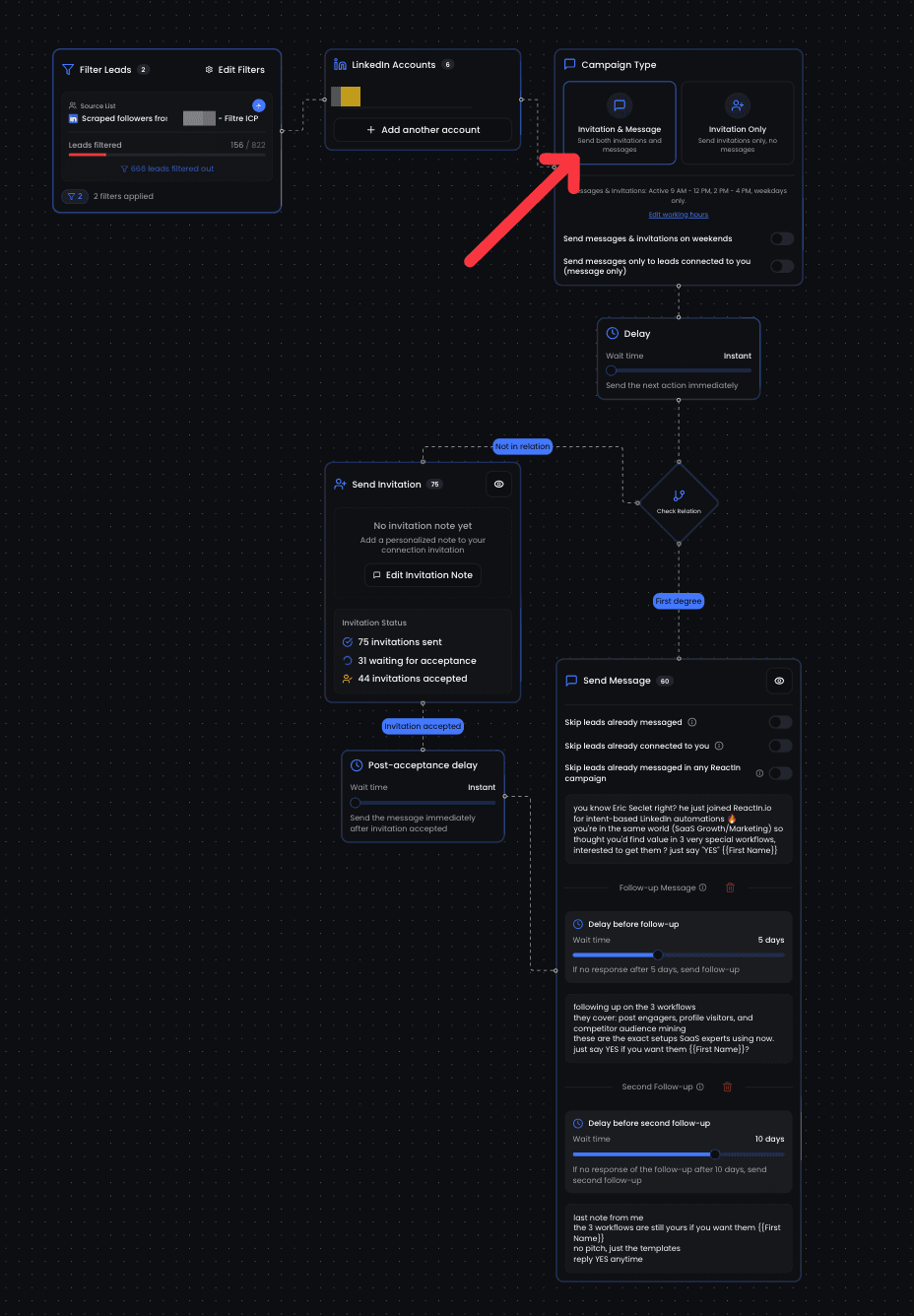
Rule 1: Never write like an email
LinkedIn DMs are conversations, not emails. No “Dear,” no “I hope this finds you well,” no formal closings. Write like you’re texting a professional acquaintance.
“Dear {{firstName}}, I hope this message finds you well. I wanted to reach out regarding our enterprise solution that could benefit your organization. Best regards, John”
“Hey {{firstName}} - saw your comment about scaling outbound. We ran into the same wall last quarter. Ended up building a system that does 3x the volume without extra headcount. Worth sharing?”
Rule 2: Structure for scannability
Keep messages under 300 characters for connection requests, under 500 for DMs. Use line breaks. One idea per sentence. Your prospect should understand your message in 5 seconds.
Rule 3: Use first names naturally
Use {{firstName}} once, at the start. Never mid-sentence (“As someone like you, {{firstName}}, would know...”). It should feel natural, not like a mail merge variable.
Rule 4: Never reveal your intent source
This is the 80% rule. 80% of your prospects will find it creepy if you say “I saw you liked my competitor’s post.” Instead, reference the topic without mentioning how you found them. Talk about the subject, not the signal.
Rule 5: Social selling, not direct sales
LinkedIn is a networking platform, not a sales channel. Your first message should offer value or start a conversation, never pitch a product. Save the pitch for after they’ve shown interest.
Rule 6: Move through problem awareness
Don’t sell the solution - sell the problem. Your message should make them think “yes, I have that problem” before you ever mention what you do. Start with their pain point, not your product.
Rule 7: Ask easy-to-answer questions
End with a question that requires a one-word or one-sentence answer. “Worth sharing?” beats “Would you be available for a 30-minute call next Tuesday to discuss how our platform could help?”
Rule 8: Talk about "people like them"
Instead of making assumptions about their specific situation, reference what “most [their role/industry]” are experiencing. “Most SaaS founders I talk to are struggling with...” is less presumptuous than “I bet you’re struggling with...”
Rule 9: One message = one objective
Each message should have exactly one goal. Don’t introduce yourself, pitch your product, share a case study, AND ask for a call in the same message. First message = start conversation. Second = provide value. Third = propose next step.
Rule 10: Write like a human
Read your message out loud before automating it. If it sounds robotic, stiff, or like something a tool generated - rewrite it. Add a small imperfection, use contractions, keep it casual. The best automated messages don’t feel automated.
Message Templates That Work
Here are 3 proven templates for different stages of the outreach sequence:
Connection request (after post engagement):
“Hey {{firstName}} - your take on {{topic}} resonated. I’ve been testing a different approach to this and getting interesting results. Would love to compare notes.”
First follow-up (after connection accepted):
“Thanks for connecting, {{firstName}}. I put together a quick breakdown on {{topic}} with some data from our last 200 campaigns. Want me to send it over?”
Qualification message (after they engaged):
“Quick question - are you currently running any outbound on LinkedIn, or is this more of a “researching for later” thing? Either way is fine, just want to make sure I share the right stuff.”
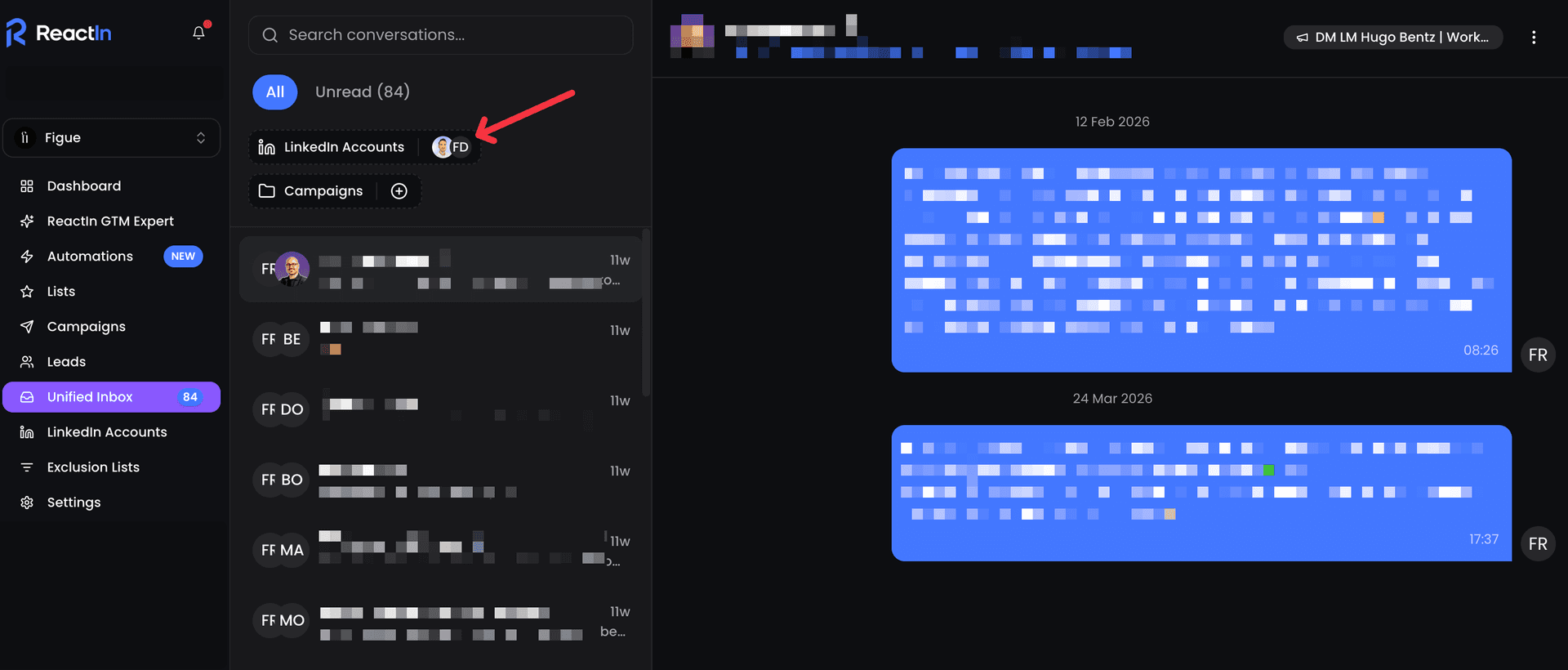
For a deeper dive into messaging best practices, check our dedicated article on the 9 LinkedIn DM copywriting rules that top performers swear by.
For the complete DM strategy from warmup to conversion, see our LinkedIn Outreach Playbook.
Leading LinkedIn Automation Solutions & Technology Stack (2026)
Choosing the right LinkedIn automation tool is critical. The wrong tool can get your account banned. The right leading LinkedIn automation solution can transform your pipeline.
What to Look for in LinkedIn Automation Tools (2026)
In 2026, the non-negotiable features for any serious LinkedIn automation tool are. These are the linkedin automation best practices for choosing tools:
- Cloud-based execution with dedicated IP addresses (not browser extensions)
- Intent signal tracking - post engagement, profile views, competitor monitoring
- Smart daily limits with adjustable controls for manual warmup
- Dynamic audience building (SmartLists that auto-update based on signals)
- Native CRM integrations (HubSpot, Salesforce, Pipedrive)
How ReactIn Compares
For a detailed comparison of the top LinkedIn automation tools in 2026, check our complete tool comparison guide.
If you're managing multiple accounts, don't miss our review of the best LinkedIn automation tool for agencies in 2026.
Need help choosing the right tool? Check our complete LinkedIn tools comparison for 2026.
LinkedIn Automation Policy, Limits & Safety Compliance (2026)
Staying safe on LinkedIn is not optional - it’s the foundation of any sustainable automation strategy. Understanding LinkedIn’s automation policy in 2026 is essential. Here are the exact limits and linkedin connection request best practices for 2026.
Official Daily Limits by Account Type
| Action | Free account | Premium / Business | Sales Navigator |
|---|---|---|---|
| Connection requests | ~100/week | ~200/week | ~400/week |
| Messages (to connections) | 150/day safe | 150/day safe | 150/day safe |
| Profile views | 80-100/day | 80-100/day | 80-100/day |
safe message limit across all LinkedIn account types
Account Warmup Guide
New accounts or accounts that haven’t been active need a warmup period before running automation at full capacity. Here’s the recommended schedule:

- Week 1: 5-10 connection requests/day, 10-20 profile views/day
- Week 2: 10-20 connection requests/day, 30-50 profile views/day
- Week 3: 20-30 connection requests/day, 50-80 profile views/day
- Week 4+: Full capacity based on your account type limits
For the complete warmup strategy, read our LinkedIn account warmup guide.
Auto-Accept Strategy
Auto-accepting connection requests is one of the safest forms of automation, but still requires guardrails:
- Set daily acceptance limits (10-15/day for new accounts, 20-30 for established ones)
- Only accept during business hours in your timezone
- Add random delays between acceptances (never instant-accept a batch)
How LinkedIn Detects Automation Tools in 2026
Understanding how LinkedIn detects automation is essential to staying safe. LinkedIn's detection algorithm has evolved significantly, using multiple layers of analysis to identify non-human behavior. Here's exactly what they look for and how to avoid getting flagged.
5 Detection Methods LinkedIn Uses
LinkedIn combines several technical methods to identify automated activity on the platform:
- IP address analysis - LinkedIn monitors IP addresses for suspicious patterns. Datacenter IPs, shared VPN exits, and rapid IP changes are red flags. Cloud-based tools with dedicated residential IPs avoid this entirely.
- Browser fingerprinting - Chrome extensions inject JavaScript into LinkedIn's page. LinkedIn's client-side scripts can detect DOM modifications, unusual event listeners, and injected elements. This is the #1 reason browser-based tools get accounts banned.
- Behavioral pattern analysis - LinkedIn tracks the timing between actions, scroll patterns, mouse movements, and session duration. Perfectly regular intervals (e.g., one action every exactly 30 seconds) are an immediate giveaway.
- Action velocity monitoring - Sudden spikes in activity - going from 5 actions per day to 200 - trigger automatic review. LinkedIn compares your current activity against your historical baseline.
- Content similarity scoring - LinkedIn runs similarity checks on outgoing messages. If 50 messages in a day are 90%+ identical, the system flags the account. Personalization variables alone aren't enough - the overall structure needs variation.
How to Avoid Detection: Best Practices
Follow these practices to make your automation undetectable:
- Use cloud-based tools with dedicated IP addresses - never browser extensions
- Randomize delays between actions (e.g., 45-120 seconds, not a fixed interval)
- Operate only during business hours in your timezone (8 AM to 7 PM)
- Vary message templates - use 3-5 variations and rotate them automatically
- Warm up new accounts gradually over 2-4 weeks before reaching full volume
What Happens When LinkedIn Detects Automation
LinkedIn applies escalating penalties when automation is detected. Here's the progression:
| Stage | What happens | Recovery |
|---|---|---|
| Warning | CAPTCHA challenges, temporary connection request blocks (24-72 hours) | Stop automation immediately, wait 48-72 hours, resume at 50% volume |
| Restriction | Account features limited (can't send connection requests for 1-2 weeks) | Use LinkedIn manually for 2 weeks, then resume automation slowly |
| Suspension | Account temporarily or permanently suspended | Contact LinkedIn support, provide ID verification, may take 2-4 weeks |
LinkedIn API vs. Third-Party Automation Tools
A common question among technical users is whether to use LinkedIn's official API or third-party automation tools. Both have their place, but they serve very different purposes. Understanding the difference is key to choosing the right approach for your use case.
LinkedIn's Official API: What It Can (and Can't) Do
LinkedIn offers several APIs, but they're designed for platform integrations, not individual outreach automation:
- Marketing API - for running LinkedIn Ads, managing company pages, and reporting. Requires a LinkedIn Marketing Developer Platform application and approval.
- Community Management API - for managing company page posts and comments. No access to personal profiles or direct messages.
- Sign In with LinkedIn - for authentication only. Doesn't grant access to messaging or connection features.
Third-Party Automation Tools: Filling the Gap
Third-party tools like ReactIn fill the gap that LinkedIn's API intentionally leaves open. They automate the actions you'd normally do manually:
- Send personalized connection requests based on intent signals
- Automate follow-up message sequences to new connections
- Track engagement on posts and build dynamic prospect lists
| Feature | LinkedIn API | Third-party tools (e.g., ReactIn) |
|---|---|---|
| Connection requests | Not available | Full automation with personalization |
| Direct messages | Not available (personal) | Automated sequences with delays |
| Post engagement tracking | Company pages only | Any post, including competitors |
| Profile viewing | Not available | Automated with human-like patterns |
| Account safety | No risk (official) | Safe with cloud-based tools and proper limits |
LinkedIn Comment & Engagement Automation
Beyond connection requests and messages, many users want to automate their engagement - likes, comments, and reactions on other people's posts. This is a powerful strategy when done right, but a risky one when done wrong.
What You Can Safely Automate
Not all engagement actions carry the same risk. Here's what works and what doesn't:
- Tracking engagement on posts (safe) - monitoring who likes, comments, and shares content in your niche is completely safe and forms the basis of intent-based outreach
- Auto-liking posts from specific accounts (moderate risk) - liking a reasonable number of posts (10-20/day) from accounts you follow looks natural enough
- Auto-commenting on posts (high risk) - automated comments are extremely easy for both LinkedIn and humans to detect. Generic comments like "Great post!" or "Thanks for sharing" damage your reputation
Why Auto-Commenting Is Risky
Automated commenting is the most dangerous form of LinkedIn automation. LinkedIn's NLP models can detect formulaic comments, and other users will notice robotic engagement instantly. A single "Great insight, thanks for sharing!" on a post about a company laying off 500 people will destroy your credibility. If you want to engage with posts at scale, use a semi-automated approach: let your tool surface the right posts, then write genuine comments manually.
The Engagement-to-Outreach Pipeline
The real power of engagement automation isn't automating your own engagement - it's capturing other people's engagement and converting it into outreach opportunities:
- Monitor engagement on posts in your niche (likes, comments, shares)
- Automatically add engaged users to a SmartList based on their intent signals
- Send personalized connection requests referencing the topic (not the post)
- Follow up with value-first messaging once they accept
higher conversion rate from engagement-sourced leads vs. cold list imports
Can You Automate LinkedIn Easy Apply? What You Need to Know
LinkedIn Easy Apply is one of the most searched automation topics. Job seekers want to apply to dozens of positions quickly, and automation seems like the obvious solution. Here's the reality of Easy Apply automation in 2026.
How Easy Apply Automation Tools Work
Easy Apply automation tools typically work by:
- Scanning LinkedIn job listings that match your criteria (title, location, salary range)
- Auto-filling application forms with your saved profile data and resume
- Submitting applications automatically, sometimes hundreds per day
- Tracking application status and employer responses
The Risks of Automating Easy Apply
While automating Easy Apply is technically possible, it comes with significant risks that most people overlook. Mass-applying without customization leads to poor match rates, and employers can see when dozens of applications arrive from the same person with identical cover letters. LinkedIn also monitors application velocity - applying to 200 jobs in a single day is an obvious red flag.
When Easy Apply Automation Makes Sense
There are limited scenarios where Easy Apply automation can work if used carefully:
- Apply only to highly relevant positions that match your exact skills and experience
- Limit automated applications to 10-15 per day maximum to avoid detection
- Always customize your resume and any required fields - never submit identical applications
LinkedIn automation in 2026 is not about sending more messages. It’s about sending the right message to the right person at the right time.
The teams that win are the ones who combine great content, intent-based targeting, and disciplined automation. This playbook gives you everything you need to join them.
Frequently Asked Questions
Sources & Further Reading
- To understand LinkedIn's official stance, review the LinkedIn Help Center article on automation and scraping, which outlines what LinkedIn considers prohibited automated activity.
- For advanced targeting strategies, LinkedIn Sales Navigator's official documentation explains how to use advanced filters and lead recommendations to build more precise prospect lists.
- The LinkedIn Marketing Solutions blog provides valuable insights on content engagement patterns that can inform your intent-based automation strategy.
Related Articles
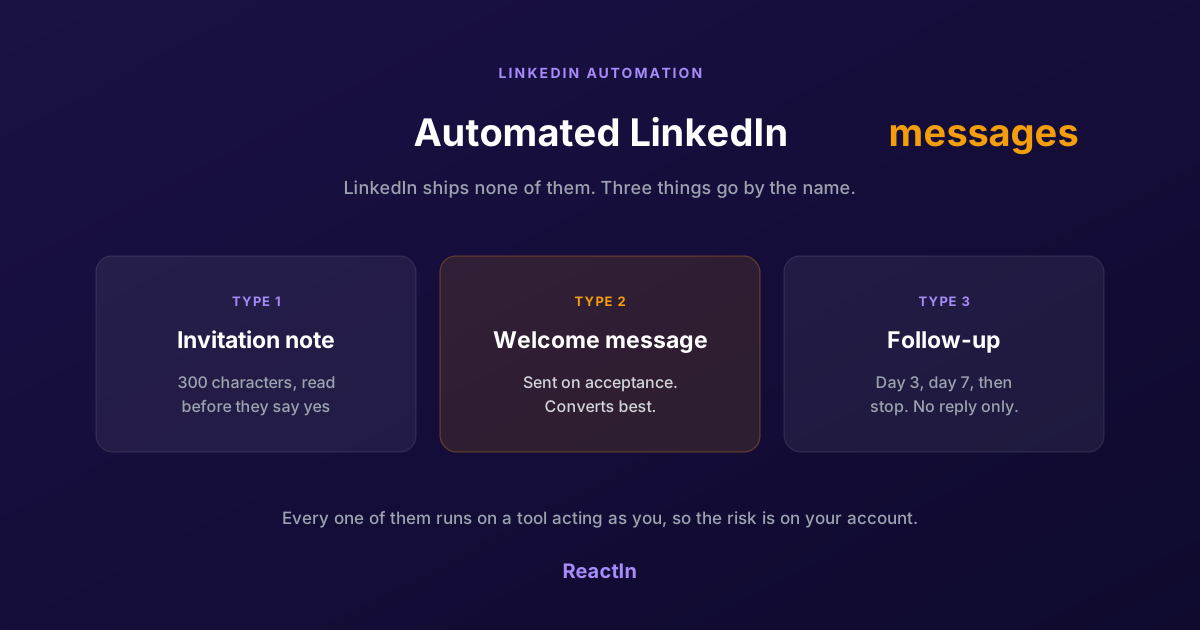
Automated LinkedIn Messages: How to Send Them Without Getting Restricted (2026)
LinkedIn ships no automated messaging at all. Here are the three things people call an automated LinkedIn message, how to set one up, what the terms actually say, and the three cases where writing by hand wins.
Best LinkedIn Automation Tool for Agencies in 2026 (Ranked by Total Cost, Not Feature Lists)
The 7 best LinkedIn automation tools for agencies in 2026, ranked by true cost at scale. ReactIn replaces 3-4 tools ($69/mo vs $300+/mo stack) with intent signals, AI enrichment, and unified inbox. Full "True Cost for 10 Accounts" comparison included.
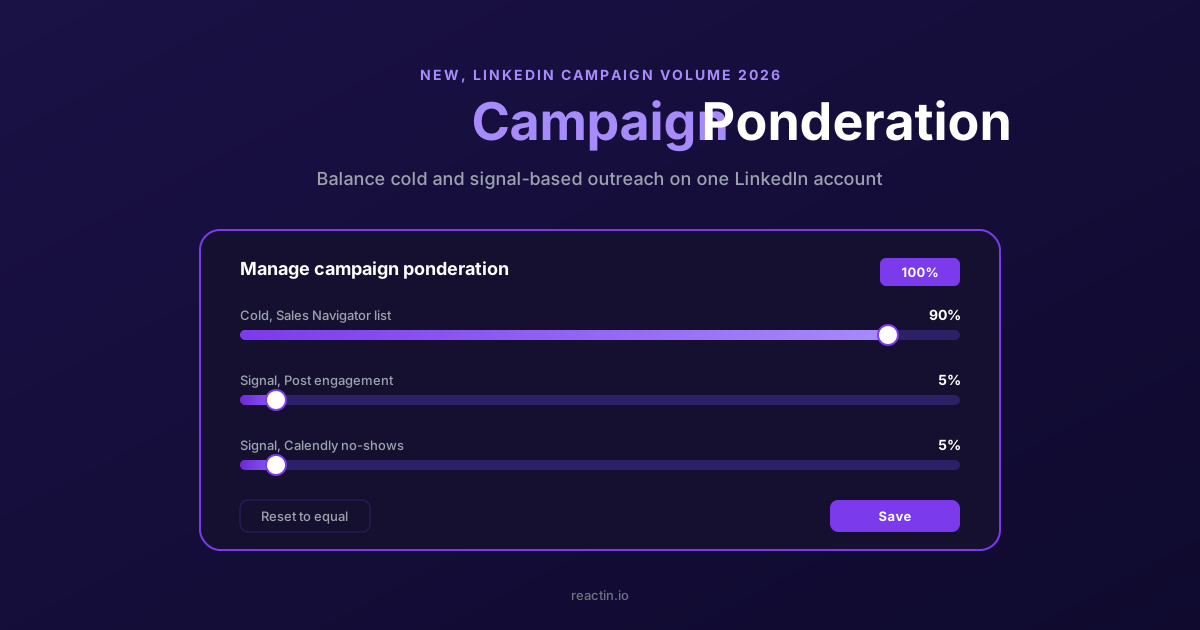
How to Balance LinkedIn Campaign Volume Across Tools (Waalaxy, HeyReach, Expandi, Dripify, LGM, PhantomBuster, Gojiberry vs ReactIn)
Most LinkedIn automation tools force you to pick: one big cold campaign, or none. Here is how Waalaxy, HeyReach, Expandi, Dripify, LGM, PhantomBuster and Gojiberry actually let you split daily volume between campaigns - and how ReactIn’s new Campaign Ponderation finally lets you run a 90/5/5 mix of cold + signal-based outreach.
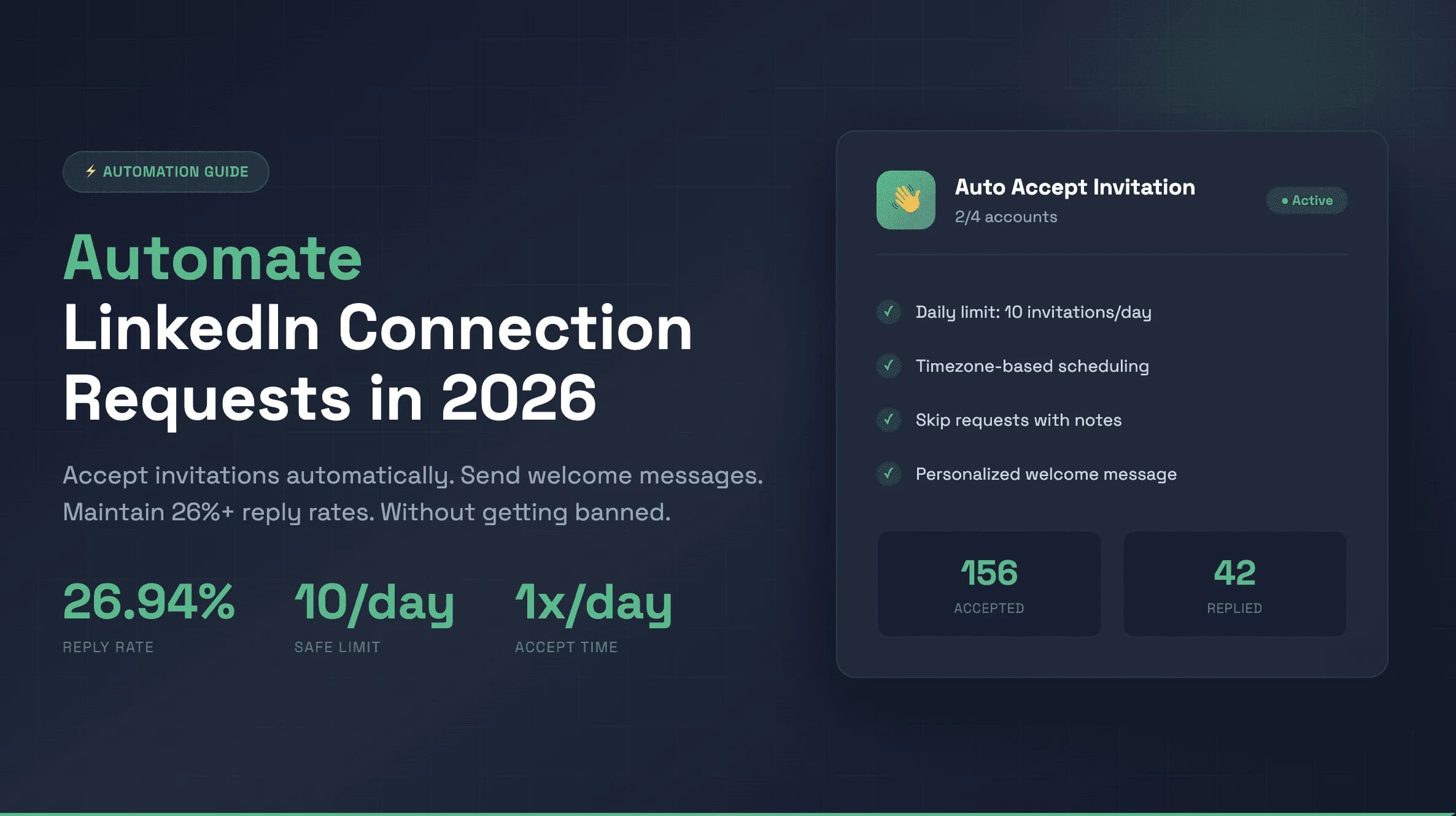
How to Automate LinkedIn Connection Requests (Auto Connect) Safely in 2026
Automate invitations on LinkedIn without getting restricted: 2026 daily limits by plan, the 300-character note, acceptance rates by approach, and a 5-step ReactIn setup.