LinkedIn API Access: Why You Probably Do Not Need It
Self-serve access covers your own profile and posting as yourself. Marketing, Sales and Talent need partner approval, Compliance is closed, and none of them is a prospecting API, so approval would not deliver what most applicants want.
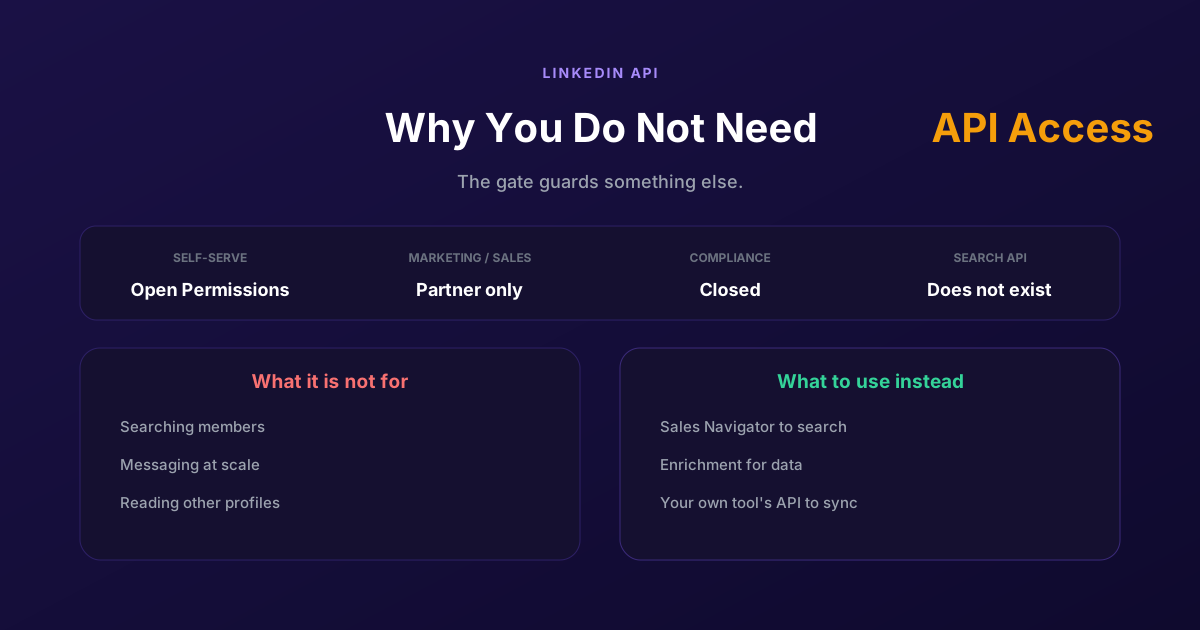
You went looking for the LinkedIn API, found a developer portal, and discovered that almost everything is behind a partner application. So the plan becomes get approved, and weeks disappear into a process with no visible progress.
Worth stopping there, because the premise is usually wrong. Most people who want LinkedIn API access want to search for people, read their data, or send messages at scale. None of the partner programmes give you that. Even approved, you would not get the thing you applied for, which makes this one of the few cases where the right move is to stop pursuing the obvious answer.
What the API actually gives you
LinkedIn's API is several separate products with separate approval paths, and none of them is the general-purpose interface people imagine. Reading this table is faster than an application.
| Product line | Access | What it is actually for |
|---|---|---|
| Open Permissions | Self-serve, no approval | Your own profile, and posting as yourself |
| Marketing APIs | Partner application required | Managing advertising, not finding people |
| Sales APIs | Partner application, reported as closed to new applicants | Embedding Sales Navigator in a CRM |
| Talent APIs | Partner application required | Recruiting workflows and job posting |
| Compliance APIs | Documented as closed, for reference only | Archiving regulated communications |
The first row is the whole of what you can get today without asking anyone. Open Permissions let you sign a member in with OpenID Connect and read their own name, headline, photo and email address, and post, comment or like on their behalf. That is genuinely useful for building a product people log into. It is not a way to look anyone else up.
The other rows are the part worth internalising. Each one is scoped to a business LinkedIn runs: ads, CRM integration, recruiting, compliance archiving. There is no product line whose purpose is letting you query members and message them, which means the approval you were chasing was never going to unlock that. People spend months on an application for capabilities that are not in the catalogue.
LinkedIn API: how access works, step by step
The LinkedIn API is a REST API, served from api.linkedin.com, and the only way in is LinkedIn's developer portal. The path is the same for everyone, company or solo developer, and it comes down to four steps. The third one decides what you end up with.
- Create an app. It has to be associated with a LinkedIn company Page, and an admin of that Page has to confirm the association. No Page, no app, even for a personal project.
- Authenticate with OAuth 2.0. Every call carries an access token. To act on behalf of a member, that member authorizes your app on LinkedIn's consent screen, and the token you get expires after 60 days. Programmatic refresh is only open to some partners: for everyone else, the member goes through authorization again.
- Add products. In the app's Products tab, "Sign In with LinkedIn using OpenID Connect" and "Share on LinkedIn" are enabled without review: they are the Open Permissions from the table above. Every other product opens a partner application, reviewed by LinkedIn.
- Stay within quotas. Each product has daily call limits, per app and per member, reset at midnight UTC. They show up in the app's Analytics tab after your first calls, and going over returns a 429 error until the reset.
On cost, self-serve LinkedIn API access is free: creating the app and enabling those two products is not billed. The real price is elsewhere. At the end of the four steps, you have an app that can sign a member in and post on their behalf, and that is everything the LinkedIn API gives without an application. If your project fits inside that scope, nothing stands in your way. If it needs to look up or contact members, none of the four steps gets you any closer, and the rest of this article starts from that need.
LinkedIn API access beyond self-serve: four checks before you apply
LinkedIn API access beyond Open Permissions is not a plan you sign up for. It is granted product by product, after LinkedIn reviews a request, and each product exists for one specific business. Before filing anything, four checks tell you whether your project fits.
- A company and a product. Your app is already tied to your company's Page, and access is granted to that app, for the product it serves, not to you as an individual developer. A request with no product behind it has no use case to describe.
- A use case that fits one row of the table. Advertising management for the Marketing APIs, Sales Navigator inside a CRM for the Sales APIs, recruiting workflows for the Talent APIs. A request built around finding members or contacting them matches no row, because no product line does that.
- A programme that still takes applicants. The Sales APIs are reported closed to new applicants and Compliance is documented as closed. For those two, there is no review to wait for.
- Terms you can live with. Every use of the API, self-serve included, falls under LinkedIn's API Terms of Use, which govern how the member data you receive may be stored and reused. Partner approval widens what your app can call, not what you may do with that data.
One more rule changes how you plan: approval is per product. An app cleared for the Marketing APIs gains nothing on Sales or Talent, and each additional partner product means another request and another review. LinkedIn API access is something you scope before you apply, not something you collect. If your project passes all four checks, the partner route is worth the wait. If it fails the second one, more patience will not change the outcome, and what you need is in the next section.
What you probably need instead
Work backwards from the job rather than forwards from the API. Four common cases and their real answers.
You need to find people matching criteria
That is Sales Navigator, LinkedIn's own paid product for exactly this, with filters no API exposes. It is the sanctioned route and the one LinkedIn actively sells. If the objection is that you want the results in your own system rather than in a browser, that is a different problem from search, and worth separating.
You need profile data in your own stack
Most of what teams want here is contact and company data, not LinkedIn's own fields, and enrichment providers supply that from sources designed to be queried. Pointing an enrichment step at a list you already have is both more reliable and less fragile than an integration that would depend on an approval you do not have.
You need to send connection requests or messages
No API product line does this, so the choice is doing it in the product or using a tool that drives the product. Either way you are subject to the same daily limits and the same rules. The honest framing is that a tool changes who does the clicking, not what LinkedIn permits.
You need events from LinkedIn in your CRM
Start from the signals you can legitimately observe: engagement on your own posts, your own profile visitors, your own page followers, webinar attendees, form fills. These are things happening to you, which is a much better foundation than trying to read the platform, and they are available without any partner status.
The rules that apply either way
Four points that hold whatever route you pick, including ours.
- LinkedIn's User Agreement governs automated activity on the platform. It applies to you whether you wrote the code, bought a tool, or clicked manually, and no vendor can sign it away on your behalf.
- Daily limits are the platform's, not the tool's. Invitations and messages are capped by LinkedIn, so any product implying a higher ceiling is describing a risk to your account rather than a feature.
- Security checks are not obstacles to route around. If LinkedIn issues a challenge or restricts an account, that is the platform asking you something, and the correct response is to answer it.
- Your account is the asset. It is worth more than any single campaign, which is the argument for staying inside sanctioned routes even when a faster one appears to exist.
None of that is a disclaimer bolted on at the end. It is the reason the API question matters less than it looks: the constraint people are trying to engineer around with an API key is a policy constraint, and policy does not have an endpoint.
If the underlying goal is safe outreach at volume, the ground rules are in the LinkedIn automation guide, and on volume specifically, how to balance LinkedIn campaign volume.
The API you usually wanted
Here is the thing most people discover late: the integration they wanted was never with LinkedIn. It was with whatever tool holds their outreach data, so that leads, replies and outcomes land in the CRM without a CSV in the middle.
That API exists and it is ours. ReactIn has an API and webhooks that fire on five events, lead added, lead enriched, connection accepted, message replied and first message sent, so you can push into a CRM, Slack or anything reachable through Zapier or Make. There are native integrations with HubSpot, Google Sheets and Airtable, and our API is also a list source, so your own systems can put people into a list.
The honest limit, stated plainly: this is an API to ReactIn, not to LinkedIn. It gives you the data flowing through your own campaigns. It does not let you query LinkedIn members, and nothing we offer exempts you from LinkedIn's daily limits or its User Agreement, for the same reason no partner programme would.
Which is the actual conclusion of this article. The gate you hit was real, but it was guarding something you did not need. Once you separate find people, enrich them, contact them and sync the results, each piece has a sanctioned answer, and not one of those answers is a LinkedIn API key.
For how the tooling compares, see our ReactIn vs Phantombuster comparison, which is the closest thing to a developer-minded alternative.
The useful reframing is that you were not blocked, you were pointed at the wrong door. Split the job into finding, enriching, contacting and syncing, and every part has an answer that does not require an approval you are not going to get.
Frequently Asked Questions
Sources & Further Reading
- LinkedIn sets out the access tiers in getting access to LinkedIn APIs, which is the authoritative source here.
- The partner process itself is described in the LinkedIn API partner support guide.
- And the rules on automated activity are in LinkedIn's User Agreement, worth reading before building anything.
Related Articles
How to Contact LinkedIn Profile Visitors (2026 Guide)
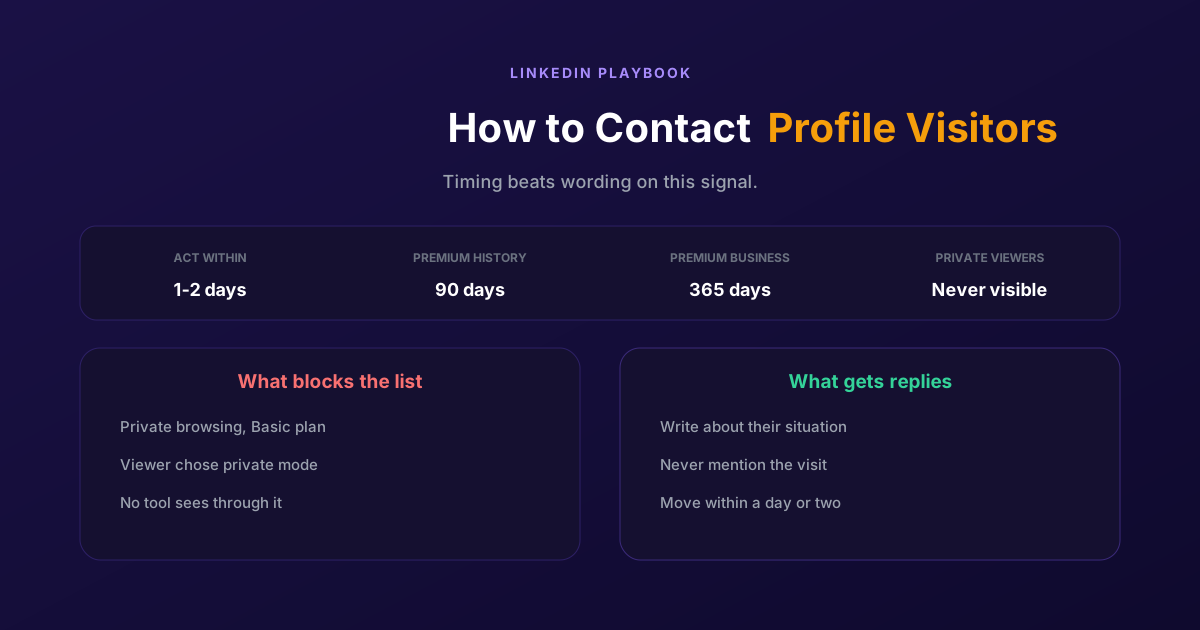
A profile view is one of the warmest signals LinkedIn produces and one of the most wasted. Two settings decide whether you can see them at all, and the opening line decides whether it reads as noticed or surveilled.
Segmenting Your LinkedIn Audience: A Practical Guide
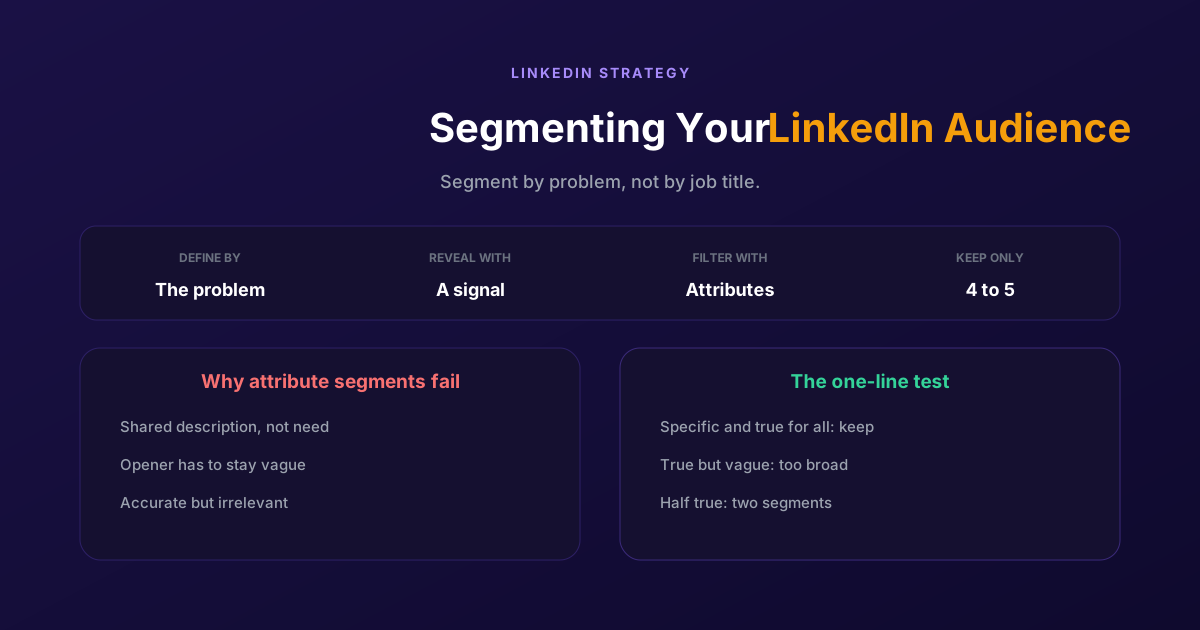
Filtering by job title gives you people who look alike, not people who want the same thing. Segment by the problem you solve and the signal that reveals it, then use attributes only to narrow what remains.
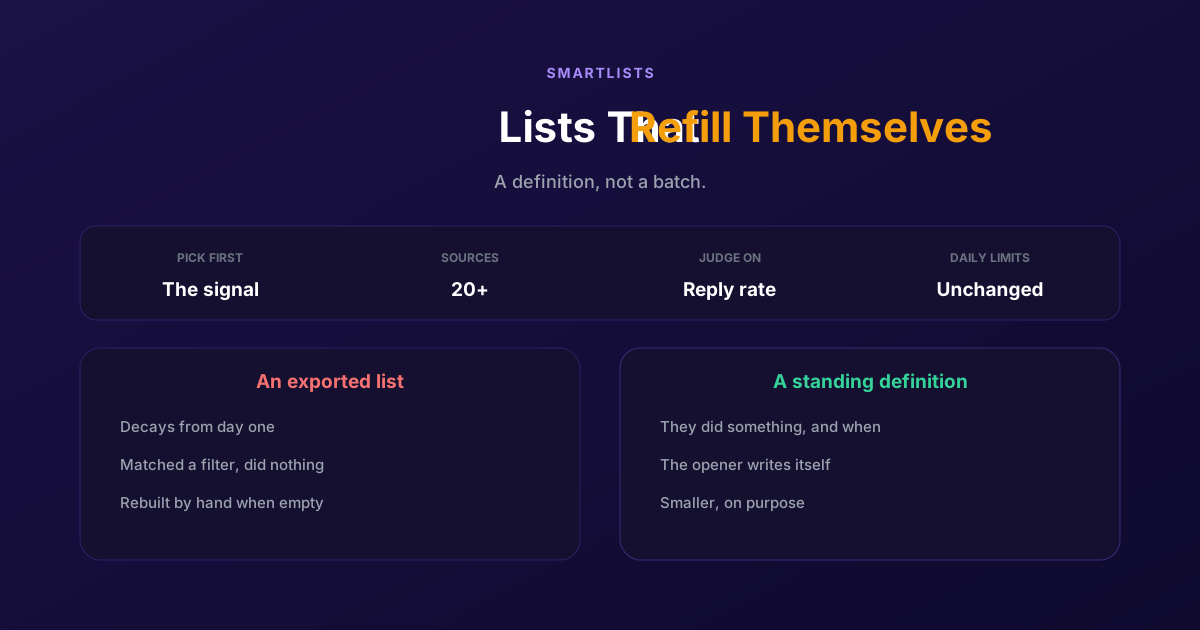
How to Generate LinkedIn Leads Continuously with SmartLists
An exported list is a photograph of a moment and decays from day one. A SmartList is a standing definition that fills itself, so people get contacted while the reason is still fresh.
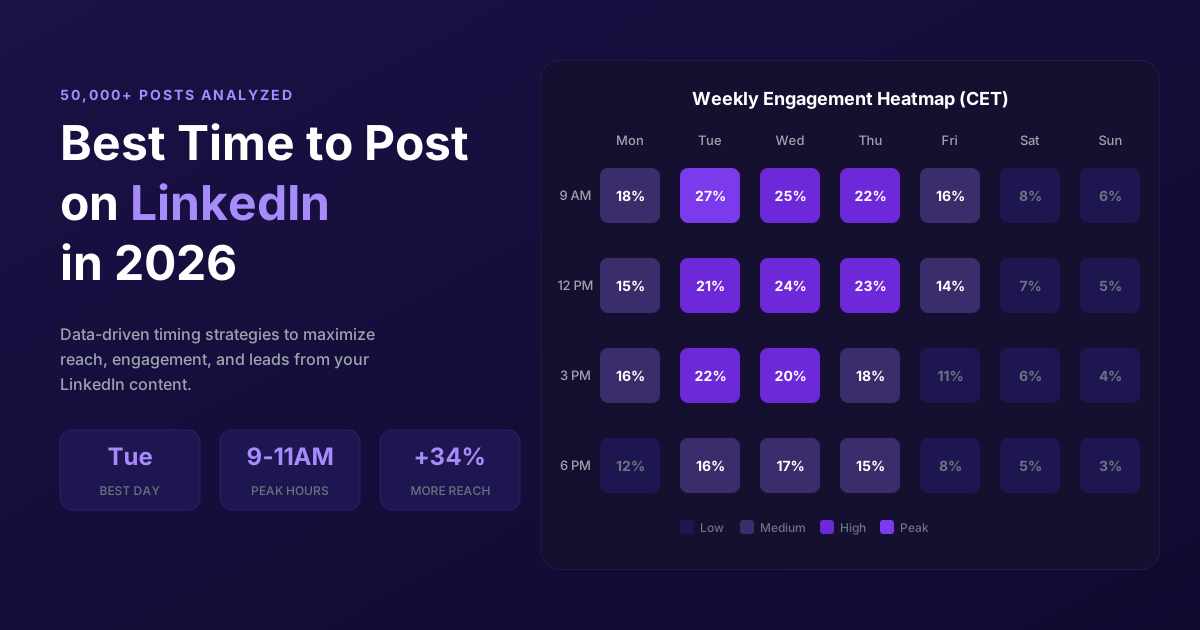
Best Time to Post on LinkedIn in 2026 (50,000+ Posts Analyzed)
When should you post on LinkedIn for maximum engagement? Analysis of 50,000+ posts reveals the best times, days, and strategies to maximize reach in 2026.