Intent-Based Marketing Automations in 2026: The Complete Guide to 3x Reply Rates
Stop blasting the same message to every lead. Intent-based marketing automations use buyer signals to reach the right person at the right moment - delivering 3x higher reply rates. 5 workflows, benchmarks, and step-by-step setup inside.
Most B2B outreach still works like a megaphone: blast the same message to as many people as possible and hope someone replies. It worked in 2020. In 2026, it gets you ignored, flagged, or blocked.
Intent-based marketing automations flip the model. Instead of guessing who might be interested, you detect real buying signals and reach the right person at the exact moment they're ready to talk.
higher reply rates with intent-based outreach vs. volume-based campaigns
ReactIn user data, 2025-2026
What Are Intent-Based Marketing Automations?
An intent-based marketing automation is a workflow that triggers outreach only when a prospect shows a measurable signal of interest -a profile view, a post engagement, a job change, a funding round, or a technology adoption.
The difference from traditional automations is simple: the prospect's behavior decides when the message is sent, not your calendar.
| Dimension | Volume-Based | Intent-Based |
|---|---|---|
| Trigger | Added to list | Buying signal detected |
| Targeting | Firmographic filters | Behavioral + firmographic |
| Timing | When you decide | When the prospect is ready |
| Reply rate | 3-7% | 18-30% |
| Scale risk | High (spam, bans) | Low (relevant outreach) |
The 7 Intent Signals That Actually Matter
Not all signals are equal. Here are the seven with the highest correlation to conversion, ranked by reliability:
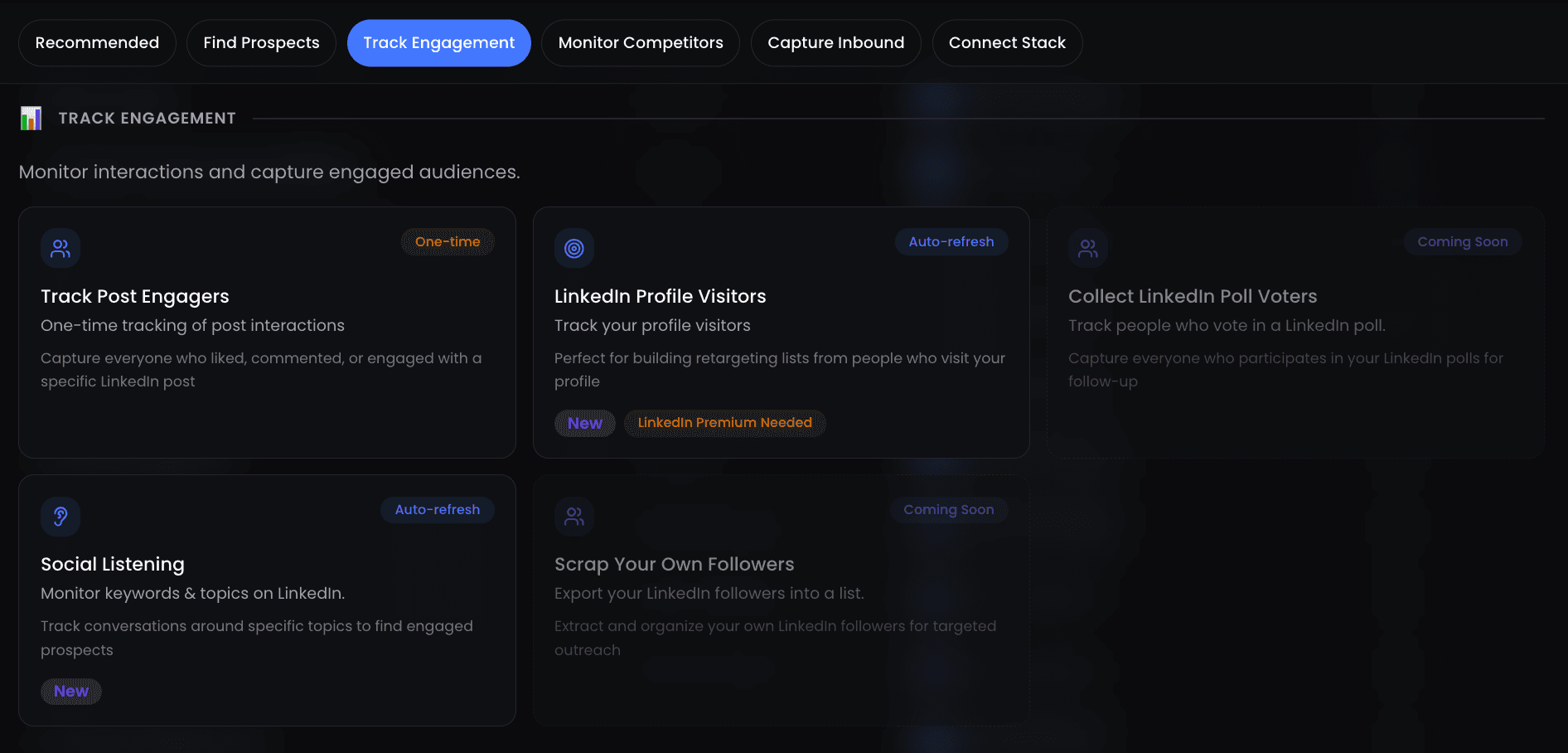
- Profile views -Someone visited your LinkedIn profile. This is the strongest first-party signal on the platform. If they looked at you, they're at least curious.
- Post engagement -A prospect liked, commented on, or shared your content (or a competitor's). They're actively thinking about your topic.
- Job changes -New VP of Sales hired? New Head of Growth? People in new roles have fresh budgets and are actively evaluating tools.
- Funding rounds -A company just raised a Series A or B. They're about to invest in growth infrastructure -your product could be part of that plan.
- Technology adoption -A prospect's company added a tool to their stack that complements yours (e.g., they adopted HubSpot and you sell enrichment).
- Hiring surges -A company posting 10+ sales roles signals aggressive growth. They need tools to support that scale.
- Content consumption -Repeated visits to your pricing page, case studies, or comparison articles. Multiple touches = active evaluation.
Why Volume-Based Automations Are Dying
LinkedIn's algorithm has gotten significantly smarter at detecting spray-and-pray outreach. The platform now throttles accounts that send too many untargeted messages, and recipients have learned to ignore -or report -generic pitches.
The numbers tell the story: volume-based LinkedIn outreach has seen reply rates drop by 60% since 2023.
decline in volume-based outreach reply rates since 2023
Industry benchmarks, 2023-2026
- Platform penalties -LinkedIn restricts accounts that exceed connection and message limits. Getting flagged means weeks of reduced reach.
- Recipient fatigue -The average decision-maker receives 15-20 cold outreach messages per week. Only the relevant ones get a reply.
- Wasted budget -Sending 1,000 messages to get 30 replies wastes 97% of your effort. Sending 200 intent-qualified messages to get 50 replies is strictly better.
Intent-based automations solve all three problems. You send fewer messages, to the right people, at the right time -and every metric improves.
5 Intent-Based Marketing Automation Workflows That Actually Work
These five workflows cover the most common B2B scenarios. Each one has been tested across hundreds of ReactIn campaigns with documented results.
The Profile Viewer Sequence
When someone views your profile, they've already shown interest. This workflow capitalizes on that curiosity within 24 hours.
Trigger: Prospect views your LinkedIn profile
Sequence: Connection request (no note) → Wait 1 day → Personalized message referencing their profile → Wait 3 days → Value-add follow-up with relevant content
The Content Engager Workflow
Prospects who engage with your content are already warm. This workflow nurtures that engagement into a conversation.
Trigger: Prospect likes or comments on your post (or a competitor's)
Sequence: Like their recent post → Wait 1 day → Connection request with note referencing their comment → Wait 2 days → DM with related resource → Wait 4 days → Soft CTA
The Job Change Trigger
People in new roles make purchasing decisions in their first 90 days. This workflow targets that window.
Trigger: Prospect changes job title to a target role
Sequence: Congratulations message → Wait 7 days → Share relevant case study for their new role → Wait 5 days → Offer a quick intro call to discuss their priorities
The Funding Round Outreach
Freshly funded companies are actively investing in growth. This workflow reaches key decision-makers while budgets are being allocated.
Trigger: Company closes a funding round (Series A, B, or C)
Sequence: Connection request to VP/C-level → Wait 2 days → Message acknowledging their funding and a specific growth challenge → Wait 4 days → Offer to share how similar companies scaled post-funding
The Multi-Signal Priority Sequence
When a prospect shows two or more intent signals, they move to the top of the queue. This workflow is reserved for your highest-confidence leads.
Trigger: Two or more signals detected within 14 days (e.g., profile view + post engagement + hiring surge)
Sequence: Immediate connection request with personalized note → Wait 1 day → Direct message referencing the specific signals → Wait 2 days → Calendar link with soft CTA
| Workflow | Avg. Reply Rate | Best For | Time to First Reply |
|---|---|---|---|
| Profile Viewer | 22-28% | Warm leads, quick wins | 1-3 days |
| Content Engager | 18-24% | Thought leadership funnels | 2-5 days |
| Job Change | 20-26% | Enterprise sales, long cycles | 5-10 days |
| Funding Round | 15-22% | Startup/scaleup targeting | 3-7 days |
| Multi-Signal | 25-35% | Highest-intent prospects | 1-2 days |
How to Build Your Intent Data Stack
You don't need a dozen tools. A focused intent data stack has three layers -and you can start with just the first one.
| Layer | Purpose | Tools |
|---|---|---|
| Signal Detection | Capture intent signals from LinkedIn activity, job changes, funding events | ReactIn, LinkedIn Sales Navigator |
| Data Enrichment | Add firmographic, technographic, and contact data to intent signals | Clay, Apollo, Clearbit |
| Orchestration | Route enriched signals to the right workflow, CRM, or team member | Make, HubSpot, Zapier |
For most teams, ReactIn alone covers signal detection and automated outreach. Add enrichment tools like Clay when you need deeper firmographic data, and orchestration when your volume requires routing between team members.
The Best Intent-Based Marketing Tools Compared (2025-2026)
The intent data market has matured fast. Here are the five most popular tools for intent-based targeting in 2025-2026, each with a different sweet spot depending on your team size, budget, and use case.
| Tool | Best For | Key Intent Signals | Automation Built-In | Pricing Tier |
|---|---|---|---|---|
| Bombora | Enterprise ABM teams needing third-party topic-level intent | Content consumption across 5,000+ B2B sites (Company Surge data) | No (feeds into CRM/MAP) | $$$$ |
| 6sense | Mid-market/enterprise revenue teams wanting a full ABM platform | Anonymous web visits, keyword research, technographics, predictive scoring | Yes (orchestration + ads) | $$$$ |
| G2 | SaaS companies leveraging buyer-intent from software review activity | Category page views, competitor comparisons, pricing page visits on G2 | No (integrates via Salesforce, HubSpot, Slack) | $$$ |
| ReactIn | Growth teams and SDRs running LinkedIn-first outbound with intent triggers | Profile views, post engagement, job changes, hiring surges, funding rounds | Yes (full LinkedIn sequence automation) | $$ |
| Clay | Ops teams building custom enrichment and signal pipelines | Aggregated from 50+ data providers (configurable per workflow) | Partial (enrichment + webhooks, no native outreach) | $$$ |
The right tool depends on where your prospects show intent. Enterprise ABM teams dealing with long sales cycles often start with Bombora or 6sense for broad topic-level intent. SaaS companies with active G2 listings benefit from G2 Buyer Intent. Growth teams focused on LinkedIn outbound get the most value from ReactIn because signals and automation live in one platform -no integration required. Clay is ideal when you need to stitch together multiple data sources into custom workflows.
How to Automate Buyer Group Targeting with Behavioral and Firmographic Filters
Most outbound fails because it targets individuals in isolation. In reality, B2B purchasing decisions involve buying groups -three to ten stakeholders who influence, evaluate, and approve a purchase. Intent-based marketing becomes dramatically more effective when you target the entire buying group, not just one contact.
The key is combining behavioral intent signals with firmographic filters to identify and engage every relevant stakeholder at a target account.
A 4-step framework for automated buyer group targeting
Set your firmographic foundation
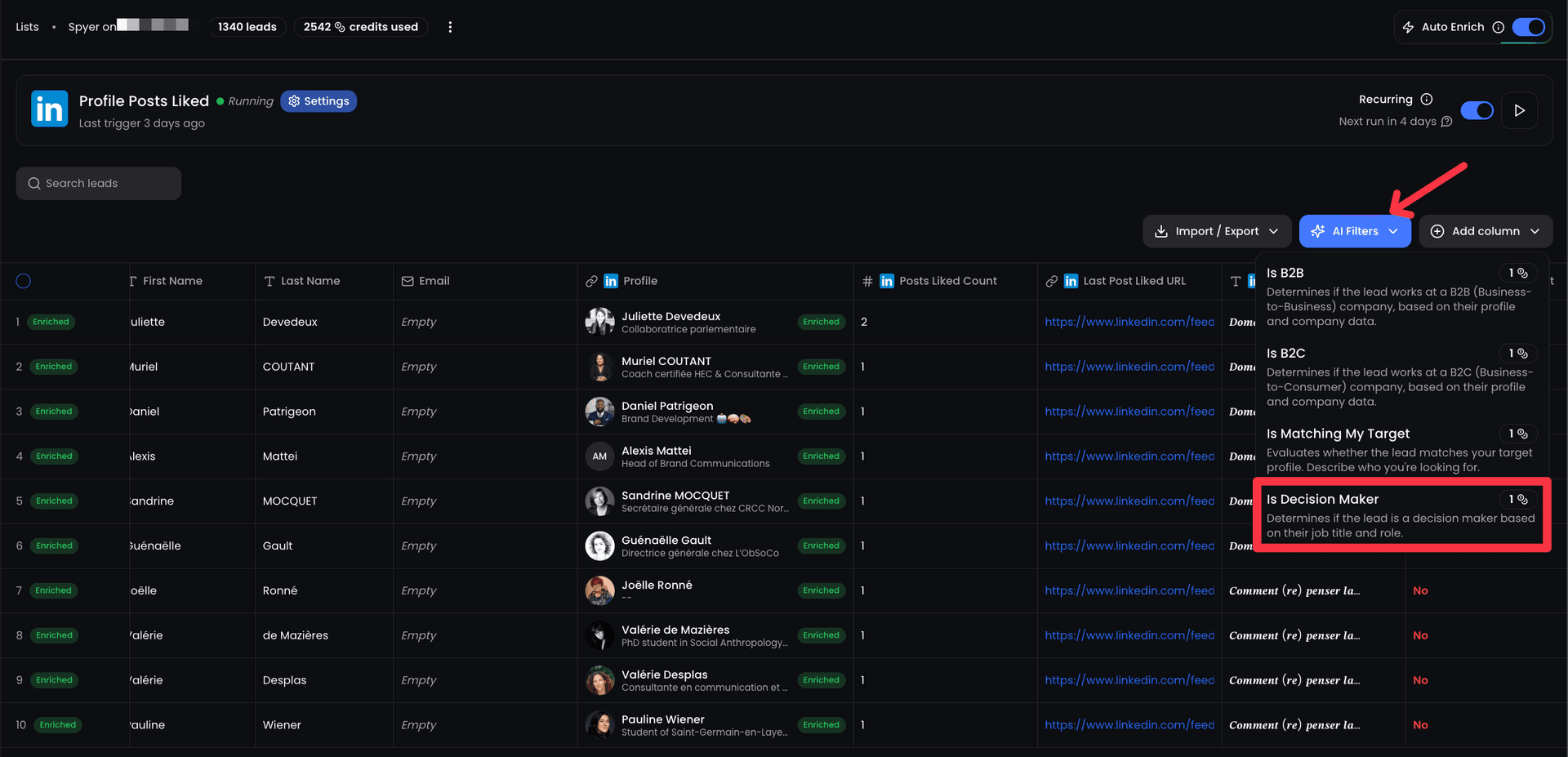
Define the account profile: industry, company size (employees or revenue), geography, and technology stack. This narrows your universe to companies that can actually buy your product. In ReactIn, these become your SmartList filters.
Layer behavioral intent signals
On top of firmographic filters, add intent triggers: profile views from the target account, engagement on your posts, job changes into decision-making roles, or funding events. Now you're not just targeting companies that fit -you're targeting companies that fit AND are showing buying behavior.
Map the buying group roles
When an account triggers an intent signal, expand your targeting to include the full buying group. For a sales tool, that might mean the VP Sales (economic buyer), Sales Ops Manager (technical evaluator), and CRO (executive sponsor). Use job title filters to automatically capture all relevant stakeholders.
Assign role-specific sequences
Each role in the buying group gets a different message. The VP Sales hears about revenue impact. The Sales Ops Manager sees integration details and efficiency gains. The CRO gets the strategic vision. Same trigger, different messaging per persona.
Intent Data vs. Firmographic Data: What's the Difference and When to Use Each
These two data types are complementary, not competing. Understanding the difference is critical for building effective targeting strategies.
| Dimension | Firmographic Data | Intent Data |
|---|---|---|
| Definition | Static attributes about a company (industry, size, revenue, location, tech stack) | Behavioral signals showing active interest or buying readiness (content consumption, profile views, hiring patterns) |
| Answers | "Could this company be a customer?" | "Is this company actively looking to buy?" |
| Data freshness | Changes slowly (quarterly/annually) | Changes in real time (daily/weekly) |
| Use case | Building your TAM, defining ICP, segmenting accounts | Triggering outreach, prioritizing accounts, timing campaigns |
| Alone it gives you | A list of companies that could buy -but no signal on timing | A list of companies showing interest -but some may not be a fit |
When to use each (and when to combine them)
- Firmographic only -Use for initial ICP definition, market sizing, and building your total addressable market. This is your starting filter.
- Intent only -Use when you want to detect active buyers regardless of whether they match your traditional ICP. Useful for discovering new market segments.
- Combined (recommended) -Use firmographic filters to define who can buy, then layer intent signals to determine who is ready to buy right now. This is the approach that drives 3x reply rates.
Setting Up Intent-Based Automations in ReactIn (Step-by-Step)
Here's how to go from zero to a running intent-based campaign in ReactIn -typically under 30 minutes.
Connect your LinkedIn account
Link your LinkedIn profile to ReactIn. The platform will begin detecting intent signals (profile views, post engagement, connection activity) from day one.
Define your ICP filters
Set firmographic and role-based filters: industry, company size, job titles, geography. This ensures signals are only captured from prospects who match your target profile.
Choose your intent signals
Select which signals trigger your automation: profile views, post engagers, job changes, or a combination. Multi-signal triggers have the highest conversion rates.
Build your sequence
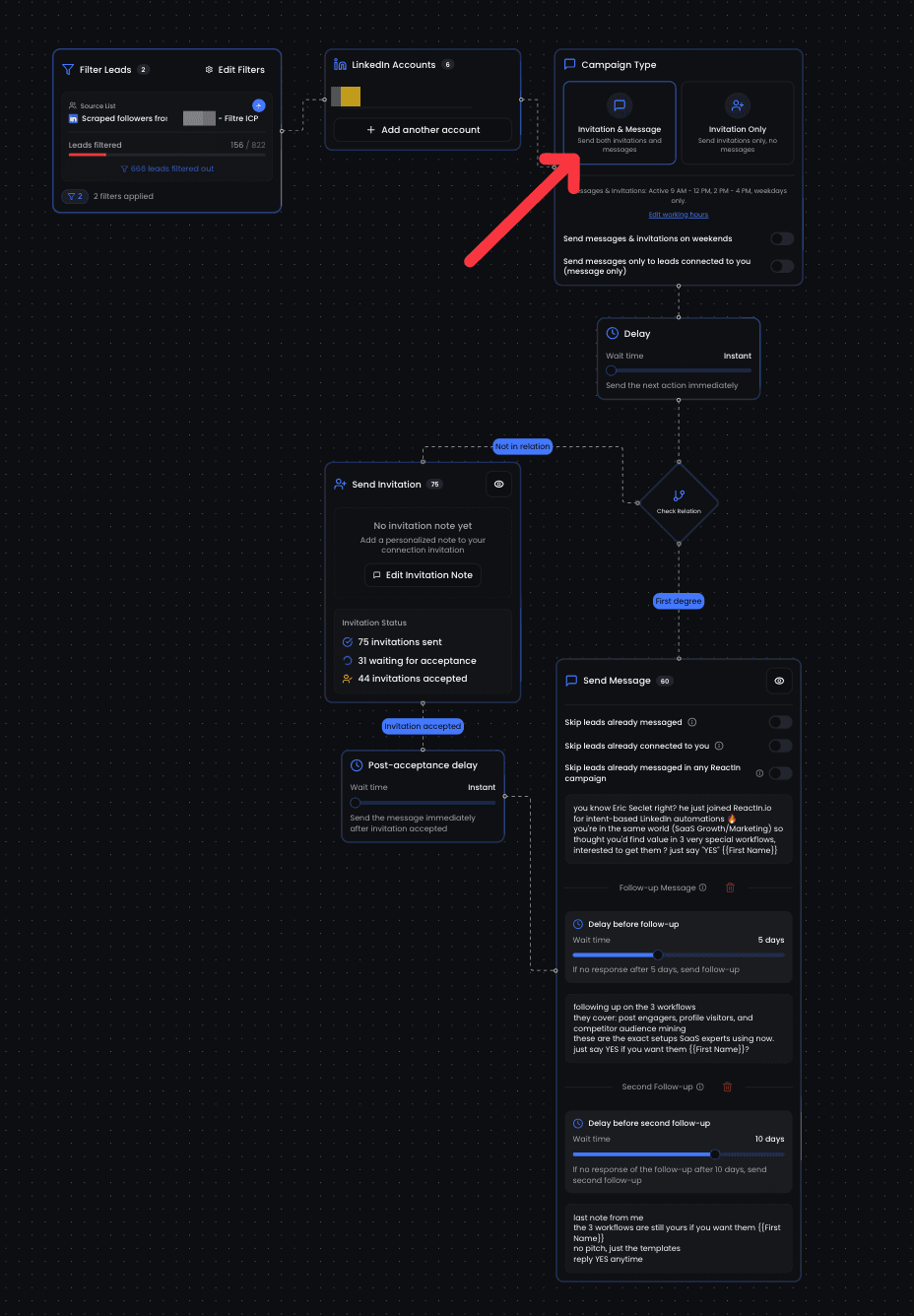
Create a multi-step outreach sequence: connection request, follow-up messages, and content shares. Use the workflow templates above as your starting point.
Set daily limits and launch
Configure daily sending limits to stay within LinkedIn's safe thresholds. Start conservative (15-20 actions/day) and scale up as your account warms up.
For a deeper dive into LinkedIn automation mechanics, check out our complete guide to automating LinkedIn connection requests.
How to Integrate Intent Data into Your Demand Generation Workflows
Having intent data is one thing. Weaving it into your daily demand gen workflows so it actually drives pipeline -that's where most teams struggle. Here are four practical integration patterns that work in 2025-2026.
4 integration patterns for intent-driven demand gen
Signal-triggered outbound sequences
The simplest pattern: when an intent signal fires (profile view, post engagement, job change), it automatically enrolls the prospect into a multi-step outreach sequence. No manual review, no CSV exports. In ReactIn, this happens natively -signal detection and sequence execution live in the same platform.
Intent-scored lead routing
Assign a score based on the type and number of intent signals. Single signal (profile view) = warm. Double signal (profile view + post engagement) = hot. Triple signal = priority. Route high-scoring leads to your top SDRs or AEs, and let automated sequences handle the rest.
CRM-synced intent alerts
Push intent signals into your CRM (HubSpot, Salesforce) so AEs see real-time buying signals on accounts they already own. A rep checking their pipeline sees "3 people at Acme Corp viewed your profile this week" -that's an informed follow-up, not a cold call.
Recurring task automation
Set up recurring automations that run daily or weekly: scan for new intent signals, enrich matching leads, and enroll them in the appropriate sequence. This eliminates the manual prospecting loop and ensures no signal goes unacted on.
The common thread across all four patterns: intent data should trigger action automatically, not sit in a dashboard waiting for someone to check it. The fastest path to ROI is connecting signal detection directly to outreach execution.
10 Rules for Intent-Based Messaging That Gets Replies
Having the right signals is half the battle. The other half is what you say. These ten rules have been validated across thousands of intent-based campaigns:
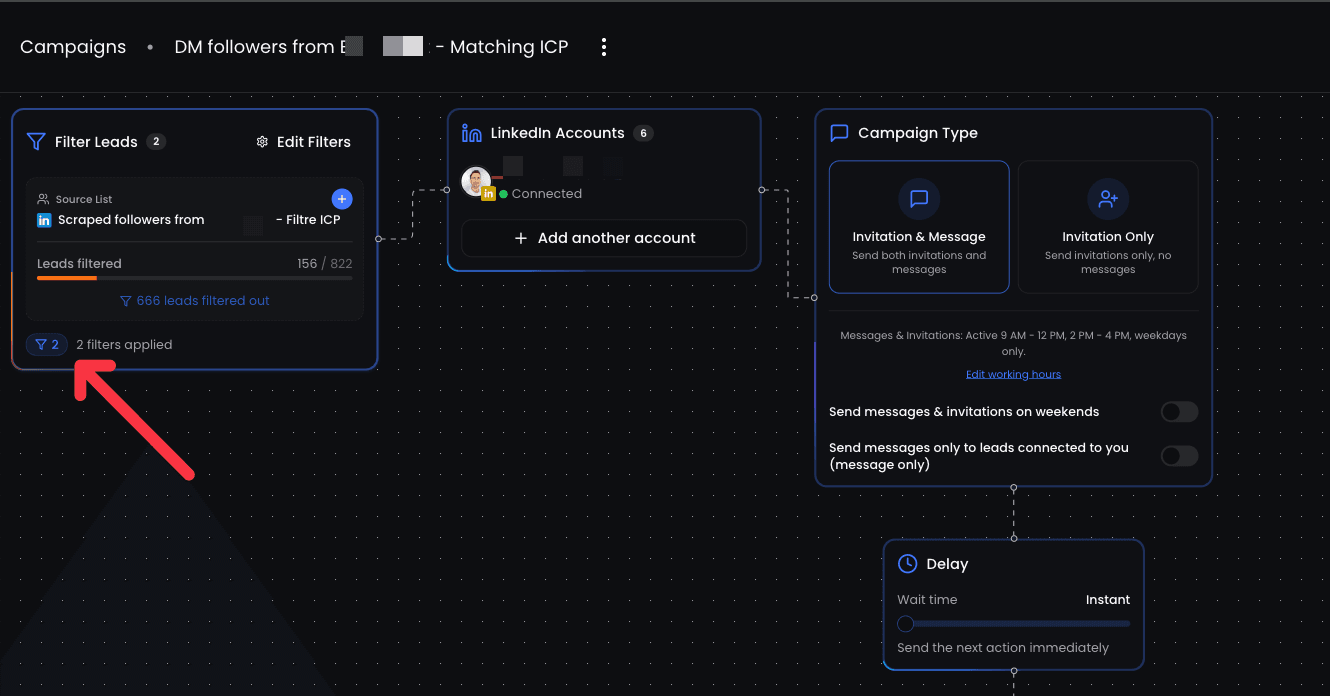
- Reference the signal -Don't hide why you're reaching out. "I noticed you engaged with [topic]" is honest and effective.
- Lead with their problem, not your product -The first message should focus on a challenge they're likely facing, not a feature list.
- Keep it under 80 words -Short messages on LinkedIn outperform long ones by 2x. Every word should earn its place.
- One CTA per message -Don't ask them to visit your site, read a case study, AND book a call. Pick one action.
- Use soft CTAs early -"Would it be useful to share how [similar company] solved this?" beats "Book a demo" on the first touch.
- Personalize beyond {first_name} -Reference their company, role, recent post, or the specific signal that triggered the outreach.
- Time your follow-ups by signal strength -High-signal prospects (multi-signal, profile viewers) get faster follow-ups. Low-signal leads get more spacing.
- Add value before asking -Share a relevant article, benchmark, or insight before requesting a meeting. Reciprocity works.
- Don't fake familiarity -"Hey [name], been following your work for a while!" when you clearly haven't is worse than no personalization.
- Test relentlessly -A/B test your opening lines, CTAs, and follow-up timing. Small changes compound into big gains over hundreds of messages.
How to Use Intent Signals in Personalization Without Sounding Creepy
This is the question every growth team asks: "I know they viewed my profile and liked my post -but how do I mention that without sounding like a stalker?" The answer is simpler than you think. The goal is to be relevant, not omniscient.
What works: subtle, value-first references
- Reference the topic, not the action -Instead of "I saw you liked my post about sales automation," say "I've been writing about sales automation lately -curious if your team at [Company] is exploring this." You acknowledge shared interest without surveillance language.
- Use the signal to time, not to script -The most effective use of intent data is knowing when to reach out, not what to say verbatim. A profile view tells you to message today rather than next month. The message itself should still feel natural.
- Lead with a relevant insight -If you know they engaged with content about a specific topic, share an original perspective or data point on that topic. You're adding value, not revealing your data sources.
- Match intensity to signal strength -A single post like warrants a casual connection request. Three signals in a week justify a more direct message. Calibrate your enthusiasm to the evidence.
What to avoid: the creepy patterns
- Don't list their actions back to them -"I noticed you viewed my profile on Tuesday, liked my post on Wednesday, and visited our pricing page on Thursday" is a restraining order, not an outreach message.
- Don't fake a coincidence -"What a coincidence, I was just thinking about reaching out to you!" fools nobody. Be straightforward about why you're reaching out.
- Don't over-personalize the first touch -Save deep personalization for follow-ups after they've responded. The first message should be brief, relevant, and low-pressure.
KPIs & Benchmarks for Intent-Based Campaigns
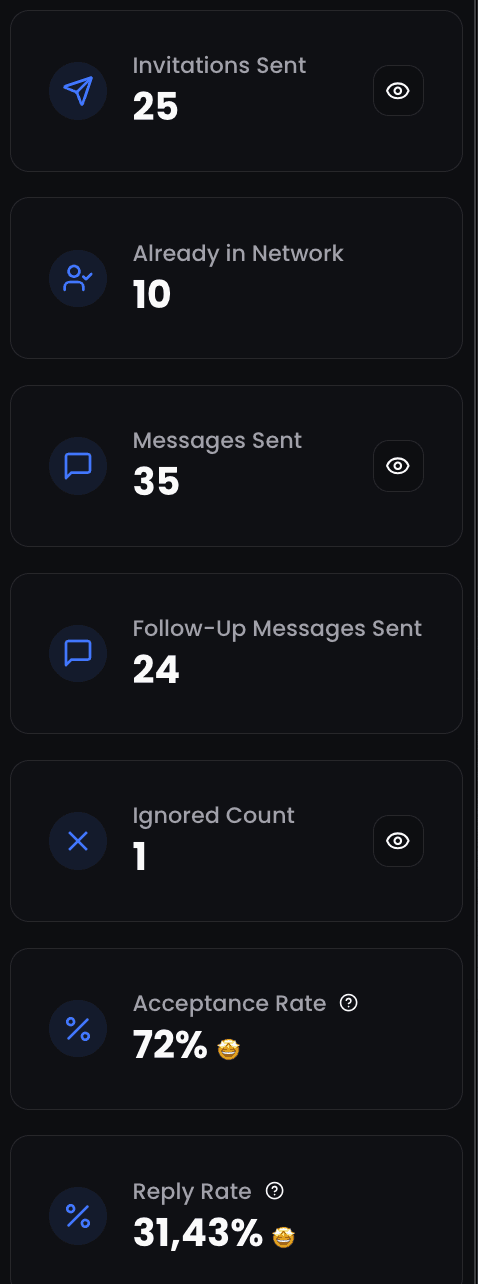
Track these four metrics to measure the health of your intent-based automations:
| KPI | Volume-Based Benchmark | Intent-Based Benchmark |
|---|---|---|
| Connection acceptance rate | 25-35% | 45-65% |
| Reply rate | 3-7% | 18-30% |
| Positive reply rate | 1-3% | 10-18% |
| Meeting booked rate | 0.5-1.5% | 5-12% |
meeting booked rate with intent-based automations (vs. 0.5-1.5% volume-based)
ReactIn campaign data, 2025-2026
If your numbers are below these benchmarks, revisit your signal selection, ICP filters, and messaging. If they're above, consider scaling your daily volume or adding new signal types.
Intent vs Volume ROI Calculator
Compare cold outreach performance vs intent-based targeting
12-month cumulative revenue
By switching to intent-based outreach, you could generate $333K more revenue and save 468 hours per year.
Conclusion: Stop Spraying, Start Detecting
The era of volume-based outreach is ending. Platforms are penalizing it, prospects are ignoring it, and the math simply doesn't work anymore.
Intent-based marketing automations represent the next evolution: fewer messages, better timing, higher conversion. Every metric improves when you reach people who are already showing interest.
The five workflows in this guide give you a concrete starting point. Pick one, set it up in ReactIn, and measure the results against your current campaigns. The data will speak for itself.
For a broader look at LinkedIn automation strategy, read our complete LinkedIn automation playbook for 2026, or compare the top LinkedIn automation tools to find the best fit for your stack.
Frequently Asked Questions
Sources & Further Reading
- Gartner provides in-depth analysis of buyer intent data trends in their research on B2B buying behavior.
- Forrester's research on intent-based marketing is covered in their B2B marketing and sales insights.
- For a practical overview of intent data providers, Bombora details their methodology on the Bombora Company Surge intent data page.
Related Articles
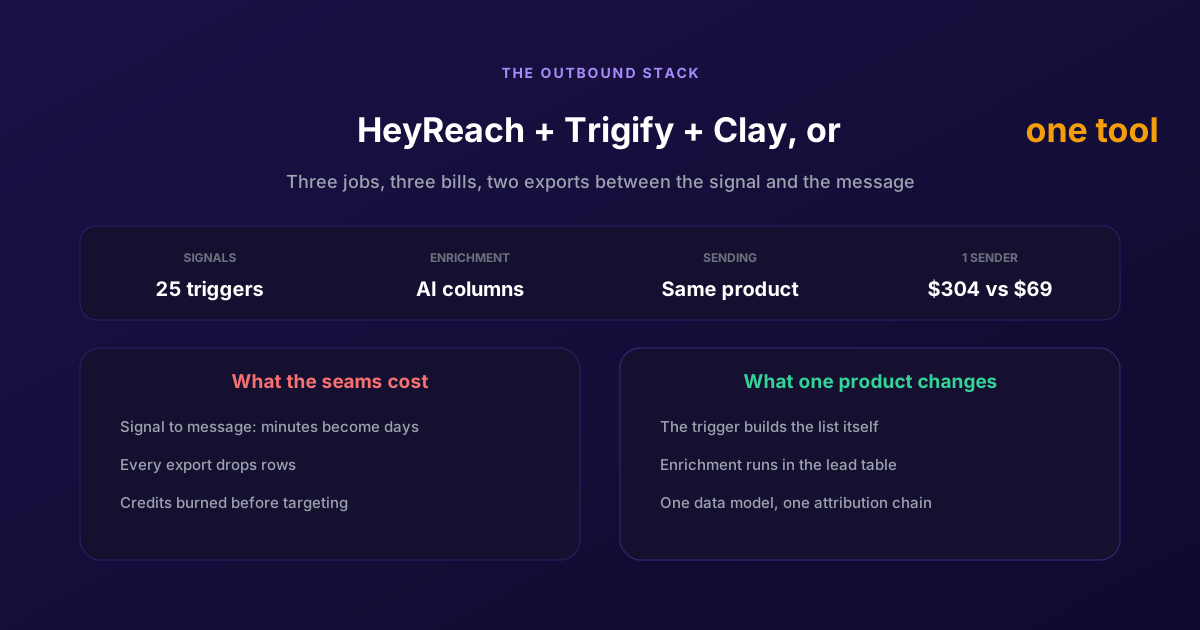
ReactIn = HeyReach + Trigify + Clay: One Tool for Cold and Warm Outreach
Three products, three bills, and two exports between the signal and the message. Here is what each tool owns, what the seams cost in latency and credits, and when keeping the stack is still the right call.
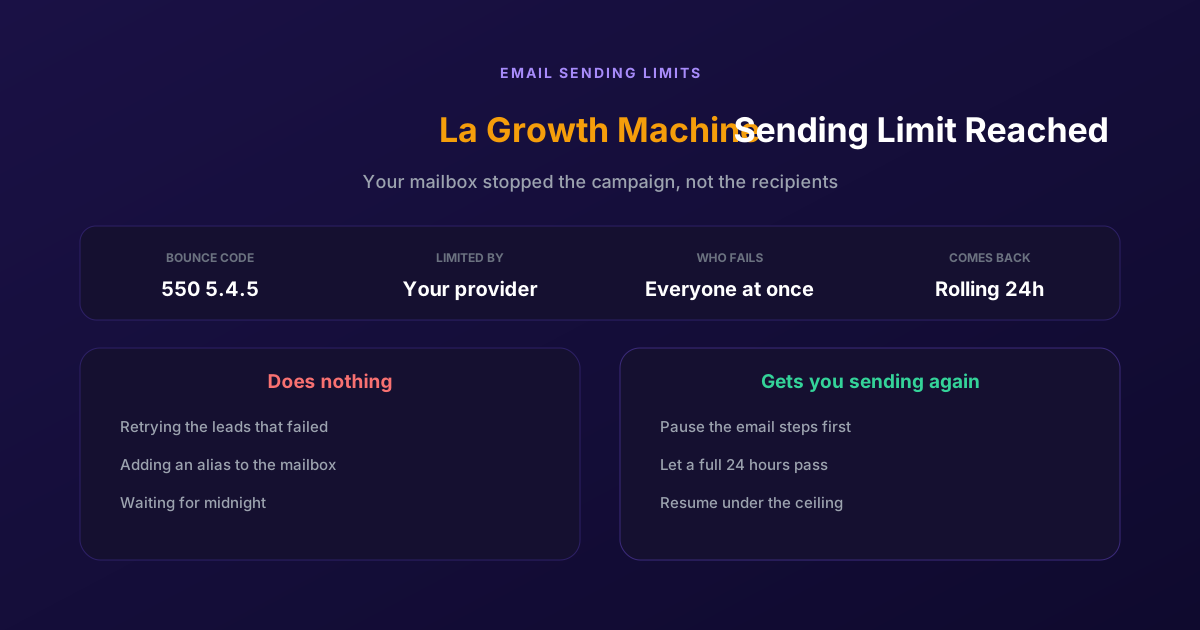
Fix "You Have Reached a Limit for Sending Mail" in La Growth Machine
The message belongs to your email provider, not to the tool. The mailbox has spent its daily allowance, every recipient fails at once, and capacity comes back on a rolling 24-hour window rather than at midnight.
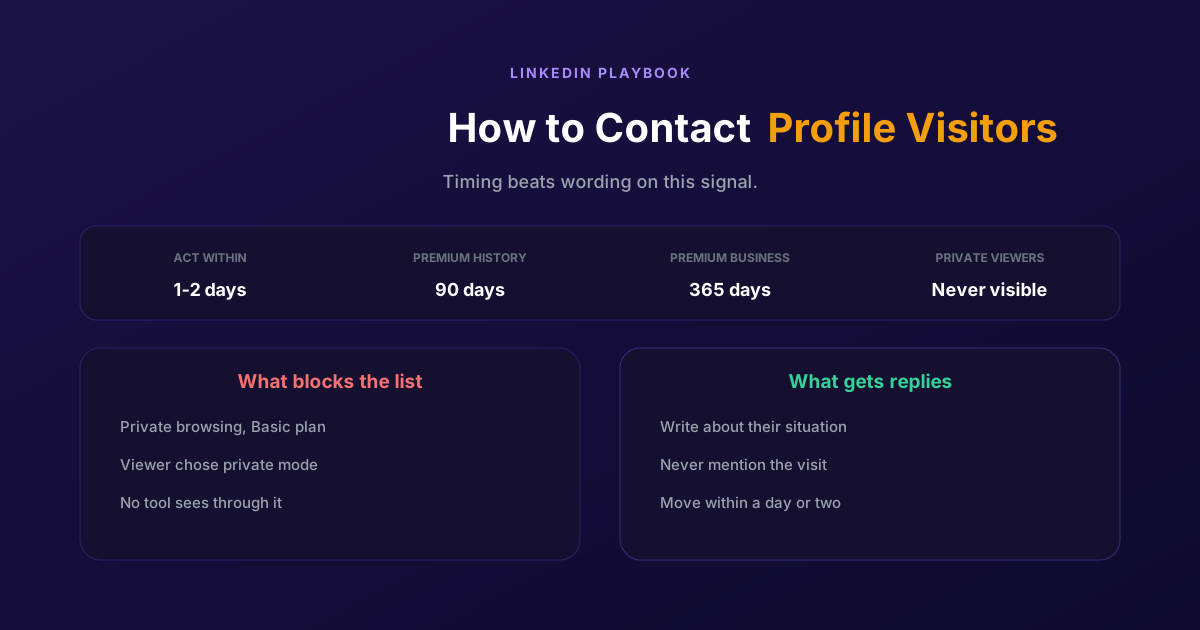
How to Contact LinkedIn Profile Visitors (2026 Guide)
A profile view is one of the warmest signals LinkedIn produces and one of the most wasted. Two settings decide whether you can see them at all, and the opening line decides whether it reads as noticed or surveilled.
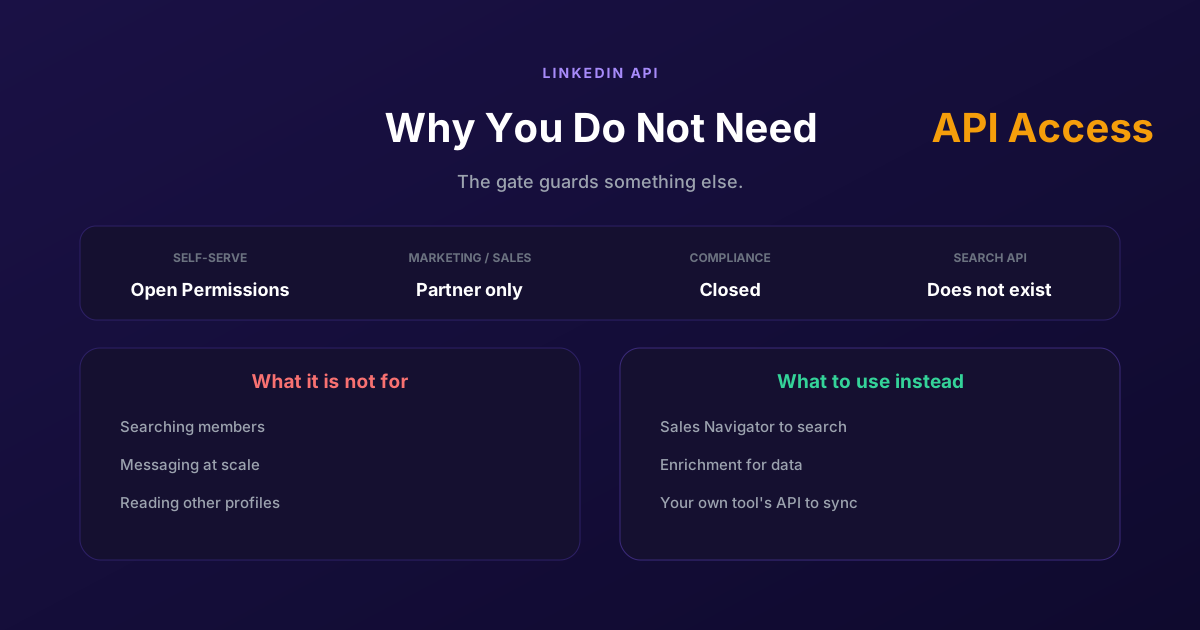
LinkedIn API Access: Why You Probably Do Not Need It
Self-serve access covers your own profile and posting as yourself. Marketing, Sales and Talent need partner approval, Compliance is closed, and none of them is a prospecting API, so approval would not deliver what most applicants want.