The Complete Guide to 18 High-Performing Intent-Based Automations for SaaS Acquisition (2026)
Feb 24, 2026
Cold outreach is dying. Not because people stopped checking LinkedIn or email. But because buyers got smarter at ignoring messages that don't feel relevant.
The fix isn't better copy. It's better timing.
Intent-based automation flips the script. Instead of asking "who matches my ICP?", you ask "who is showing buying behavior right now?"
The difference in results is brutal:
Cold outreach: 5-8% reply rate, 2-3% meeting rate
Intent-based outreach: 20-40% reply rate, 15-43% meeting rate
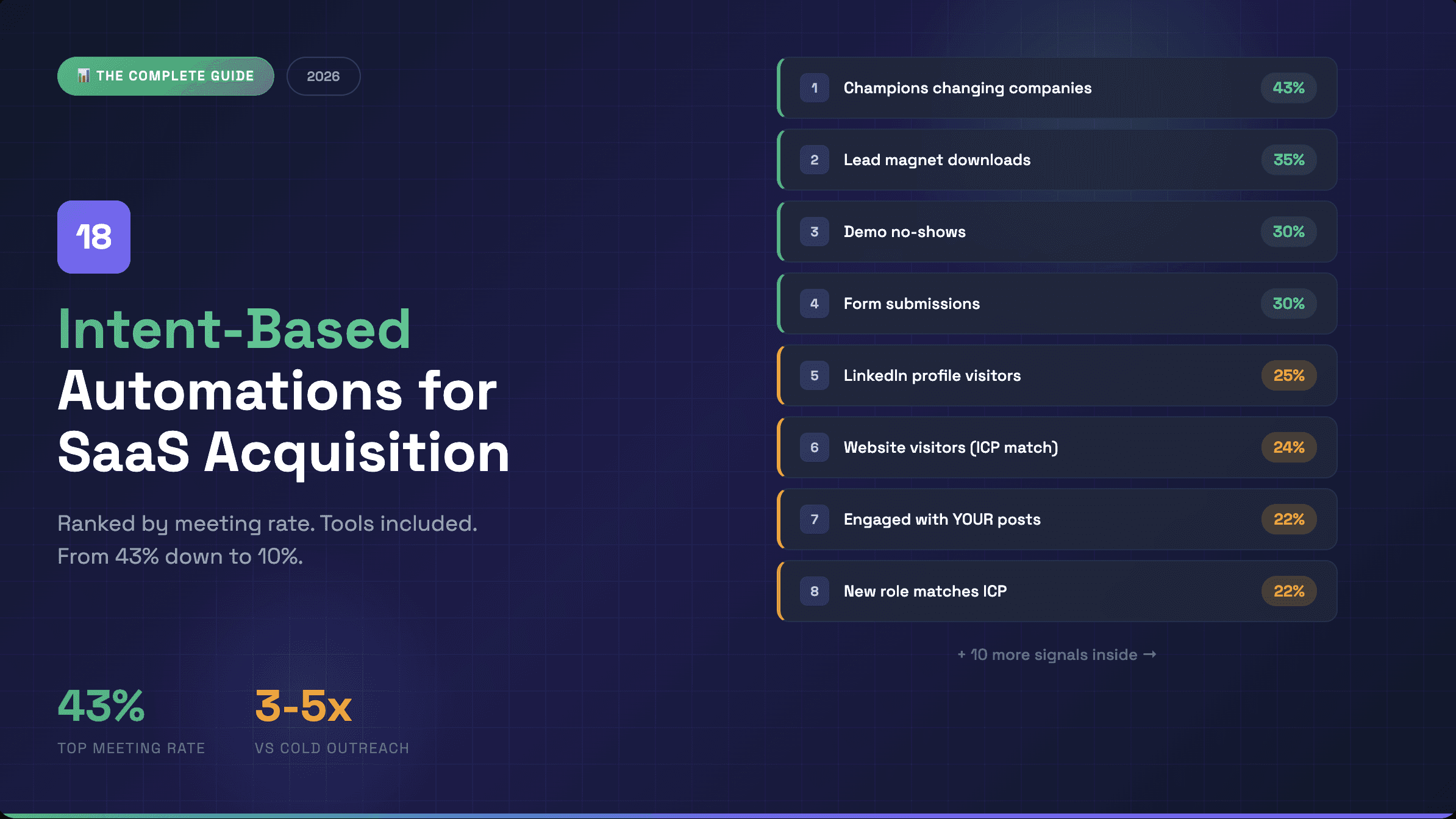
This guide covers every intent signal worth automating in 2026. 18 automations, ranked by meeting rate, with the exact tools and workflows to capture each one.
Bookmark this. You'll come back to it.
📥 Want the One-Pager?
Get the printable cheat sheet with all 18 automations, meeting rates, and recommended tools on a single page.
TL;DR: All 18 Intent Signals Ranked
Rank | Intent Signal | Meeting Rate | Best Tool(s) |
|---|---|---|---|
1 | Champions changing companies | 43% | UserGems, Clay |
2 | Lead magnet downloads | ~35% | ReactIn |
3 | Demo no-shows | ~30% | ReactIn + Cal.com |
4 | Form submissions | ~30% | ReactIn + Tally.so |
5 | LinkedIn profile visitors | ~25% | ReactIn |
6 | Website visitors (ICP match) | 24% | RB2B, Warmly |
7 | Engaged with YOUR posts | 22% | ReactIn |
8 | New role matches ICP | 22% | Clay, ProntoHQ |
9 | Engaged with competitor posts | 21% | ReactIn |
10 | Webinar/event attendees | ~20% | ReactIn |
11 | Pricing page visitors | ~20% | RB2B, Clearbit |
12 | Companies hiring your persona | 18% | Clay, Mantiks |
13 | Tech stack changes | 18% | BuiltWith, Clay |
14 | Social keyword mentions | 16% | Buska, Mention |
15 | G2/Capterra reviewers | ~15% | Clay + scraping |
16 | LinkedIn Poll voters | ~15% | ReactIn (soon) |
17 | Competitor followers | 12% | Scrapeli |
18 | Competitor LinkedIn Ads engagers | ~10% | Manual |
Now let's break down each one.
#1: Champions Changing Companies (43% Meeting Rate)
The signal: A former customer, power user, or champion just started a new role at a different company.
Why it works: They already trust you. They already know the value. Now they have a new budget and a mandate to make an impact fast. This is the warmest "cold" outreach that exists.
The workflow:
Track job changes of closed-won contacts and power users
Filter for ICP-matching companies
Wait 30-60 days (let them settle in)
Reach out with a "congrats + remember us?" angle
Recommended tools:
UserGems — Purpose-built for this, tracks your CRM contacts across job changes
Clay — Pull job change data from LinkedIn, enrich with company info
Sales Navigator — Saved search with "Changed jobs in past 90 days"
Example message:
Hey {firstName}, saw you landed at {company} — congrats!
We worked together back when you were at {previousCompany}. Curious if {problem you solve} is on your radar in the new role?
Either way, hope the transition is going well 🙌
ReactIn template: Not available (requires CRM integration)
#2: Lead Magnet Downloads (35% Meeting Rate)
The signal: Someone downloaded your ebook, template, checklist, or subscribed to your newsletter.
Why it works: They raised their hand. They're actively learning about the problem you solve. A LinkedIn DM feels like a natural next step, not a cold pitch.
The workflow:
Capture email + LinkedIn URL on download form
Trigger a personalized LinkedIn DM within 24 hours
Reference the specific content they downloaded
Ask a genuine question about their situation
Recommended tools:
ReactIn + Tally.so — Native integration, auto-triggers DM sequence on form submission
ReactIn + Zapier — Connect any form tool to ReactIn
Example message:
Hey {firstName}, I saw you grabbed the {lead magnet name} — nice!
Curious what prompted the download? Working on something specific or just exploring?
Why LinkedIn DM > Email: Open rates on LinkedIn are 3-5x higher than email. Plus your face is right there — it's personal.
ReactIn template: Lead Magnet Distribution
#3: Demo No-Shows (30% Meeting Rate)
The signal: Someone booked a demo or sales call but didn't show up.
Why it works: They were interested enough to book. Life got in the way. A friendly LinkedIn follow-up converts better than another calendar link in their inbox.
The workflow:
Cal.com or Calendly triggers "no-show" event
ReactIn receives webhook
Send LinkedIn DM 2-4 hours after missed call
Keep it light, offer to reschedule
Recommended tools:
ReactIn + Cal.com — Native integration for no-show triggers
Zapier — Connect Calendly to ReactIn
Example message:
Hey {firstName}, no worries about earlier — these things happen!
Want me to grab another slot that works better? Or if timing changed, totally get it.
Pro tip: Don't guilt trip. Don't be passive aggressive. Just be human.
ReactIn template: Cal.com Bookings (handles bookings + no-shows)
#4: Form Submissions (30% Meeting Rate)
The signal: Someone filled out a contact form, demo request, or survey on your website.
Why it works: Highest intent possible — they literally asked to talk. LinkedIn DM adds a second touchpoint and increases response rate vs. email alone.
The workflow:
Form submitted (Tally, Typeform, HubSpot)
ReactIn triggers personalized LinkedIn connection + DM
Reference what they asked about
Confirm the meeting or start conversation
Recommended tools:
ReactIn + Tally.so — Native integration
ReactIn + Zapier — Works with any form tool
Example message:
Hey {firstName}, just saw your message come through — nice timing!
I'll follow up by email too, but figured LinkedIn might be faster. What's the best way to connect this week?
ReactIn template: Tally.so Form Submissions
#5: LinkedIn Profile Visitors (25% Meeting Rate)
The signal: Someone viewed your LinkedIn profile.
Why it works: They're curious about you. Maybe they saw your content, got referred, or are researching before a call. Either way, they made the first move.
The workflow:
ReactIn tracks profile visitors daily
Filter for ICP matches (title, company size, industry)
Auto-send connection request + follow-up DM
Reference that you "noticed we crossed paths"
Recommended tools:
ReactIn — Automated profile visitor capture + outreach
LinkedIn Premium — Manual tracking (limited)
Example message:
Hey {firstName}, noticed we crossed paths on LinkedIn — curious what brought you to my profile?
Always happy to connect with folks in {industry/role}.
Pro tip: Don't say "I saw you viewed my profile." It's creepy. Keep it vague.
ReactIn template: LinkedIn Profile Visitors
#6: Website Visitors Matching ICP (24% Meeting Rate)
The signal: An ICP-matching contact visited your website (identified via reverse IP lookup or tracking).
Why it works: They're actively researching. They know you exist. Outreach feels timely, not random.
The workflow:
Identify website visitors (company or individual level)
Enrich with contact data
Filter for ICP match
Trigger personalized outreach within 24-48 hours
Recommended tools:
RB2B — Identifies individual visitors (not just companies), US-focused
Warmly — Real-time visitor identification + enrichment
Clearbit Reveal — Company-level identification
Example message:
Hey {firstName}, saw some folks from {company} checking out our site this week.
Curious if you're exploring solutions for {problem}? Happy to share what's worked for similar teams.
ReactIn integration: Pair with Clay enrichment → push to ReactIn for LinkedIn outreach
ReactIn template: Not native (use with enrichment stack)
#7: Engaged with YOUR LinkedIn Posts (22% Meeting Rate)
The signal: Someone liked, commented, or shared your LinkedIn content.
Why it works: They already engaged with your thinking. They know who you are. The DM is a continuation of the conversation, not a cold intro.
The workflow:
ReactIn captures all post engagers automatically
Filter by ICP criteria
Send personalized DM referencing their engagement
Start conversation, don't pitch
Recommended tools:
ReactIn — LinkedIn Pixel captures all engagers across all posts
Trigify — Alternative for post tracking
Example message:
Hey {firstName}, saw you liked my post on {topic} — appreciate that!
Curious, is {problem} something you're actively working on at {company}?
Pro tip: Comment engagers convert higher than likers. Prioritize them.
ReactIn template: LinkedIn Pixel
#8: New Role Matching Your ICP (22% Meeting Rate)
The signal: Someone just got promoted or started a new job that matches your buyer persona.
Why it works: New roles = new initiatives = new budgets. They're looking to make an impact fast. Your solution might be exactly what they need to hit their first 90-day goals.
The workflow:
Track job changes for target titles
Filter for ICP-matching companies
Wait 2-4 weeks (let them get settled)
Reach out with a "congrats + relevant insight" angle
Recommended tools:
Clay — Pull LinkedIn job changes, enrich with company data
ProntoHQ — Automated job change tracking
Sales Navigator — "Changed jobs" filter in saved searches
Example message:
Hey {firstName}, congrats on the new {title} role at {company}!
I work with a lot of {similar role} who are tackling {problem} in their first 90 days. Curious if that's on your radar?
ReactIn template: Not available (requires external data source)
#9: Engaged with Competitor Posts (21% Meeting Rate)
The signal: Someone in your ICP liked or commented on a competitor's LinkedIn content.
Why it works: They're actively interested in your category. They're engaging with the topic. They just don't know about you yet.
The workflow:
Identify competitor accounts to monitor
ReactIn captures everyone who engages with their posts
Filter for ICP matches
Reach out with value-first angle (don't trash competitors)
Recommended tools:
ReactIn — LinkedIn Spyer monitors competitor post engagement
Trigify — Alternative competitor monitoring
Example message:
Hey {firstName}, saw you're interested in {topic} — we're actually working on something similar at {your company}.
Would love to share a different angle if you're open to it.
Pro tip: Never mention you saw them on a competitor's post. Use the intel for targeting, not messaging.
ReactIn template: LinkedIn Spyer
#10: Webinar/Event Attendees (20% Meeting Rate)
The signal: Someone registered for or attended your webinar, LinkedIn Live, or virtual event.
Why it works: They gave you 30-60 minutes of attention. They're invested. The follow-up DM feels like a natural continuation.
The workflow:
Export attendee list from webinar platform
Push to ReactIn via CSV or Zapier
Send personalized follow-up DM within 24 hours
Reference specific content from the event
Recommended tools:
ReactIn — Webinar attendee follow-up automation
Zapier — Connect Zoom, Livestorm, etc. to ReactIn
Example message:
Hey {firstName}, thanks for joining the session on {topic} yesterday!
Curious what your main takeaway was? Happy to go deeper on anything that resonated.
ReactIn template: LinkedIn Webinar Attendees
#11: Pricing Page Visitors (20% Meeting Rate)
The signal: An identified visitor spent time on your pricing page.
Why it works: Pricing page = late-stage evaluation. They're comparing options and thinking about budget. This is buying behavior.
The workflow:
Track pricing page visits with RB2B or Clearbit
Identify the individual or company
Enrich with contact data
Trigger same-day outreach
Recommended tools:
RB2B — Individual-level visitor identification
Clearbit Reveal — Company-level, pairs with Clearbit data
Warmly — Real-time alerts for high-intent pages
Example message:
Hey {firstName}, I noticed {company} has been exploring some solutions in our space.
Happy to answer any questions or walk you through how we compare. No pressure either way.
ReactIn integration: Use with enrichment tools, push to ReactIn for outreach
#12: Companies Hiring Your Persona (18% Meeting Rate)
The signal: A company is actively hiring for the role your product serves (e.g., hiring SDRs = need sales tools).
Why it works: Hiring = growth = budget. If they're hiring 5 SDRs, they need the tools to make those SDRs productive.
The workflow:
Track job postings for relevant roles at ICP companies
Identify the hiring manager or department head
Reach out with angle around "scaling the team"
Recommended tools:
Clay — Pull job postings, parse with AI, enrich contacts
Mantiks — Job posting monitoring and alerts
ProntoHQ — Hiring signal tracking
Example message:
Hey {firstName}, saw {company} is scaling the {department} team — exciting!
We work with a lot of teams going through similar growth. Curious how you're thinking about {tooling/process} as you scale?
ReactIn template: Not available (requires external data source)
#13: Tech Stack Changes (18% Meeting Rate)
The signal: A company recently adopted or dropped a technology related to your space (e.g., switched from Salesforce to HubSpot).
Why it works: Tech changes signal budget, initiative, and openness to new tools. If they just switched CRMs, they might need complementary tools.
The workflow:
Monitor tech stack changes with BuiltWith or Wappalyzer
Filter for relevant changes (competitor adoption, complementary tools)
Enrich with decision-maker contacts
Reach out with "noticed you're using X" angle
Recommended tools:
BuiltWith — Comprehensive tech stack tracking
Wappalyzer — Browser extension + API for tech detection
Clay — Pull tech data, combine with enrichment
Example message:
Hey {firstName}, noticed {company} recently started using {technology}.
A lot of teams pair that with {your solution} to {benefit}. Worth a quick look?
#14: Social Keyword Mentions (16% Meeting Rate)
The signal: Someone on LinkedIn (or Twitter) mentions a keyword related to your problem space (e.g., "looking for a CRM" or "frustrated with outbound").
Why it works: They're literally asking for help or expressing a pain point. This is as close to hand-raising as it gets.
The workflow:
Set up keyword alerts for buying-intent phrases
Get notified in real-time
Reach out within hours with helpful angle
Don't pitch immediately — add value first
Recommended tools:
Buska — Social listening across LinkedIn, Twitter, Reddit
Mention — Brand and keyword monitoring
ReactIn — Native social listening coming Q2 2026
Example message:
Hey {firstName}, saw your post about {pain point} — totally get it.
We've been working on exactly that problem. Happy to share what's worked if useful.
Pro tip: Speed matters here. First responder advantage is real.
#15: G2/Capterra Reviewers (15% Meeting Rate)
The signal: Someone left a review (positive or negative) for a competitor on G2, Capterra, or TrustRadius.
Why it works: Reviewers are active users evaluating the category. Negative reviewers might be ready to switch. Positive reviewers are engaged buyers worth knowing.
The workflow:
Scrape competitor reviews from G2/Capterra
Identify reviewers (often includes name + company)
Enrich with LinkedIn profiles
Reach out based on review sentiment
Recommended tools:
Clay — Scrape reviews, enrich contacts
PhantomBuster — G2 review scraper
Manual — Many reviews include enough info to find them
Example message (for negative reviewer):
Hey {firstName}, saw your thoughts on {competitor} — sounds frustrating.
We built {your product} specifically because of issues like that. Open to showing you a different approach?
#16: LinkedIn Poll Voters (15% Meeting Rate)
The signal: Someone voted in your LinkedIn poll on a topic related to your product.
Why it works: Poll voters are engaged and segmentable. Someone who votes "Yes, I struggle with X" is a qualified lead by their own admission.
The workflow:
Create polls with segmenting questions
Capture all voters automatically
Segment by their answer
Send personalized outreach based on their vote
Recommended tools:
ReactIn — Poll voter capture coming soon
Manual — Currently requires manual export
Example message:
Hey {firstName}, saw you voted that {pain point} is a challenge — you're not alone!
We've helped a few teams solve exactly that. Curious what you've tried so far?
ReactIn template: LinkedIn Poll Voters — Coming Soon
#17: Competitor Followers (12% Meeting Rate)
The signal: Someone follows your competitor's LinkedIn company page.
Why it works: They're interested in the category. They're aware of alternatives. They just haven't discovered you yet.
The workflow:
Scrape competitor's LinkedIn followers
Filter for ICP matches
Reach out with differentiated value prop
Don't mention the competitor directly
Recommended tools:
Scrapeli — LinkedIn company follower scraping
PhantomBuster — Alternative scraping option
ReactIn — Native competitor follower tracking coming soon
Example message:
Hey {firstName}, I see you're interested in {category} — we're building something a bit different at {your company}.
Focused on {key differentiator}. Worth a look if you're exploring options.
ReactIn template: Coming Soon
#18: Competitor LinkedIn Ads Engagers (10% Meeting Rate)
The signal: Someone engaged with (liked, commented) a competitor's sponsored LinkedIn post.
Why it works: They're actively paying attention to paid content in your category. They're in buying mode.
The workflow:
Manually monitor competitor sponsored posts
Capture engagers (screenshot or manual tracking)
Filter for ICP matches
Add to outreach list
Recommended tools:
Manual — No automated tool exists yet for this
LinkedIn Sales Navigator — Search for people who work at companies running ads
Future opportunity — This is a gap in the market
Example message:
Hey {firstName}, noticed you're exploring solutions for {problem}.
We take a different approach at {company} — focused on {differentiator}. Worth a quick look?
Pro tip: This is manual and time-consuming, but the intent signal is strong. Worth doing for high-value accounts.
How to Prioritize: The Intent Stack Framework
Not all signals are equal. Here's how to prioritize:
Tier 1: Highest Intent (30-43% meeting rate)
Action: Automate fully, respond within 24 hours
Champions changing companies
Lead magnet downloads
Demo no-shows
Form submissions
Tier 2: High Intent (20-25% meeting rate)
Action: Automate, batch process daily
Profile visitors
Website visitors (ICP)
Your post engagers
New role matches
Competitor post engagers
Webinar attendees
Pricing page visitors
Tier 3: Medium Intent (15-18% meeting rate)
Action: Weekly batch, prioritize ICP fit
Companies hiring
Tech stack changes
Social mentions
G2 reviewers
Poll voters
Tier 4: Lower Intent (10-12% meeting rate)
Action: Monthly campaigns, volume play
Competitor followers
Competitor ad engagers
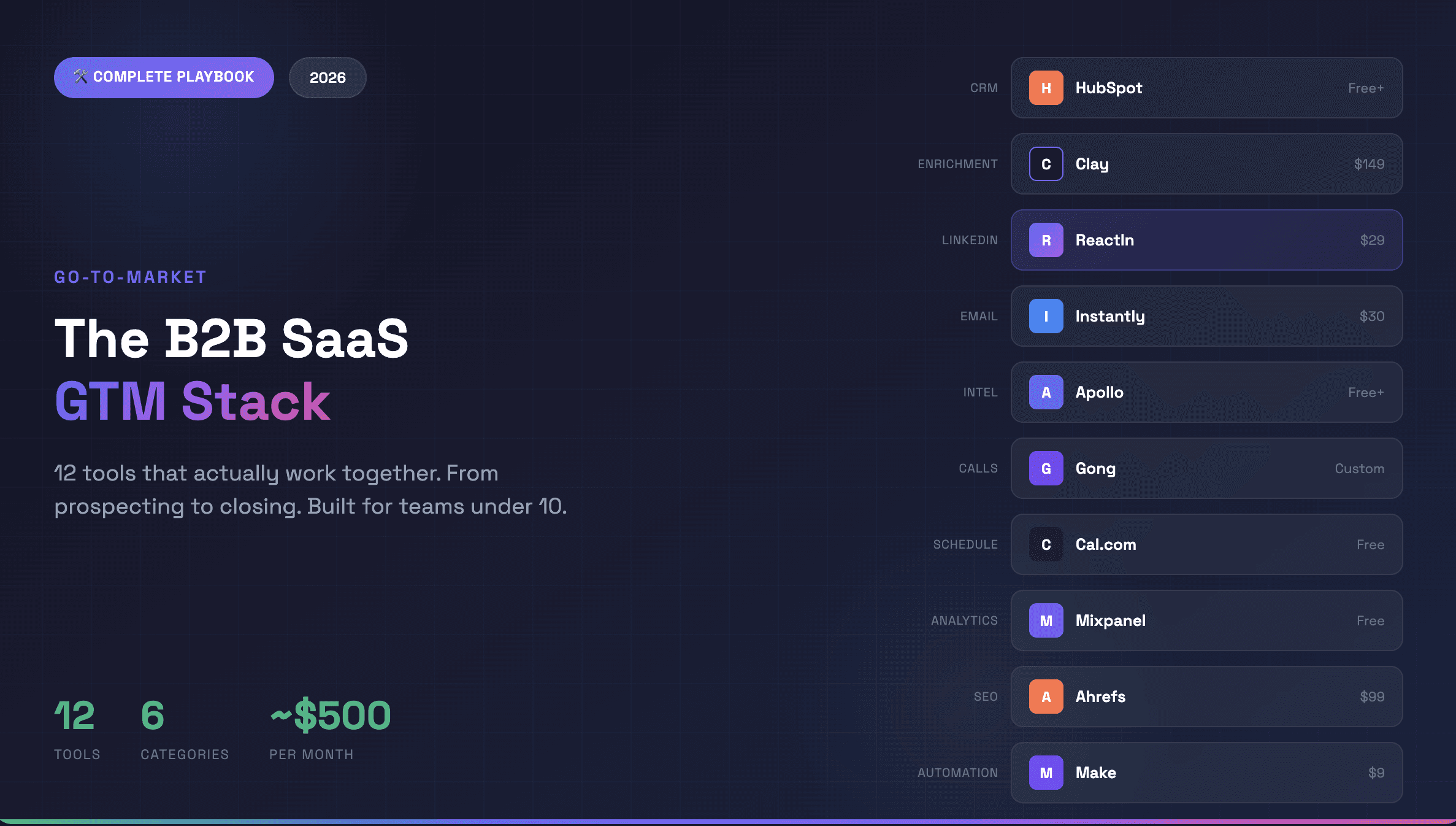
The Tool Stack Summary
Category | Best Tool | Price | What It Does |
|---|---|---|---|
LinkedIn Automation | $29-69/mo | Intent-based outreach, post tracking, integrations | |
Data Enrichment | Clay | $149/mo+ | Waterfall enrichment, AI research |
Website Visitors | RB2B | $99/mo+ | Individual visitor identification |
Job Changes | UserGems | Custom | Champion and contact tracking |
Job Postings | Mantiks | $49/mo+ | Hiring signal monitoring |
Tech Stack | BuiltWith | $295/mo+ | Technology tracking |
Social Listening | Buska | $29/mo+ | Keyword mentions |
LinkedIn Scraping | Scrapeli | $49/mo+ | Follower extraction |
Scheduling | Cal.com | Free+ | Booking + no-show tracking |
Forms | Tally.so | Free+ | Native ReactIn integration |
📥 Get the One-Pager
All 18 automations on a single page. Meeting rates, tools, and quick-reference workflows.
Print it. Pin it. Share it with your team.
The Bottom Line
Cold outreach isn't broken. Your timing is.
Intent-based automation isn't about sending more messages. It's about sending the right message at the right moment to people who are already showing interest.
Start with one signal. Automate it. Measure it. Then stack more.
The compounding effect is real. Teams running 5+ intent signals consistently see 2-3x more pipeline than teams doing volume-based outreach.
The signals are everywhere. Now go capture them.
Try ReactIn free. No credit card required. 💙
27% average reply rate across 5,000+ user campaigns
François D.
Founder, ReactIn
My LinkedIn profile
FAQ
Which automation should I start with?
Start with what you already have. If you're creating content, automate #7 (your post engagers). If you're running webinars, automate #10. If you have a lead magnet, automate #2. Don't buy new tools until you've exhausted your existing signals.
How many signals should I track at once?
Start with 2-3 Tier 1 or Tier 2 signals. Master those before adding more. Complexity kills execution.
Can I automate all 18?
Technically yes, but you shouldn't. Focus on 5-6 high-performing signals that match your workflow. Quality > quantity.