Top LinkedIn Scraping Tools for B2B Growth (2026 Review)
Honest comparison of the best LinkedIn scraping tools in 2026. ReactIn, PhantomBuster, Captain Data, Evaboot, and Prospeo ranked by features, safety, and pricing.
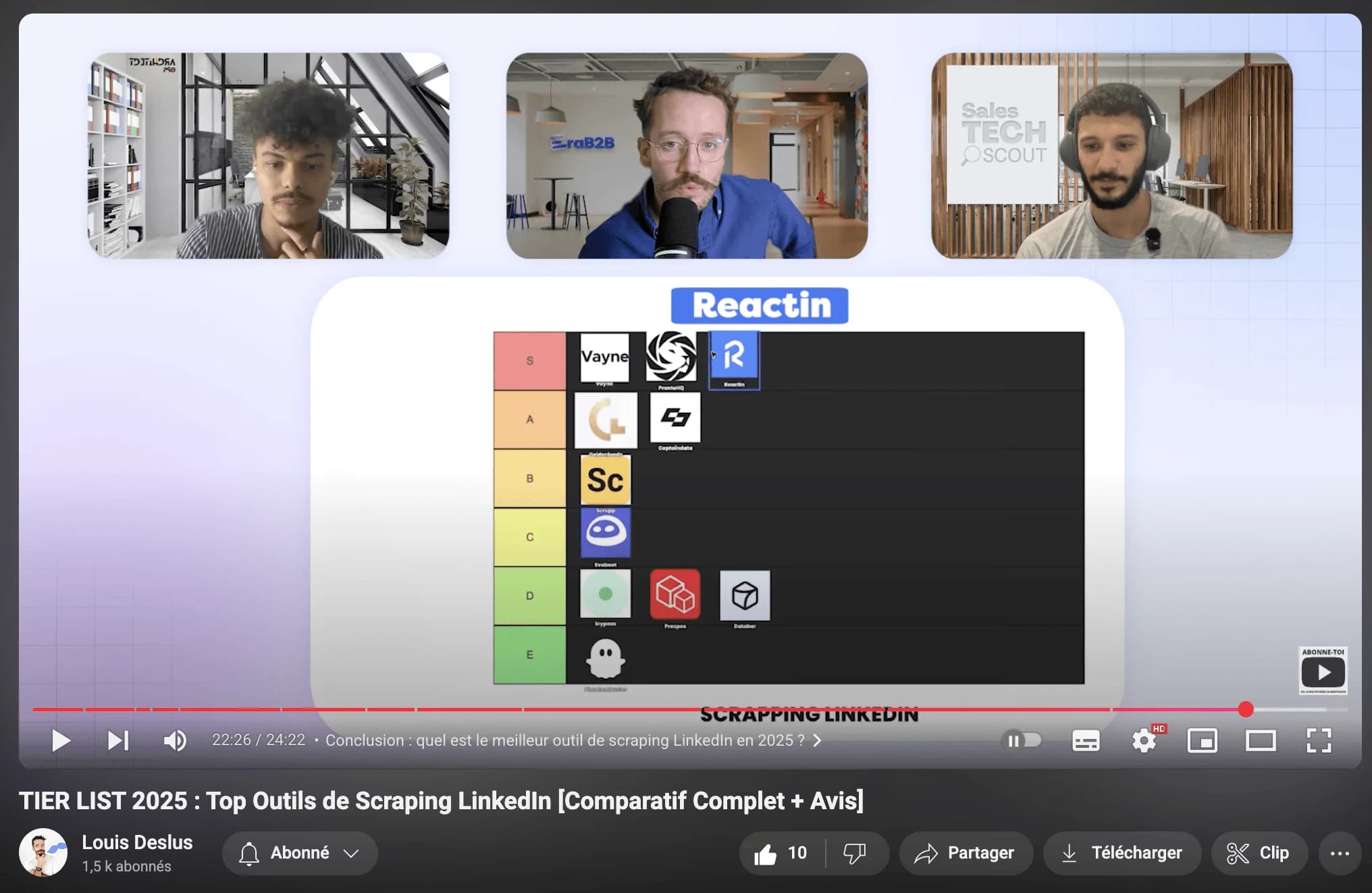
LinkedIn is the largest B2B database in the world - over 1 billion professionals, all with job titles, company info, and activity signals sitting right there. The challenge isn't finding data. It's extracting it efficiently without getting your account banned.
We tested the top LinkedIn scraping tools in 2026 over several weeks with real accounts, real campaigns, and real consequences. This is the honest ranking.
TL;DR: Quick Rankings
Short on time? Here's the summary. Scroll down for the full breakdown of each tool.
| Tool | Best For | Starting Price | Key Strength |
|---|---|---|---|
| ReactIn | Signal-based scraping + outreach | $29/mo | SmartLists auto-capture engaged prospects |
| PhantomBuster | Multi-platform automation | $69/mo | Largest marketplace of scraping automations |
| Captain Data | Enterprise-grade workflows | $399/mo | Most powerful API and workflow engine |
| Evaboot | Clean Sales Nav exports | $29/mo | Cleanest data extraction from Sales Navigator |
| Prospeo | Email enrichment | $39/mo | Best email finding accuracy at affordable pricing |
How We Ranked These Tools
We evaluated each tool across five criteria over 2-4 weeks of hands-on testing:
- Data quality: How clean and accurate is the extracted data? Do you need to manually clean it afterward?
- Safety: Does the tool protect your LinkedIn account? Cloud-based vs. extension? Rate limiting?
- Enrichment: Can it find verified emails, phone numbers, or company data beyond what LinkedIn shows?
- Pricing: What does it actually cost? Credit systems, hidden fees, mandatory add-ons?
- Use case fit: Is it built for your workflow? Solo prospectors vs. teams vs. developers?
For a broader look at automation tools beyond scraping, see our ranking of the best LinkedIn automation tools in 2026.
#1 ReactIn: Best for Signal-Based Scraping
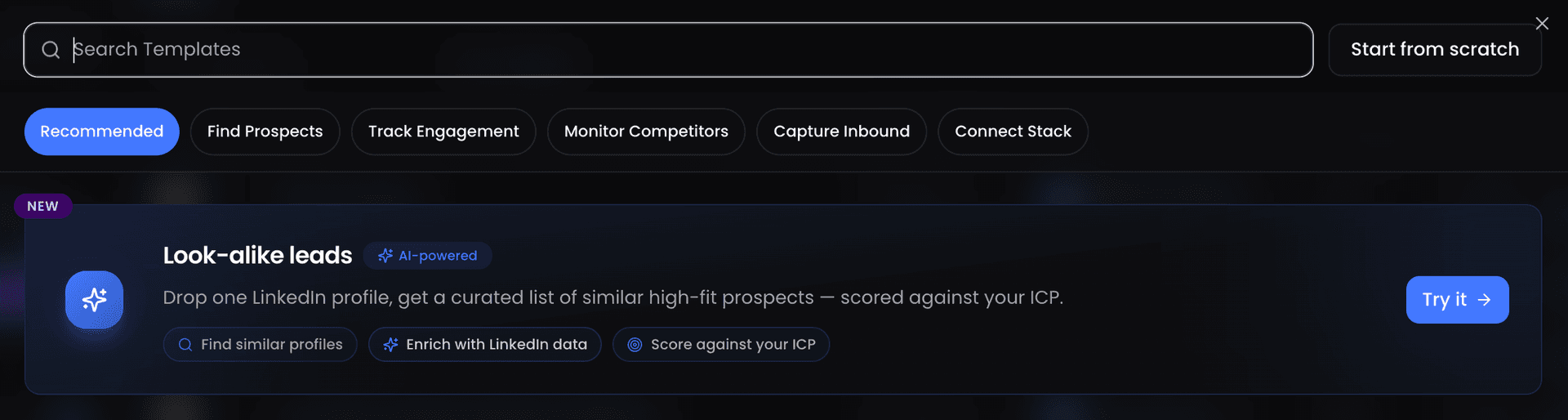
Most scraping tools ask you to define a search query, then export a static list. ReactIn flips this: it automatically captures leads based on real-time behavioral signals, then enriches them with ICP data.
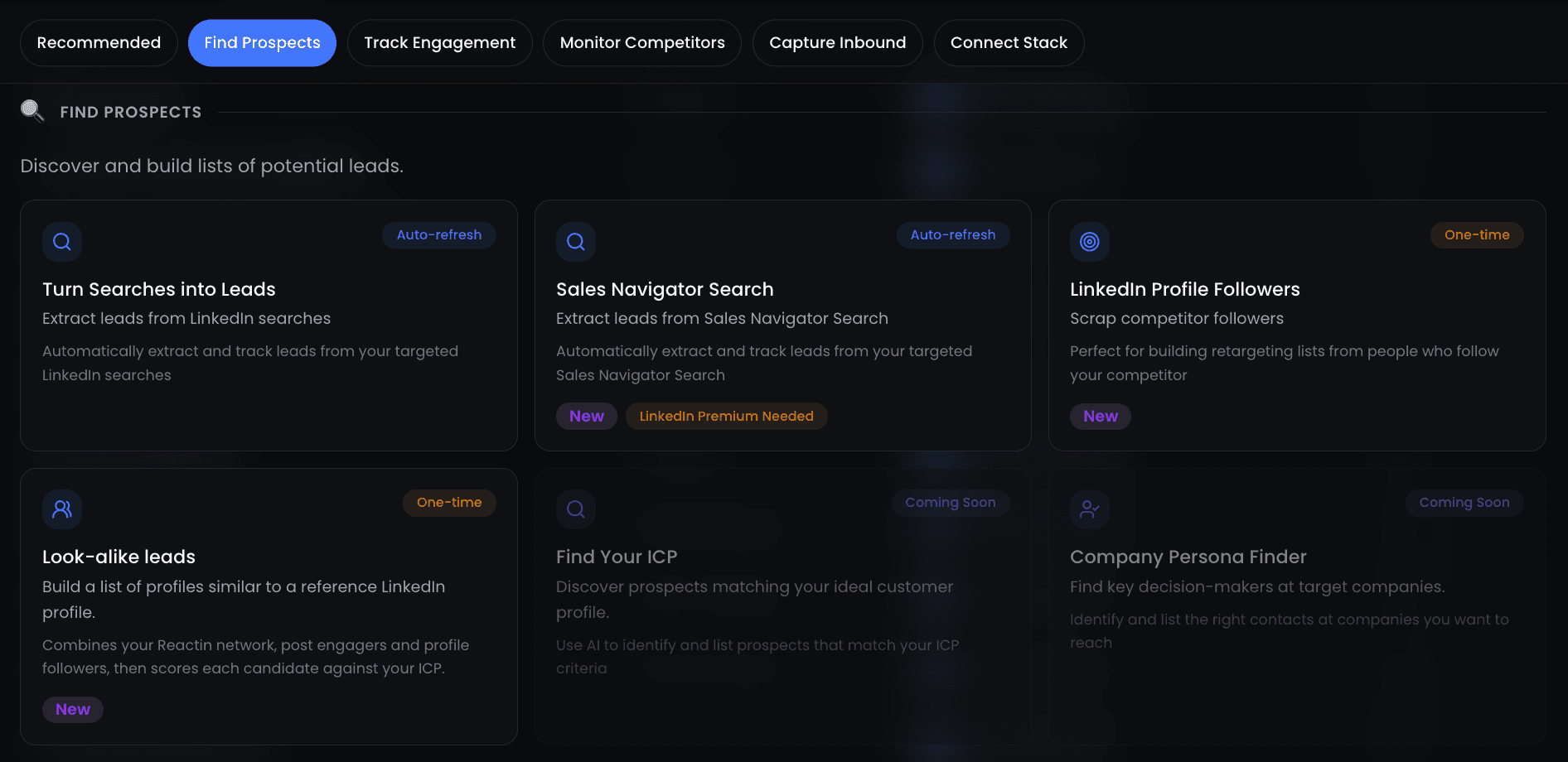
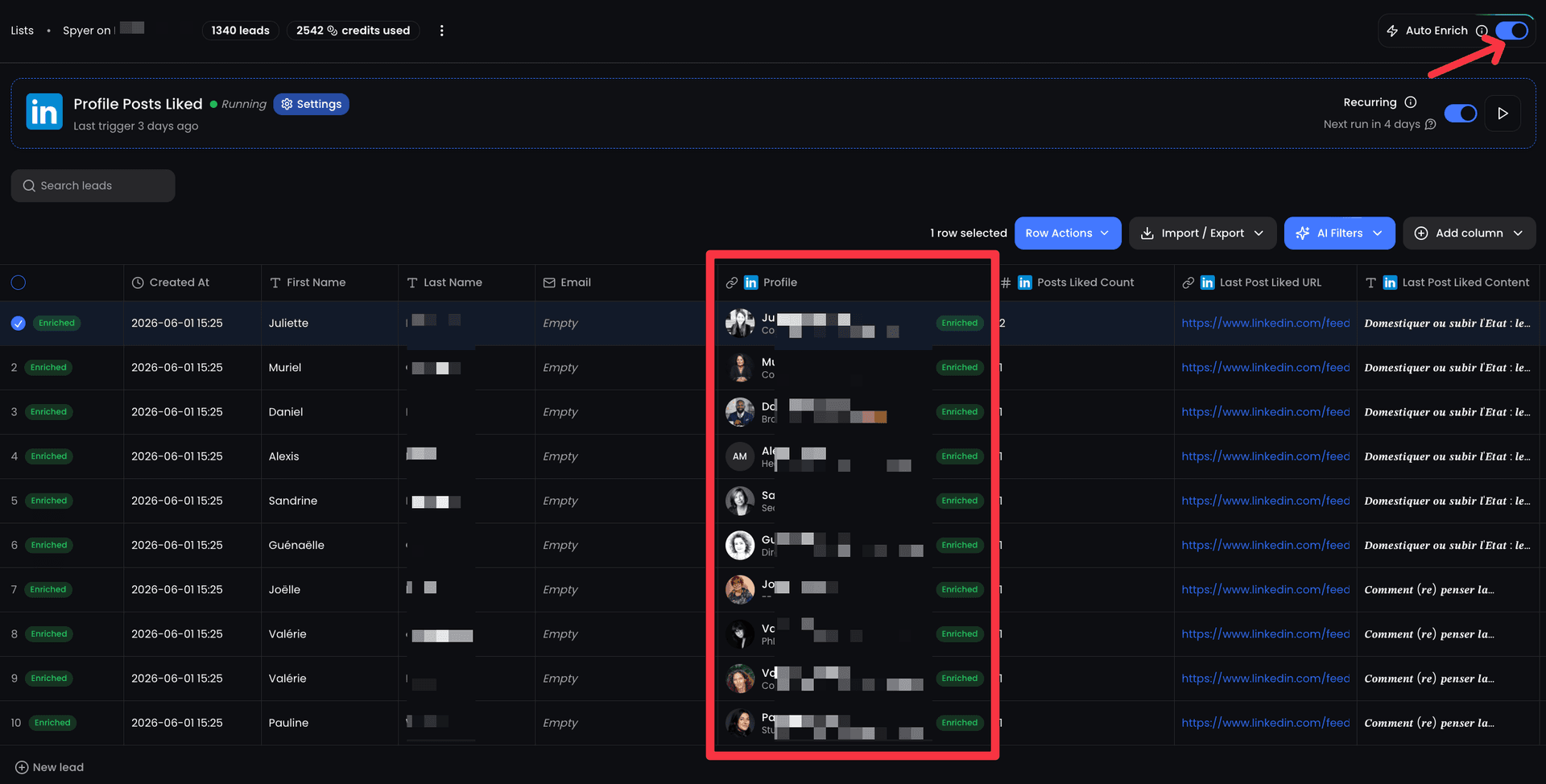
The core concept is SmartLists - dynamic lists that update automatically as people engage with your content, visit your profile, interact with competitors, or trigger events from connected tools like Cal.com and Tally.so.
What It Does
ReactIn combines signal-based scraping with enrichment and DM automation in one platform:
- Auto-capture post engagers: anyone who likes, comments, or shares your LinkedIn posts gets added to a SmartList
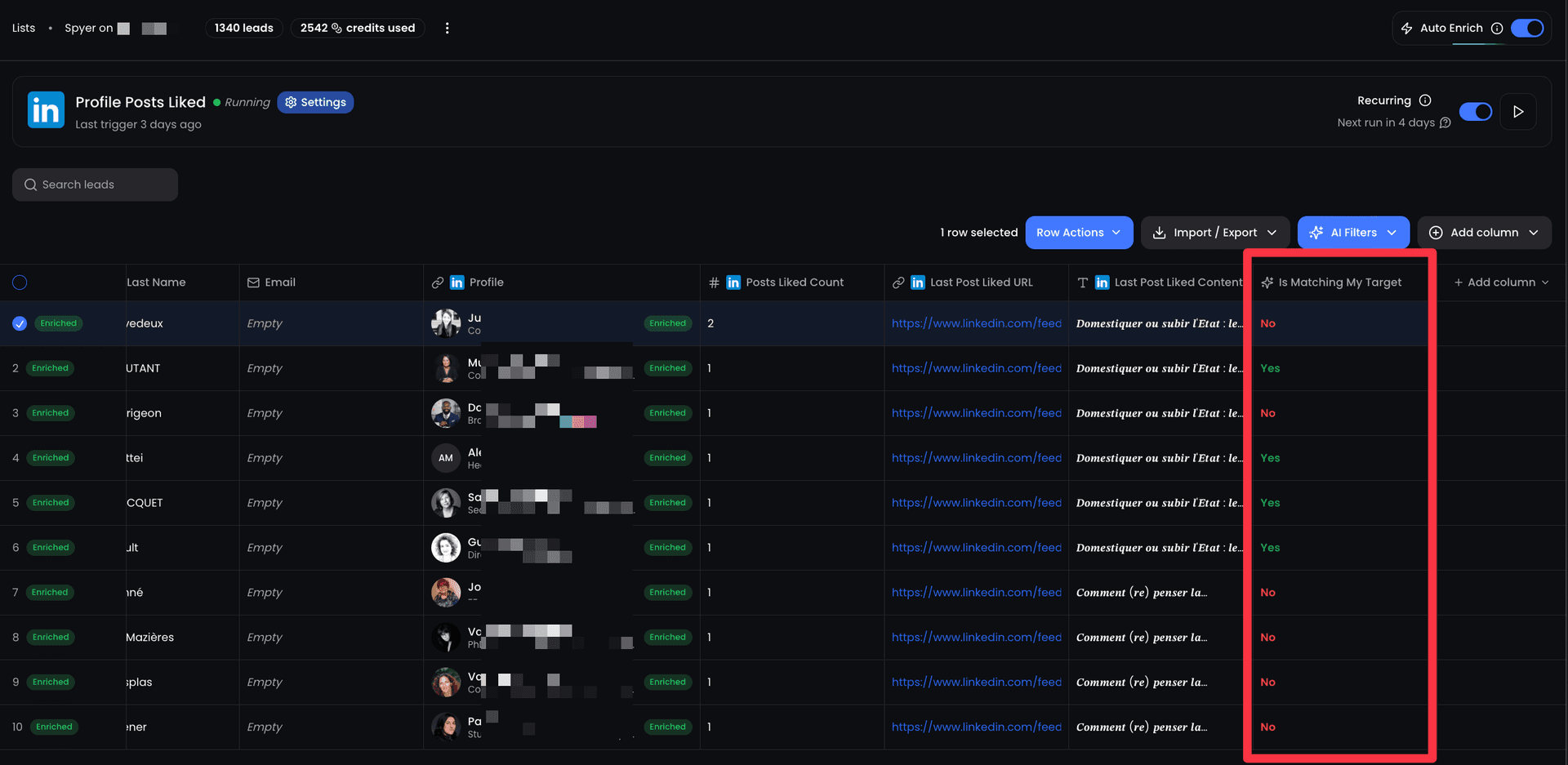
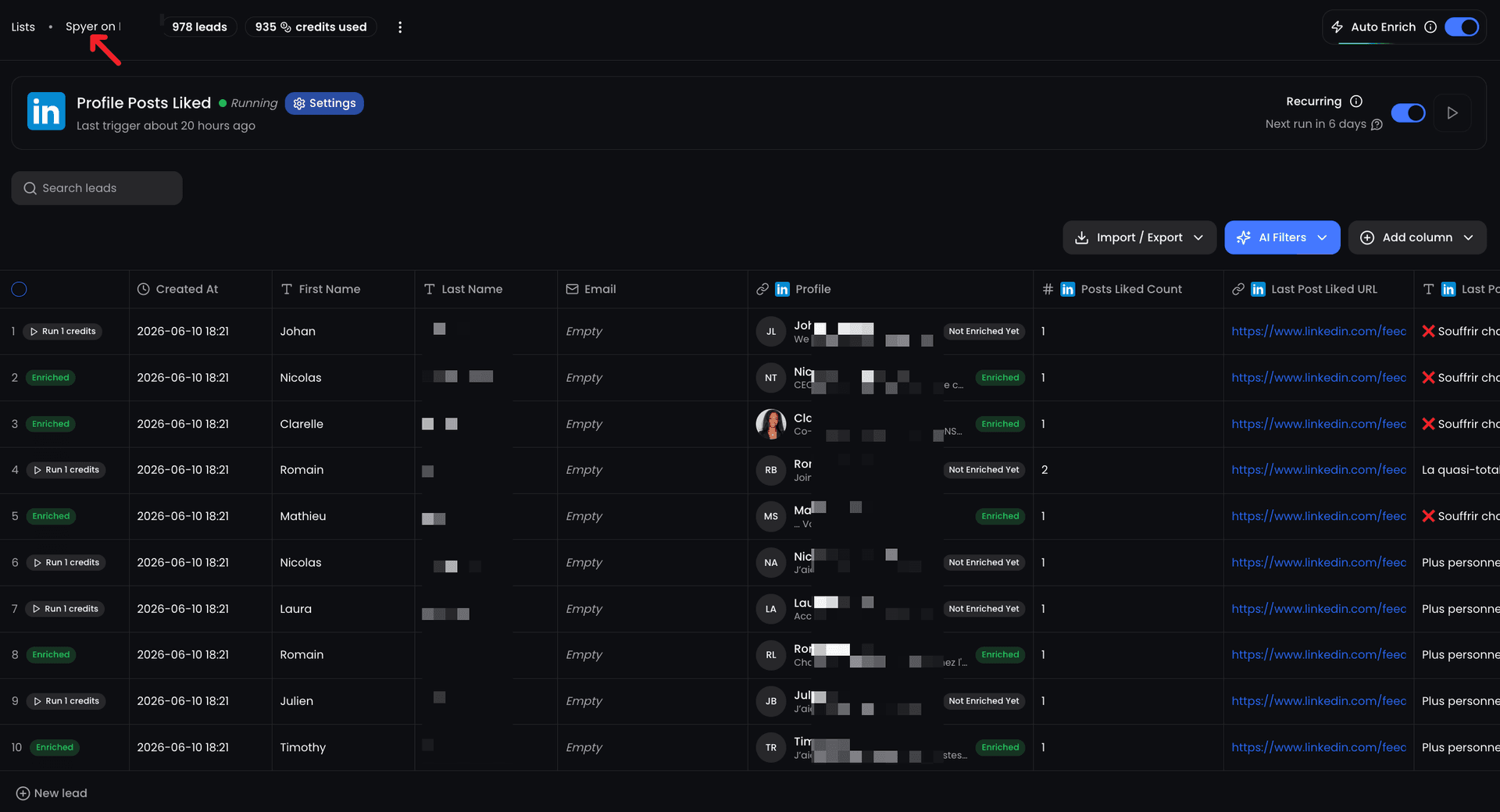
- Spyer: monitor any LinkedIn profile's network - scrape their new connections, post engagers, and event attendees
- Profile visitor tracking: capture everyone who views your LinkedIn profile
- Sales Navigator scraping: extract leads from saved searches with ICP enrichment
- Built-in DM automation: send personalized connection requests and messages directly from scraped lists
Pricing
| Plan | Price | What You Get |
|---|---|---|
| Basic | $29/mo | Connection requests, SmartLists, basic signals |
| Growth | $69/mo | + DMs, smart inbox, all intent signals, advanced campaigns |
| Agency | $999/mo | up to 50 senders (~$20/sender), white-label, priority support |
Pros & Cons
Pros:
- Signal-based scraping captures warm leads automatically - no manual list building
- Scraping + enrichment + DM automation in one tool (no need to chain 3 separate tools)
- Cloud-based, no browser extension required - safer for your LinkedIn account
- Most affordable starting price at $29/mo with no credit system
Cons:
- LinkedIn-only - doesn't scrape other platforms
- No native email channel (LinkedIn DMs only)
- Requires active content or competitor presence to generate signals
Best for: Founders, SDRs, and agencies who want to scrape warm leads based on real engagement signals and immediately act on them with automated outreach.
#2 PhantomBuster: Best Scraping Marketplace
PhantomBuster has been the go-to scraping tool for growth hackers since 2017. It's a marketplace of pre-built automations (called "Phantoms") that extract data from LinkedIn, Sales Navigator, Google Maps, Instagram, and more.
The biggest advantage is breadth of automations. With 100+ Phantoms available, you can scrape almost anything: search results, group members, event attendees, post commenters, company employees, and more.
What It Does
PhantomBuster covers a wide range of scraping use cases across platforms:
- LinkedIn Profile Scraper: extract full profile data from a list of URLs
- Sales Navigator Search Export: scrape lead lists from Sales Nav searches
- LinkedIn Post Commenters: extract everyone who commented on any post
- Multi-platform: also scrapes Google Maps, Instagram, Twitter/X, and more
Pricing
| Plan | Price | What You Get |
|---|---|---|
| Starter | $69/mo | 500 credits/mo, 5 Phantom slots |
| Pro | $159/mo | 2,500 credits/mo, 15 Phantom slots |
| Team | $439/mo | 10,000 credits/mo, 50 Phantom slots |
Pros & Cons
Pros:
- Largest marketplace of scraping automations (100+ Phantoms)
- Multi-platform support beyond LinkedIn
- Chainable workflows: output of one Phantom feeds into another
- Well-documented API for custom integrations
Cons:
- Credit-based pricing gets expensive at scale
- Higher ban risk - uses session cookies directly
- No built-in outreach - scraping only, you need another tool for DMs
- UX feels dated and can be confusing for beginners
Best for: Growth hackers and technical marketers who need to scrape across multiple platforms and build custom automation chains.
#3 Captain Data: Best for Technical Teams
Captain Data is the industrial-grade option. It's built for technical teams and agencies that need API-driven workflows, complex multi-step scraping pipelines, and enterprise-level reliability.
Where Captain Data stands out is workflow automation at scale. You can chain together scraping, enrichment, and data transformation steps into repeatable workflows that run on schedule.
What It Does
Captain Data focuses on complex, API-driven scraping workflows:
- Multi-step workflows: scrape LinkedIn, enrich with Dropcontact, push to HubSpot - all automated
- Extensive API integrations with CRMs, enrichment tools, and databases
- LinkedIn + Sales Navigator scraping with automatic deduplication
- Post engager extraction at scale with custom triggers
Pricing
| Plan | Price | What You Get |
|---|---|---|
| Scale | $399/mo | 5 accounts, 25,000 tasks/mo, API access |
| Enterprise | Custom | Unlimited accounts, dedicated support, SLA |
Pros & Cons
Pros:
- Most powerful workflow engine for complex multi-step scraping
- Best API for custom integrations and automation
- Enterprise-grade reliability with automatic retries and deduplication
- Wide integration ecosystem (CRMs, enrichment tools, webhooks)
Cons:
- Very expensive starting at $399/mo - overkill for small teams
- Steep learning curve - requires technical knowledge to set up workflows
- No built-in outreach or DM automation
Best for: Technical teams, growth engineering squads, and agencies that need industrial-grade scraping workflows with API integrations.
#4 Evaboot: Best Sales Navigator Extractor
Evaboot does one thing extremely well: it extracts clean, accurate data from LinkedIn Sales Navigator. No bloated feature set, no confusing workflows. Just fast, reliable Sales Nav exports with built-in email finding.
The key differentiator is data cleaning built into the extraction process. Evaboot automatically filters out false positives from Sales Navigator searches and standardizes data formatting, saving hours of manual cleanup.
What It Does
Evaboot is a focused Sales Navigator companion tool:
- One-click Sales Navigator exports with clean, formatted data
- Built-in false positive detection - filters out profiles that don't actually match your search
- Email enrichment: finds verified professional email addresses
- CSV export ready to import into any CRM or outreach tool
Pricing
| Plan | Credits/mo | Price |
|---|---|---|
| Starter | 500 | $29/mo |
| Growth | 2,000 | $49/mo |
| Scale | 5,000 | $99/mo |
Pros & Cons
Pros:
- Cleanest data extraction from Sales Navigator - minimal manual cleanup
- Built-in false positive filtering saves hours of data cleaning
- Simple, focused tool that does one thing well
Cons:
- Requires Sales Navigator subscription ($99/mo) to use at all
- No DM automation or outreach capabilities - export only
- Chrome extension-based - less safe than cloud-native tools
Best for: Sales reps who already have Sales Navigator and need the cleanest, fastest way to export lead lists with verified emails.
#5 Prospeo: Best for Email Enrichment
Prospeo isn't a LinkedIn scraper in the traditional sense - it's an enrichment engine. Give it a LinkedIn profile URL or a name + company, and it returns verified email addresses and contact data with high accuracy.
Where Prospeo excels is email finding accuracy at scale. Its database and verification engine consistently outperform competitors on bounce rate benchmarks, making it a reliable source of truth for cold email campaigns.
What It Does
Prospeo specializes in contact data enrichment:
- LinkedIn URL to email: paste a profile URL, get a verified email address
- Bulk enrichment: upload a CSV of LinkedIn URLs or names and get emails at scale
- Email verification: built-in verification to reduce bounce rates
- Chrome extension for quick lookups while browsing LinkedIn
Pricing
| Plan | Credits/mo | Price |
|---|---|---|
| Essential | 1,000 | $39/mo |
| Pro | 5,000 | $79/mo |
| Business | 20,000 | $159/mo |
Pros & Cons
Pros:
- High email finding accuracy with built-in verification
- Affordable pricing with generous credit allowances
- Clean API for integrating enrichment into existing workflows
Cons:
- No LinkedIn scraping - enrichment only (you need another tool to extract LinkedIn data)
- No outreach or DM automation
- Credit-based pricing can feel limiting for high-volume users
Best for: Teams that already have LinkedIn data (from manual research or another scraper) and need reliable email enrichment for cold outreach campaigns.
Honorable Mentions
These tools didn't make the top 5 but are worth knowing about for specific use cases:
- DataBar: No-code data extraction platform. Great for non-technical users who need basic LinkedIn scraping with a visual workflow builder. Limited depth compared to PhantomBuster or Captain Data.
- Scrupp: Budget-friendly LinkedIn scraper that's been around for years. Still works for basic profile exports, but the UI feels outdated and the feature set hasn't evolved much.
- Dux-Soup: Legacy Chrome extension for LinkedIn automation with basic scraping capabilities. Affordable but risky due to its extension-based approach and higher ban rates.
Full Feature Comparison
Here's how all 5 tools stack up across the features that matter most for LinkedIn scraping:
| Feature | ReactIn | PhantomBuster | Captain Data | Evaboot | Prospeo |
|---|---|---|---|---|---|
| LinkedIn scraping | Yes | Yes | Yes | Yes | No |
| Sales Nav scraping | Yes | Yes (risky) | Yes | Yes | No |
| Post engager scraping | Yes | Yes | Yes | No | No |
| Email enrichment | Yes | No | Via API | Yes | Yes |
| DM automation | Yes | No | No | No | No |
| Signal-based targeting | Yes | No | No | No | No |
| Cloud-based (no extension) | Yes | Yes | Yes | No | No |
| API access | Yes | Yes | Yes | No | Yes |
| Free trial | Yes | Yes | Yes | Yes | Yes |
| Starting price | $29/mo | $69/mo | $399/mo | $29/mo | $39/mo |
LinkedIn Scraping APIs vs Browser Extensions: Which Approach Is Best?
LinkedIn scraping tools fall into two broad categories: API-based services that run in the cloud and browser extensions that operate inside your Chrome session. The approach you choose has major implications for safety, scalability, and what data you can access.
Three Approaches to LinkedIn Scraping
Each approach trades off convenience, safety, and power differently:
- Cloud-based APIs (ReactIn, Captain Data): Run entirely server-side. Your browser is never involved, which means lower ban risk, better rate limiting, and the ability to run scraping jobs 24/7 without keeping your computer on. Best for teams that need reliability at scale.
- Hybrid cloud + cookie (PhantomBuster): Runs in the cloud but uses your LinkedIn session cookie for authentication. Offers the scalability of cloud infrastructure but inherits some of the risk profile of browser-based tools since LinkedIn can detect session anomalies.
- Browser extensions (Evaboot, Prospeo, Dux-Soup): Run inside your Chrome browser on your local machine. Simple to set up, but limited to scraping while your browser is open. Higher detection risk because LinkedIn can fingerprint extension behavior patterns.
API vs Extension Comparison
Here's how the two main approaches compare across the criteria that matter most:
| Criteria | Cloud/API-Based | Browser Extension | Winner |
|---|---|---|---|
| Account safety | Low ban risk (server-side, human-like delays) | Higher risk (detectable browser patterns) | Cloud/API |
| Scalability | Runs 24/7, handles large volumes | Limited to browser open hours | Cloud/API |
| Setup complexity | Account connection required | One-click install | Extension |
Best LinkedIn Scraping Tools for Recruiters
Recruiters have a unique scraping workflow: they need to build candidate pipelines from LinkedIn searches, track talent pools over time, and enrich profiles with contact data for outreach. The best scraping tool for recruiting depends on whether you're sourcing actively or building passive pipelines.
Most LinkedIn scraping tools were built for sales teams, but several work exceptionally well for recruiting when configured correctly. Here's what to look for and which tools fit best.
Key Recruiting Use Cases for Scraping
- Candidate sourcing at scale: Export hundreds of matching profiles from Sales Navigator or LinkedIn Recruiter searches. Tools like Evaboot excel here because they clean up Sales Nav's false positives automatically - crucial when a 'Software Engineer' search returns Marketing Managers.
- Passive talent pipeline monitoring: Track when ideal candidates change jobs, post about career transitions, or engage with competitor content. ReactIn's SmartLists can automatically capture these signals and build dynamic candidate pools without manual effort.
- Contact enrichment for outreach: Once you've identified candidates, you need verified email addresses for InMail alternatives. Prospeo and Evaboot both offer email enrichment, with Prospeo offering better accuracy for personal email addresses often needed in recruiting.
- Event and group member extraction: Scrape attendees from industry events or LinkedIn group members to find niche talent pools. PhantomBuster's event attendee and group member Phantoms are purpose-built for this.
Best Tools by Recruiting Workflow
Here's the recommended tool for each recruiting workflow:
| Recruiting Workflow | Best Tool | Why |
|---|---|---|
| High-volume candidate sourcing | Evaboot | Cleanest Sales Nav exports with automatic false positive filtering |
| Passive pipeline + automated outreach | ReactIn | SmartLists monitor candidate signals and trigger personalized DMs |
| Niche talent from events/groups | PhantomBuster | Purpose-built Phantoms for event attendee and group member extraction |
Scraping LinkedIn Posts, Comments & Engagement for Sales Intelligence
LinkedIn post engagement data is one of the most underused signals in B2B prospecting. When someone comments on an industry post, reacts to a competitor's announcement, or shares content about a pain point you solve - that's a buying signal hiding in plain sight.
Scraping post interactions gives you two things no search filter can provide: real-time intent signals and conversation context for hyper-personalized outreach. Comments carry both at once, which is why choosing a tool specifically for comment scraping is a decision of its own - here's how the top tools handle post and engagement scraping.
What You Can Scrape from LinkedIn Posts
- Post commenters: Extract everyone who commented on a specific post - along with their comment text. This is goldmine data for personalized outreach because you know exactly what they said and what topics they care about.
- Post reactions (likes, celebrates, supports): Scrape the full list of people who reacted to a post. Lower-intent than comments but much higher volume - useful for building broad awareness lists around specific topics.
- Engagement counts and trends: Track how many likes, comments, and shares a post receives over time. Useful for identifying which topics resonate with your target audience and timing your own content strategy.
Tool Comparison for Post Scraping
Not all scraping tools handle post engagement data equally. Here's how they compare:
| Capability | ReactIn | PhantomBuster | Captain Data |
|---|---|---|---|
| Auto-capture post engagers | Yes (SmartLists) | Manual setup | Via workflow |
| Comment text extraction | Yes | Yes | Yes |
| Auto-outreach to engagers | Yes (built-in DMs) | No (export only) | No (export only) |
Legal Considerations for LinkedIn Scraping
LinkedIn scraping operates in a legal gray area. Understanding the rules helps you stay on the right side of the line.
LinkedIn Terms of Service
LinkedIn's ToS prohibits automated data collection. However, legal precedent (hiQ Labs v. LinkedIn, 2022) established that scraping publicly available data is not a violation of the Computer Fraud and Abuse Act. Key takeaways:
- Public profile data is generally fair game from a legal standpoint
- Data behind login walls (like InMail content or private groups) is more legally risky
- LinkedIn can still restrict your account under their ToS, even if scraping is technically legal
hiQ Labs v. LinkedIn: The Key Legal Precedent
The most important legal case for LinkedIn scraping is hiQ Labs v. LinkedIn, which went through multiple courts between 2017 and 2022. Here's what the rulings established:
- The Ninth Circuit ruled that scraping publicly available LinkedIn data does not violate the Computer Fraud and Abuse Act (CFAA), because public profiles are not behind an 'authorization' barrier
- LinkedIn cannot use cease-and-desist letters to prevent access to public data - the court issued an injunction against LinkedIn's blocking efforts
- However, the ruling does NOT mean all scraping is legal - it only applies to publicly accessible data. Scraping data that requires login credentials, private groups, or InMail content remains legally risky
LinkedIn's Automation & Scraping Policy in 2026
Despite the hiQ ruling, LinkedIn actively enforces its Terms of Service against automated data collection. Here's what their current policy covers:
- LinkedIn's User Agreement (Section 8.2) explicitly prohibits automated scraping, crawling, or data extraction using bots, scripts, or third-party software
- Accounts found violating these terms face progressive enforcement: temporary restrictions, then permanent bans, then legal action for commercial scraping operations
- LinkedIn uses behavioral detection systems that flag unusual patterns: rapid profile views, non-human browsing patterns, and IP anomalies from datacenter ranges
- Cloud-based tools with residential proxies and human-like delays (such as ReactIn) are harder for LinkedIn to detect than browser extensions that create obvious automation fingerprints
GDPR and Data Protection
If you're targeting EU residents, GDPR compliance is non-negotiable. Best practices:
- Only scrape publicly available professional data - never personal or private information
- Have a legitimate business interest for processing the data
- Provide a clear opt-out mechanism in your outreach
- Don't store scraped data longer than necessary for your purpose
Which Tool Should You Pick?
Here's the decision framework based on your specific situation:
- You want scraping + outreach in one tool → ReactIn. Signal-based scraping with built-in DM automation means no tool-chaining required.
- You need multi-platform scraping → PhantomBuster. The largest automation marketplace covering LinkedIn, Google Maps, Instagram, and more.
- You have a technical team building pipelines → Captain Data. The most powerful API and workflow engine for industrial-grade scraping.
- You just need clean Sales Nav exports → Evaboot. Simple, focused, and the cleanest data extraction from Sales Navigator.
- You need verified emails from LinkedIn profiles → Prospeo. Best email finding accuracy at an affordable price point.
For the complete strategy on how to use scraped data in automated LinkedIn campaigns, check out our complete LinkedIn automation playbook for 2026.
For the full LinkedIn tool stack breakdown, read our Best LinkedIn Tools guide for 2026.
Frequently Asked Questions
Sources & Further Reading
- LinkedIn's User Agreement explicitly addresses automated data collection. Read the full LinkedIn User Agreement.
- If you target EU residents, GDPR compliance is mandatory. The full regulation text is available at GDPR Info - General Data Protection Regulation.
Related Articles
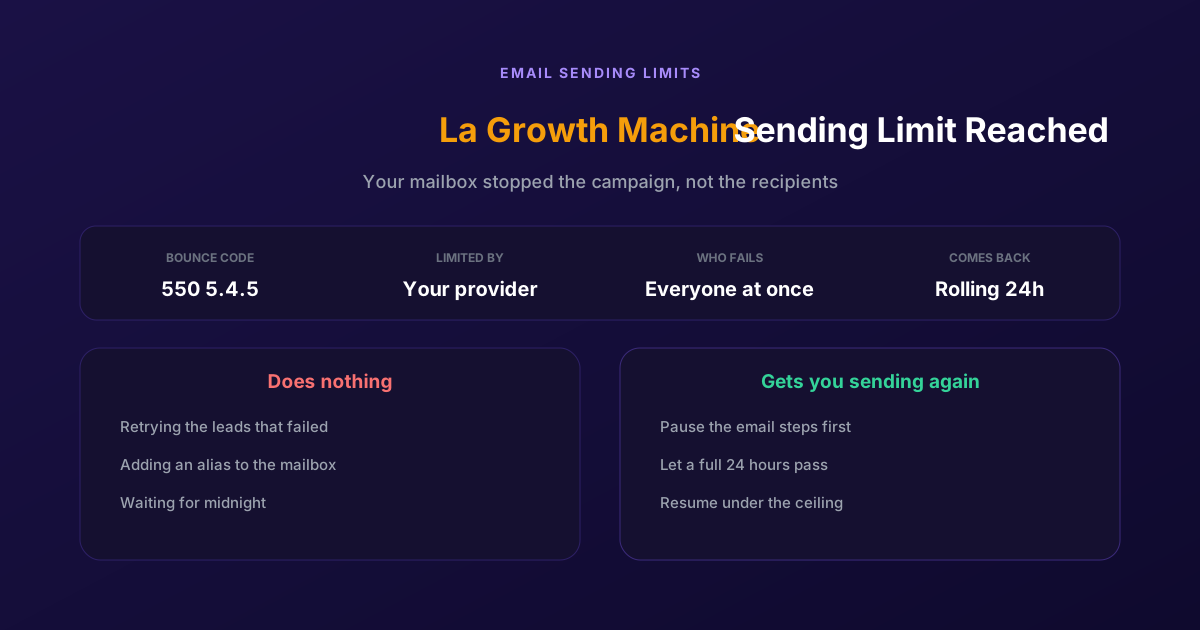
Fix "You Have Reached a Limit for Sending Mail" in La Growth Machine
The message belongs to your email provider, not to the tool. The mailbox has spent its daily allowance, every recipient fails at once, and capacity comes back on a rolling 24-hour window rather than at midnight.
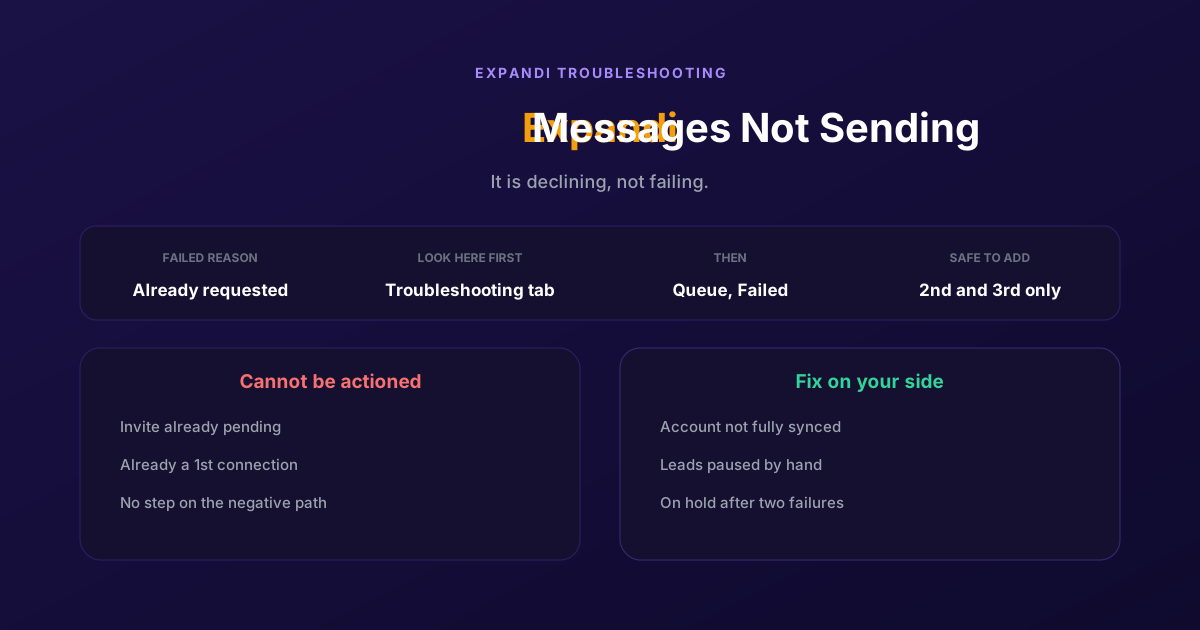
How to Fix Expandi Messages Not Sending (Pending Invites)
A connector campaign opens with a connection request, and a lead who already has one pending cannot receive a second. So the campaign has nothing it is allowed to do, and it says so in a tab most people never open.
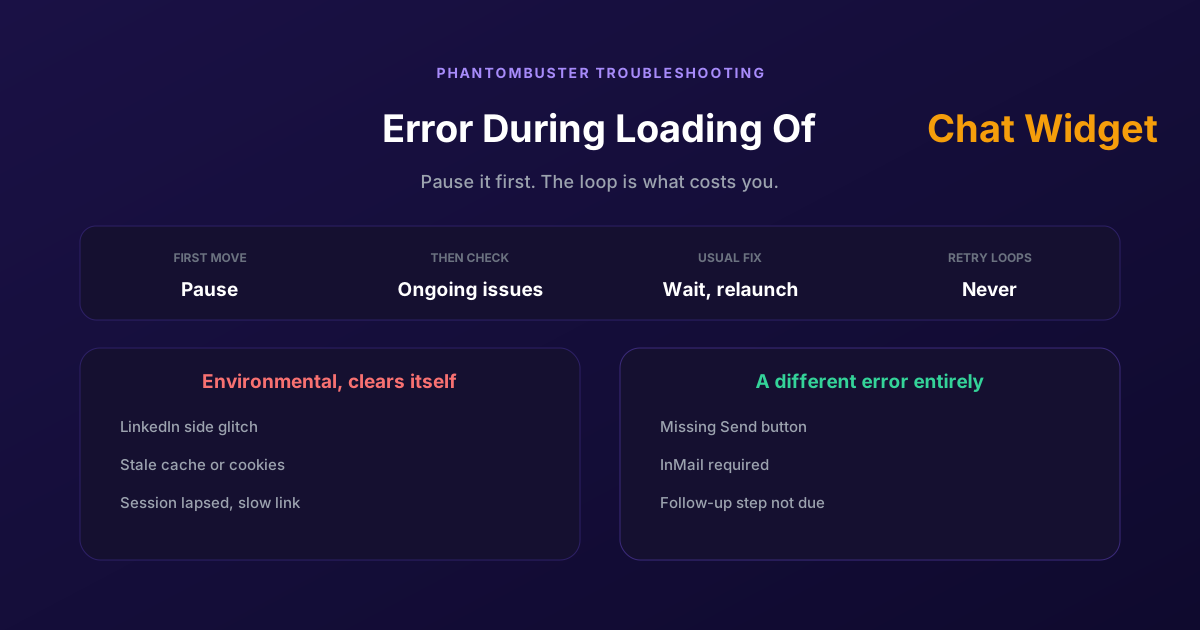
How to Fix Phantombuster "Error During Loading of Chat Widget"
Phantombuster documents this one, and the documented fix is mostly to wait. The expensive part is a Phantom left looping against it, burning execution time on attempts that cannot succeed.
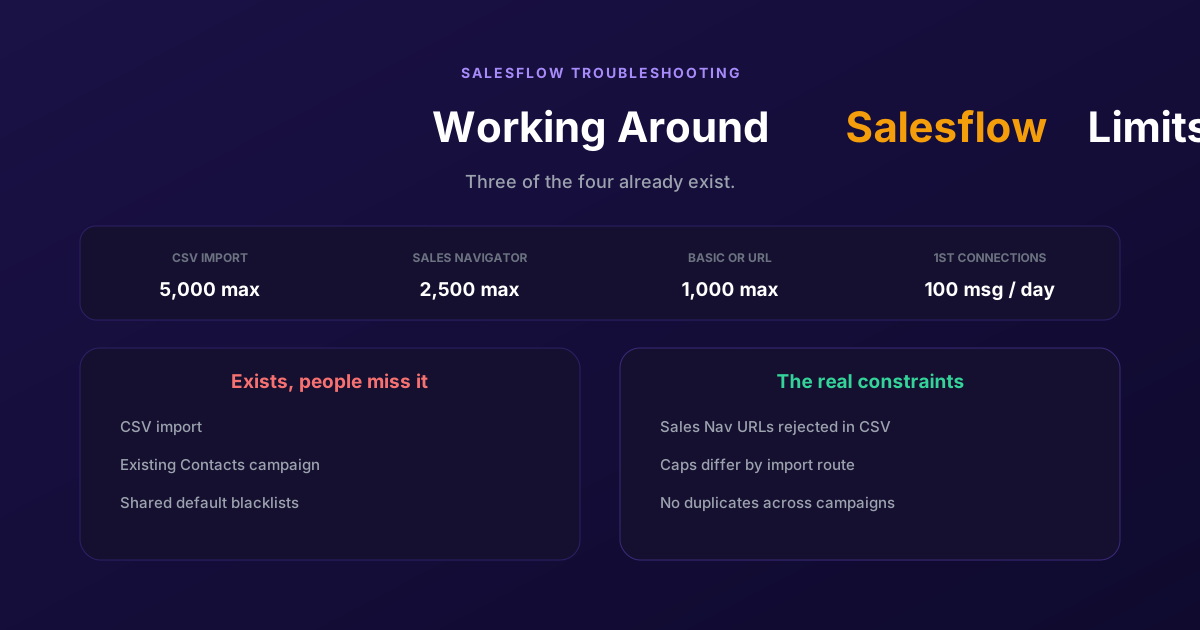
Working Around the Limitations on Salesflow (2026 Guide)
CSV import exists, so does a campaign type for contacts you already hold, and so do shared blacklists. The constraints that actually bite are narrower: rejected Sales Navigator URLs, per-route caps, and a deliberate block on duplicates.