81% LinkedIn Acceptance Rate: Louis Deslus's Method, Set Up in 30 Minutes
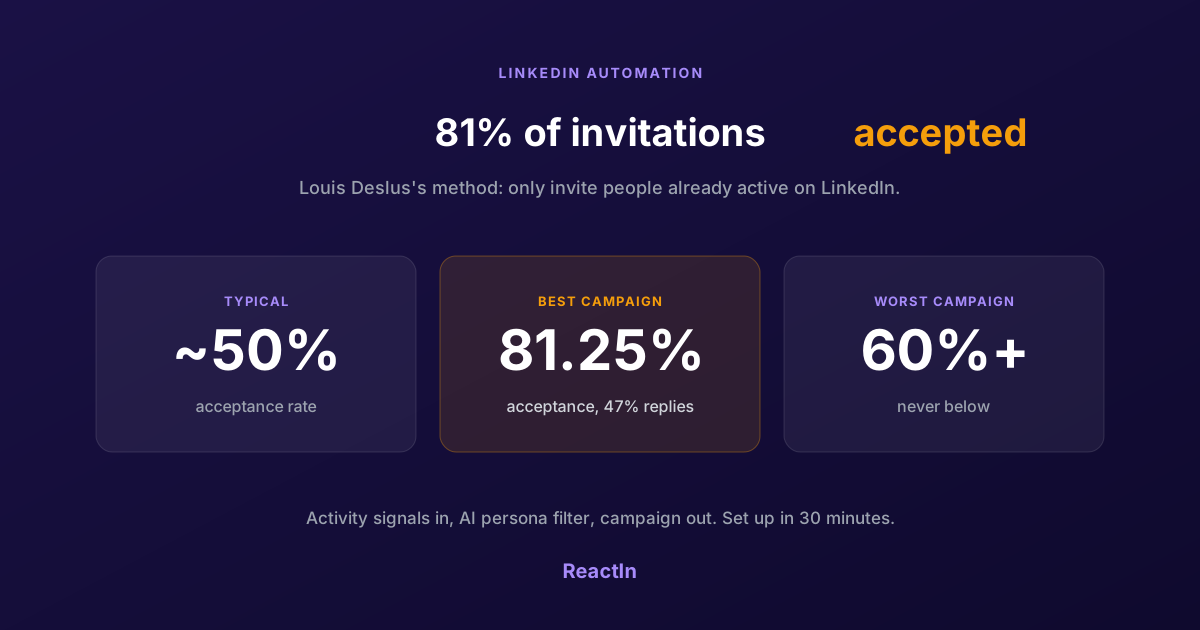
Louis Deslus gets 81% of his LinkedIn invitations accepted and no campaign under 60%. The method: invite only people already active on LinkedIn, filter them to your persona, and let the list feed the campaign.
You send 100 LinkedIn invitations. 25 get accepted. You rewrite the note, try without a note, change the hour. Still 25. The problem is not the note. It is who you sent the invitations to.
Louis Deslus, founder of the B2B lead generation agency Era B2B and a LinkedIn Top Voice, gets 81% of his invitations accepted. None of his campaigns goes below 60%. His method fits in one sentence: only invite people who are already active on LinkedIn. This article breaks down how to increase your LinkedIn acceptance rate with that method, the heavy agency version, and the 30-minute version he shows in his video.
Transparency note: ReactIn is our product. The video above is Louis Deslus's own walkthrough, made in collaboration with us. The campaign figures quoted below are his.
81% Acceptance: What the Numbers Look Like
Louis shared the dashboard of one of his LinkedIn campaigns. Two numbers stand out: the acceptance rate and the reply rate. He puts the usual LinkedIn acceptance rate at around 50%, and many cold campaigns run far below that.
Acceptance rate on one of Louis Deslus's LinkedIn campaigns run with ReactIn, with a 47.04% reply rate.
Source: Louis Deslus, campaign dashboard shared in October 2026.
| Metric | Value |
|---|---|
| Acceptance rate (best campaign) | 81.25% |
| Reply rate (same campaign) | 47.04% |
| Lowest acceptance rate across his campaigns | Above 60% |
| Typical LinkedIn acceptance rate, per Louis | Around 50% |
Louis is careful about which number the tool deserves credit for. The reply rate depends on your message. The acceptance rate depends on your list. A tool only decides how easy it is to build the right list and keep it fed.
“The difference doesn't come from the tool. It comes from who I send the invitation to: only people who are already active on LinkedIn.”
Why Active People Accept Your Invitation
An invitation is a small ask. Whether it gets accepted depends on three things the person on the other side checks in a few seconds.
- They open LinkedIn. An invitation sent to someone who logs in once a month sits in a pending list and expires. Someone who likes and comments every week sees it the same day.
- They recognise the context. If they just commented on a post in your space, visited your profile or booked a call with you, your name is not a stranger's name. Accepting is the natural next step.
- They match the profile. A relevant title, company and topic make the invitation look intentional. An irrelevant one looks like spray and pray, and gets ignored or reported.
Activity alone is not enough, though. The people who like a popular post include recruiters, students, competitors and your own colleagues. Louis's word for it is noise. A high acceptance rate comes from activity plus a filter that keeps only your persona.
The note still matters at the margin. If you want the data on that question, read our analysis of LinkedIn connection requests with or without a note. Targeting moves the rate by tens of points. The note moves it by a few.
The Agency Stack: Clay, an AI Agent and GetSales
At Era B2B, Louis's team runs this method on heavy machinery. It is the setup he describes for expert teams:
- Pull live LinkedIn activity data: who likes, comments and visits.
- Load it into Clay, filter it, and write prompts.
- Run an AI agent on every profile to check the person really is in the persona.
- Push the qualified profiles into a technical prospecting tool such as GetSales to send the campaign.
It works, and it is great for prospecting. It is also four tools, several exports between them, and weeks of technical work to set up. Louis's point in his post: for a long time this took weeks. Today, it takes 30 minutes. Most teams do not get results from LinkedIn tools because the tools are too complicated to configure, or because nobody has the energy to keep feeding them.
We wrote a full breakdown of what each piece of that stack costs and where the seams break in HeyReach + Trigify + Clay in one tool.
The 30-Minute Setup in ReactIn
In his video, Louis is clear that ReactIn is not the most complete or the most technical tool on the market. He picked it because it is the fastest to set up and the simplest to keep running. Here is the method, step by step.
Build a list from activity signals
Go to Lists and create a new list. Instead of a static search, you plug in sources of active people. The list refreshes on its own, so it keeps feeding the campaign without you going back to it.
| Signal source | Who it captures |
|---|---|
| Someone else's posts | People who like and comment on a competitor's, a colleague's or a client's posts. |
| Your own posts | People who engage with your content, the warmest audience you have. |
| Your company page | People who engage with your company page posts. |
| Incoming connection requests | People who invite you. Louis accepts some by hand and lets the rest flow into a list. |
| Profile visitors | People who looked at your profile. |
| Booked meetings | People who booked a call with you through your calendar. |
Louis's summary: your limit is your imagination. For the mechanics of each source, see our guides on scraping LinkedIn post comments and contacting your LinkedIn profile visitors.
Filter the noise with an AI match step
This is the part the agency stack does with Clay and an AI agent. In ReactIn it lives inside the list. Add an AI match step with a prompt describing your persona, so every new profile is checked before it can reach a campaign. Add classic filters on top (title, company size, location) to cut the obvious misses.
Create a campaign fed by the list
Create a campaign and connect it directly to the list. Every qualified profile that lands in the list goes into the campaign. No export, no CSV, no weekly import.
Write the message, then let it run
The invitation goes out, and the follow-up message is sent once it is accepted. Remember Louis's split: acceptance comes from the list, replies come from the message. For the message itself, use our 9 rules for LinkedIn DM copywriting.
What It Costs
ReactIn is priced per LinkedIn account connected (per sender). Two plans cover this method, depending on whether you only want invitations or invitations plus messages.
| Plan | Price | What it covers |
|---|---|---|
| Basic | $29 per sender per month | Signals, lists, enrichment, AI segmentation and the invitation (first touch only). No messages. |
| Growth | $69 per sender per month | Everything in Basic, plus follow-up messages and lead management. |
Both plans come with a 7-day free trial, no credit card. In his video, Louis adds that going through the first link in his YouTube description gets you one extra free month on top. Check current prices on our pricing page before you decide.
If You Would Rather Have It Done for You
Thirty minutes is still thirty minutes, plus the thinking about persona and message. If you want someone to do it, Era B2B, Louis's agency, runs LinkedIn prospecting for more than 200 companies and has launched thousands of campaigns. They can train your team or take over prospecting entirely and put qualified meetings in your sales team's calendar. Their process:
- A first 15-minute call to collect your goal, your offer and what you already run.
- A second 30-minute meeting where they hand you a full strategy, free. You run it yourself or let them run it.
Louis also posts his campaign results and methods regularly. You can follow Louis Deslus on LinkedIn for more on getting above 40%, and often above 60%, acceptance.
Acceptance rate is one piece of the system. The full picture, from signal capture to sequencing, is in our complete LinkedIn automation playbook for 2026.
Frequently Asked Questions
Sources & Further Reading
- Watch the full walkthrough on YouTube: Louis Deslus's ReactIn video.
- The 81% figure and the method in Louis's own words: his LinkedIn post.
- The short version, with the campaign dashboard: Louis's Instagram Reel.
- Louis's agency, for done-for-you LinkedIn prospecting: Era B2B.
Related Articles
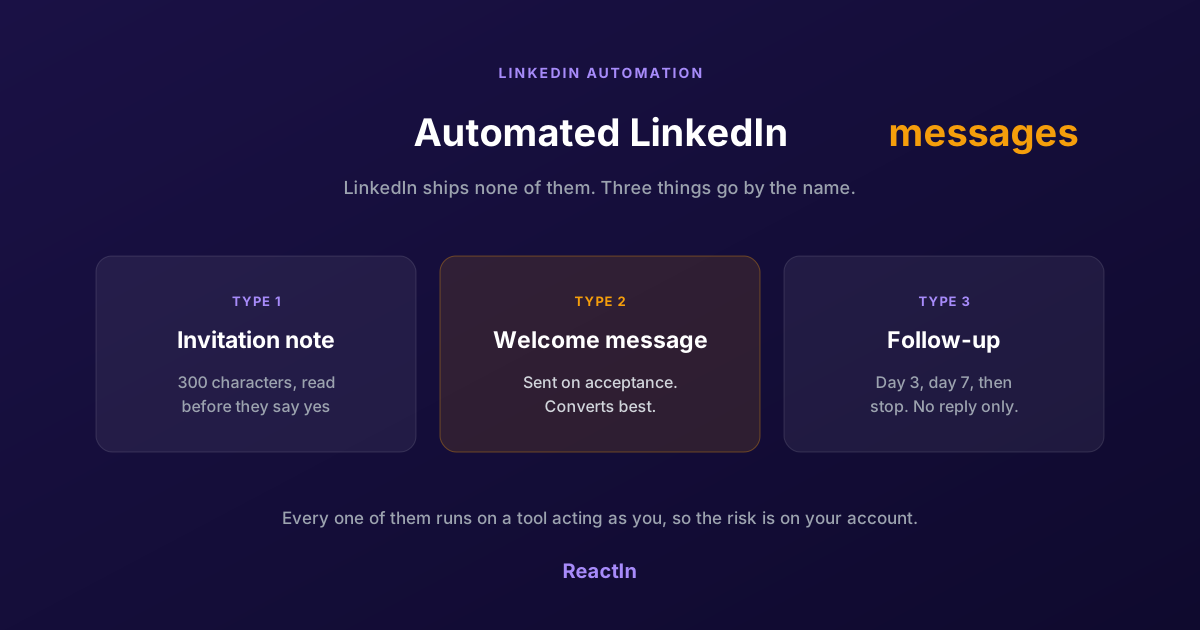
Automated LinkedIn Messages: How to Send Them Without Getting Restricted (2026)
LinkedIn ships no automated messaging at all. Here are the three things people call an automated LinkedIn message, how to set one up, what the terms actually say, and the three cases where writing by hand wins.
Best LinkedIn Automation Tool for Agencies in 2026 (Ranked by Total Cost, Not Feature Lists)
The 7 best LinkedIn automation tools for agencies in 2026, ranked by true cost at scale. ReactIn replaces 3-4 tools ($69/mo vs $300+/mo stack) with intent signals, AI enrichment, and unified inbox. Full "True Cost for 10 Accounts" comparison included.
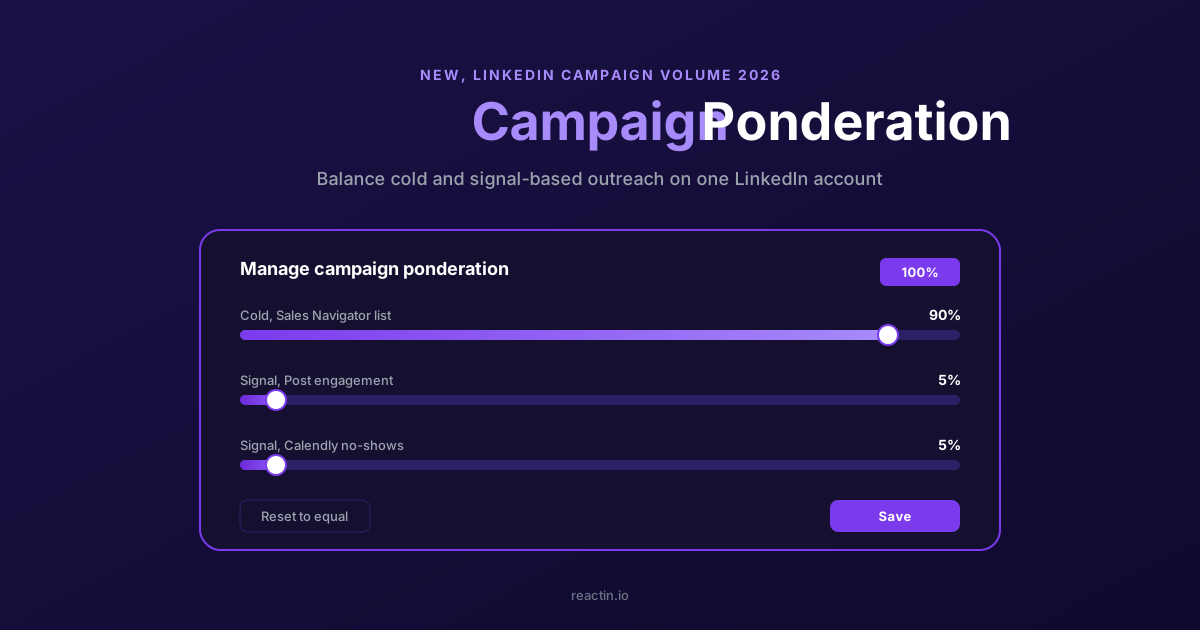
How to Balance LinkedIn Campaign Volume Across Tools (Waalaxy, HeyReach, Expandi, Dripify, LGM, PhantomBuster, Gojiberry vs ReactIn)
Most LinkedIn automation tools force you to pick: one big cold campaign, or none. Here is how Waalaxy, HeyReach, Expandi, Dripify, LGM, PhantomBuster and Gojiberry actually let you split daily volume between campaigns - and how ReactIn’s new Campaign Ponderation finally lets you run a 90/5/5 mix of cold + signal-based outreach.
How to Automate LinkedIn Connection Requests (Auto Connect) Safely in 2026
Automate invitations on LinkedIn without getting restricted: 2026 daily limits by plan, the 300-character note, acceptance rates by approach, and a 5-step ReactIn setup.