ReactIn vs Phantombuster: Outreach Platform or Scraping Toolkit?
Phantombuster sells execution hours for scraping automations. ReactIn sells an outbound platform where the list, the enrichment and the sending live together. Compare what each one actually replaces, and what you still have to build yourself.
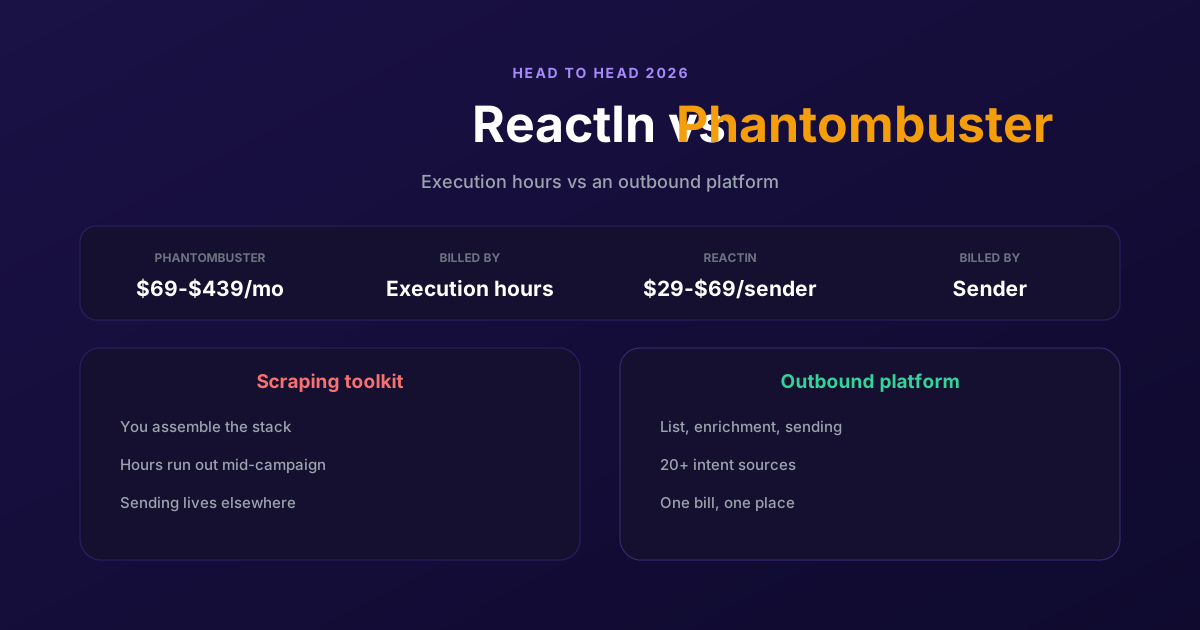
Phantombuster and ReactIn get compared constantly, and they should not be. One sells you automation time. The other sells you a finished outbound motion. Whether that difference matters depends entirely on whether you enjoy assembling a stack.
Phantombuster is a library of scrapers and automations, billed by the execution hour, that you wire together yourself. ReactIn is a platform where the list, the enrichment and the sending are one product. This comparison covers where each one genuinely wins, what Phantombuster leaves you to build, and how the two prices compare once you count everything.
| Dimension | Phantombuster | ReactIn |
|---|---|---|
| What it is | A library of scrapers and automations you assemble yourself | An outbound platform: signals, enrichment and sending in one product |
| Billing model | Execution hours plus slots: 20h/5 slots, 80h/15, 300h/50 | Per sender, no runtime meter to watch |
| Price | $69 Start, $159 Grow, $439 Scale per month, 20 percent off annually | $29 per sender (invitations) or $69 (everything), agency $999 up to 50 senders |
| Sends the outreach | No, it extracts and enriches. Sending needs another tool | Yes, invitations and messages with sender rotation on Growth |
| Intent signal detection | Scrape by scrape, if you build and schedule it | 20+ sources feeding SmartLists that refill on their own |
| Unified inbox | None | Yes, every conversation across every account in one place |
| Setup effort | High: chain phantoms, schedule runs, move CSVs between tools | Low: pick a signal source, write the message, start |
What Phantombuster does well
Phantombuster is the best pure extraction tool in this category, and nothing here is meant to take that away. If a public page holds data you want, there is probably a phantom for it: profile scrapers, group members, post likers and commenters, company employees, search exports, plus the AI and email-finder steps to clean it afterwards. The catalogue is wide and it works.
It is also the most flexible option on this page. Because phantoms chain into each other and expose an API, you can build a data pipeline nobody sells off the shelf. Teams with a technical operator get real leverage from that: a nightly run that feeds a warehouse, a custom scoring step, a shape of automation no outbound platform would ever ship.
And the entry point is genuinely low. A free tier gives 30 minutes of execution and one slot, the 14-day trial unlocks every feature with two hours of runtime and no card, and Start is $69. For a one-off extraction, or to test whether a data source is worth building on, nothing beats it.
Where Phantombuster falls short
The first limit is the one people discover late: Phantombuster does not run your outreach. It extracts, it enriches, it exports. Somebody else has to send the invitation, write the follow-up and answer the reply. So the honest comparison is never $69 against $69. It is Phantombuster plus a sequencing tool plus an inbox, against one platform that does all three.
The second is the meter. Execution hours are a consumable, and heavy scrapes eat them faster than the plan suggests. Twenty hours sounds generous until a large search export and a daily refresh are both running, and the month ends with the campaign paused because the runtime did. Budgeting by hours means predicting your own workload, which is exactly what nobody can do reliably.
The third is maintenance. A phantom reads a page structure, and page structures change. When they do, the phantom returns fewer rows or none at all, usually without a loud error, and it stays that way until somebody notices and the vendor ships a fix. That is the cost of flexibility, and on a stack of five chained phantoms it compounds.
Why teams move to ReactIn
The move usually happens for a boring reason: the pipeline someone built is now someone else's job, and nobody wants to own the plumbing. ReactIn replaces the chain with one product. You point a list at a source, it fills, and outreach runs from the same place.
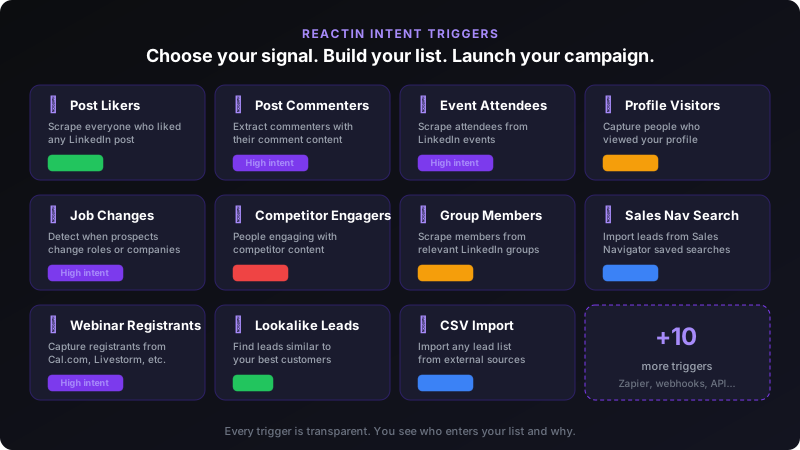
The list is the real difference. A phantom gives you a snapshot: run it Tuesday, get Tuesday's rows. A SmartList subscribes to a source, so the people who engage with your post this week arrive on their own. Nothing to re-run, no hours consumed, no CSV to move.
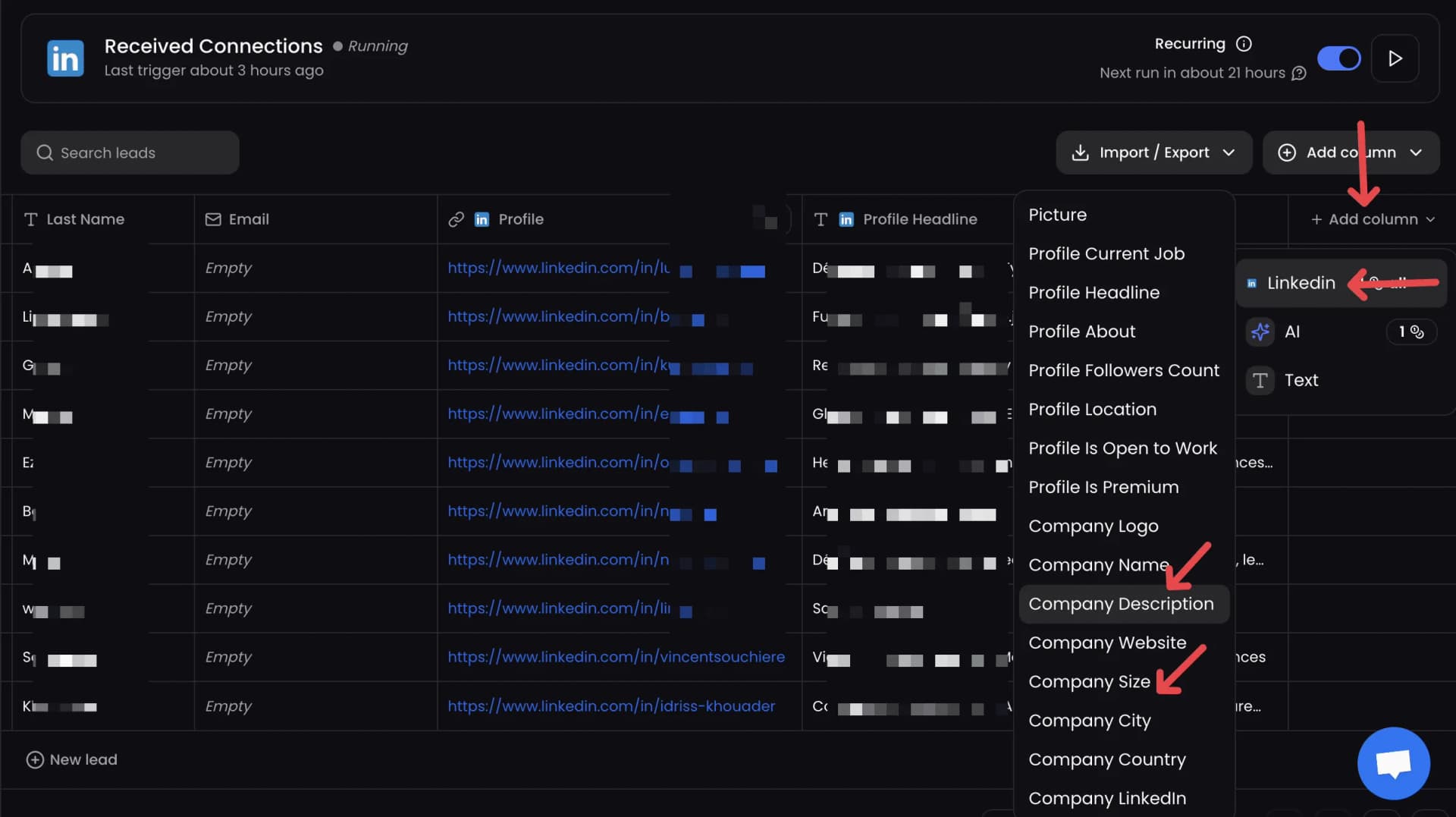
Enrichment sits in the same table rather than in a separate run, and 2,000 credits are included in both plans. That removes the export, the import and the file that sat between them, which is where most of the manual work in a Phantombuster stack actually lives.
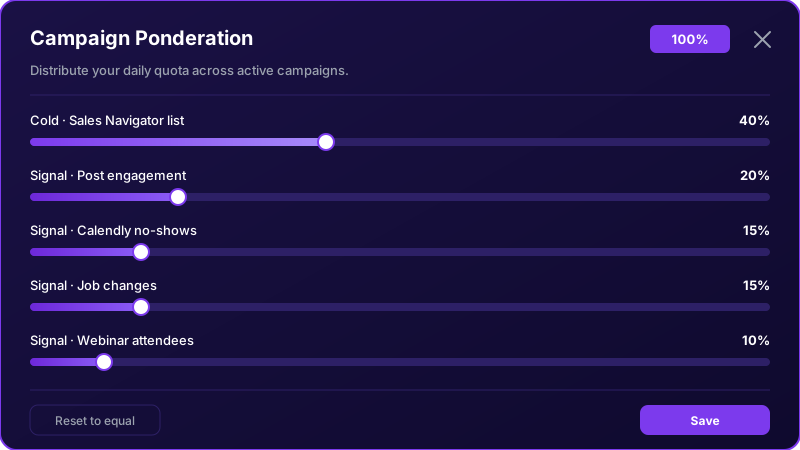
To be fair about the trade: ReactIn is narrower. It will not scrape an arbitrary website, it will not feed your warehouse, and if your requirement is a custom data pipeline then Phantombuster is the right tool and this comparison is not for you. What ReactIn removes is the assembly work, for the specific job of turning LinkedIn intent into conversations.