ReactIn vs Dripify: Drip Sequences or Intent-Triggered Outreach?
Dripify runs clean LinkedIn drip campaigns from lists you bring. ReactIn builds the list from behaviour first. Compare sequencing, targeting, per-user cost and what happens when your imported list goes stale.
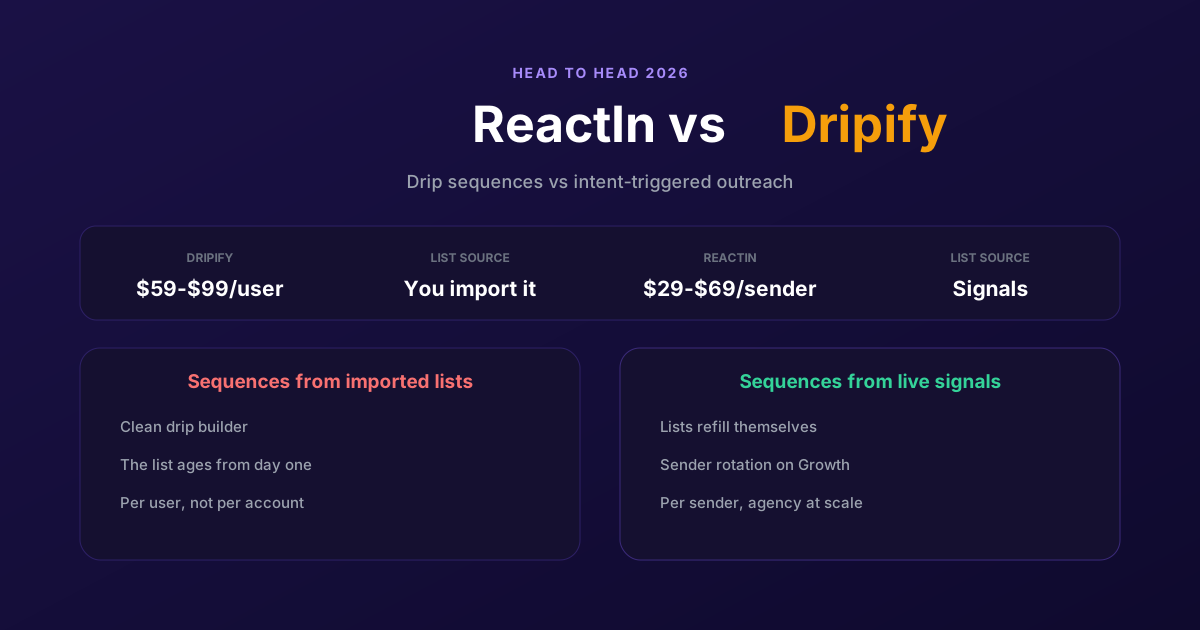
Dripify is one of the easiest LinkedIn tools to get running. Build a sequence, drop in a list, watch it go. That simplicity is the whole pitch, and for a while it is enough.
Then the imported list ages, replies drift down, and the sequence builder has nothing left to give, because the problem was never the sequence. ReactIn attacks the same job from the other end: build the list from behaviour, then sequence. This comparison covers what Dripify does well, where the model runs out, and what each one costs once you count seats.
| Dimension | Dripify | ReactIn |
|---|---|---|
| Where the list comes from | You import it: CSV or a Sales Navigator search | 20+ intent sources build and refill it automatically |
| Price | $59 / $79 / $99 per user monthly, or $39 / $59 / $79 annually | $29 per sender (invitations) or $69 (everything), agency $999 up to 50 senders |
| Billing unit | Per user, so a five-person team pays five times | Per sender, so an agency pays per LinkedIn account it runs |
| Campaigns on the entry plan | One drip campaign, limited daily quotas | Unlimited automations on both plans |
| Intent signal detection | None | 20+ sources feeding SmartLists that refill on their own |
| Multi-account inbox and rotation | Dedicated LinkedIn inbox from Pro, but per user and no rotation | One inbox across every account, sender rotation on Growth |
| Enrichment | Email finder credits, 100 on Basic | AI enrichment columns in the lead table, 2,000 credits included |
What Dripify does well
Dripify's campaign builder is genuinely good. Drag the actions into order, set the conditions, and the visual flow matches what will actually happen. Anyone who has fought a sequence builder that lies about its own logic will appreciate how little explaining Dripify needs. New users are running a real campaign in under an hour.
It runs in the cloud rather than through a browser extension, which matters more than it sounds. Your laptop can be shut, LinkedIn can be closed, and the sequence keeps going. Whole categories of failure that plague extension-based tools, stale caches, tabs that must stay open, sessions that expire mid-import, simply do not exist here.
And Pro is a reasonable package at $59 per user on annual billing: unlimited campaigns, full daily quotas, a dedicated LinkedIn inbox, CSV export and webhooks. There is a 7-day trial with no card. For one person running a straightforward LinkedIn motion from lists they already have, that is a fair deal.
Where Dripify falls short
Dripify has no answer to the question that decides outbound results: who should get this message? It sequences whoever you hand it. So every campaign inherits the quality of an export you made somewhere else, and the tool cannot tell you that half the list changed jobs since. When replies fall, the only levers Dripify offers are copy and timing, and neither is the actual problem.
The per-user billing is the second issue, and it bites hardest exactly where LinkedIn outreach scales. Every number is per user: a five-person team on Pro is $295 a month on annual billing, not $59. An agency running twenty client accounts is paying twenty times, for a tool that still expects each of those accounts to arrive with its own list.
The third is what the entry plan withholds. Basic gives one drip campaign and limited daily quotas, so the plan that looks like the price of entry is not the one you will run on. Realistically you start at Pro, which is where the dedicated inbox and full quotas live. Price the plan you will actually use.
Why teams choose ReactIn
The switch is almost always about sourcing rather than sequencing. Teams like their Dripify campaigns and are tired of feeding them. ReactIn moves the work upstream: the list builds itself, and the sequence runs on people who did something.
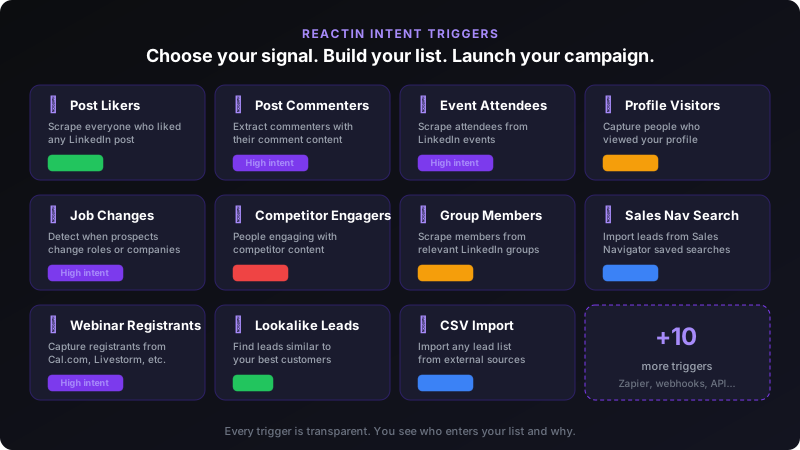
A SmartList subscribes to a source rather than importing a file, so it keeps adding the people who qualify this week. That single change removes the recurring chore behind every Dripify campaign, and it means the message arrives while the trigger is still fresh instead of three weeks after the export.
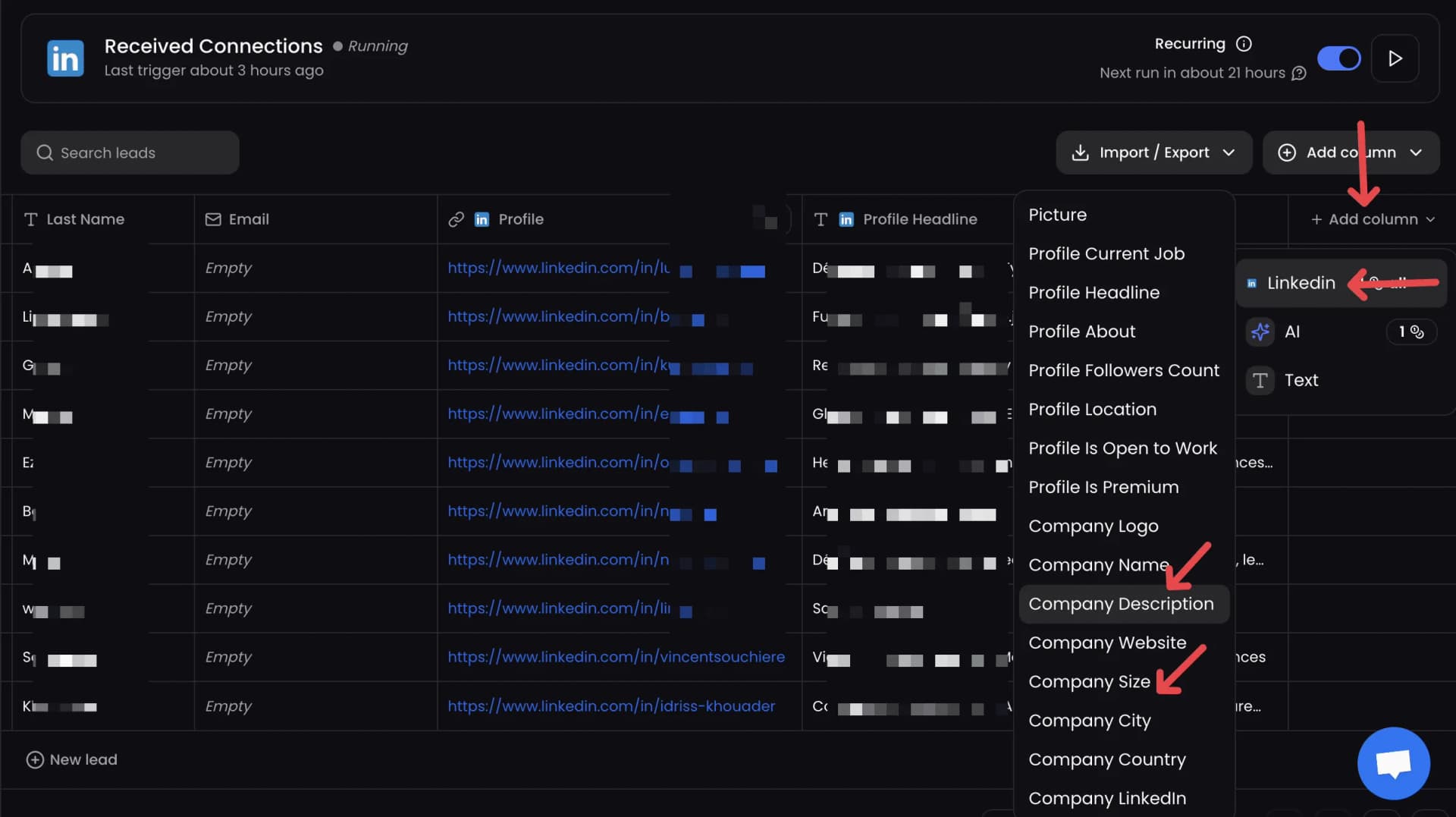
Pricing per sender rather than per user is the other structural difference. An agency adds a client's LinkedIn account, not a seat licence, and the $999 agency plan covers up to 50 senders. Sender rotation and one inbox across every account come with Growth, which is the part Dripify's per-user model cannot express.
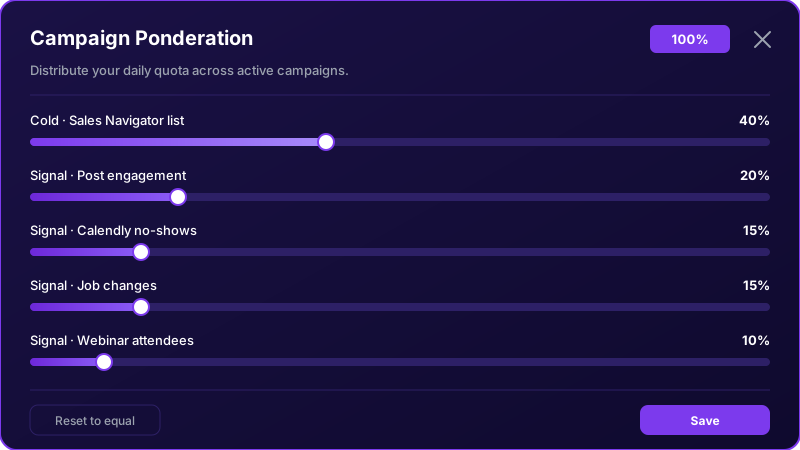
Where Dripify still wins: simplicity. Its builder is easier to explain to a new SDR than intent sources and ponderation, and if your lists genuinely are good, bought, verified and current, then sourcing is not your bottleneck and the extra machinery buys you nothing. Be honest about which problem you actually have.