Automated LinkedIn Messages: How to Send Them Without Getting Restricted (2026)
LinkedIn ships no automated messaging at all. Here are the three things people call an automated LinkedIn message, how to set one up, what the terms actually say, and the four cases where writing by hand wins.
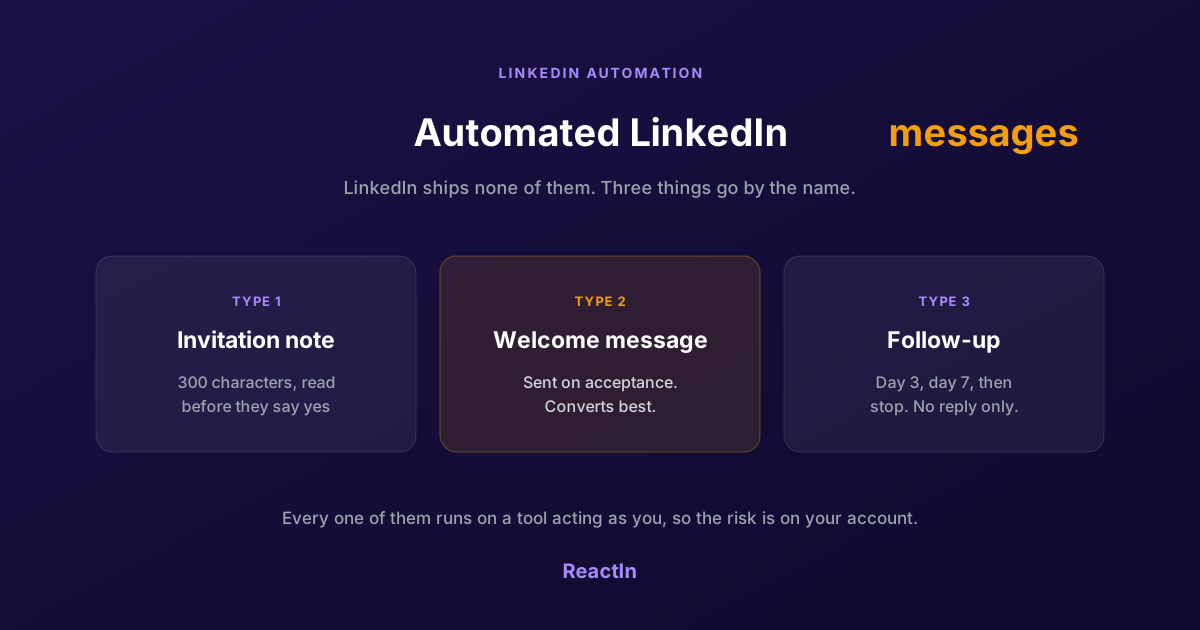
LinkedIn has no automated message feature. There is no scheduler, no autoresponder, no way to tell the platform to write to someone the moment they accept your invitation. Everything sold as an automated LinkedIn message runs on a third-party tool sitting on top of your account.
That matters, because it means the risk is on your account, not on the tool. This guide covers the three things people call an automated LinkedIn message, how to set one up, what LinkedIn's terms actually say, and the cases where automating the message costs you the reply.
What Is an Automated LinkedIn Message?
Three different things go by that name, and they behave nothing alike. Picking the wrong one is the most common reason an automated message campaign produces no replies.
The invitation note
Text attached to a connection request, capped at 300 characters. It is read before anyone has agreed to talk to you, which makes it the hardest of the three to get right and the one most likely to lower your acceptance rate when it reads like a pitch.
The welcome message
Sent once the invitation is accepted. This is the highest-converting of the three, because acceptance is a signal: the person chose to open the channel. It also has 8,000 characters to work with, against 300 for the note, so it is the first real message of the conversation.
The follow-up sequence
One or more messages sent on a delay, usually conditional on no reply. Day 3, day 7, then stop. This is where automation earns its keep, because a human never sends the second follow-up consistently, and the second follow-up is where most replies come from.
How to Send an Automated Message on LinkedIn
The mechanics are the same across tools. What changes is how the list is built, and that is what decides whether the message lands as relevant or as spam.
Build the list from a signal, not a filter
A list of job titles gives you people who match a description. A list built from a signal (they commented on a post, they viewed your profile, they follow a competitor) gives you people who just did something. The second list replies; the first one is what makes automated messages feel automated.
Pick the trigger
On acceptance, on a delay, or on a new signal. On acceptance is the default and the safest: the person opted in seconds ago. A delay-based follow-up should be conditional on no reply, otherwise you write to people who already answered you.
Write the message around the signal
Variables like first name and company are table stakes and fool nobody on their own. What makes an automated message read as written is referencing the thing that put the person on the list: the post they commented on, the event they attended, the page they follow.
Cap the daily volume and let it run
Set a daily ceiling below your account's limit, spread sending across working hours in the recipient's timezone, and leave it alone for two weeks. Campaigns fail from being tuned daily far more often than from being set too conservatively.
A welcome message with a 26.94% reply rate
When you have no specific signal to reference, a short, honest message beats forced personalization. This is the one we send ourselves on acceptance in that case, measured at a 26.94% reply rate: it says who is writing, where to learn more, and that a human takes over.
“Hey {{firstName}} 👋 If you want to learn more about me, our Product Studio, or our latest SaaS ReactIn.io (LinkedIn Automation), I write everything here: https://substack.com/@francoisdelporte PS: If you reply, I’ll take over manually 😊”
Why this works:
- Casual tone (not corporate)
- Offers value (blog link)
- Sets expectation (manual takeover on reply)
- Single emoji (not excessive)
- Personal sign-off
The “I’ll take over manually” line is key. It tells the recipient a human answers behind the automated message, and that is what makes them reply.
If your trigger is an incoming invitation rather than an outgoing one, the welcome message is set up as part of auto-accepting LinkedIn connections, which handles the acceptance and the message in the same run.
What LinkedIn Allows, and What Gets Accounts Restricted
Automated messaging sits outside LinkedIn's User Agreement, which prohibits automated access to the platform by third-party software. That is the honest starting point, and it is different from saying it is illegal or that everyone doing it gets banned.
What the terms say
Section 8.2 of the User Agreement prohibits using bots, scripts or third-party software to access LinkedIn. It makes no exception for messaging, and no volume is formally 'allowed'. Enforcement is behavioural, not contractual: LinkedIn acts on patterns it detects, not on a written quota.
What detection actually looks for
- Volume that appears from nothing. An account that sent five messages a week and starts sending eighty a day is the clearest signal there is.
- Round-the-clock activity. Messages going out at 3am local time, every day, with no gaps.
- Identical text at scale. The same paragraph sent to hundreds of people, with only the first name changing.
- Complaints. Recipients marking messages as spam weighs more than any of the above, and it is the one thing no technical setup protects you from.
Message caps move with your account's age and activity, and the same ceilings govern invitations. The daily and weekly numbers are broken down in our guide to automating LinkedIn connection requests safely.
When an Automated Message Costs You the Reply
Automation is worth it when the alternative is not sending the message at all. In four cases it is worth less than the thirty seconds a manual message takes.
- The list is small. Under fifty people, automation saves you an afternoon and costs you the personalisation that would have doubled the reply rate. Write them by hand.
- The person is a warm contact. Anyone who already knows you, met you at an event, or was introduced by a mutual connection will recognise a templated message instantly, and the cost is the relationship, not the reply.
- The deal is large. Enterprise buyers compare notes. An automated first touch to three people at the same company, all receiving the same paragraph, is a conversation you will not be in the room for.
- The message asks for something. A request for a call, a demo or a referral is where automated phrasing reads worst. Automate the first touch if you must; write the ask yourself.
For the phrasing itself rather than the plumbing, our 9 rules for LinkedIn DM copywriting covers what to write once the automation is in place.
Automated messaging is one piece of a larger system. The full picture, from signal capture to campaign sequencing, is in our complete LinkedIn automation playbook for 2026.
Frequently Asked Questions
Sources & Further Reading
- LinkedIn's rules on third-party software are set out in the User Agreement. Read the full LinkedIn User Agreement.
- LinkedIn documents what it does about automated activity in its help centre article on LinkedIn's prohibited software and extensions policy.
Related Articles
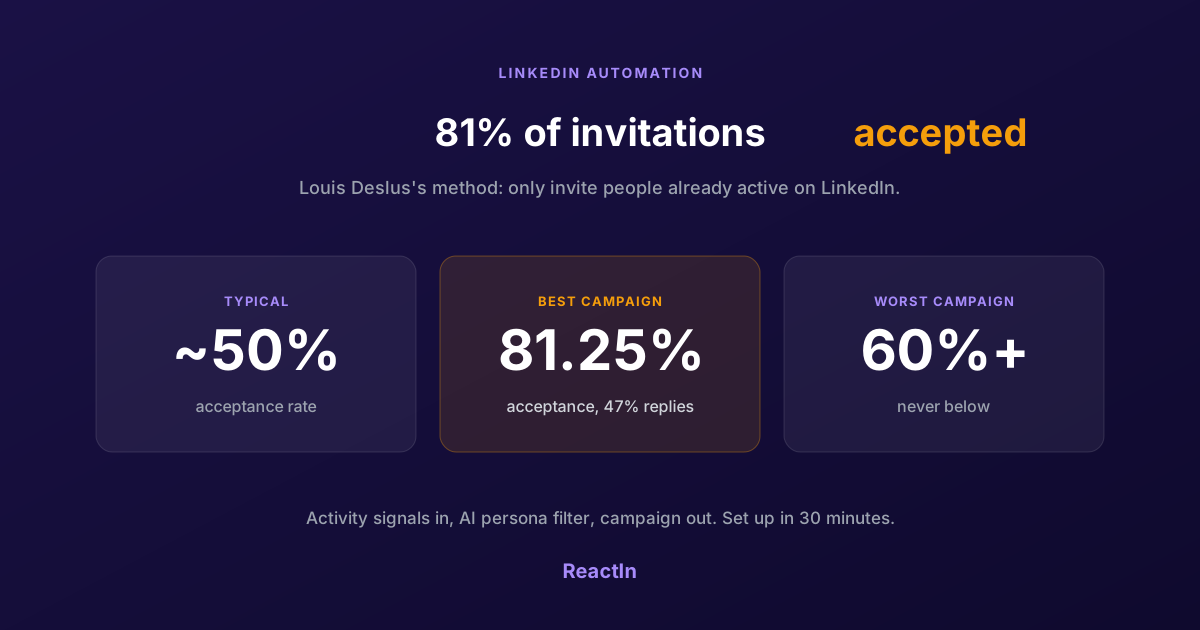
81% LinkedIn Acceptance Rate: Louis Deslus's Method, Set Up in 30 Minutes
Louis Deslus gets 81% of his LinkedIn invitations accepted and no campaign under 60%. The method: invite only people already active on LinkedIn, filter them to your persona, and let the list feed the campaign.
Best LinkedIn Automation Tool for Agencies in 2026 (Ranked by Total Cost, Not Feature Lists)
The 7 best LinkedIn automation tools for agencies in 2026, ranked by true cost at scale. ReactIn replaces 3-4 tools ($69/mo vs $300+/mo stack) with intent signals, AI enrichment, and unified inbox. Full "True Cost for 10 Accounts" comparison included.
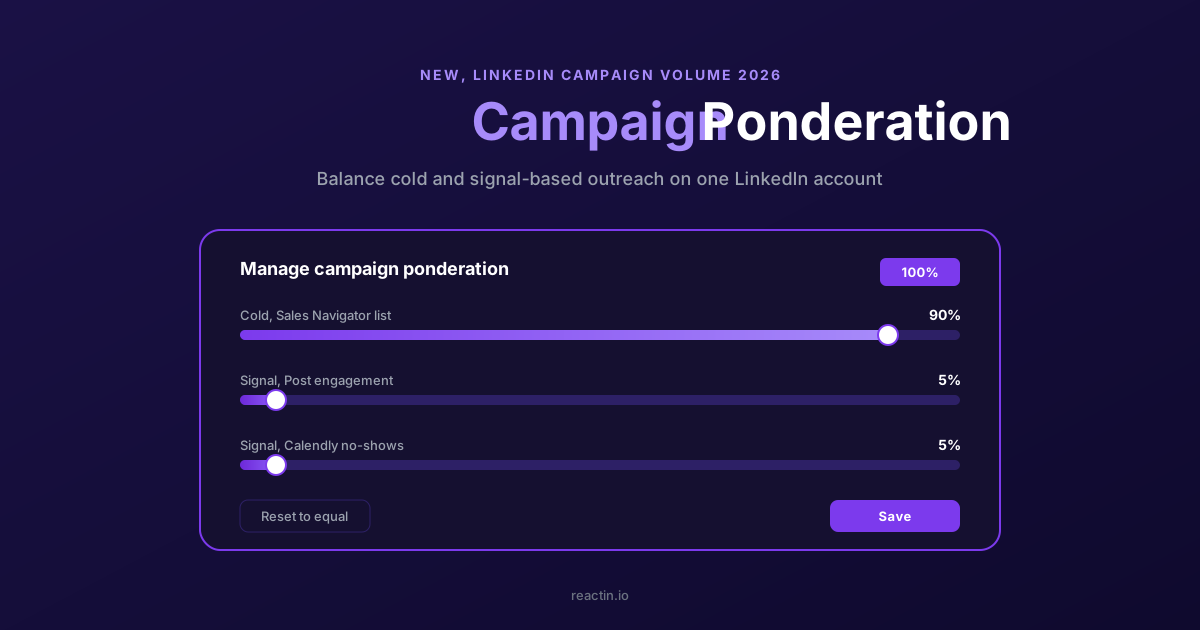
How to Balance LinkedIn Campaign Volume Across Tools (Waalaxy, HeyReach, Expandi, Dripify, LGM, PhantomBuster, Gojiberry vs ReactIn)
Most LinkedIn automation tools force you to pick: one big cold campaign, or none. Here is how Waalaxy, HeyReach, Expandi, Dripify, LGM, PhantomBuster and Gojiberry actually let you split daily volume between campaigns - and how ReactIn’s new Campaign Ponderation finally lets you run a 90/5/5 mix of cold + signal-based outreach.
How to Automate LinkedIn Connection Requests (Auto Connect) Safely in 2026
Automate invitations on LinkedIn without getting restricted: 2026 daily limits by plan, the 300-character note, acceptance rates by approach, and a 5-step ReactIn setup.