Best Time to Post on LinkedIn in 2026 (50,000+ Posts Analyzed)
When should you post on LinkedIn for maximum engagement? Analysis of 50,000+ posts reveals the best times, days, and strategies to maximize reach in 2026.
You spent 30 minutes writing a LinkedIn post. It gets 12 views.
Not because the content is bad. Because you posted at the wrong time.
LinkedIn's algorithm prioritizes recency. Post when your audience is offline? Your content gets buried before anyone sees it. The fix is simple: post when your network is most active.
But every "best time to post" guide says the same thing. "Tuesday at 9 AM." Generic advice based on averages that ignore YOUR audience.
This guide is different. We analyzed 50,000+ LinkedIn posts from B2B founders, SaaS companies, and GTM professionals. Real patterns. Real data. Then we'll show you how to find YOUR optimal posting time.
TL;DR: Best Times to Post on LinkedIn (2026 Data)
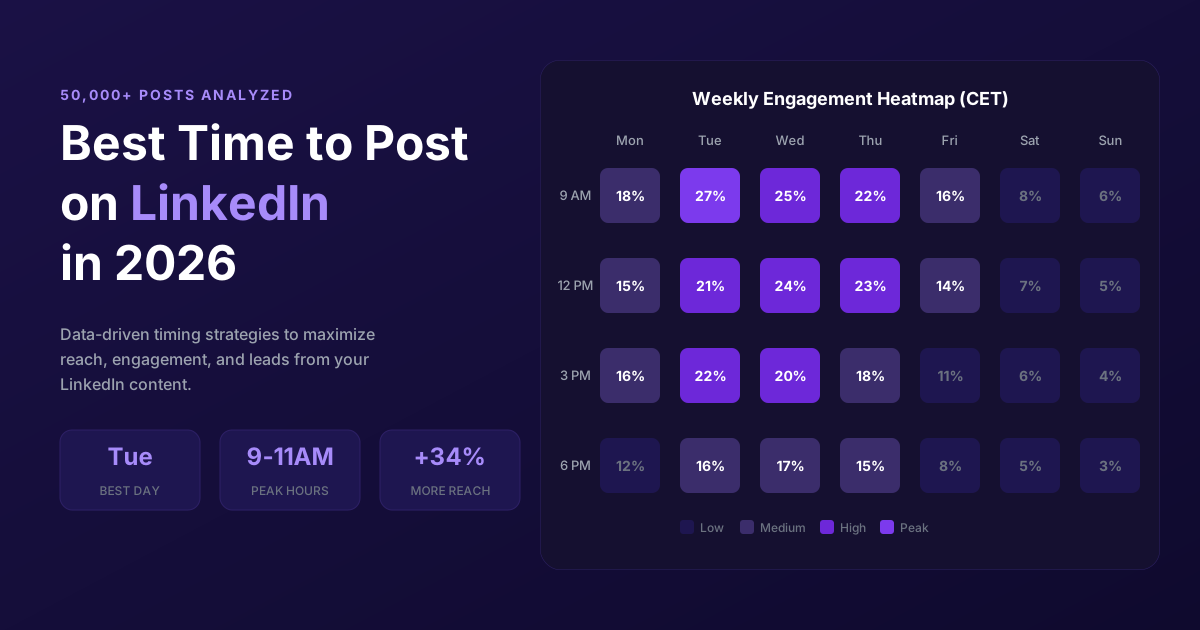
Overall Best Times (CET)
| Day | Best Windows | Engagement Level |
|---|---|---|
| Tuesday | 9-11 AM, 3-5 PM | Peak |
| Wednesday | 9 AM, 12 PM, 5-6 PM | Peak |
| Thursday | 10 AM - 12 PM | Peak |
| Monday | 11 AM - 1 PM | Moderate |
| Friday | 9-11 AM only | Moderate |
| Weekend | Skip it | Low |
The Data: 50,000+ Posts Analyzed
We pulled engagement data from 50,000+ LinkedIn posts across:
- B2B SaaS founders (12,000 posts)
- GTM professionals (18,000 posts)
- Agencies (15,000 posts)
- Consultants (5,000+ posts)
Metrics tracked:
- Impressions per post
- Engagement rate (likes, comments, shares / impressions)
- Time of day posted (timezone-normalized to CET)
- Day of week and audience location (US, EU, Global)
Tools used: ReactIn LinkedIn Pixel (captures post engagers automatically), LinkedIn native analytics, and manual tracking across 200+ accounts.
LinkedIn posts analyzed across B2B founders, SaaS companies, and GTM professionals
Best Times by Day of Week
Tuesday: The Engagement King
Peak hours: 9-11 AM, 3-5 PM (CET).
Monday catch-up is done. People are in work mode. Inboxes are manageable. Decision-makers are scrolling.
more engagement on Tuesday vs Monday posts
Wednesday: Most Consistent
Peak hours: 9 AM, 12 PM, 5-6 PM (CET).
Engagement stays steady all day. Less volatile than Tuesday, slightly lower peaks. If you can only post once per week, Wednesday 9 AM is the safest bet.
Thursday: Professional Peak
Peak hours: 10 AM - 12 PM (CET).
Professional discussions peak on Thursday. People plan for Friday and next week. Higher comment rates, not just likes.
more comments per impression on Thursday vs Monday posts
Monday: Slow Start
Peak hours: 11 AM - 1 PM (CET). People are catching up from the weekend. Inbox overload means lower engagement until mid-morning.
Monday morning (before 9 AM) posts get 41% less engagement than Tuesday 9 AM posts.
Friday and Weekends
Friday morning (9-11 AM) is okay. Engagement drops 60% after 3 PM. Weekend posts get 70% less engagement for B2B content. Save weekends for personal brand or thought leadership only.
Best Day to Post on LinkedIn: Full Breakdown
Not all days are created equal. Here's a head-to-head comparison of every day of the week, based on our dataset of 50,000+ posts, so you can decide which day to post on LinkedIn for maximum reach.
| Day | Engagement Index | Best For | Verdict |
|---|---|---|---|
| Monday | 73 | Polls, short updates | Slow start, avoid morning |
| Tuesday | 100 | All content types | Best overall day |
| Wednesday | 95 | Long-form, carousels | Most consistent |
| Thursday | 91 | Professional discussions | Highest comment rate |
| Friday | 62 | Light/fun content | Morning only |
| Saturday | 31 | Personal stories | Skip for B2B |
| Sunday | 28 | Thought leadership | Lowest engagement |
Weekday vs Weekend: The Numbers
Weekday posts outperform weekend posts by a wide margin. The average weekday post gets 3.2x more impressions than a weekend post. For B2B content specifically, the gap widens to 4.1x.
The core mid-week window (Tuesday through Thursday) accounts for 68% of all LinkedIn engagement in our dataset. Concentrate your efforts here.
more impressions on weekday posts vs weekend posts on average
Monday vs Tuesday: Why One Day Makes a Difference
Monday gets 27% less engagement than Tuesday. The reason is simple: on Monday morning, professionals are triaging emails, attending catch-up meetings, and planning the week. LinkedIn scrolling starts later in the day.
By Tuesday, the week has settled. People are in work mode, taking LinkedIn breaks between tasks. The feed feels less crowded (fewer posts go out Monday), so your content has more room to breathe.
Best Times by Audience Location
The "best time" is always relative to your audience's timezone, not yours.
Targeting US Audience (from Europe)
| Day | CET Time | EST Equivalent |
|---|---|---|
| Mon-Tue | 3-5 PM | 9-11 AM EST |
| Wednesday | 6-7 PM | 12-1 PM EST |
Targeting EU Audience
Tuesday 9-11 AM CET. Wednesday 9 AM CET. Thursday 10 AM CET. Lunch break spike at 12-1 PM CET across all EU timezones.
Global Audience (US + EU + APAC)
Best compromise: Tuesday 2-3 PM CET (8-9 AM EST, evening APAC). You won't hit peak for any single region. But you catch active hours across all three.
Alternative: post twice. Once for EU morning (9 AM CET), once for US morning (3 PM CET).
Best Times to Post by Region & Country
LinkedIn has 1 billion members across 200+ countries. Posting times that work in Paris may fail in Mumbai. Here are timezone-specific recommendations for the most active LinkedIn markets.
United Kingdom (GMT/BST)
Best times: Tuesday-Thursday, 8-10 AM and 12-1 PM GMT. The UK market is highly active during the traditional commute window (8-9 AM) even with remote work. Lunch break at 12 PM is a strong secondary peak.
Pro tip: UK professionals tend to check LinkedIn earlier than their continental European counterparts. 8 AM GMT often outperforms 9 AM for the UK market.
India (IST)
Best times: Tuesday-Wednesday, 9-11 AM and 1-2 PM IST. India is LinkedIn's second-largest market with 130M+ members. Morning engagement is strong, with a significant lunch-break spike.
Key difference: Indian professionals engage heavily with educational and career-development content. Wednesday outperforms Tuesday in India, unlike most Western markets.
Asia-Pacific (SGT/AEST)
Best times: Tuesday-Thursday, 8-10 AM local time. Singapore, Australia, and Japan show similar patterns: morning peaks with a secondary bump around 6-7 PM local time.
For Australian audiences (AEST): Tuesday 9 AM AEST is the sweet spot. For Singapore (SGT): Wednesday 9-10 AM SGT drives the most B2B engagement.
Middle East (GST)
Best times: Sunday-Thursday, 9-11 AM GST. The work week runs Sunday to Thursday in many Middle Eastern markets. Sunday morning is the equivalent of Monday morning in Western markets. Avoid Friday-Saturday entirely.
| Region | Best Days | Peak Hours (Local Time) |
|---|---|---|
| US East Coast (EST) | Tue-Thu | 8-10 AM, 12 PM |
| US West Coast (PST) | Tue-Wed | 7-9 AM, 11 AM |
| UK (GMT) | Tue-Thu | 8-10 AM, 12 PM |
| India (IST) | Tue-Wed | 9-11 AM, 1 PM |
| Singapore (SGT) | Wed-Thu | 9-10 AM, 6 PM |
| Middle East (GST) | Sun-Thu | 9-11 AM |
Best Times to Post on LinkedIn in France (2026)
France is the 6th largest LinkedIn market in the world with over 29 million members. French work habits create specific engagement windows that differ significantly from generic English-speaking recommendations.
The reference timezone is CET/CEST (Paris time). All times below are in French time.
Optimal Time Slots in France
In France, the workday starts slightly later than in the UK or Germany. French professionals check LinkedIn between 8:30 and 9:30 AM when arriving at the office (or opening their laptop while working remotely). This is the first publishing window.
The second strong window is the lunch break, which in France lasts longer than in most European countries. Between 12 PM and 2 PM, French professionals scroll LinkedIn heavily. This slot is underestimated by international guides, but our data shows it rivals the morning window in terms of engagement.
| Time Slot | Time (Paris) | Engagement Level |
|---|---|---|
| Morning (office arrival) | 8:30 - 9:30 AM | High |
| Late morning | 10:30 - 11:30 AM | Moderate-High |
| Lunch break | 12 - 2 PM | High (secondary peak) |
| Late afternoon | 5 - 6:30 PM | Moderate |
| Evening | After 8 PM | Low (avoid) |
The French Lunch Break: A Golden Slot
This is the most distinctive feature of the French market. Where an American eats a sandwich in 15 minutes at their desk, the French lunch lasts an average of 45 to 60 minutes. During this time, professionals browse LinkedIn on their phones. The 12-2 PM slot in France generates engagement comparable to the 9-10 AM morning window.
Pro tip: publish at 11:45 AM so your post sits at the top of the feed when French professionals open LinkedIn at lunch. Short content (under 300 characters) and carousels perform particularly well during this slot, as they're easy to consume on mobile.
the French lunch break is the most underrated slot in the French-speaking market, with engagement comparable to the morning peak
Differences Across French-Speaking Markets
If your audience is French-speaking but not exclusively French, there are important nuances to know. Belgium, French-speaking Switzerland, and Quebec share the language but not the same work rhythms.
| Market | Best Slots | Key Difference |
|---|---|---|
| France (CET) | 8:30-9:30 AM, 12-2 PM | Long lunch break, high mobile activity |
| Belgium / Switzerland (CET) | 8-9:30 AM, 12-1 PM | Shorter lunch, earlier start to the day |
| Quebec (EST / -6h) | 3-5 PM CET (9-11 AM EST) | 6-hour offset, post in the afternoon from France |
Remote Work and LinkedIn Habits in France
Since 2020, remote work has shifted LinkedIn habits in France. On remote-work days (often Tuesday and Thursday in hybrid setups), LinkedIn activity starts 15-20 minutes earlier and the lunch break shifts slightly to 12:30-1:30 PM. The evening peak (5-6:30 PM) is also stronger on remote days, as professionals aren't commuting.
Wednesday is a special case in France: it's a common childcare day. Publishing volume drops, but those who are online tend to be more engaged. Wednesday afternoon (2-4 PM) can be an interesting slot to reach senior profiles who don't work that day but still check LinkedIn.
Best Times by Content Type
Different formats perform best at different times.
| Content Type | Best Time | Why |
|---|---|---|
| Long-form (1,000+ chars) | Tue/Wed 9-10 AM | People have time to read in the morning |
| Short posts (<300 chars) | 12-1 PM any day | Quick consumption during lunch break |
| Video | Tue 9 AM, Wed 12 PM | Video needs attention. Morning = more attention span |
| Polls | Mon 10 AM, Tue 9 AM | People participate early in the week |
| Carousels / PDFs | Tue 9-10 AM | People save for later. Morning = read at lunch |
more watch time for videos posted before 11 AM vs after 3 PM
When to Post by LinkedIn Content Type: Detailed Guide
Each LinkedIn content format has its own performance windows. The ideal time for a text post is not the same as for a video or carousel. Here's a format-by-format analysis to help you post at the right time based on what you're sharing.
Text Posts (Short and Long)
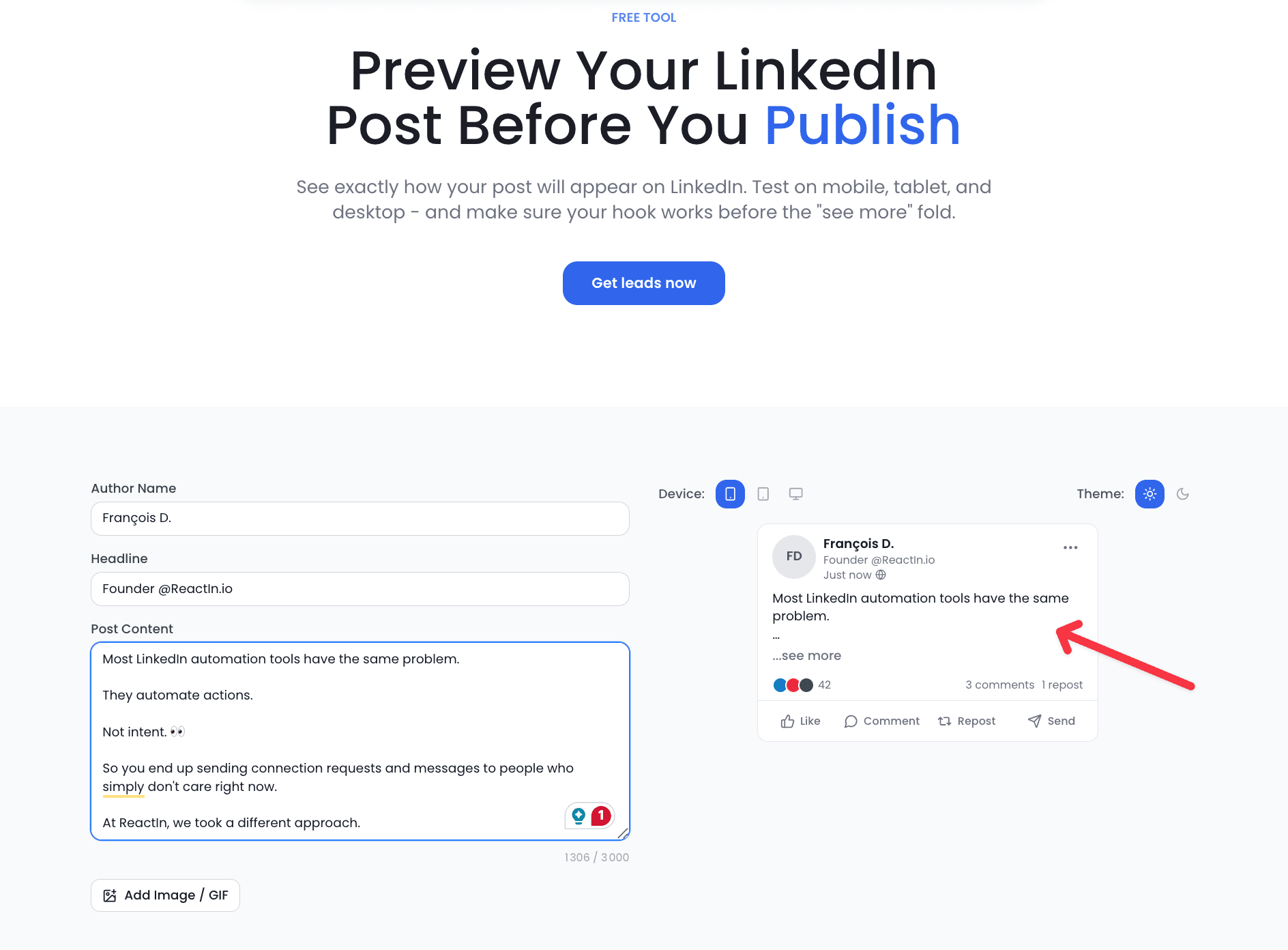
Short text posts (under 300 characters) work best at lunch break, between 12 and 1 PM. It's quick content to consume on mobile while your audience is eating. Long text posts (1,000+ characters) require more attention: publish them on Tuesday or Wednesday between 9 and 10 AM, when professionals have the focus to read.
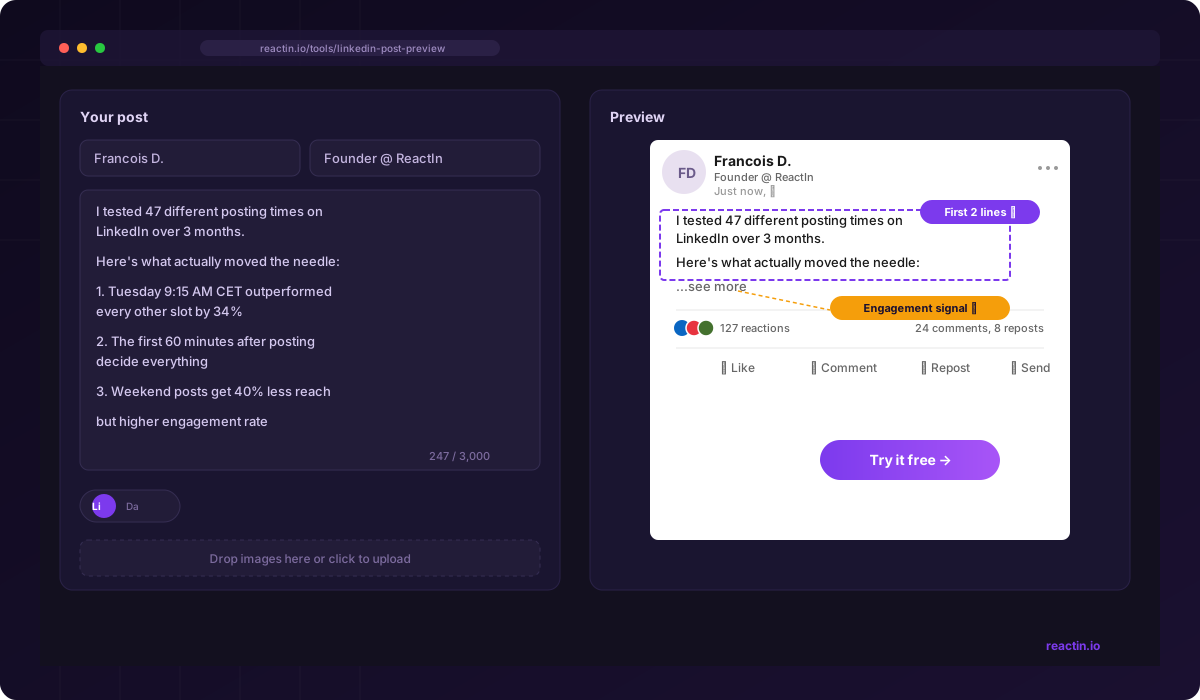
Pro tip for long posts: nail your hook (the first 2 lines before the 'See more' button). A post published at the right time but with a weak hook will go unnoticed. The reverse is also true: a strong hook can compensate for imperfect timing.
Carousels and PDF Documents
Carousels are LinkedIn's star format in 2026. They generate on average 2.5x more engagement than simple text posts. The best time to publish a carousel is Tuesday between 9 and 10 AM or Wednesday at 9 AM. Professionals save them in the morning to review later, which boosts the quality signal for the algorithm.
Avoid publishing carousels on Friday or weekends. This format requires cognitive investment (swiping through multiple slides), which is incompatible with the end-of-week 'disconnect' mode. Thursday morning (10-11 AM) is a solid alternative if Tuesday and Wednesday are already taken.
more engagement for carousels vs simple text posts, at equivalent posting time
LinkedIn Videos
Video requires attention and sound (or at minimum, subtitles). The best time to post a video is Tuesday at 9 AM or Wednesday at 12 PM. In the morning, professionals are at their desk with sound available (headphones, private office). During the Wednesday lunch break, they have time to watch a 2-3 minute video.
Videos published before 11 AM get 3x more watch time than those published after 3 PM. In the afternoon, scrolling is faster and people stop less on long formats. Keep your videos under 90 seconds to maximize completion rate, regardless of posting time.
LinkedIn Articles (Long-Form)
LinkedIn articles (native blog format) are a special case. They generate less immediate reach than regular posts, but have a longer lifespan thanks to Google indexing. The best time to publish an article is Wednesday between 8 and 9 AM or Tuesday at 9 AM.
Articles perform better early in the week when professionals are in 'learning mode.' Avoid Friday and weekends for articles: the format is too long for readers in relaxation mode. Articles published on Tuesday-Wednesday morning get 40% more complete reads than those published in the afternoon.
LinkedIn Polls
Polls are the format most tolerant of 'off-peak' posting times. Publishing a poll on Monday at 10 AM works well: people are in passive mode (not yet immersed in complex tasks) and voting requires just one click. Tuesday at 9 AM remains the absolute best for polls.
A poll runs for 1-2 weeks, so posting time mainly determines the first 24 hours of votes. Publish early in the week to maximize initial participation. Polls published on Thursday or Friday receive 30% fewer votes in the first 24 hours, as the weekend interrupts momentum.
How Often Should You Post on LinkedIn?
Timing is half the equation. The other half is frequency. Post too rarely and you fade from the feed. Post too often and you exhaust your audience (and yourself). Here's what the data says about how often to post on LinkedIn.
Optimal Posting Frequency
Our analysis shows a clear sweet spot. Posting 3-5 times per week maximizes total impressions while maintaining a strong engagement rate. Here's how frequency correlates with performance:
| Frequency | Avg. Engagement Rate | Total Weekly Reach |
|---|---|---|
| 1x/week | 5.2% | Baseline |
| 3-4x/week | 4.8% | 3.5x baseline |
| 5x/week (daily) | 4.1% | 4.2x baseline |
| 7x/week | 3.4% | 3.8x baseline |
Best Frequency by Goal
Your ideal posting cadence depends on what you're trying to achieve:
- Brand awareness: 4-5x/week. Volume matters. More posts = more impressions = more people who recognize your name. Quality can be slightly lower as long as it stays relevant.
- Lead generation: 3x/week. Prioritize quality over quantity. Each post should provide enough value that your audience wants to engage. Pair with ReactIn Pixel to capture every engager automatically.
- Thought leadership: 2-3x/week. Deep, insightful posts take time to write. Better to post 2 excellent pieces than 5 average ones. Your audience expects quality from thought leaders.
Key finding: posting more than 5x/week shows diminishing returns. Engagement rate drops faster than reach grows. The 3-4x/week sweet spot gives you 3.5x the weekly reach of 1x/week while keeping engagement rate near its peak.
is the optimal posting frequency for maximizing both reach and engagement rate
Best Times to Post B2B Content on LinkedIn
B2B content has distinct engagement patterns compared to B2C or personal brand content. Decision-makers, procurement teams, and technical buyers have predictable online habits that you can exploit for better reach.
When Decision-Makers Are Online
C-suite executives and VPs have different LinkedIn habits than individual contributors. Our data shows:
- C-suite (CEO, CTO, CFO): Most active 7-8 AM and 6-7 PM. They check LinkedIn before and after the workday, not during it.
- VPs and Directors: Peak activity 9-10 AM and 4-5 PM. Early morning strategy sessions lead to LinkedIn scrolling. Late afternoon is planning time.
- Managers and ICs: Active 10 AM - 12 PM and 1-2 PM. Standard mid-morning and post-lunch patterns. Most consistent engagement across the day.
B2B Timing by Industry
Different industries have different rhythms. Here's what we observed across verticals:
| Industry | Best Days | Peak Hours (CET) |
|---|---|---|
| SaaS / Tech | Tue-Wed | 9-11 AM |
| Finance / Banking | Tue-Thu | 7-9 AM |
| Consulting / Services | Wed-Thu | 10 AM - 12 PM |
| Manufacturing / Industrial | Tue-Wed | 11 AM - 1 PM |
Aligning Posting with the B2B Sales Cycle
Timing your content types to match the B2B buying cycle amplifies engagement:
- Awareness stage: Post educational content Tuesday-Wednesday morning. Problem-framing posts perform best when people are in learning mode early in the week.
- Consideration stage: Share case studies and comparisons Wednesday-Thursday. Mid-week is when teams discuss vendors and solutions internally.
- Decision stage: Post social proof (testimonials, results) Thursday-Friday morning. End-of-week is when final discussions happen before weekend reviews.
How LinkedIn's Algorithm Uses Timing
Understanding how LinkedIn's algorithm treats post timing helps you reverse-engineer better performance. Timing isn't just about when people are online -- it's about how the algorithm scores your post in its first critical minutes.
The "Golden Hour" Explained
LinkedIn's algorithm uses a three-phase distribution model. Your posting time determines how many people are available for each phase:
Phase 1: Quality Test (0-15 minutes)
Your post is shown to roughly 5-10% of your network. The algorithm measures initial engagement signals: dwell time (how long people spend reading), click-throughs, reactions, and comments. Post when more of your audience is online, and you pass this test faster.
Phase 2: Expansion (15-60 minutes)
If Phase 1 engagement is strong, distribution expands to 30-50% of your network. This is where the "golden hour" matters most. High engagement velocity during this window triggers exponential reach. The algorithm interprets rapid engagement as a signal of quality content.
Phase 3: Extended Reach (1-24 hours)
Top-performing posts break out of your network and appear in feeds of 2nd and 3rd-degree connections. This phase is fueled by comments (especially back-and-forth conversations) and shares. Posts that reach Phase 3 can generate impressions for up to 48 hours.
Engagement Velocity: Why Speed Matters
It's not just total engagement that matters -- it's the speed of engagement. A post that gets 20 reactions in 15 minutes outranks a post that gets 50 reactions over 6 hours. The algorithm favors acceleration.
This is why posting time is critical. Publish at peak activity hours and you get faster engagement, which triggers wider distribution, which generates more engagement. It's a flywheel that starts with timing.
wider distribution for posts with strong first-hour engagement vs posts with slow starts
Timing Signals the Algorithm Tracks
LinkedIn's algorithm considers several timing-related signals when scoring your post:
- Dwell time: How long readers spend on your post. Morning readers tend to spend more time than afternoon scrollers.
- Comment depth: Back-and-forth replies count more than single reactions. Posts during peak hours attract more conversations.
- Save rate: Posts saved for later are a strong quality signal. Morning posts get saved more ("I'll read this at lunch").
- Share velocity: How quickly people share your post. High-share-rate posts in the first hour can go viral.
Should You Post on LinkedIn on Weekends?
"Never post on weekends" is one of the most common LinkedIn tips. But is it always true? Let's look at what the data actually says about Saturday and Sunday posting.
Weekend Engagement: The Real Numbers
Overall, weekend posts underperform significantly. But the picture is more nuanced than "don't bother."
| Metric | Weekday Average | Weekend Average |
|---|---|---|
| Impressions | Baseline (100%) | 31% of baseline |
| Engagement rate | 4.8% | 3.1% |
| Comment rate | 1.2% | 0.6% |
Saturday vs Sunday: Which Is Better?
Saturday slightly outperforms Sunday. Saturday engagement peaks at 10-11 AM and sees a smaller window of activity. Sunday is the weakest day of the entire week, with engagement concentrated in a brief 9-10 AM window before it drops off sharply.
The key difference: Saturday scrollers tend to be more relaxed and engage with personal, storytelling content. Sunday scrollers are often in "prep for Monday" mode and more receptive to industry news and career content.
When Weekend Posting Is Worth It
Despite lower engagement averages, there are scenarios where posting on weekends can be strategic:
- Less competition: 60% fewer posts go live on weekends. Your content has less noise to compete with. Some creators report higher per-impression engagement on Saturdays.
- Personal brand content: Vulnerable, personal, or storytelling posts can perform well on Saturday mornings when the feed is quieter and people browse leisurely.
- B2C audiences: If you target consumers (recruiters, job seekers, freelancers), weekends can be surprisingly effective. These audiences browse LinkedIn outside business hours.
- Sunday evening prep: Posts published Sunday 5-7 PM can catch "Sunday scaries" scrollers who are mentally preparing for Monday. This is a narrow but effective window for motivational content.
Best Time to Post on LinkedIn: Day-by-Day Deep-Dive
Wondering what the best time to post on LinkedIn on a specific day is? Here's a detailed breakdown of optimal time windows for every day of the week, so you can maximize engagement regardless of when you publish.
Best Time to Post on LinkedIn on Monday
Optimal window: 11 AM - 1 PM (CET). Monday is a slow-start day on LinkedIn. Professionals are clearing email backlogs, attending standup meetings, and planning the week ahead. Avoid posting before 10 AM -- your content will get buried under the Monday inbox avalanche.
The lunch window (12-1 PM) is your safest bet on Monday. By then, people have settled into the week and start taking LinkedIn breaks. Short, actionable content performs best on Mondays -- save your long-form pieces for Tuesday or Wednesday.
Best Time to Post on LinkedIn on Tuesday
Optimal windows: 9-11 AM and 3-5 PM (CET). Tuesday is the best day to post on LinkedIn, period. Morning posts (9-10 AM) catch professionals at peak attention. The afternoon window (3-5 PM) is a secondary peak driven by end-of-day scrolling.
Tuesday is ideal for all content types -- long-form posts, carousels, videos, and polls all perform at their weekly best. If you publish only one post per week, make it Tuesday between 9 and 10 AM in your audience's timezone.
Best Time to Post on LinkedIn on Wednesday
Optimal windows: 9 AM, 12 PM, and 5-6 PM (CET). Wednesday is the most consistent day on LinkedIn. While it doesn't hit the same peaks as Tuesday, engagement stays stable throughout the day with three distinct windows of opportunity.
The 12 PM lunch break spike on Wednesday is particularly strong -- stronger than any other day's lunch window. If you're posting long-form content or carousels, Wednesday morning (9 AM) is the safest choice for reliable performance.
Best Time to Post on LinkedIn on Thursday
Optimal window: 10 AM - 12 PM (CET). Thursday has the highest comment rate of any day (+34% vs Monday). Professional discussions peak as people plan for Friday and the week ahead. Decision-makers are particularly active on Thursday mornings.
Thursday is the best day for thought-provoking or opinion-driven content. Posts that invite discussion ("Do you agree?", "What's your take?") see the highest comment rates on Thursday late morning. Avoid posting after 3 PM -- engagement drops as people wind down for the week.
Best Time to Post on LinkedIn on Friday
Optimal window: 9-11 AM only (CET). Friday is a "morning only" day on LinkedIn. Engagement scores just 62 out of 100 compared to Tuesday's peak. After 3 PM, engagement drops by 60% as professionals mentally check out for the weekend.
Keep Friday content light and easy to consume -- quick tips, polls, fun takes, or weekly roundups. Long-form content struggles on Friday because attention spans are shorter. If you post 3-4 times per week, Friday should be your lowest-priority day after the Tuesday-Thursday window.
Best Time to Post on LinkedIn on Saturday
Optimal window: 10-11 AM (CET). Saturday engagement is low (31 out of 100), but there's a silver lining: 60% fewer posts go live on weekends, meaning less competition for attention. Some creators report higher per-impression engagement on Saturday mornings.
Saturday works best for personal stories, behind-the-scenes content, and casual posts that don't require deep professional focus. B2C audiences (job seekers, freelancers, career changers) are more active on Saturday than B2B decision-makers.
Best Time to Post on LinkedIn on Sunday
Optimal window: 9-10 AM or 5-7 PM (CET). Sunday is the lowest engagement day overall (28 out of 100). The morning window is brief and weak. However, the Sunday evening slot (5-7 PM) captures "Sunday scaries" scrollers who are mentally preparing for Monday.
If you must post on Sunday, the evening window is surprisingly effective for motivational, career-reflection, or industry-outlook content. Avoid Sunday for B2B product or service content -- save that for Tuesday through Thursday.
| Day | Best Time Window (CET) | Engagement Index | Best Content Type |
|---|---|---|---|
| Monday | 11 AM - 1 PM | 73/100 | Short updates, polls |
| Tuesday | 9-11 AM, 3-5 PM | 100/100 | All formats |
| Wednesday | 9 AM, 12 PM, 5-6 PM | 95/100 | Long-form, carousels |
| Thursday | 10 AM - 12 PM | 91/100 | Discussion posts, opinions |
| Friday | 9-11 AM only | 62/100 | Quick tips, light content |
| Saturday | 10-11 AM | 31/100 | Personal stories |
| Sunday | 9-10 AM or 5-7 PM | 28/100 | Motivational, career reflection |
LinkedIn Ads: Best Time to Schedule Sponsored Content
Scheduling LinkedIn ads follows different rules than organic posting. While organic reach depends heavily on the algorithm's first-hour test, sponsored content has guaranteed distribution. But timing still matters for click-through rates, cost per click, and conversion rates.
Organic vs Paid: How Timing Differs
Organic posts live or die by the first 60 minutes of engagement. LinkedIn ads bypass this test entirely -- your budget guarantees impressions. However, the timing of those impressions affects whether people actually engage with your ad.
The key difference: for organic, you optimize for when your audience is online. For ads, you optimize for when your audience is in a decision-making or action-taking mindset. These two windows often overlap, but not always.
| Ad Format | Best Schedule | Why |
|---|---|---|
| Sponsored Content (feed ads) | Tue-Thu, 8 AM - 12 PM | Professionals are in browse-and-discover mode |
| Message Ads (InMail) | Tue-Wed, 9-10 AM | InMail open rates peak when inboxes are less crowded |
| Lead Gen Forms | Wed-Thu, 10 AM - 2 PM | Mid-week, mid-day is when professionals fill out forms |
Best Practices for LinkedIn Ad Scheduling
LinkedIn Campaign Manager lets you run ads 24/7 or set custom schedules. Here's how to optimize your ad schedule for maximum ROI:
- Run ads Tuesday through Thursday only. Weekend ad spend typically returns 40-60% lower CTR at the same cost per impression.
- Daypart your campaigns: set ads to run 7 AM - 6 PM in your target audience's timezone. Night impressions are wasted budget.
- For global campaigns, create separate campaigns per timezone region. A single always-on campaign wastes budget on low-activity hours.
- Front-load your weekly budget: allocate 60% of spend to Tuesday-Wednesday and 40% to Thursday-Friday. Monday ad performance is inconsistent.
Timing and Cost: When LinkedIn Ads Are Cheapest
LinkedIn ad costs fluctuate based on competition. More advertisers bidding during peak hours means higher CPCs. Ironically, the best times for engagement are also the most expensive.
A smart strategy: run awareness campaigns during off-peak hours (early morning, late afternoon) when CPCs are 15-25% lower, and run conversion-focused campaigns during peak hours (9-11 AM) when decision-makers are most likely to take action.
lower cost per click for LinkedIn ads scheduled during off-peak hours vs peak hours
The Myth of "Perfect Posting Times"
There is no universal best time. Period.
Those "Tuesday 9 AM" recommendations are averages across millions of posts. Your audience is NOT average.
“When I followed generic advice (Tuesday 9 AM), engagement was solid but not amazing. Average post: 15K impressions, 200 likes. When I tested MY audience's behavior, I found my best time was Tuesday 9:30 AM CET. That 30-minute shift increased my average engagement by 23%.”
Your network is different. Your best time is different. Stop guessing. Start testing.
How to Find YOUR Best Time to Post
Here's the 4-step method we use.
Track your current performance
For the next 4 weeks, post at different times. Track day, time, impressions, and engagement rate. Use LinkedIn native analytics or a simple spreadsheet.
Test systematically
Week 1: Post Tue/Wed/Thu at 9 AM. Week 2: Same days at 12 PM. Week 3: Same days at 3 PM. Week 4: Test Monday/Friday. Keep content type consistent. Don't test video vs text at the same time as timing.
Analyze patterns
Which day had the highest engagement? Which time had the most impressions? Which combo sparked the most comments? The data tells you clearly.
Double down and stay consistent
Found your pattern? Post at those times for 8 weeks straight. LinkedIn's algorithm learns when your audience engages. Consistency compounds. Result: average impressions increased 34% over 6 months from timing optimization alone.
Advanced Timing Strategies
The "First Hour" Rule
LinkedIn's algorithm decides your post's fate in the first 60 minutes. In the first 15 minutes, it tests your post with ~10% of your network. Strong engagement? It expands to 30-50% in the next hour.
Strategy: Post when your most engaged connections are online. Their early likes and comments trigger wider distribution.
The "Two-Post" Strategy
Global audience (US + EU)? Post twice with different content, same theme:
- Morning (9 AM CET): "Here's the problem with [X]"
- Afternoon (4 PM CET / 10 AM EST): "Here's how to fix [X]"
Result: 2x reach without spamming the same audience.
The "Comment Boost" Hack
Post at your best time. Then come back 45-60 minutes later to reply to comments. Each reply round triggers a mini-boost in the algorithm. It extends your post's reach for hours.
Common Timing Mistakes
You Know When to Post. Now Capture the Leads.
You've optimized your posting schedule. Great. But here's what most people miss.
Every post you publish generates engagement signals. People like, comment, share. These are warm leads. They already know you. They already care about your topic. And most founders just... let them scroll away.
What ReactIn LinkedIn Pixel Does
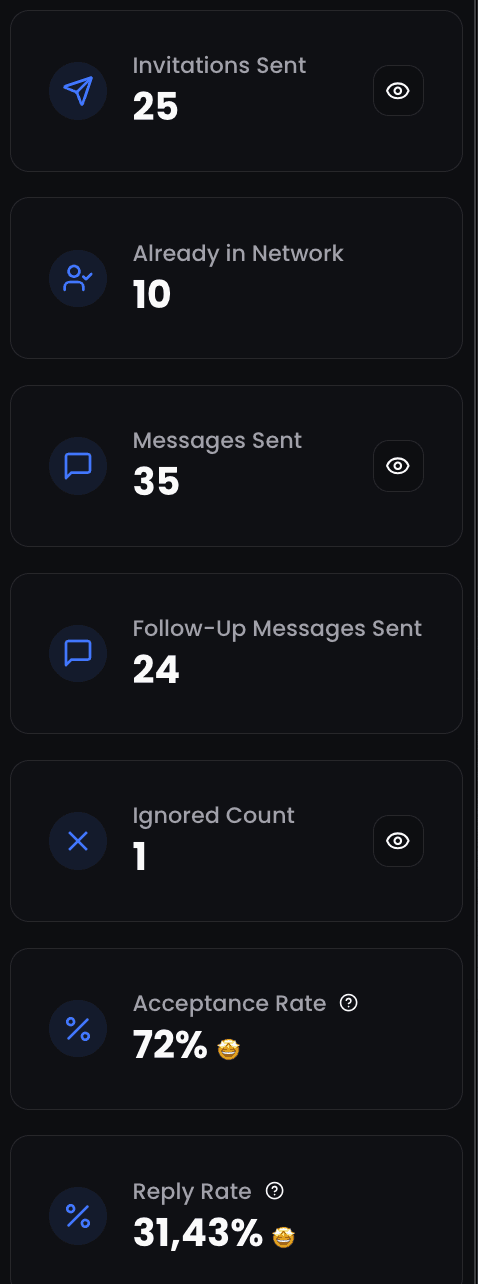
The Pixel automatically scrapes everyone who engages with your posts. Likes, comments, shares. All captured into a lead list, automatically.
- Someone likes your post? Scraped into your list.
- Someone comments? Scraped with their full profile.
- Someone shares? You now have their details.
- It runs weekly, across all your posts. Zero manual work.
Then What?
That's where outreach kicks in. Filter your engagers by job title, company size, or industry. Then launch automated sequences:
- Send personalized connection requests to people who liked your post
- DM commenters with a relevant follow-up
- Build retargeting audiences from people who engage week after week
The people who engage with your content are the warmest leads you'll find. Don't waste them.
leads added in one click from post engagers
Ready to automate? The signals are everywhere. Now go capture them.
“27% average reply rate across 5,000+ user campaigns”
This article is part of our LinkedIn Prospecting Guide 2026 - covering ICP definition, signal-based targeting, lookalike audiences, and pipeline building.
Frequently Asked Questions
Sources & Further Reading
- Cross-check our timing data against Buffer's analysis of 4.8 million posts in their best time to post on LinkedIn study.
- Sprout Social ran a parallel study across billions of engagements. See their best times to post on LinkedIn report.
Related Articles
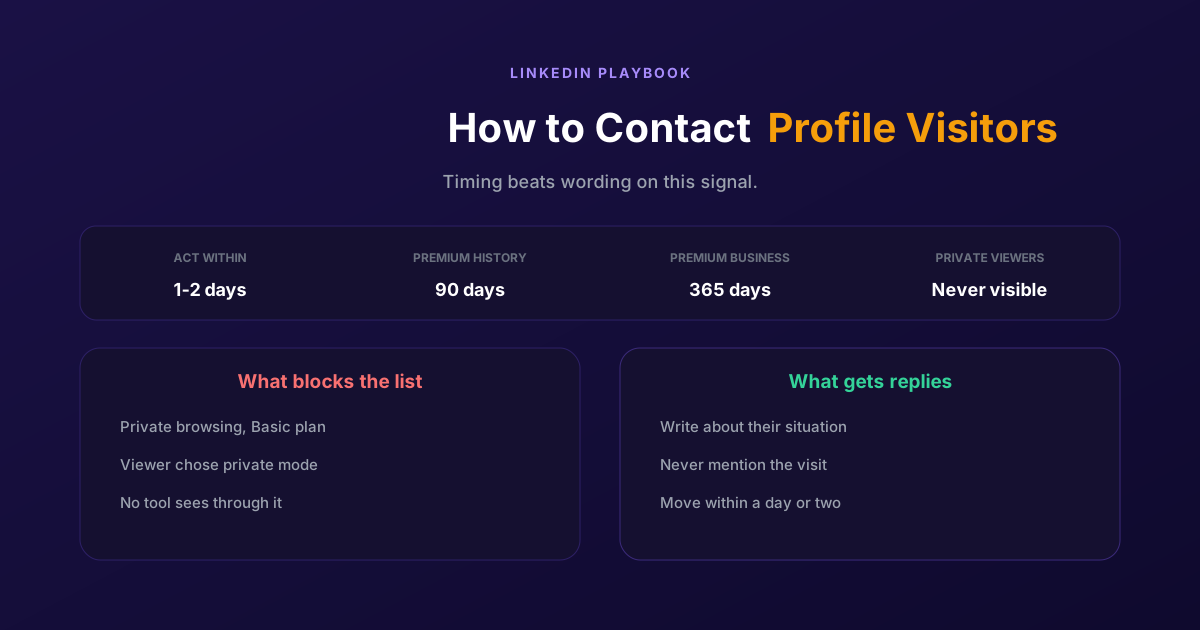
How to Contact LinkedIn Profile Visitors (2026 Guide)
A profile view is one of the warmest signals LinkedIn produces and one of the most wasted. Two settings decide whether you can see them at all, and the opening line decides whether it reads as noticed or surveilled.
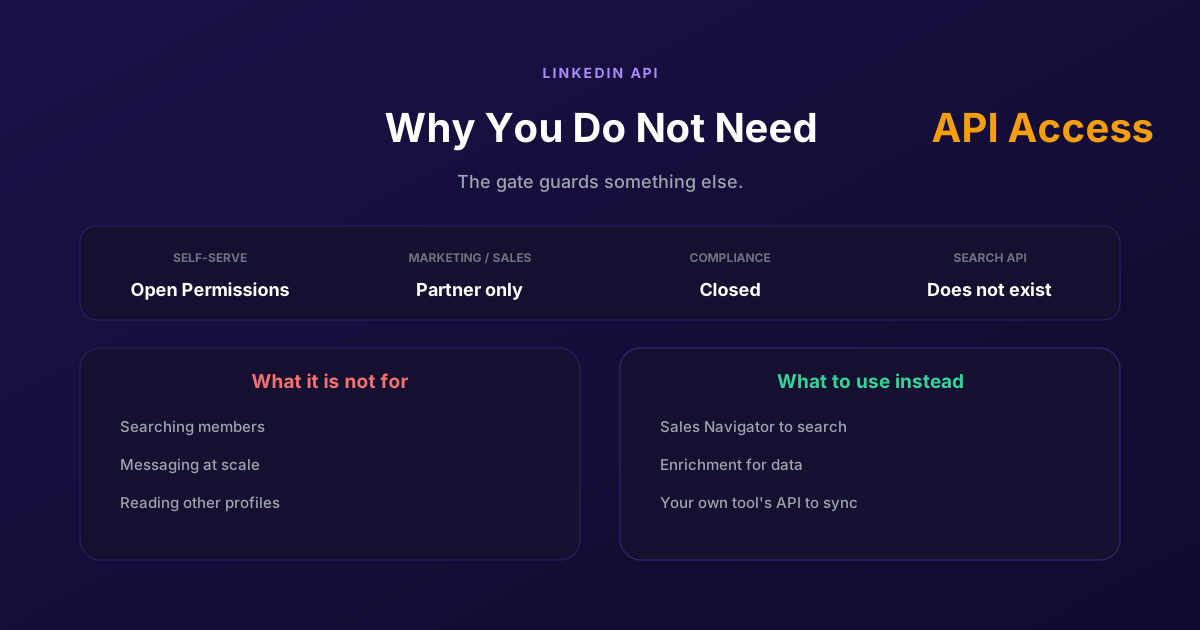
LinkedIn API Access: Why You Probably Do Not Need It
Self-serve access covers your own profile and posting as yourself. Marketing, Sales and Talent need partner approval, Compliance is closed, and none of them is a prospecting API, so approval would not deliver what most applicants want.
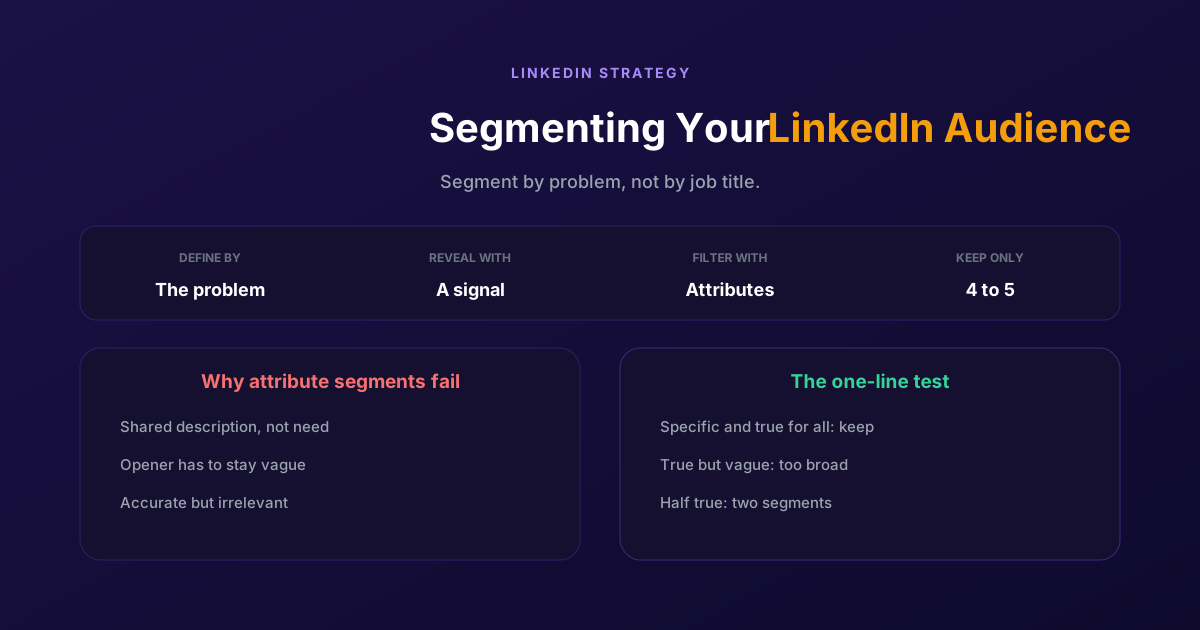
Segmenting Your LinkedIn Audience: A Practical Guide
Filtering by job title gives you people who look alike, not people who want the same thing. Segment by the problem you solve and the signal that reveals it, then use attributes only to narrow what remains.
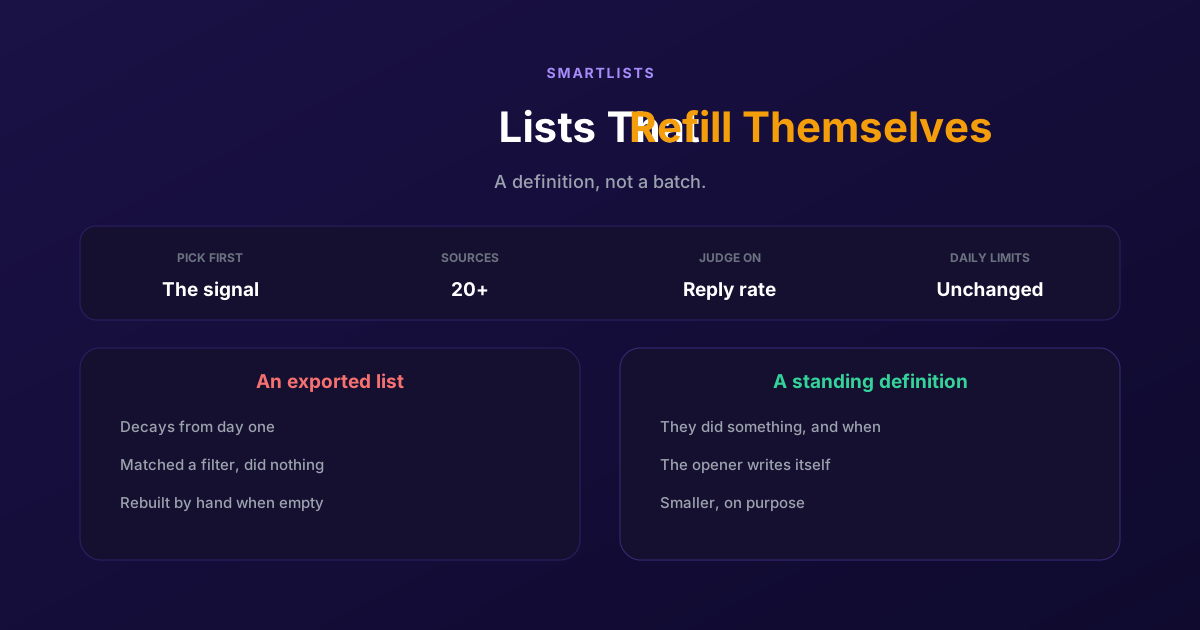
How to Generate LinkedIn Leads Continuously with SmartLists
An exported list is a photograph of a moment and decays from day one. A SmartList is a standing definition that fills itself, so people get contacted while the reason is still fresh.