ReactIn Alternatives & Comparisons 2026: Find the Right LinkedIn Tool
Compare ReactIn with every major LinkedIn automation tool in 2026. Head-to-head comparisons with BeReach, Gojiberry, Phantombuster, Waalaxy, and more. Find the right tool for your use case.
The LinkedIn automation market in 2026 has over 40 tools competing for your budget - and most of them look identical at first glance. Same promises, same feature checkboxes, same stock screenshots. The real differences only surface once you start running campaigns at scale.
This guide cuts through the noise. We compare ReactIn against every major alternative - with detailed head-to-head breakdowns for BeReach, Gojiberry, Waalaxy, and HeyReach, a quick-reference table for Phantombuster, Dripify, and Lemlist, plus a decision framework and migration playbook so you can switch tools without losing a single lead.
LinkedIn automation tools on the market in 2026
G2 + Capterra listings, June 2026
Whether you are evaluating ReactIn for the first time or comparing it against a tool you already use, this page gives you everything you need to make an informed decision.
Why Compare LinkedIn Automation Tools?
Choosing the wrong LinkedIn automation tool costs more than money. A bad tool wastes weeks of campaign setup, risks your LinkedIn account with unsafe sending patterns, and locks your lead data in a format you cannot export. Most teams only discover these problems after they have committed to a 12-month contract.
The LinkedIn outreach landscape has shifted dramatically since 2024. The old playbook - blast 100 connection requests per day with a generic template - no longer works. LinkedIn's detection algorithms have matured, acceptance rates on spray-and-pray campaigns have dropped below 15%, and buyers have become deaf to templated outreach.
- LinkedIn tightened weekly connection request caps to ~100-200 per week depending on account health
- AI-written messages are increasingly flagged by recipients (and by LinkedIn's own filters)
- Buyers expect context - they want to know why you are reaching out, not just that you exist
- Multi-channel stacks (LinkedIn + email + phone) require tools that share data, not silos
These shifts mean the tool you used in 2024 may not be the right tool for 2026. Comparing alternatives is not about chasing features - it is about finding the tool that matches how LinkedIn actually works today.
ReactIn at a Glance
ReactIn is an intent-based outbound operating system designed for B2B sales teams, agencies, and founders who need more than a sequencing tool. Instead of blasting lists, ReactIn detects buying signals and triggers outreach when a prospect is most likely to respond.
Key differentiators
- 20+ intent signal sources: LinkedIn post engagement, job changes, company growth, webinar attendance, Stripe payments, Calendly bookings, Tally form submissions, and more - all feeding SmartLists automatically.
- AI enrichment built in: Every lead gets enriched with company data, headline parsing, and custom AI columns you define (ICP scoring, icebreaker generation, industry classification). 2,000 credits included per sender.
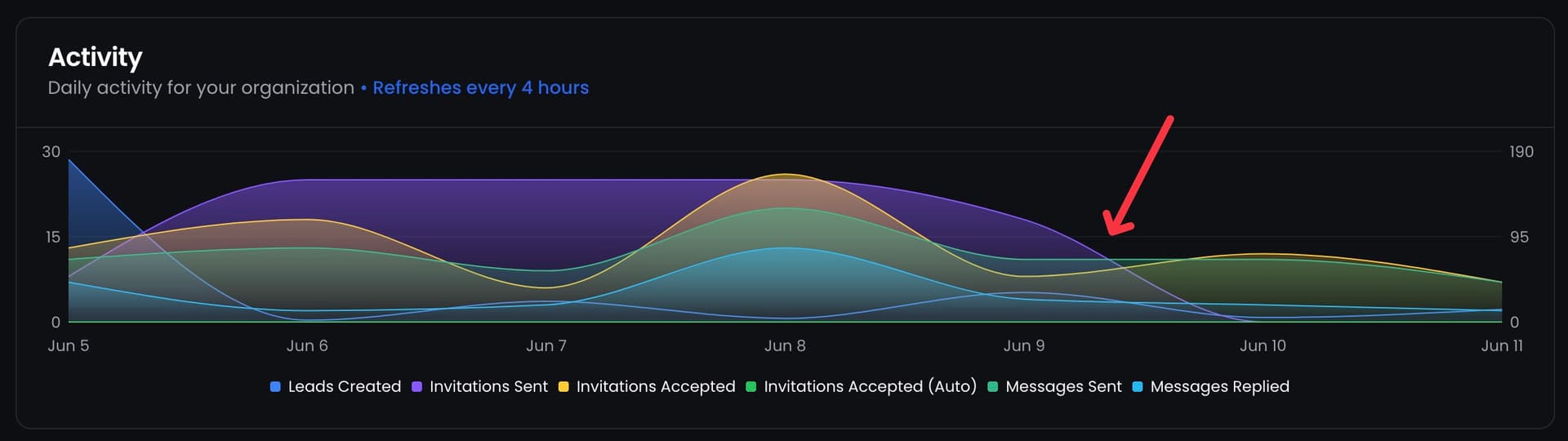
- Campaign ponderation: Run cold campaigns and always-on signal campaigns side by side with a 90/5/5 volume split - no other tool offers this granularity.
- Unified inbox with sender rotation: Manage all LinkedIn conversations from one place, rotate across sender accounts to protect account health.
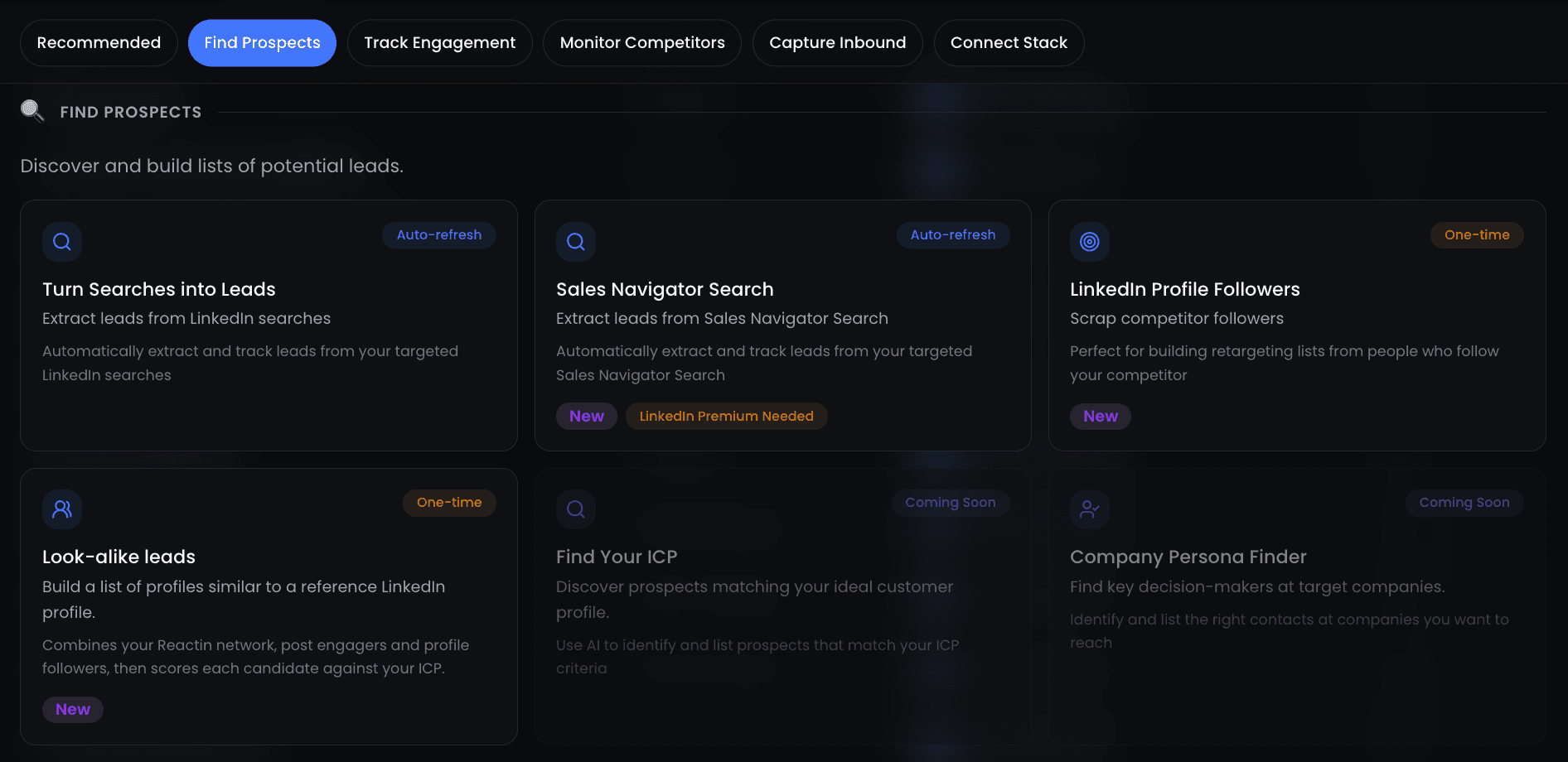
- Lookalike Leads: Drop a LinkedIn profile, describe your ICP, and get up to 100 matching prospects in 3 minutes - the Meta Lookalike playbook, applied to B2B.
Pricing
ReactIn keeps pricing simple - two plans, both per sender per month, with a 7-day free trial on both.
| Plan | Price | Key features |
|---|---|---|
| Basic | $29/sender/mo | SmartLists, intent triggers, AI enrichment (2K credits), campaign builder, analytics |
| Growth | $69/sender/mo | Everything in Basic + inbox rotation, campaign ponderation, Lookalike Leads, priority support |
Who is ReactIn for?
ReactIn works best for B2B sales teams (2-50 senders), lead generation agencies managing multiple client accounts, and solo founders who want to run intent-based outreach without hiring an SDR. If you need raw API access or a developer-first platform, ReactIn is not the right fit - see the BeReach comparison below.
Average reply rate across 5,000+ ReactIn campaigns
Head-to-Head Comparisons
We have published detailed, feature-by-feature comparisons for two direct competitors. Each article covers pricing, features, use cases, and a clear verdict. Here is the executive summary of each.
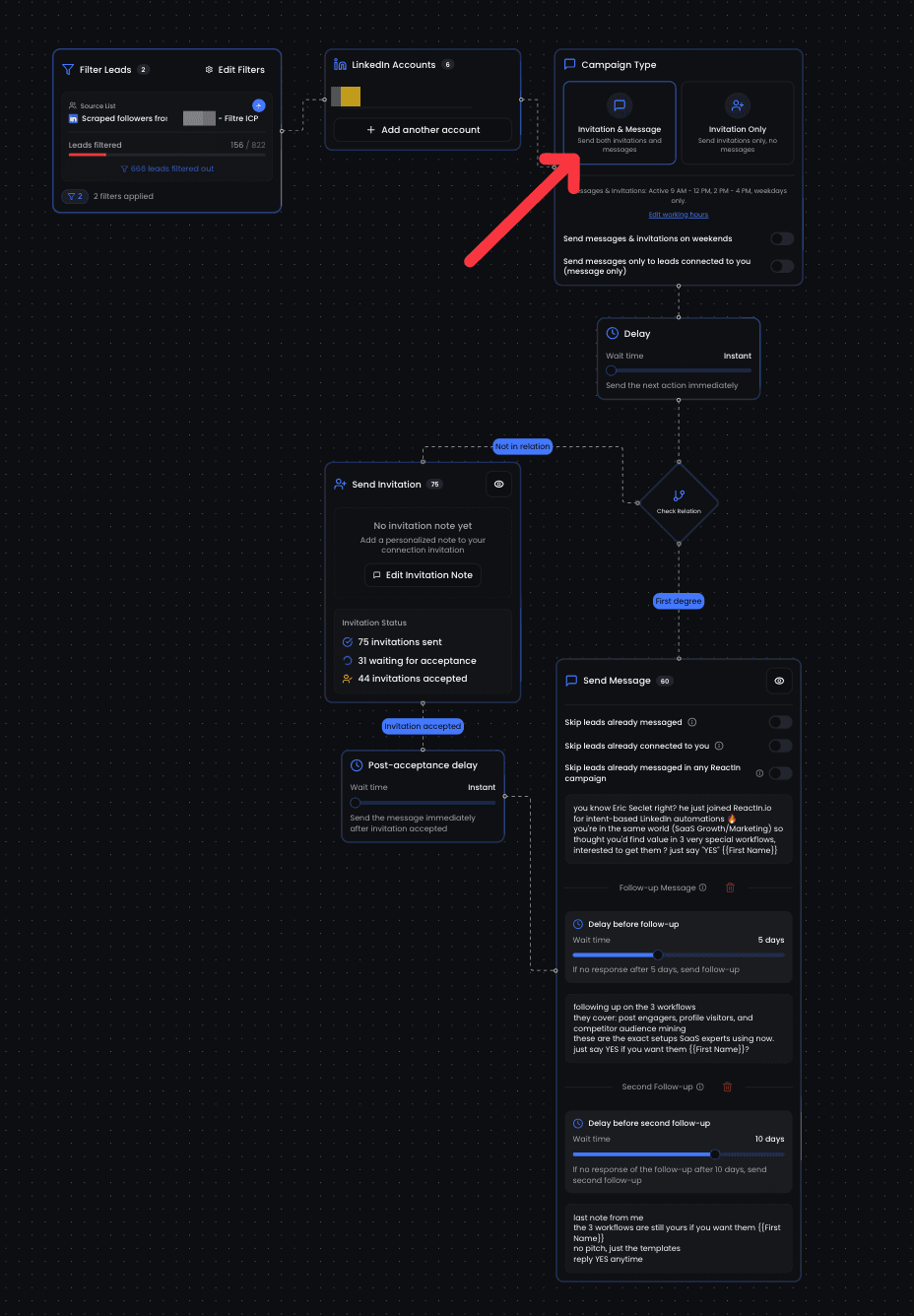
ReactIn vs BeReach
BeReach is a LinkedIn API for developers - 70+ REST endpoints, no UI. ReactIn is a complete outbound OS for sales teams. The core tradeoff: BeReach gives you maximum flexibility if you can code; ReactIn gives you results on day one without writing a line.
- BeReach has no visual campaign builder, no SmartLists, and no team inbox - you build everything yourself or pay €499/mo for their done-for-you service
- ReactIn includes 20+ intent signal sources vs BeReach's LinkedIn-only engagement tracking
- ReactIn starts at $29/sender/mo; BeReach starts at €49/mo for API access alone
Read the full ReactIn vs BeReach comparison
ReactIn vs Gojiberry
Gojiberry is an AI SDR black box - it writes and sends messages autonomously, with limited visibility into what goes out. ReactIn gives you intent signals with full control: you write the templates, set the filters, and approve the sequences.
- Gojiberry costs $99/mo per sender with no transparency on message content before it sends
- ReactIn lets you preview every message, edit templates with variables, and set campaign ponderation
- ReactIn supports unlimited senders on both plans; Gojiberry charges per seat with no volume discount
Read the full ReactIn vs Gojiberry comparison
ReactIn vs Waalaxy
Waalaxy is one of the most popular LinkedIn automation tools in Europe, known for its beginner-friendly interface and multichannel sequences (LinkedIn + email). But Waalaxy is built for blast campaigns - there are no intent signals, no AI enrichment, and no way to weight volume across campaigns.
- Waalaxy has no intent signal detection - every campaign is a cold blast from a static list
- No AI enrichment columns, no SmartLists, and no campaign ponderation - what you import is what you send to
- Pricing runs from around EUR19/mo to EUR69/mo per user, cheap but with the better features gated by tier; ReactIn includes everything at $69/sender/mo (verified August 2026)
Read the full ReactIn vs Waalaxy comparison
ReactIn vs HeyReach
HeyReach is built for agencies that need sender rotation across multiple LinkedIn accounts. Its plans carry a unified inbox, multichannel outreach, API and enrichment credits, with whitelabel from the Agency tier. What it excels at is distributing volume; what it has no answer for is targeting: no intent signal detection, no AI enrichment columns, no campaign weighting.
- HeyReach has no intent signals, no SmartLists and no AI enrichment columns. It is a volume tool, not an intent tool
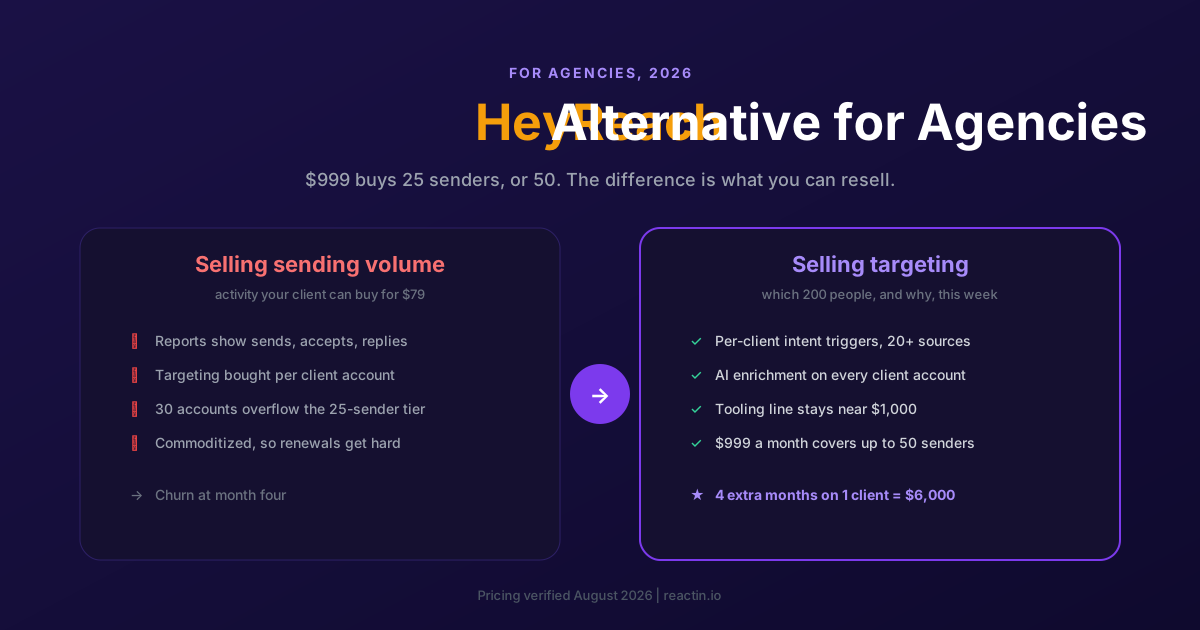
- Growth is $79/sender/mo and the Agency plan is $999/mo for 25 senders; ReactIn includes smart rotation at $69/sender/mo and its agency plan covers up to 50 senders for the same $999 (verified August 2026)
- ReactIn adds campaign ponderation, 20+ trigger sources, and AI enrichment - features HeyReach does not offer at any price
Read the full ReactIn vs HeyReach comparison
ReactIn vs Other LinkedIn Automation Tools
Beyond the detailed head-to-heads above, here is how ReactIn stacks up against four other popular tools in a quick-reference format. This table focuses on the dimensions that matter most when evaluating alternatives: intent signals, enrichment, pricing model, and account safety.
| Feature | ReactIn | Phantombuster | Waalaxy | Dripify | Lemlist |
|---|---|---|---|---|---|
| Intent signal detection | 20+ sources, auto SmartLists | Manual scraping only | No native signals | No native signals | Basic (email opens, clicks) |
| AI enrichment | Built-in, 2K credits/sender | Separate tool needed | Email finder only | No | Email finder + verifier |
| Campaign ponderation | Yes (90/5/5 volume split) | No (one Phantom at a time) | No (one campaign per account) | No (sequential only) | No |
| Pricing (per sender/mo) | $29 - $69 | $69 - $159 (slot-based) | €60 - €80 | $59 - $99 | $69 - $99 |
| Lookalike Leads | Yes (ICP-based, 100 leads) | No | No | No | No |
| Inbox management | Unified inbox + rotation | No inbox | Basic inbox | Basic inbox | Multi-channel inbox |
| Account safety model | Cloud-based, human-like delays | Cloud (IP risk per slot) | Cloud, shared IPs | Cloud, shared IPs | Cloud, dedicated IPs (higher plan) |
For a deep dive into tool rankings, read our Best LinkedIn Automation Tools 2026 (Top 6 Ranked) guide. Agencies should also check Best LinkedIn Automation Tool for Agencies 2026 for multi-account pricing breakdowns.
For the full LinkedIn tool stack beyond automation, see our Best LinkedIn Tools guide for 2026.
Comparing HeyReach specifically? We have a dedicated cluster: the best HeyReach alternatives for 2026, a full HeyReach pricing breakdown, and the best HeyReach alternative for agencies.
How to Choose the Right LinkedIn Automation Tool
Features matter, but the right tool depends on your specific situation. Use this five-step framework to narrow your shortlist before starting a trial.
Define your outreach model
Are you running cold outreach to scraped lists, intent-based campaigns triggered by buying signals, or a mix of both? Cold-only teams can get by with simpler tools. Intent-based teams need signal detection and SmartLists - which rules out most of the market.
Count your senders
Pricing models vary wildly. Some tools charge per seat, others per slot, others per feature tier. Calculate your true cost for 5 and 10 senders - not just one. Tools that look cheap at 1 seat often become the most expensive at scale.
Check data portability
Can you export your leads, conversation history, and campaign data in CSV or via API? If not, you are locked in. ReactIn supports full CSV export and API access on all plans.
Test account safety features
During your trial, watch for: warm-up guidance, daily sending limits, human-like delay patterns, and what happens when LinkedIn flags activity. A tool that gets your account restricted is worse than no tool at all.
Run a real campaign, not a demo
Do not evaluate tools based on screenshots or demo environments. Run a real 50-lead campaign during your trial. Measure connection acceptance rate, reply rate, and time-to-first-reply. Those numbers tell you more than any feature list.
Want to learn automation strategy, not just tools? Read our Complete LinkedIn Automation Playbook for 2026.
Migration Guide: How to Switch LinkedIn Automation Tools
Switching tools does not have to mean losing leads or starting from scratch. Follow this four-step process to migrate cleanly in under a week.
Step-by-step migration process
Export everything from your current tool
Download all lead lists as CSV, export conversation history if available, and screenshot your campaign sequences and templates. Most tools let you export leads but not conversations - save what you can before canceling.
Pause, do not delete, active campaigns
Pause all running campaigns in your old tool so leads mid-sequence do not receive duplicate messages. Leave the tool active for 7 days after migration to catch any pending replies that come through the old inbox.
Import leads and rebuild campaigns in ReactIn
Upload your CSV to a ReactIn SmartList. Recreate your campaign sequences using ReactIn's template builder - most teams find the intent triggers and AI enrichment make their old templates obsolete anyway. Connect your LinkedIn account and set low daily limits if the account has been inactive, then increase them gradually over a few weeks.
Run a validation campaign
Before scaling, run a 25-50 lead test campaign to verify your sequences, check deliverability, and confirm that SmartList triggers fire correctly. Once validation passes, scale to full volume.
Common pitfalls to avoid
- Running two tools simultaneously: Never have two automation tools connected to the same LinkedIn account at the same time. This doubles your sending volume and almost guarantees a restriction.
- Skipping warmup after migration: Even if your account was active on another tool, connect it to ReactIn with low daily limits and increase them gradually. Different IP patterns require re-establishing trust with LinkedIn.
- Not updating exclusion lists: Import your exclusion/blocklist from the old tool into ReactIn. Otherwise you risk re-contacting leads who already declined or unsubscribed.
Average migration time from any tool to ReactIn (including validation campaign)
The LinkedIn automation landscape will keep evolving, and we will keep updating this page with new comparisons as we publish them. If you are evaluating tools today, the decision framework in Section 5 will help you cut through the marketing noise.
Ready to see how ReactIn performs against your current tool? Start a free 7-day trial - no credit card required, full Growth features included.
Frequently Asked Questions
Sources & Further Reading
- To explore how different tools stack up across the industry, see the G2 Grid for LinkedIn Automation Software - an independent ranking based on real user reviews and market presence.
- You can also browse Capterra's LinkedIn Tools category for side-by-side feature comparisons and verified user ratings.
Related Articles
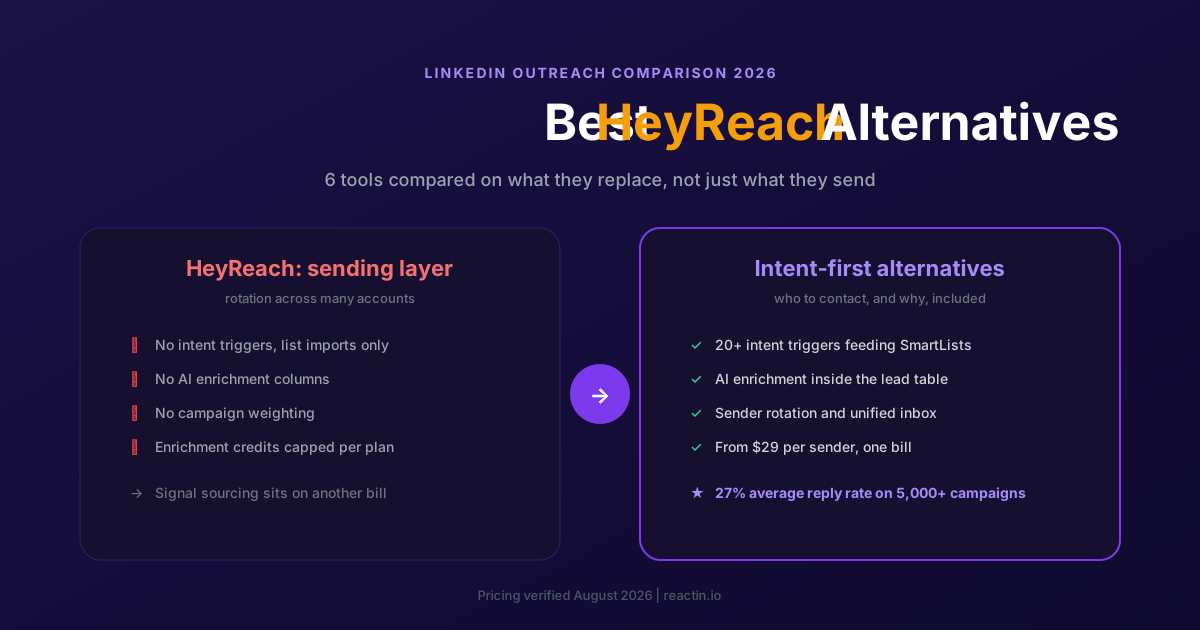
The 6 Best HeyReach Alternatives in 2026 (Priced and Compared)
HeyReach scales sending across many accounts, but it does not tell you who to contact. Here are the 6 best alternatives for 2026, with verified pricing and the cost of the stack HeyReach does not include.
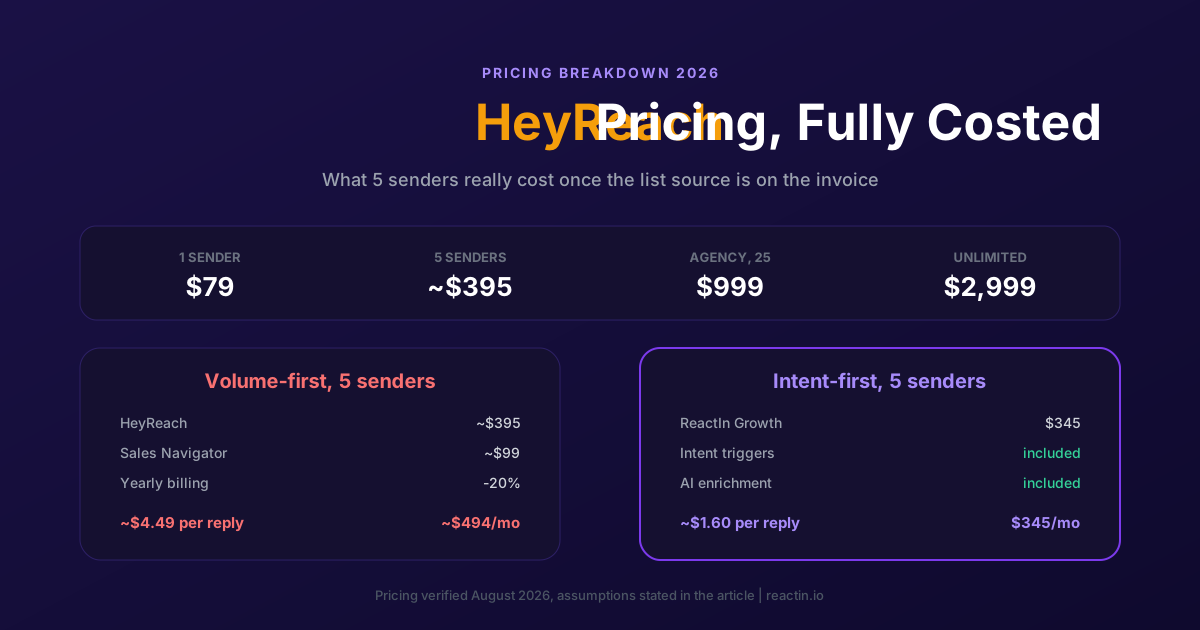
HeyReach Pricing in 2026: Real Cost per Sender and 5 Cheaper Alternatives
HeyReach Growth starts at $79 per sender, Agency is $999 for 25 senders and Unlimited is $2,999. Here is every plan, what the price includes and leaves out, and how to compare cost per reply instead of cost per seat.
The Best HeyReach Alternative for Agencies in 2026 (5 Options Compared)
Agencies rarely leave HeyReach because the sending broke. They leave because volume services get commoditized. Here are 5 options compared on margin per client and months retained.
The 6 Best Waalaxy Alternatives in 2026 (Cloud Tools, No Extension)
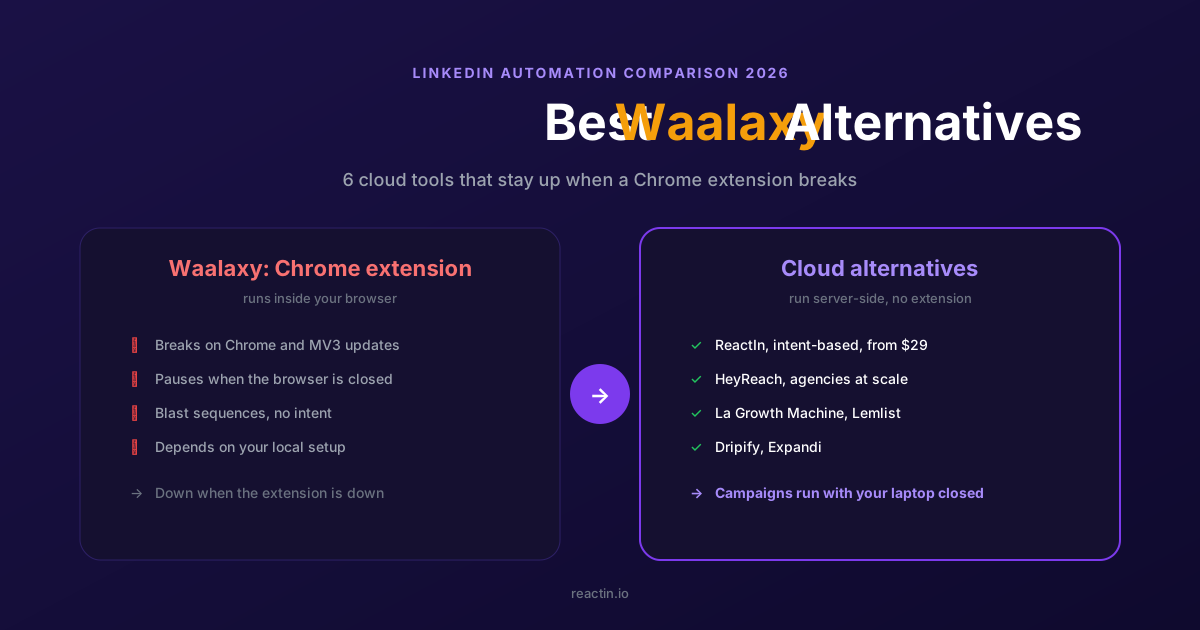
Waalaxy runs as a Chrome extension that pauses when the browser breaks. Here are the 6 best cloud-based alternatives for 2026, with verified pricing and the right pick for your motion.