Free LinkedIn Likes in 2026: What Actually Works, Plus 5 Free LinkedIn Tools
Free LinkedIn likes without the traps: what earns likes on your own posts, what the like-exchange sites really do, and 5 free ReactIn tools, no login required, to write better posts, see who liked any post and export followers.

Most B2B professionals spend hours every week on LinkedIn - writing posts, chasing engagement, trying to generate leads - without a clear system. They either pay $200+/month for tools they barely use, or they do everything manually and burn out.
There is a third option. A set of free, purpose-built tools that cover the entire LinkedIn content-to-leads pipeline: previewing posts, scraping engagement data, generating hooks, and getting AI-powered GTM coaching. And if you came for free LinkedIn likes, the first section gives the honest answer: what earns them, and what the sites that promise them really do.
covering the full LinkedIn content-to-leads pipeline
ReactIn Free Tools Suite
ReactIn built these five free tools because the best LinkedIn strategy starts before you spend a dollar. Master your content, understand your audience, and refine your messaging - all for free. Then scale with automation when you are ready.
Free LinkedIn Likes: What Actually Works
Most searches for free LinkedIn likes mean one of two things: more likes on your own posts, or the list of people behind the likes on a post. The first has a few honest answers and a lot of traps. The second is a free lead list. None of the five tools below sends likes to a post.
How to get free LinkedIn likes on your own posts
The likes that cost nothing and last come from the post itself. Open with a hook that earns the "see more" click, write about one problem your buyers actually have, and reply to every comment in the first hour, since early engagement decides how far LinkedIn pushes a post. Timing matters too: the best time to post on LinkedIn depends on when your own audience is online, not on a universal slot. The Hook Generator and the Post Preview below cover the hook and the fold for free.
Free LinkedIn likes without login: what those sites really do
Sites that promise free LinkedIn likes without login ask for a post URL and send likes from accounts they control: fake profiles, or real ones trading likes. Engagement pods and like-for-like groups do the same with your own network. LinkedIn's rules forbid inflated engagement, and it removes those reactions when it catches them. A post liked by people who have nothing to do with your topic also reaches fewer of the right people: the count goes up for a day, the reach of your next posts does not.
Free LinkedIn post likes, read the other way
The likes on a post are also a free lead list. Every person who liked a post about your topic told you what they care about. Paste the post URL into the LinkedIn Likes Scraper and you get their names, headlines and profile links, free and without login, so you talk to real people instead of paying for a number.
The 5 Free LinkedIn Tools at a Glance
What each tool does, what the free version includes, and when to open it. None of them asks for your LinkedIn password or a browser extension.
| Tool | What it does | Free version | Best for |
|---|---|---|---|
| Likes Scraper | Lists who liked a public post, CSV export | 1 post per week, sample of likers | Turning post engagement into a lead list |
| Follower Scraper | Lists the followers of a profile or company page | 1 profile per week, sample of followers | Reaching a competitor's or a creator's audience |
| Post Preview | Shows your post as the feed renders it | Unlimited, nothing stored | Keeping the hook above the "See more" fold |
| Hook Generator | Rewrites your first lines in 10 hook styles | 15 generations per day | Posts that stall after two lines |
| GTM Coach | Builds a 90-day LinkedIn plan from your ICP | Unlimited, no login | Knowing where to start on LinkedIn |
1. Why Free LinkedIn Tools Matter in 2026
The LinkedIn tool market has exploded. There are now over 200 LinkedIn-related SaaS products, from automation platforms to analytics dashboards. Most charge $50-$200/month. For solo founders, freelancers, and early-stage teams, that cost adds up fast - especially when you are still figuring out what works.
Free tools solve the discovery problem. They let you experiment with LinkedIn strategies - content creation, audience analysis, lead generation - without financial commitment. Once you find what moves the needle, you can invest in paid tools that scale those winning patterns.
The Free Tool Advantage
Here is why starting with free tools is not just budget-friendly but strategically smart:
- Zero-risk experimentation: Test different content hooks, posting formats, and audience targeting approaches without worrying about wasted subscription fees.
- Skill building before scaling: Master the fundamentals of LinkedIn content and lead generation. When you add automation later, you will automate a process that already works - not amplify a broken one.
- Immediate value: No onboarding calls, no credit card required, no 14-day trial clocks. Open the tool, use it, get results.
- Data-driven decisions: Free scraping and analytics tools give you real data about your audience before you commit to paid outreach campaigns.
Who Are These Tools For?
These five free tools serve different profiles, but the common thread is professionals who use LinkedIn actively for business development:
- Solo founders and freelancers: Building a personal brand and generating inbound leads without a marketing budget.
- SDRs and sales reps: Looking for an edge in prospecting - better hooks, warmer leads from post engagement, and clearer GTM strategy.
- Marketing teams: Creating LinkedIn content at scale, previewing posts for quality, and extracting engagement data for audience analysis.
- Agency professionals: Managing multiple LinkedIn accounts and needing quick tools for content creation and lead identification across clients.
2. LinkedIn Post Preview
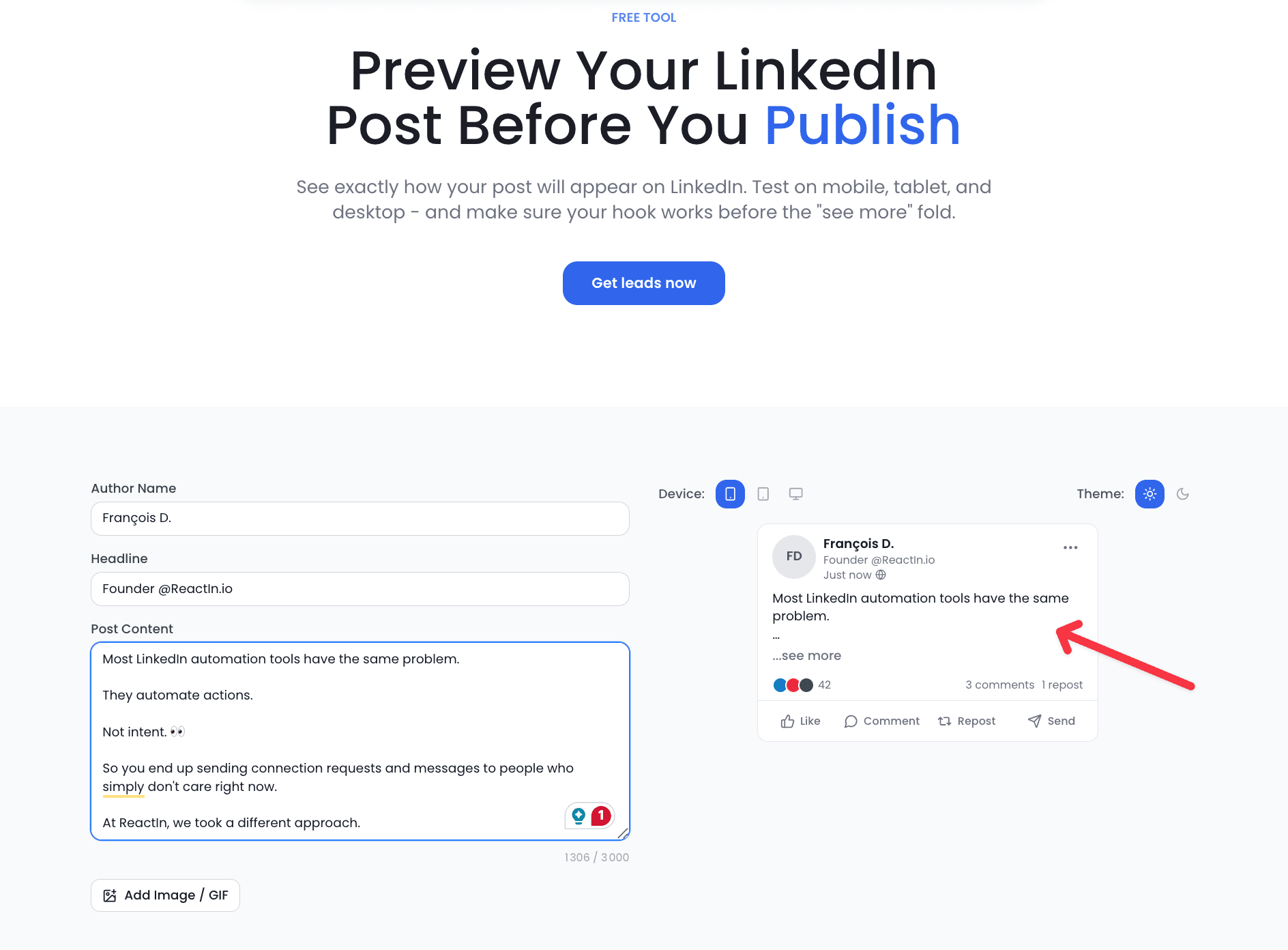
The LinkedIn Post Preview tool lets you see exactly how your post will appear in the LinkedIn feed before you publish. No more guessing where the "See more" cutoff falls or whether your formatting looks right on mobile.
the only content visible before the "See more" fold - make them count
What It Does
Paste your post text and instantly see a pixel-perfect preview of how it will render on LinkedIn - including the first-line hook visibility, line breaks, emoji rendering, and the "See more" fold position.
- Real-time preview that mirrors LinkedIn's exact rendering engine
- Desktop and mobile view toggle to check both formats
- Character count with "See more" fold indicator
- Emoji and special character rendering preview
- Shareable preview links for team feedback before publishing
Who It Is For
Anyone who posts on LinkedIn regularly. Founders crafting thought leadership, marketers scheduling content calendars, SDRs writing posts to warm up prospects. If your first two lines do not stop the scroll, the rest of your post is invisible.
Why It Matters
LinkedIn's algorithm weighs the "See more" click as a major engagement signal. If your hook is compelling enough that people expand the post, LinkedIn shows it to more people. But if your hook gets cut off at the wrong word or your formatting breaks on mobile, you lose that critical first impression.
The Post Preview tool eliminates this guesswork. Write your post, preview it, adjust the hook until the first two lines are irresistible, then publish with confidence.
Try LinkedIn Post Preview - free
3. LinkedIn Likes Scraper
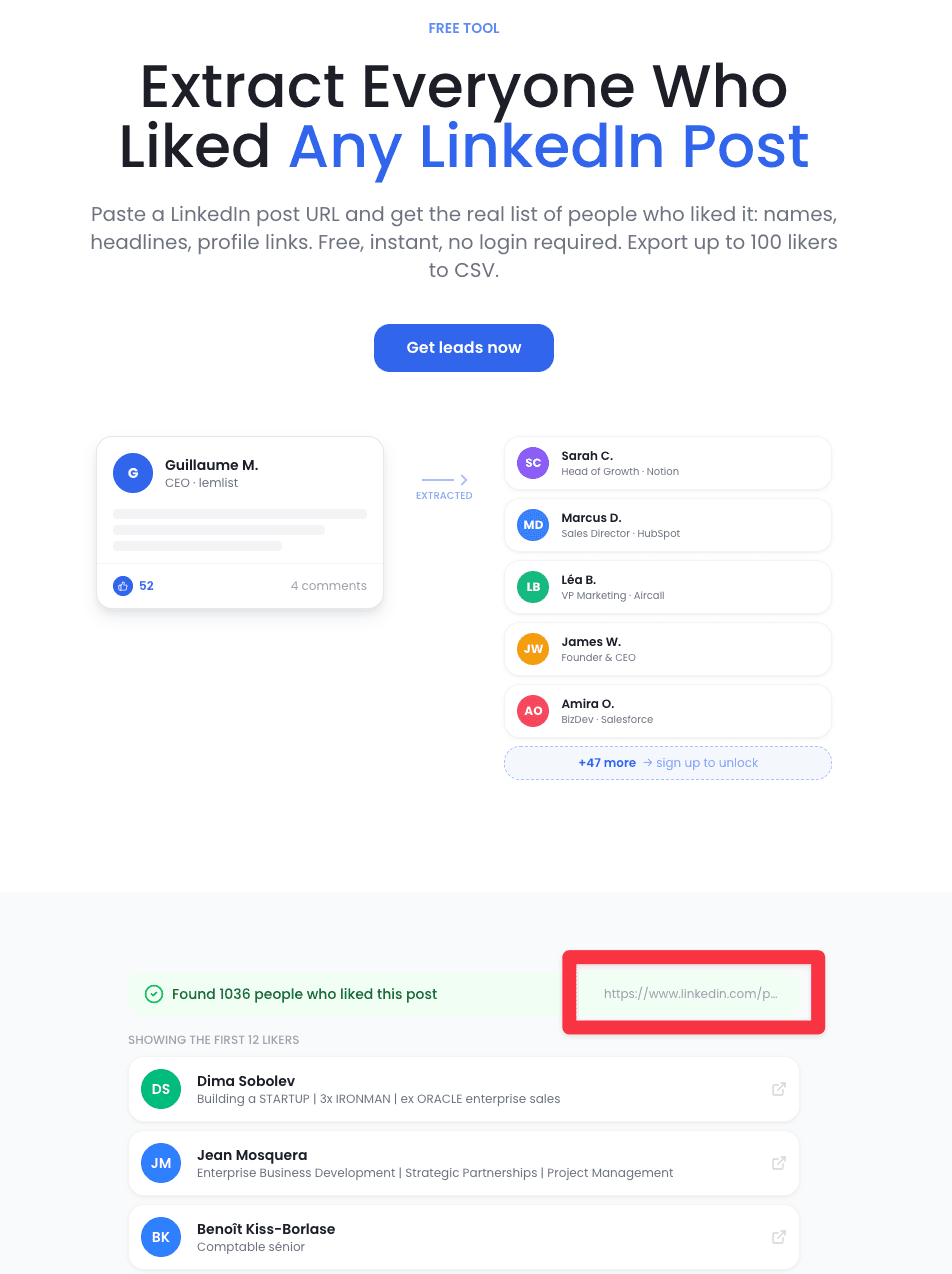
The LinkedIn Likes Scraper extracts the list of people who liked any LinkedIn post - yours or anyone else's. This turns passive engagement into actionable lead lists.
higher response rates when reaching out to post engagers vs. cold lists
What It Does
Enter a LinkedIn post URL and the tool extracts every person who reacted to that post, with their profile data. You get a structured list of names, headlines, profile URLs, and reaction types - ready for outreach or analysis.
- Extract all likers from any public LinkedIn post
- Profile data included: name, headline, profile URL, reaction type
- Export as CSV for easy import into your CRM or outreach tool
- Works on competitor posts, industry influencer content, and your own posts
- No LinkedIn account connection required for public posts
Who It Is For
Sales professionals who understand that someone liking a relevant industry post is a buying signal. If a prospect engages with content about your exact problem space, they are warmer than a cold list - and the Likes Scraper gives you their name.
Use Cases
The Likes Scraper unlocks several powerful lead generation strategies:
- Competitor audience mining: Scrape likers from your competitors' posts. These people are already interested in solutions like yours.
- Event attendee capture: When industry events post recaps on LinkedIn, scrape the engagers to build event-specific lead lists.
- Content-based targeting: Find people who engage with content about specific topics (AI, sales automation, GTM strategy) to build hyper-relevant outreach lists.
- Own audience analysis: Scrape your own post engagers to understand who your content attracts. Compare against your ICP to validate your content strategy.
Try LinkedIn Likes Scraper - free
4. LinkedIn Follower Scraper
The LinkedIn Follower Scraper extracts the people who follow any LinkedIn profile or company page - turning a creator's or a competitor's audience into a targeted lead list.
one influential profile in your niche can seed hundreds of warm, on-topic leads
What It Does
Enter a LinkedIn profile or company URL and the tool extracts the people who follow it, with their profile data. You get a structured list of names, headlines, and profile URLs - ready for outreach or analysis.
- Extract followers from any public LinkedIn profile or company page
- Profile data included: name, headline, profile URL
- Export as CSV for easy import into your CRM or outreach tool
- Works on creators, competitors, and industry influencers in your space
- No LinkedIn account connection required
Who It Is For
Sales and marketing teams who know that a profile's followers are a pre-qualified audience. If someone follows a creator or a competitor in your niche, they have already opted into that topic - warmer than any cold list, and the Follower Scraper gives you their name.
Use Cases
The Follower Scraper unlocks several audience-based lead generation plays:
- Competitor audience mining: Scrape the followers of a competitor's page to reach buyers already watching your market.
- Influencer audience capture: Extract the followers of a niche creator or thought leader whose audience matches your ICP.
- Lookalike seeding: Use a profile's followers as the seed to build a lookalike audience of your best-fit prospects.
- Event and community targeting: Scrape the followers of an event page or a community leader to build hyper-relevant outreach lists.
Try LinkedIn Follower Scraper - free
For scraping specifically, see our LinkedIn scraping tools comparison.
5. LinkedIn Hook Generator
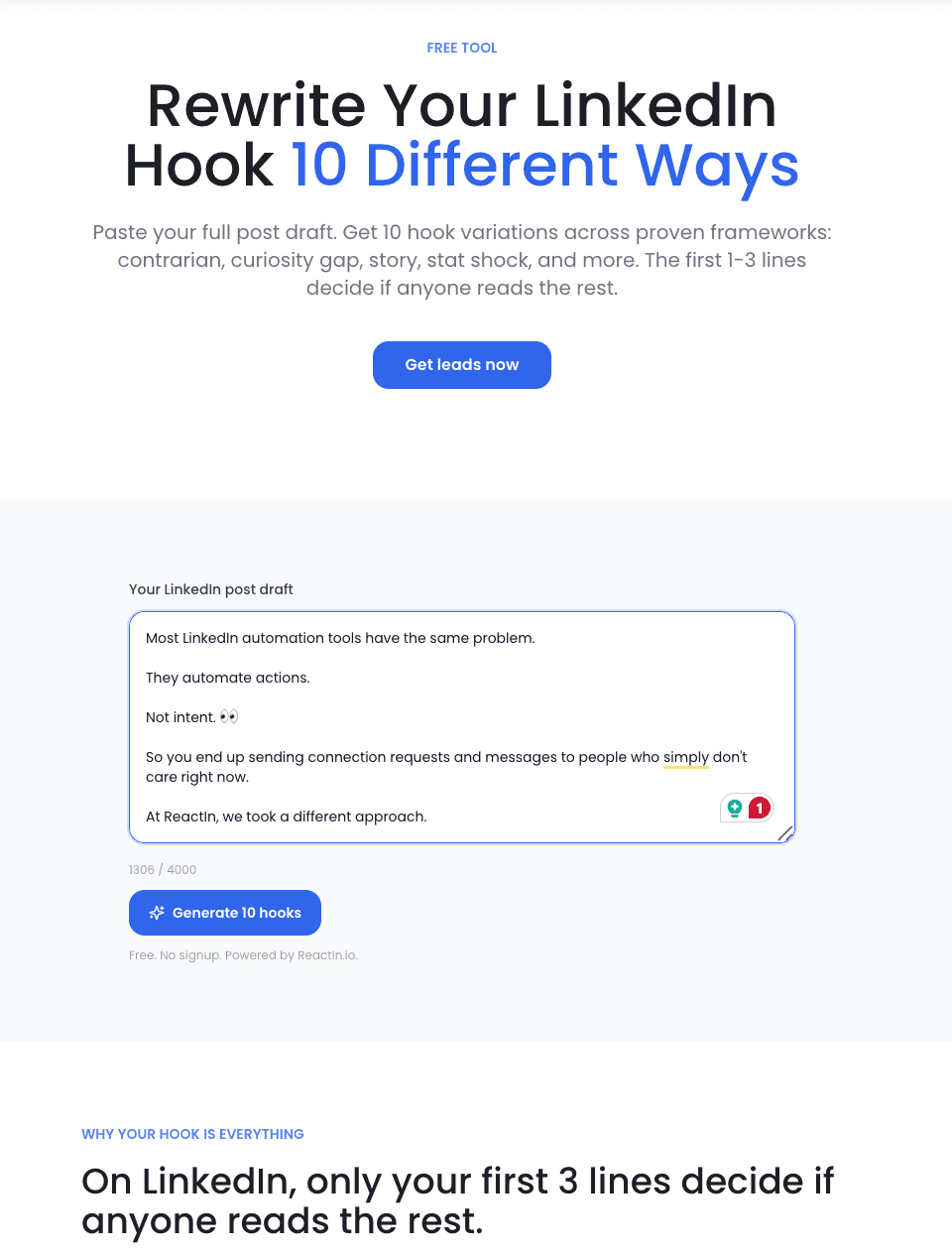
The LinkedIn Hook Generator uses AI to generate compelling opening lines for your LinkedIn posts. Give it your topic and it produces scroll-stopping hooks in seconds.
of a post's total engagement is determined by the first two lines alone
What It Does
Enter your post topic or a rough draft, and the AI generates multiple hook variations - questions, bold statements, data-driven openers, contrarian takes, and story hooks. Each one is optimized for the LinkedIn feed where only the first two lines are visible before the fold.
- AI-powered hook generation from a topic or rough draft
- Multiple hook styles: question, statistic, contrarian, story, list
- Optimized for LinkedIn's "See more" fold and algorithm signals
- Tone customization: professional, casual, provocative, educational
- One-click copy and direct integration with Post Preview
Who It Is For
LinkedIn creators who know that the hook makes or breaks a post. Whether you post daily or weekly, the hardest part is not writing the body - it is writing those first two lines that earn the click. The Hook Generator eliminates writer's block and gives you tested frameworks instantly.
Hook Styles That Work
The generator produces hooks across proven formats that drive engagement on LinkedIn:
- The data hook: "87% of B2B buyers research on LinkedIn before purchasing. Here is what they are actually looking at." - Numbers stop the scroll because they promise concrete insight.
- The contrarian hook: "Posting every day on LinkedIn is terrible advice. Here is why." - Challenging conventional wisdom triggers curiosity and debate.
- The story hook: "Last month I lost a $50K deal because of a LinkedIn message I sent at 11 PM." - Personal stories create emotional investment.
- The question hook: "What is the #1 mistake B2B founders make on LinkedIn?" - Direct questions create a mental itch that demands an answer.
Try LinkedIn Hook Generator - free
6. LinkedIn GTM Coach
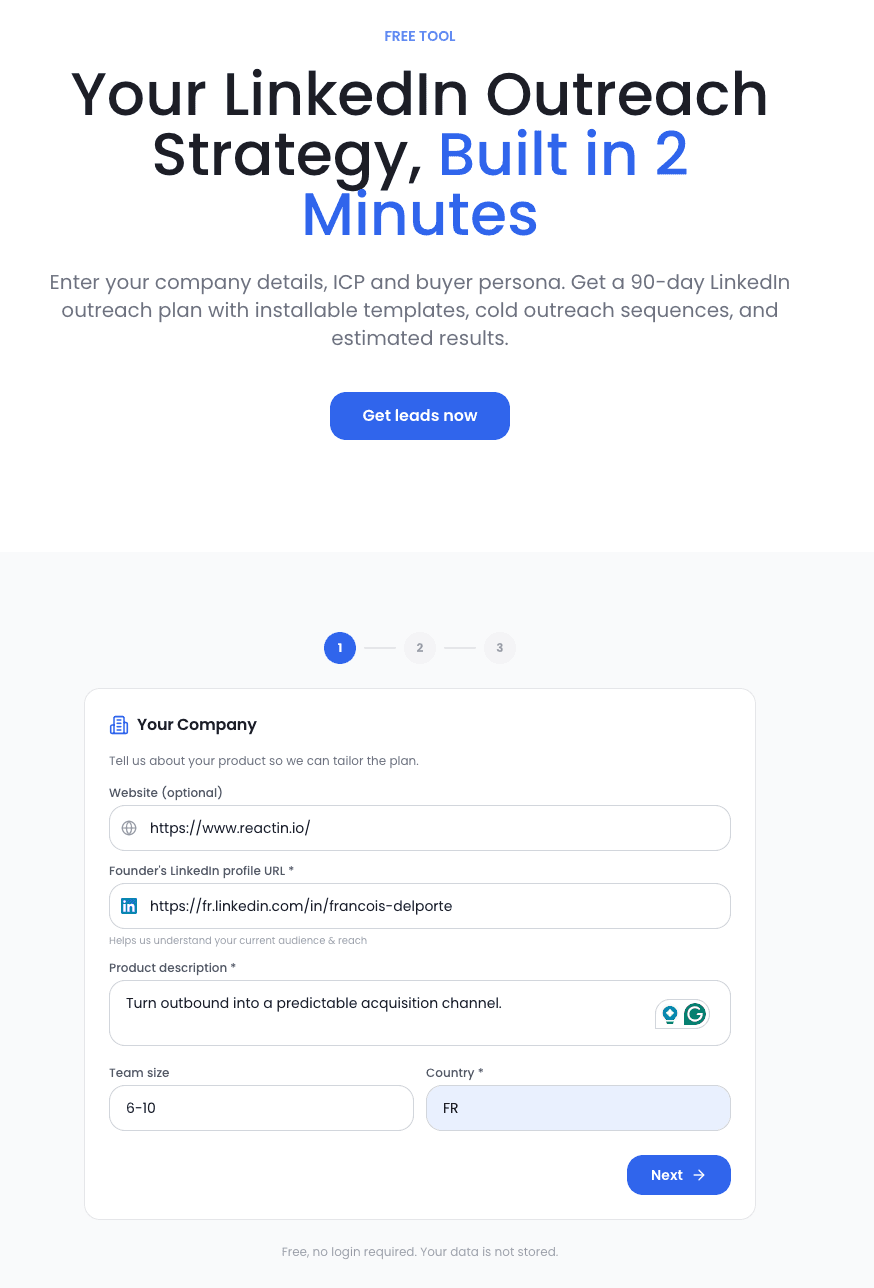
The LinkedIn GTM Coach is an AI-powered coaching tool that analyzes your LinkedIn profile, content strategy, and outreach approach - then gives you personalized Go-to-Market recommendations.
to get a personalized LinkedIn GTM strategy - what usually takes weeks with a consultant
What It Does
Answer a few questions about your business, target audience, and current LinkedIn activity. The GTM Coach analyzes your inputs and delivers a tailored action plan: what to post, who to target, how to position your offer, and which outreach strategies fit your specific situation.
- AI-powered GTM strategy analysis based on your business context
- Personalized content calendar recommendations
- ICP refinement suggestions based on your current LinkedIn audience
- Outreach messaging frameworks tailored to your value proposition
- Competitive positioning advice for your LinkedIn presence
Who It Is For
Founders and sales leaders who know LinkedIn matters but are not sure what strategy fits their business. The GTM Coach is like having a LinkedIn strategist on speed dial - except it is free and available 24/7.
What Makes It Different
Most LinkedIn advice is generic: "Post consistently, engage with comments, optimize your profile." The GTM Coach goes deeper because it asks about YOUR specific context:
- Industry-specific recommendations: A SaaS founder selling to enterprise gets different advice than a freelance consultant targeting SMBs.
- Stage-appropriate tactics: Pre-revenue startups need brand awareness plays. Series B companies need pipeline acceleration tactics. The coach adapts.
- Actionable over theoretical: Instead of "create valuable content," you get "post 3x/week with this specific content mix: 40% industry insights, 30% founder stories, 30% product lessons."
- Integrated playbook: The coach connects content strategy, outreach tactics, and audience building into a cohesive plan - not isolated tips.
7. The Complete Free LinkedIn Toolkit Workflow
Each tool is powerful on its own. Combined, they form a complete LinkedIn content-to-leads system that rivals workflows built on $300/month tool stacks. Here is how to use all five together in a daily routine.
The Daily LinkedIn Workflow (30 Minutes)
This workflow turns 30 minutes of daily effort into a consistent pipeline of content, engagement, and qualified leads:
Morning: Strategy Check (5 min)
Open the GTM Coach weekly for strategic direction. Daily, review your content plan and pick today's topic based on the coach's recommended content mix. This ensures every post serves a business objective, not just engagement for its own sake.
Content Creation: Hook + Preview (10 min)
Drop your topic into the Hook Generator. Pick the strongest hook from the variations. Write the body of your post. Paste everything into the Post Preview to verify formatting, check the "See more" fold, and test mobile rendering. Adjust until the first two lines are irresistible.
Publish + Engage (5 min)
Publish your post at the optimal time for your audience. Spend 5 minutes engaging with comments on your recent posts and commenting on posts from your target accounts. This signals to LinkedIn's algorithm that you are active and relevant.
Afternoon: Scrape + Build Lists (10 min)
Use the Likes Scraper on your own posts from the past 24-48 hours to capture new engagers. Also scrape one or two posts from competitors or industry influencers in your space. Filter the results by ICP criteria and add qualified leads to your outreach pipeline. Once a week, also run the Follower Scraper on a key competitor or creator in your niche to seed a larger audience-based list.
Weekly Review
Once a week, spend 15 minutes reviewing your results:
- Which hooks drove the most "See more" clicks? Double down on those formats.
- Which scraped lists had the highest ICP match rate? Focus on those content sources.
- Revisit the GTM Coach with updated data to refine your strategy.
- Plan next week's content topics based on what performed best.
| Time | Activity | Tool Used | Outcome |
|---|---|---|---|
| 9:00 AM | Review strategy, pick topic | GTM Coach | Aligned content plan |
| 9:05 AM | Generate hooks, write post | Hook Generator + Post Preview | Publish-ready post |
| 9:15 AM | Publish and engage | LinkedIn (native) | Post live + algorithm boost |
| 2:00 PM | Scrape engagers, build lists | Likes Scraper | 5-20 qualified leads/day |
| 2:15 PM | Scrape a key profile's followers | Follower Scraper | Audience-based lead list |
Looking for a broader overview of the LinkedIn tool ecosystem? Read our Best LinkedIn Tools 2026 guide for a full comparison of paid and free options across every category.
Frequently Asked Questions
Sources & Further Reading
- For more strategies on LinkedIn content and marketing, read HubSpot's complete guide to LinkedIn Marketing.
- LinkedIn shares its own best practices for creating engaging content. See the LinkedIn Business content best practices.
- Buffer's research team has published data-backed insights on what drives LinkedIn engagement. Read their LinkedIn marketing strategy guide.
Related Articles
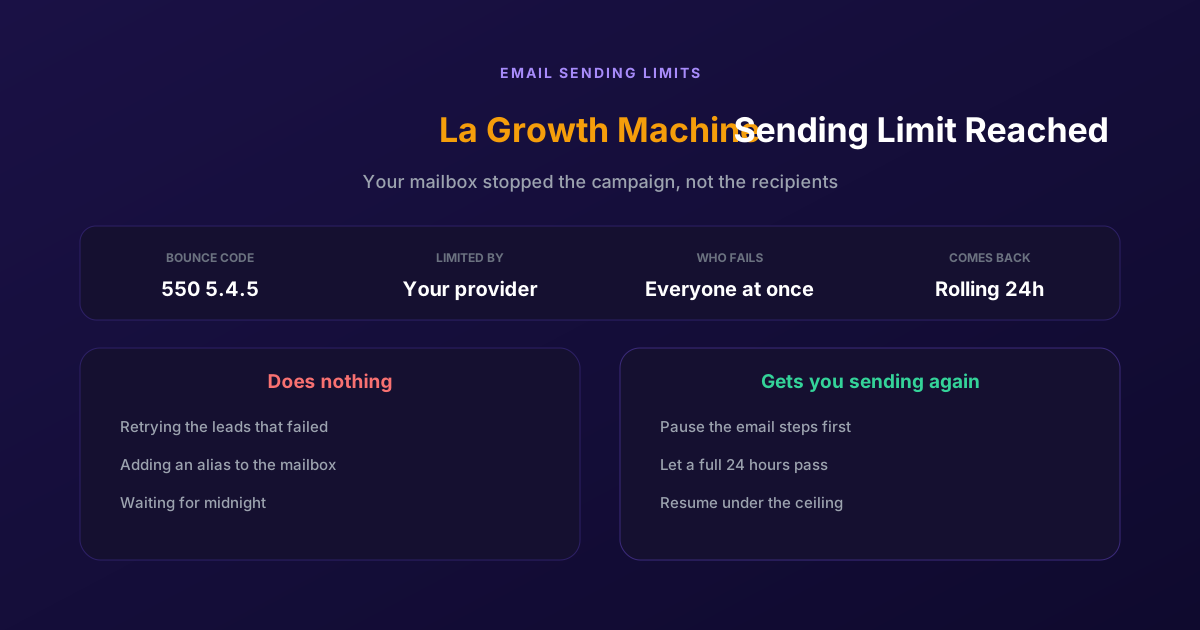
Fix "You Have Reached a Limit for Sending Mail" in La Growth Machine
The message belongs to your email provider, not to the tool. The mailbox has spent its daily allowance, every recipient fails at once, and capacity comes back on a rolling 24-hour window rather than at midnight.
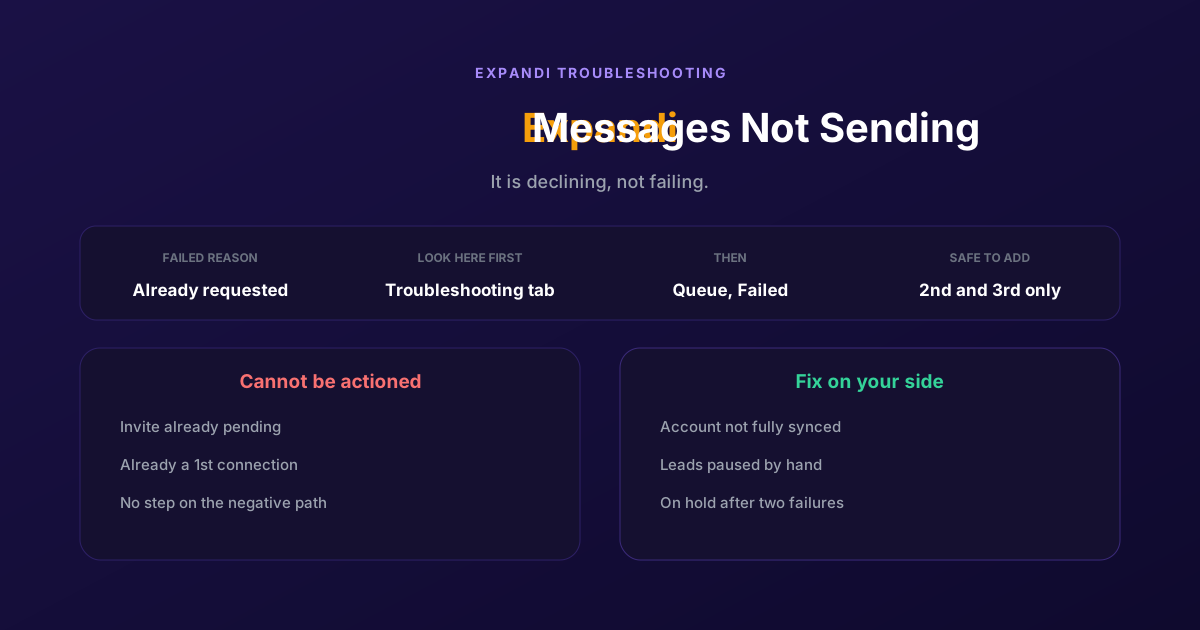
How to Fix Expandi Messages Not Sending (Pending Invites)
A connector campaign opens with a connection request, and a lead who already has one pending cannot receive a second. So the campaign has nothing it is allowed to do, and it says so in a tab most people never open.
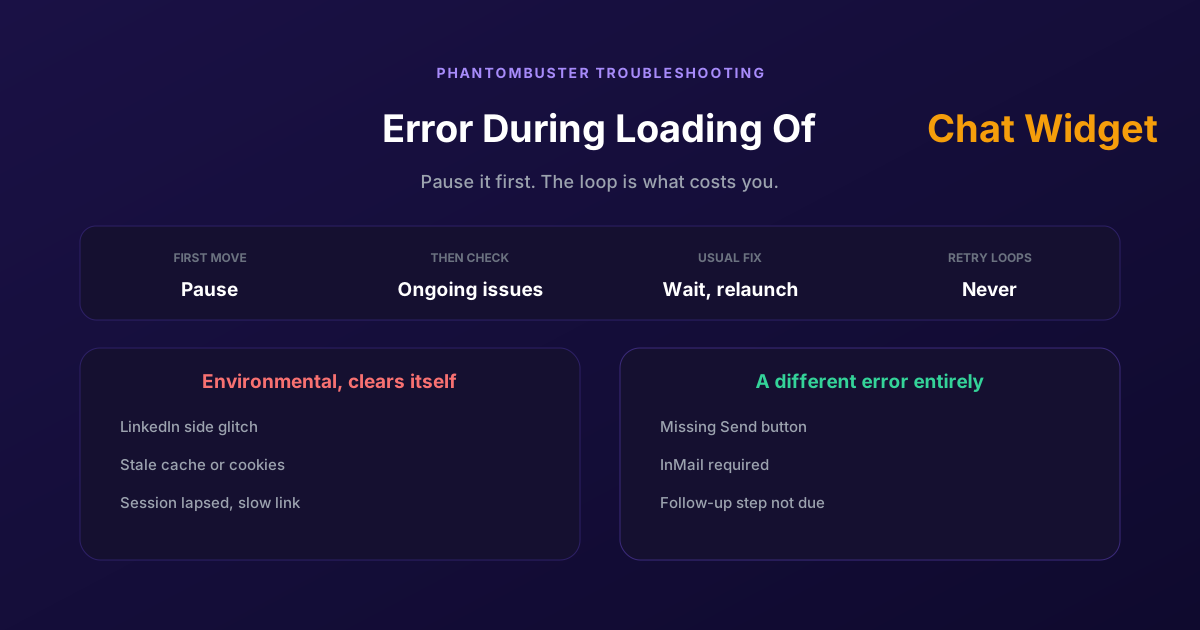
How to Fix Phantombuster "Error During Loading of Chat Widget"
Phantombuster documents this one, and the documented fix is mostly to wait. The expensive part is a Phantom left looping against it, burning execution time on attempts that cannot succeed.
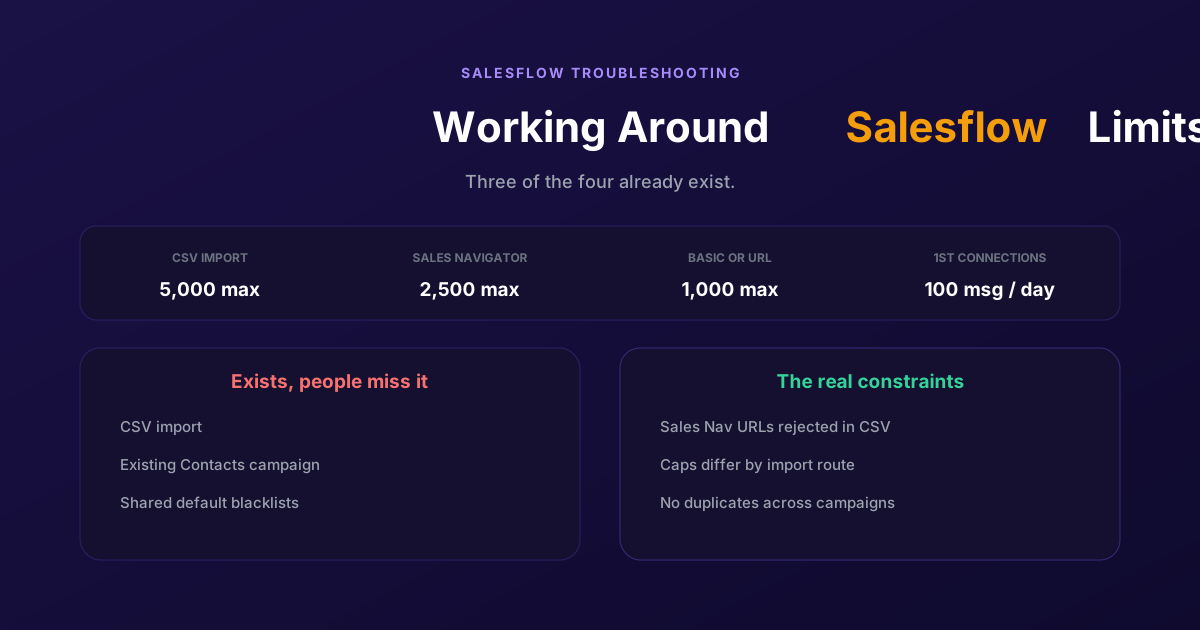
Working Around the Limitations on Salesflow (2026 Guide)
CSV import exists, so does a campaign type for contacts you already hold, and so do shared blacklists. The constraints that actually bite are narrower: rejected Sales Navigator URLs, per-route caps, and a deliberate block on duplicates.