LinkedIn Ads Scraper in 2026: 7 Tools to Spy on Competitor Ads (and Steal Their Audience)
The 7 best LinkedIn ads scrapers in 2026, from ad library extractors to engagement scrapers. Most tools stop at ad creatives. ReactIn goes further: it scrapes the people who engage with competitor ads and turns them into a contactable lead list. Full pricing and feature comparison included.
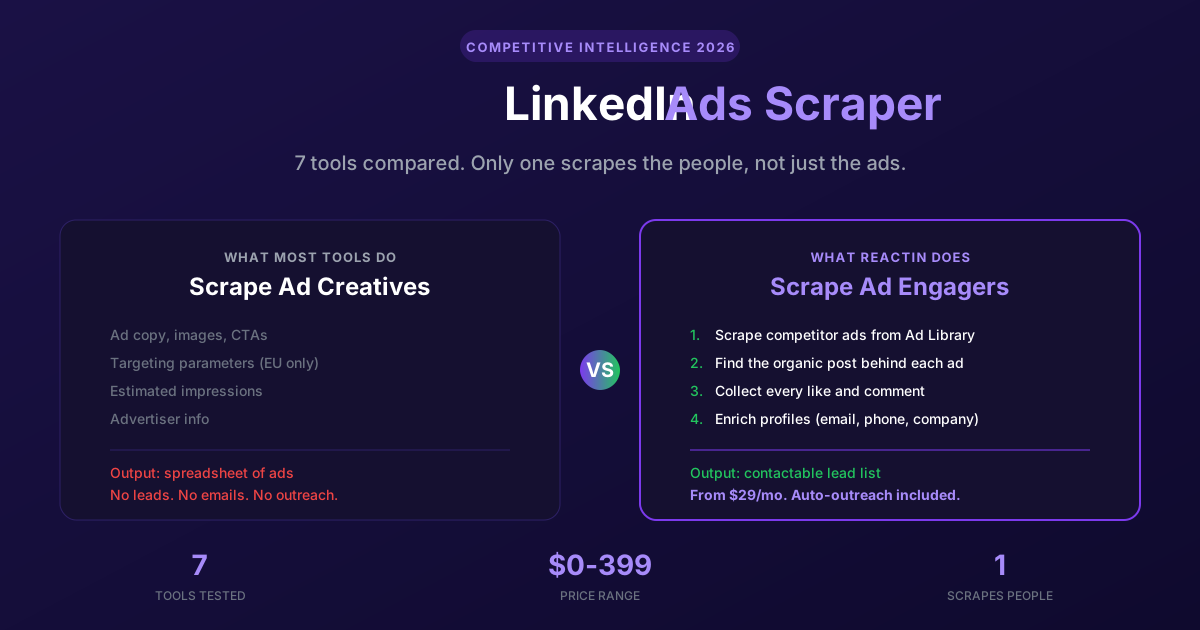
Your competitor is spending thousands on LinkedIn Ads. You can see the ads in the Ad Library. You can read the copy, check the creative, note the CTA. But you cannot export a single row of data, and you have zero idea who is actually engaging with those ads.
We tested every LinkedIn ads scraper worth mentioning in 2026 to find which ones solve that problem. Most extract ad creatives. One extracts the people behind the engagement. Here is the honest ranking.
TL;DR: Quick Rankings
Short on time? Here's the summary. Scroll down for the full review of each tool.
| Tool | Best For | Starting Price | Output |
|---|---|---|---|
| ReactIn | Scraping ad engagers + auto-outreach | $29/mo | Contactable lead list from ad engagement |
| Apify | Bulk Ad Library extraction | Free tier ($5 credits) | Ad creatives + targeting (JSON/CSV) |
| PhantomBuster | Post engagement scraping | $69/mo | Post likers/commenters list |
| AdSpyder | Multi-platform ad intelligence | $10/mo | Ad creatives + analytics dashboard |
| Niomaker | Quick Ad Library export | Free tier | Ad Library data (CSV/Excel) |
| PowerAdSpy | Ad creative inspiration | $129/mo (for LinkedIn) | Ad creatives + engagement metrics |
| Adyntel | API-first ad data extraction | $44/mo | Ad creatives via REST API |
What Is the LinkedIn Ad Library (and Why You Need a Scraper)
The LinkedIn Ad Library is a publicly accessible database of every ad that has run on LinkedIn since June 2023. No account needed. Search by advertiser name, keyword, or country. Every B2B marketer should know it exists.
The problem: it is designed for transparency compliance, not for competitive intelligence. Here is what you get and what you do not.
What the Ad Library gives you
- Ad preview: creative, copy, CTA, format (image, video, carousel)
- Advertiser and payer names
- Estimated impressions (EU-targeted ads only, bucketed ranges)
- Targeting parameters: job function, seniority, industry, company size (EU ads only)
What it does not give you
- No export. No CSV. No API. Copy-paste or nothing.
- No spend or budget data whatsoever
- No engagement metrics (likes, comments, shares, CTR)
- No data on who engaged with the ad
- Ads disappear one year after last impression. No deep archive.
The Real Question: Scraping Ads or Scraping People?
Every tool in this list calls itself a LinkedIn ads scraper. But they solve two fundamentally different problems. Understanding the difference will save you money and time.
Most tools extract ad creatives (copy, images, targeting). Useful for swipe files and competitive monitoring. But if your goal is pipeline, you need the people who engage with those ads, not the ads themselves.
| Approach | What you get | Tools |
|---|---|---|
| Ad Library scraping | Ad creatives, copy, targeting, impressions | Apify, Niomaker, Adyntel, AdSpyder |
| Ad spy platforms | Ad creative database + search/filter | PowerAdSpy, AdSpyder |
| Post engagement scraping | List of people who liked/commented on a post | PhantomBuster |
| Ad engagement-to-leads | Contactable leads from competitor ad engagement | ReactIn |
#1 ReactIn: Scrape the People, Not Just the Ads
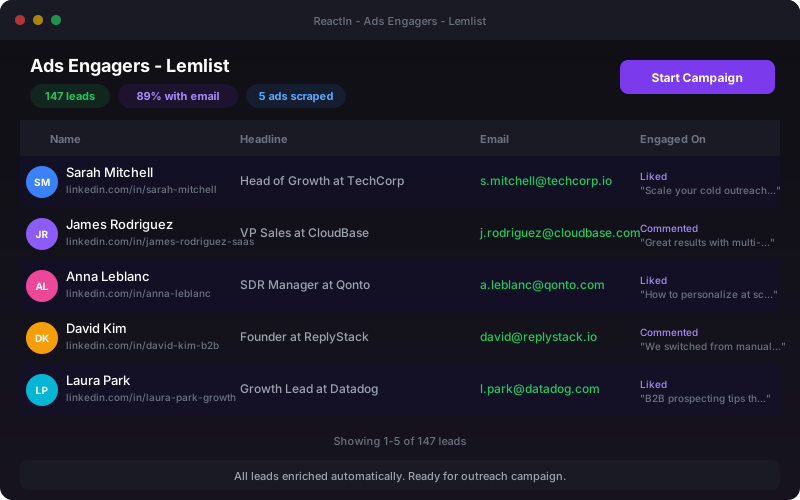
ReactIn is not an Ad Library scraper in the traditional sense. It does not export ad creatives into a spreadsheet. It does something more useful: it finds the organic LinkedIn post behind a sponsored ad, scrapes every person who liked or commented on it, enriches their profiles, and drops them into a contactable lead list.
The Company Ads Engagement template automates the entire chain. Enter a company name. ReactIn scrapes the LinkedIn Ads Library for that company's active sponsored posts, reverse-engineers each ad to find the matching organic post, then collects every reaction and comment. Results land in a SmartList with verified emails, ready for outreach.
How it works (step by step)
The process runs automatically in the background:
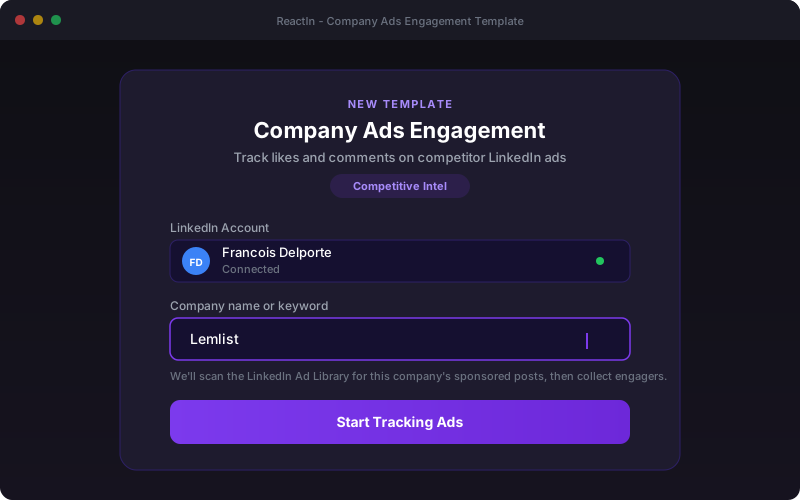
- You enter a keyword (competitor company name)
- ReactIn scrapes the LinkedIn Ads Library for that company's sponsored posts
- Each ad is reverse-matched to its organic LinkedIn post
- Reactions and comments are collected from each post
- Engagers are deduplicated, enriched (email, phone, company data), and added to your lead list
Pricing breakdown
| Plan | Price | Includes |
|---|---|---|
| Basic | $29/sender/mo | Intent signals, enrichment, AI filtering, 2,000 credits. No outreach. |
| Growth | $69/sender/mo | Everything in Basic + automated campaigns, lead management, sender rotation. |
| Agency | From $999/mo | Up to 50 senders. Dedicated support. |
Verdict
Pros
- Only tool that converts ad engagement into a lead list automatically
- Built-in enrichment (verified emails, phone, company data)
- Automated outreach campaigns from the same platform
- Cloud-based with rate limiting to protect your LinkedIn account
- 20+ other intent signals beyond ads (post engagement, job changes, company growth)
Cons
- Does not export raw ad creatives (not an Ad Library exporter)
- Requires a connected LinkedIn account for the reverse-matching step
- Processing takes time (throttled for account safety, not instant)
Best for: B2B teams who want pipeline from competitor ad engagement, not just a swipe file.
#2 Apify: The Developer's Ad Library Scraper
Apify is a cloud scraping platform with a marketplace of pre-built scrapers called "actors." Multiple actors target the LinkedIn Ad Library specifically. You configure inputs (advertiser name, keyword, country), hit run, and get structured JSON or CSV output with ad copy, creatives, targeting data, and impression ranges.
The best part: it works without a LinkedIn account. The Ad Library is public, so Apify scrapes it directly. Zero risk to your profile.
Key features
- Multiple dedicated LinkedIn Ad Library actors on the marketplace
- Output: advertiser name, ad format, copy, CTA, media URLs, targeting (EU ads), impressions
- Export to JSON, CSV, Excel, or push to Google Sheets, webhooks, APIs
- Schedule recurring scrapes (daily, weekly) to track competitor ad changes over time
Verdict
Pros
- No LinkedIn account needed (zero ban risk)
- Cheapest option for bulk Ad Library extraction
- Highly customizable (API, scheduling, webhooks)
Cons
- Technical setup required (not plug-and-play for non-developers)
- Only extracts ad creatives, not engagement or people data
- Actor quality varies (some break when LinkedIn updates the Ad Library UI)
Best for: Developers and data teams who need bulk Ad Library data in structured format at low cost.
#3 PhantomBuster: Scrape Post Engagement (Not the Ad Library)
PhantomBuster does not scrape the LinkedIn Ad Library. But it earns its spot here because it solves the second half of the problem: scraping people who engage with LinkedIn posts. Its "Post Commenter and Liker Scraper" phantom extracts everyone who liked or commented on any LinkedIn post, including sponsored ones if you have the post URL.
The catch: you need the organic post URL first. PhantomBuster does not find it for you. You'll need to manually locate the post behind the ad, or use another tool to bridge that gap.
Key features
- 130+ LinkedIn automations ("Phantoms") beyond just post scraping
- Post Liker/Commenter Scraper: extracts name, headline, profile URL, reaction type
- Chain phantoms together (scrape likers, then enrich profiles, then auto-connect)
- Export to CSV, Google Sheets, or push to CRM via webhooks
Verdict
Pros
- Largest library of LinkedIn automations
- Can scrape engagement on any LinkedIn post (organic or sponsored)
- Chainable workflows (scrape > enrich > connect)
Cons
- Does not scrape the Ad Library itself (you need the post URL)
- Uses your LinkedIn session cookie (real account risk)
- No built-in enrichment (email, phone requires separate tools)
Best for: Growth teams who already have post URLs and want to scrape engagement + chain automations.
#4 AdSpyder: Multi-Platform Ad Intelligence on a Budget
AdSpyder is an ad intelligence dashboard that covers 9+ platforms including LinkedIn. It is not a raw scraper. Think of it as a searchable ad creative database with filters, analytics, and AI-generated ad copy suggestions.
The real value: multi-platform coverage at the lowest price point. If you run ads on LinkedIn, Google, and Meta simultaneously, AdSpyder lets you spy on competitors across all three from a single dashboard for $30/mo total.
Key features
- Search competitor ads across 9+ platforms (LinkedIn, Google, Meta, YouTube, Reddit, etc.)
- Filter by keyword, advertiser, country, ad format, date range
- AI ad copy generator based on competitor patterns
- Landing page analysis and keyword research tools
Verdict
Pros
- Cheapest multi-platform ad intelligence ($10/mo entry)
- Clean UI with useful filters and search
- AI copy generation is a nice bonus for ad teams
Cons
- Not a raw data scraper (no CSV export of structured data)
- LinkedIn-specific data is thinner than dedicated tools
- No engagement data or people scraping
Best for: Advertisers and media buyers who want a cheap, visual overview of competitor ads across platforms.
#5 Niomaker: Chrome Extension for Quick Ad Library Exports
Niomaker is a Chrome extension built specifically for the LinkedIn Ad Library. Open the Ad Library, run a search, click the extension, and it exports the results into CSV, Excel, or JSON. Up to 50,000 ads per session on the Pro plan.
It is the simplest tool on this list. No API to configure, no actors to set up, no cloud infrastructure. Just a browser extension that adds an export button to a page that should have had one from the start.
Key features
- One-click export from the LinkedIn Ad Library page
- Output: advertiser name, ad format, click URL, target audience, creative content
- Export to CSV, Excel, JSON
- Free tier for light usage, Pro for bulk extraction
Verdict
Pros
- Easiest setup (install extension, done)
- Free tier is generous enough for occasional research
- No LinkedIn account risk (Ad Library is public)
Cons
- Chrome extension only (no API, no scheduling, no automation)
- Breaks when LinkedIn changes the Ad Library UI
- No engagement data, no people scraping, no enrichment
Best for: Marketers who need a quick, one-off Ad Library export without touching code.
#6 PowerAdSpy: Ad Creative Database with LinkedIn Access
PowerAdSpy is an ad spy platform with a database of over 1 billion ads across 9+ platforms. It is built for ecommerce and performance marketers who want creative inspiration. LinkedIn access starts at the Standard plan ($129/mo).
The core value: the largest searchable ad creative database available. Search by keyword, advertiser, country, engagement level. Save ads to collections. Analyze what messaging works in your niche. It is a research tool, not a scraper.
Key features
- 1B+ ad database across LinkedIn, Facebook, Google, Instagram, YouTube, Reddit, Pinterest, Quora, Native
- Search by keyword, advertiser, country, CTA type, ad position
- Engagement metrics (likes, shares, comments) displayed per ad
- Bookmark and organize ads into collections
Verdict
Pros
- Largest ad database on the market (1B+ ads)
- Shows engagement metrics per ad (rare for spy tools)
- Good for creative inspiration and competitor messaging analysis
Cons
- LinkedIn access locked behind $129/mo plan (expensive entry)
- No raw data export for pipeline building
- Designed for ecommerce/DTC, B2B coverage is secondary
Best for: Performance marketers and agencies building ad creative swipe files across multiple platforms.
#7 Adyntel: API-First Ad Data for Clay and CRM Workflows
Adyntel is a REST API that takes a company domain as input and returns every LinkedIn ad for that company. Clean JSON output with advertiser info, creative type, headline, copy, CTA, media URLs, and direct ad links. It also covers Meta and Google ad libraries.
The differentiator: native Clay integration. If you already run your GTM workflows through Clay, Adyntel plugs in directly. Feed it a list of competitor domains, get back all their active LinkedIn ads, and enrich your Clay tables with competitor ad intelligence.
Key features
- REST API with domain-based input (no manual URL copying)
- Returns: advertiser name/logo, creative type, headline, copy, CTA, image/video URL, alt text, direct link
- Multi-platform (LinkedIn + Meta + Google ad libraries)
- Native Clay integration for GTM workflow automation
Verdict
Pros
- Cleanest API for programmatic ad data access
- Pay-per-result model (no wasted spend on empty queries)
- Native Clay integration for GTM teams
Cons
- API-only (no UI for non-technical users)
- Only extracts ad creatives (no engagement or people data)
- Requires knowing the company domain upfront
Best for: GTM engineers and RevOps teams who need structured ad data in Clay or CRM workflows.
Full Comparison: All 7 Tools Side by Side
Here is every tool compared on the dimensions that matter for LinkedIn ads scraping.
| Tool | Price | Scrapes Ad Library | Scrapes Engagement | Outputs Leads |
|---|---|---|---|---|
| ReactIn | From $29/mo | Yes (reverse-matches to posts) | Yes (reactions + comments) | Yes (enriched, contactable) |
| Apify | Free tier / ~$0.005/result | Yes (raw data export) | No | No |
| PhantomBuster | From $69/mo | No | Yes (if you have the post URL) | Partial (profiles only, no enrichment) |
| AdSpyder | From $10/mo | Yes (dashboard view) | No | No |
| Niomaker | Free / Pro | Yes (Chrome extension) | No | No |
| PowerAdSpy | From $129/mo | Yes (database) | Shows metrics, no people | No |
| Adyntel | From $44/mo | Yes (API) | No | No |
How to Choose (by Profile)
The right tool depends entirely on what you need the data for.
- "I want pipeline from competitor ads" ReactIn. It is the only tool that goes from ad to lead automatically. Start with the Growth plan ($69/mo) to include outreach.
- "I need bulk ad creatives for research" Apify if you are technical, Niomaker if you want one-click simplicity. Both are cheap or free.
- "I already have post URLs and want to scrape likers" PhantomBuster. Its Post Liker/Commenter Scraper phantom does this well. But you will need a separate tool for enrichment.
- "I run ads myself and want competitor creative inspiration" AdSpyder at $10/mo for LinkedIn only. PowerAdSpy at $129/mo if you need the largest ad database across platforms.
- "I build GTM workflows in Clay" Adyntel. Its API plugs into Clay natively. Feed competitor domains, get back structured ad data.
Want the full picture of LinkedIn automation tools? Read our Complete LinkedIn Automation Guide for 2026.
Frequently Asked Questions
Sources & Further Reading
- LinkedIn publishes every sponsored post in its free, public LinkedIn Ad Library, searchable without an account.
- Scraping and automation are governed by their terms. Review the LinkedIn User Agreement before you build anything.
- Know what gets an account flagged in the LinkedIn Help Center on account restrictions.
Related Articles
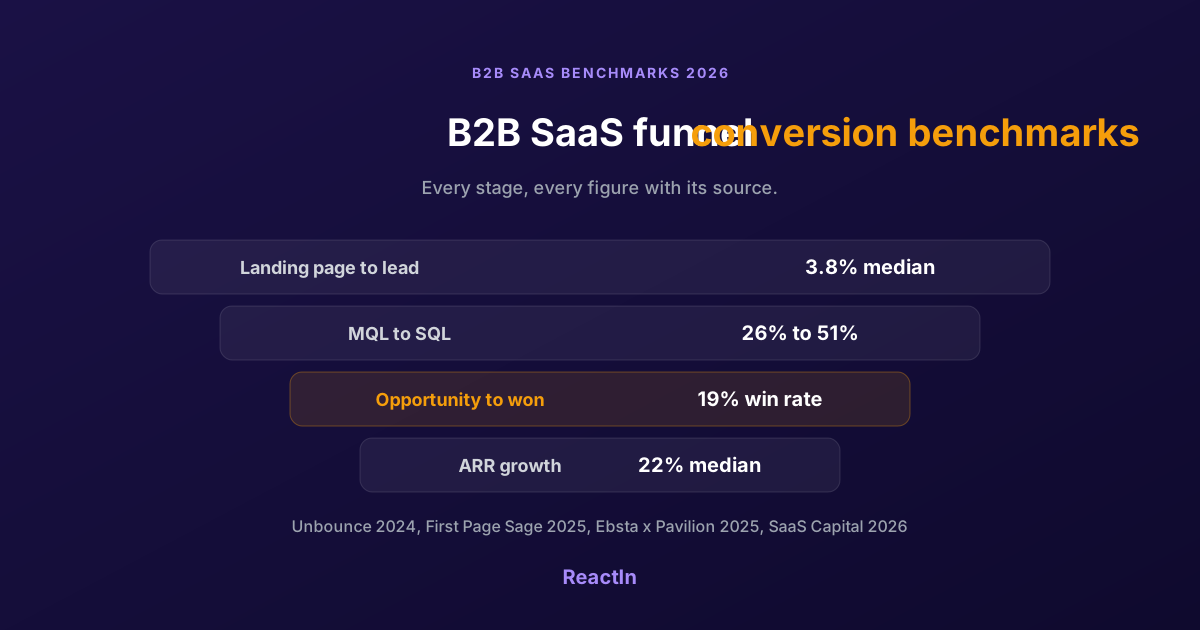
B2B SaaS Funnel Conversion Benchmarks 2026: Every Stage, With Sources
Sourced conversion benchmarks for each stage of the B2B SaaS funnel, from landing page to closed-won, plus growth and retention medians, and why the numbers you find online disagree.
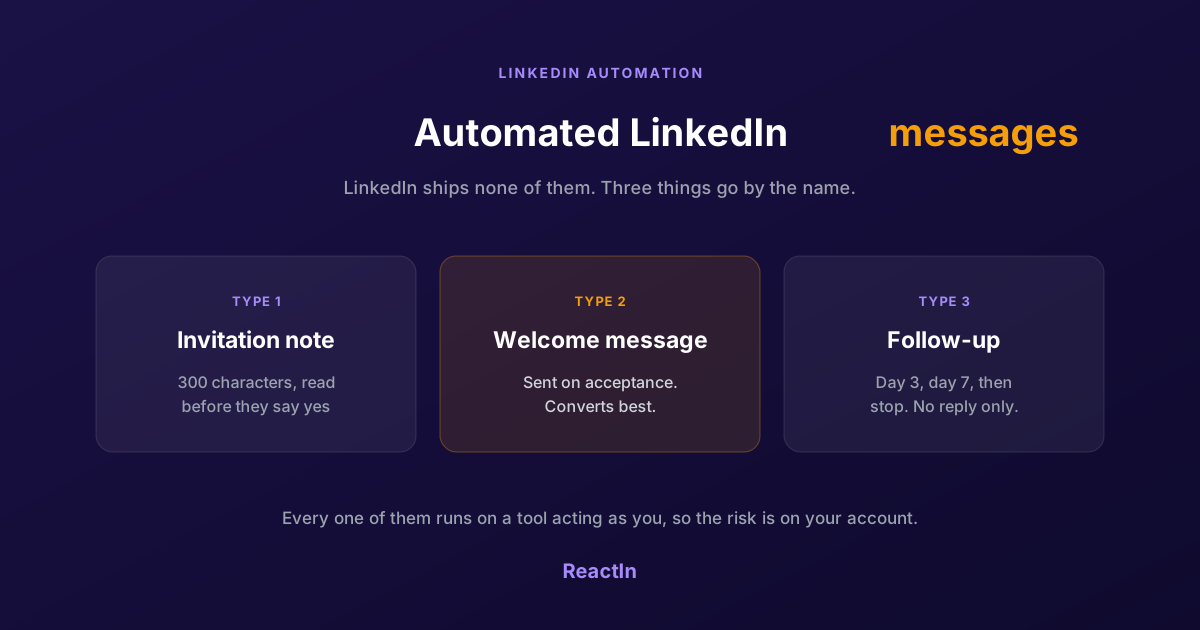
Automated LinkedIn Messages: How to Send Them Without Getting Restricted (2026)
LinkedIn ships no automated messaging at all. Here are the three things people call an automated LinkedIn message, how to set one up, what the terms actually say, and the three cases where writing by hand wins.
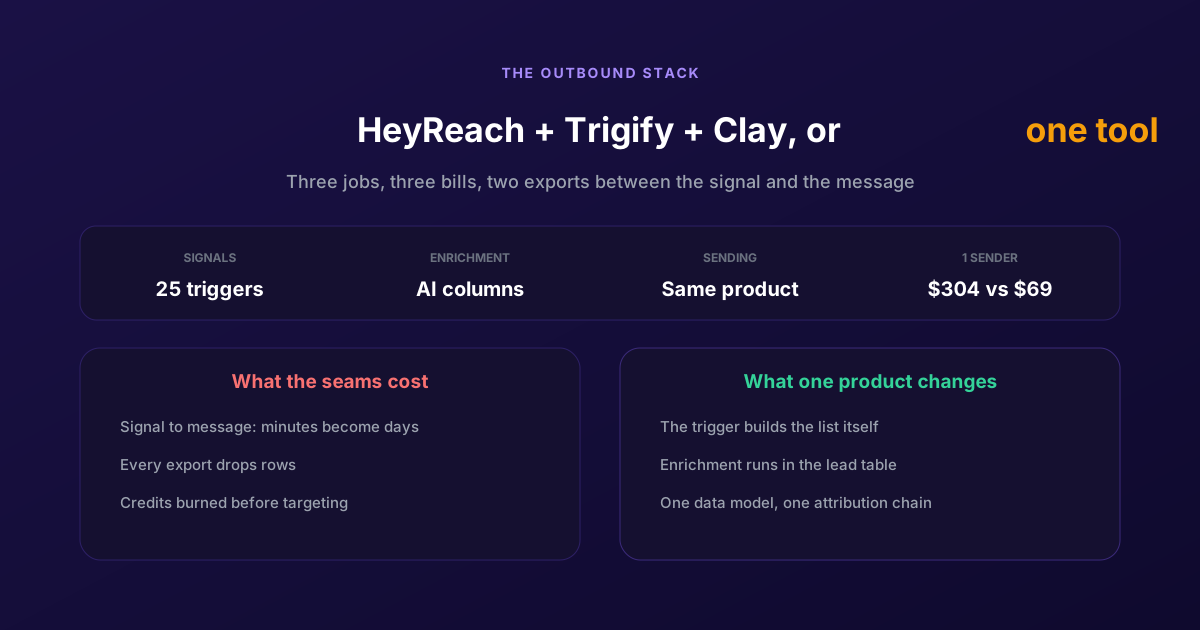
ReactIn = HeyReach + Trigify + Clay: One Tool for Cold and Warm Outreach
Three products, three bills, and two exports between the signal and the message. Here is what each tool owns, what the seams cost in latency and credits, and when keeping the stack is still the right call.
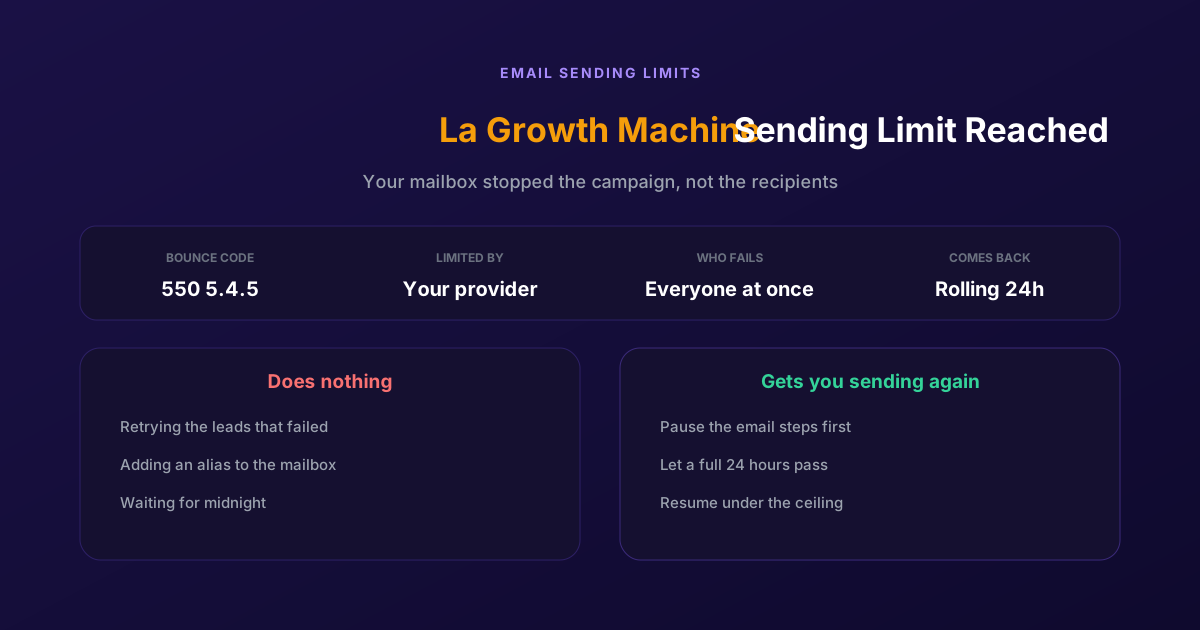
Fix "You Have Reached a Limit for Sending Mail" in La Growth Machine
The message belongs to your email provider, not to the tool. The mailbox has spent its daily allowance, every recipient fails at once, and capacity comes back on a rolling 24-hour window rather than at midnight.