How to Get Started with ReactIn: The Complete Starter Pack (2026)
New to ReactIn? Learn what Spyer, Pixel, and campaigns do, and follow a layer-by-layer starter pack to build an intent-based LinkedIn pipeline that runs on autopilot.
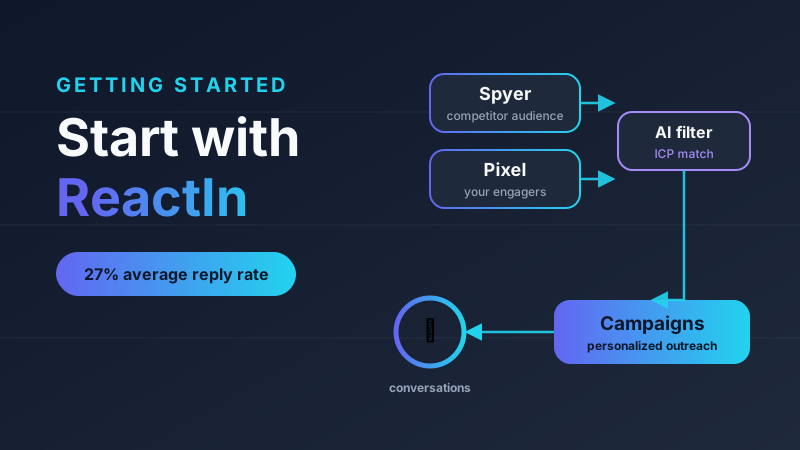
You just signed up for ReactIn and you are staring at a blank dashboard wondering what to do first. This guide walks you through exactly what to set up, and in what order, to turn ReactIn into a self-feeding pipeline machine. By the end you will have qualified leads flowing in on autopilot and personalized conversations starting every week, without manual prospecting.
Most LinkedIn tools blast connection requests at cold lists. ReactIn is intent-based: it waits for a real buying signal, like someone liking, commenting on, or following the right content, and only then reaches out while interest is still hot.
Average reply rate across 5,000+ intent-based campaigns
ReactIn customer data
So the goal of your setup is simple: build a system that constantly detects intent, filters it down to people who actually match your ideal customer, and starts the right conversation automatically. Here is how to do it, layer by layer.
Spyer, Pixel and campaigns at a glance
The three pieces you will hear about most. Here is what each one does, what it captures, and when to reach for it.
| Feature | What it is | What it captures | Best for |
|---|---|---|---|
| Spyer | Monitors any LinkedIn profile, company, school or showcase page | People who like, comment on, or follow it | Borrowing competitor and leader audiences |
| Pixel | Tracks engagement on your own content and profile | People who like or comment on your posts, plus profile visitors | Following up with your own warm audience |
| Campaigns | Automated, personalized outreach sequences | Sends connection requests and follow-up messages | Turning captured leads into conversations |
What makes ReactIn different from other LinkedIn tools
Most LinkedIn automation tools treat the platform like cold email: send generic messages to thousands of strangers and hope something lands. That approach averages around 8% replies and quietly burns your reputation.
ReactIn flips the logic. Instead of messaging strangers, it waits for a behavioral buying signal before reaching out. Someone who just engaged with relevant content is far warmer than a name pulled from a cold list, and the timing is what drives the results.
Intent-based reply rate vs typical cold outreach
It is also all-in-one. Detecting intent signals, enriching leads with AI, and running your outreach campaigns all live in one platform, so you are not stitching together and paying for three separate tools.
If you want the deeper theory behind this, read our guide to intent-based marketing automations. For now, the takeaway is that the signal comes first and the message comes second.
Layer 1: Build a qualified top of funnel
The fastest way to start is to borrow audiences that already exist. The right people are already liking, commenting, and following relevant profiles and pages. ReactIn lets you capture them automatically.
Set up a Spyer on the leaders and pages in your niche
Point Spyer at the LinkedIn profiles of well-known voices in your space, plus the company, school, or showcase pages your buyers follow. Every time someone likes, comments on, or follows them, that person drops into your list automatically. They did the qualifying for you.
Add an AI filter so only the right people get through
This is the step most people skip. Describe your Ideal Customer Profile and buyer persona, and ReactIn scores every captured lead against it. Instead of a messy list, you get only the profiles that actually fit your business.
Turn it into automatic, qualified audience growth
Connect that filtered list to a campaign that sends connection requests (invitations only to start). Now your network grows every single week, but only with qualified people. No scraping marathons, no spreadsheets. The list refreshes itself and new matching leads get invited automatically.
Layer 2: Put a Pixel on yourself and capitalize on your content
If you post on LinkedIn, you are already generating intent every week. People who engage with your posts are warm, they just never get followed up with. A Pixel fixes that.
Install a Pixel on your own profile
The Pixel automatically tracks everyone who likes or comments on your content, and your profile visitors. It is like the Facebook Pixel, but instead of running ads you send a personal one-to-one message.
Trigger outreach on real engagement, not noise
Set the rule so that when someone engages multiple times (for example three or more interactions with your content), matches your ICP, and you have never had a conversation with them, ReactIn automatically starts a message sequence. These are some of the warmest leads you will ever get, because they already know you.
This creates a flywheel. You post, people engage, the best ones get contacted automatically, conversations start, and the cycle repeats. You check your inbox once a day instead of being a full-time SDR.
“Pixel set up, 200 post engagers tracked, top 50 enriched, campaign triggered, 15 qualified conversations a month. On autopilot.”
Layer 3: Activate the leads you already have
You are probably sitting on lists of relevant people right now. Do not let them go cold. Everything you import lands in the same place, gets enriched with verified emails and phone numbers, and feeds the same campaigns.
- CSV import: upload any existing list (old exports, event attendees, webinar signups) and run it through the same enrichment and ICP filter.
- LinkedIn and Sales Navigator searches: import directly from a search query or sync your saved searches, so new matching profiles keep flowing into your campaigns.
- Your current customer CRM: import your existing clients and contacts to build look-alike audiences or to reactivate dormant relationships.
One source of truth, no duplicates, and the same intent-aware outreach on top of data you already own.
Layer 4: Connect your stack so leads come to you
Once the basics run, plug ReactIn into the rest of your funnel so inbound interest converts automatically.
- Lead magnets and your content: when someone comments to request a resource (the classic comment GUIDE and I will send it), the Magnet trigger collects them, ReactIn auto-accepts their connection, and sends the resource plus a follow-up message. Distribution and outreach in one motion.
- Sales Navigator profile visitors: if you use LinkedIn Sales Navigator, automatically capture the people who visit your profile, and if they match your ICP and you have no existing conversation, send them a relevant message. Pure intent, zero manual checking.
- API: for anything custom, push leads and trigger campaigns directly from your own tools.
Your first week with ReactIn
If you do nothing else, do this in order and you will see qualified leads and real conversations within days.
- Open the ReactIn GTM Expert in the sidebar and tell it about your business and target audience.
- Connect your LinkedIn account and set your daily limits (ReactIn handles safe sending for you).
- Set up one Spyer on a leader or competitor page in your niche, with an AI and ICP filter, feeding an invitations campaign.
- Set up one Pixel on your own profile to auto-engage people who interact with your content and match your ICP.
- Import one existing list (CSV, a saved Sales Navigator search, or your CRM) for quick wins, then check your inbox once a day.
Watch: 5 LinkedIn workflows to close more deals
Want to see the playbook in action? This short walkthrough breaks down five LinkedIn workflows you can copy to turn intent into booked calls.
Frequently Asked Questions
Frequently Asked Questions
Sources & Further Reading
- Automation on LinkedIn is governed by their terms. Read the LinkedIn User Agreement before you start sending.
- Understand what triggers a restriction in the LinkedIn Help Center on account restrictions.
Related Articles
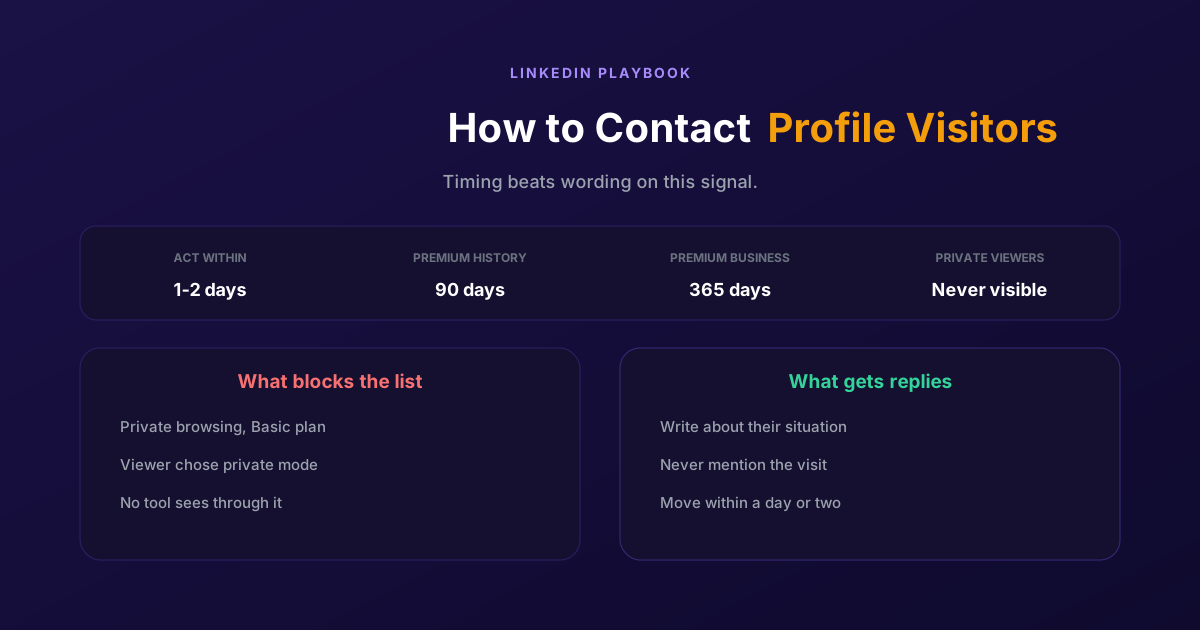
How to Contact LinkedIn Profile Visitors (2026 Guide)
A profile view is one of the warmest signals LinkedIn produces and one of the most wasted. Two settings decide whether you can see them at all, and the opening line decides whether it reads as noticed or surveilled.
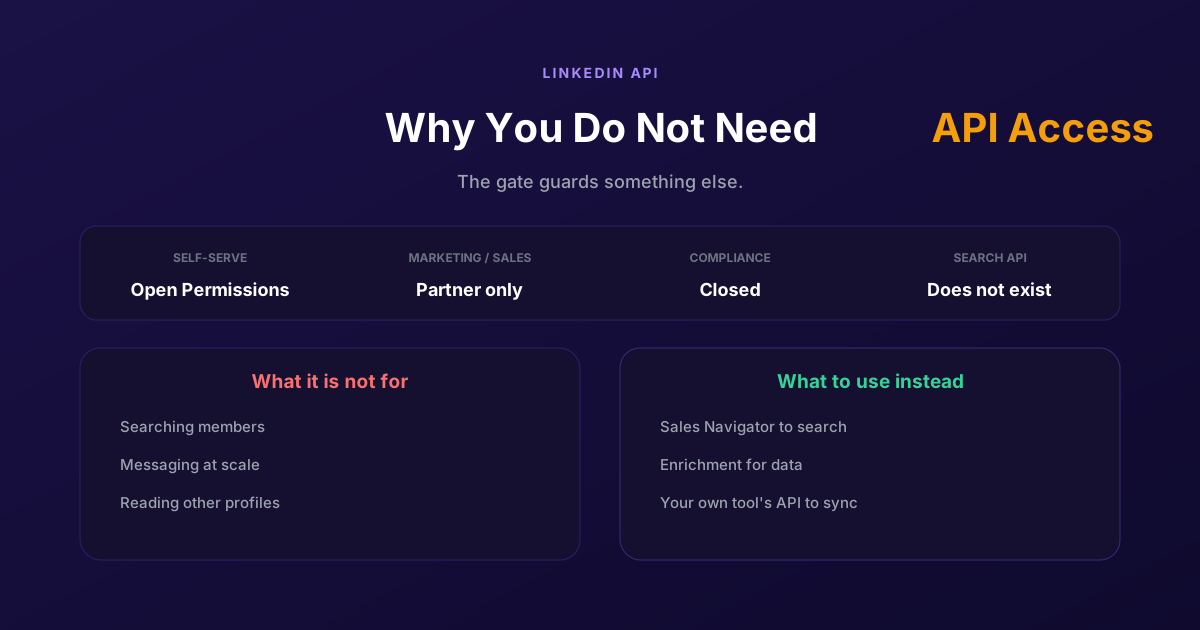
LinkedIn API Access: Why You Probably Do Not Need It
Self-serve access covers your own profile and posting as yourself. Marketing, Sales and Talent need partner approval, Compliance is closed, and none of them is a prospecting API, so approval would not deliver what most applicants want.
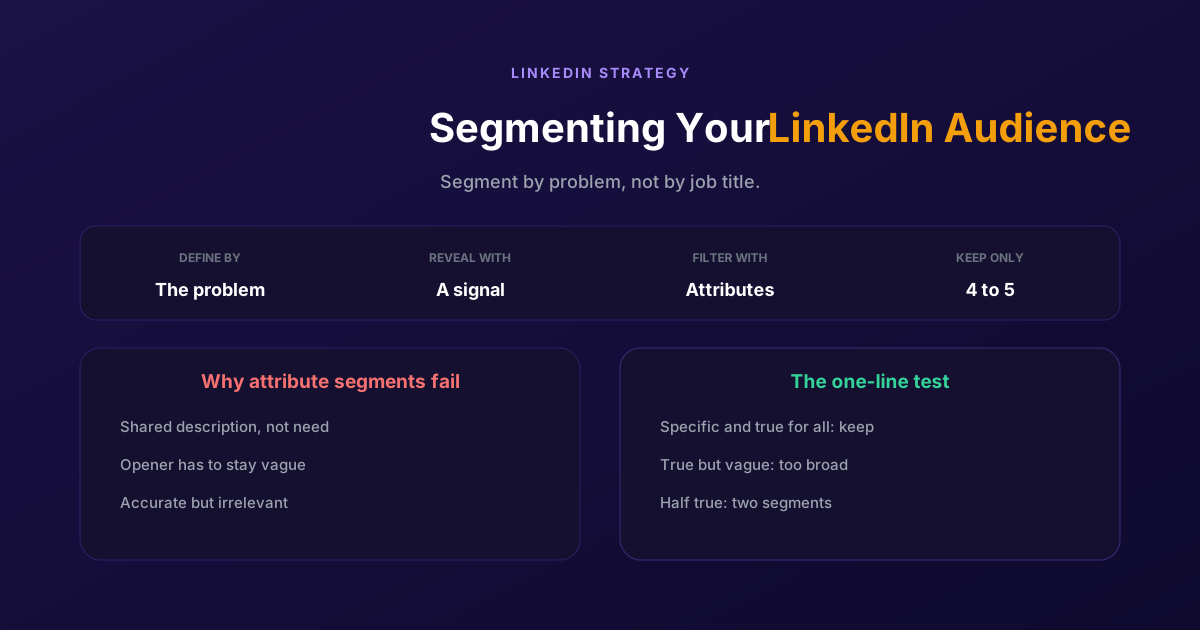
Segmenting Your LinkedIn Audience: A Practical Guide
Filtering by job title gives you people who look alike, not people who want the same thing. Segment by the problem you solve and the signal that reveals it, then use attributes only to narrow what remains.
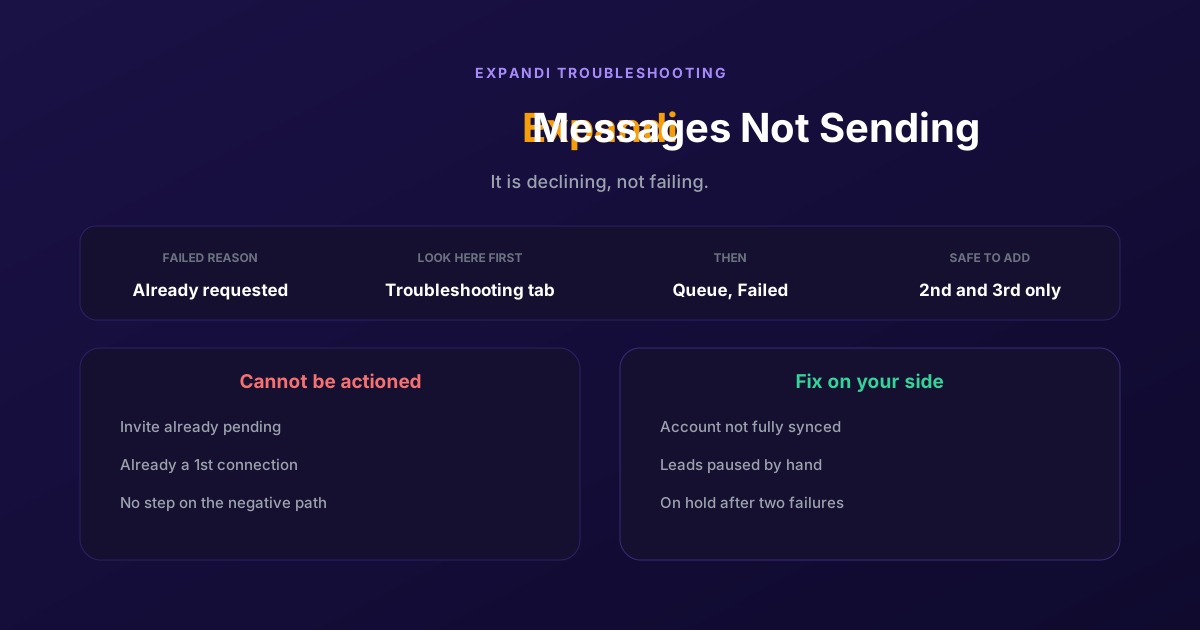
How to Fix Expandi Messages Not Sending (Pending Invites)
A connector campaign opens with a connection request, and a lead who already has one pending cannot receive a second. So the campaign has nothing it is allowed to do, and it says so in a tab most people never open.