Rotation Logic Across Accounts
Scaling your outreach? ReactIn allows you to connect multiple LinkedIn accounts to a single campaign. This means your leads are automatically distributed across those accounts, helping you stay efficient, compliant, and under the radar.
⚙️ How it works
When creating a campaign, you can assign multiple LinkedIn accounts to it. ReactIn will:
-
Distribute leads across all accounts
-
Execute actions (invites, messages) within each account’s daily quota
-
Avoid overloading any single account
🧠 This setup spreads the volume and minimizes the risk of hitting LinkedIn's individual limits.
✅ Example
Let’s say you assign 3 LinkedIn accounts to a campaign, each with a limit of:
-
20 invites / day
-
40 messages / day
If your campaign includes 150 leads, ReactIn will:
-
Split the workload across the 3 accounts
-
Prioritize accounts with quota left
-
Automatically pause if no quota is available at all
→ Result: less pressure per account, no single profile gets flagged.
📍Where to configure this
-
Go to the Campaigns tab
-
When creating or editing a campaign, select multiple LinkedIn accounts
-
Make sure each one has quotas set correctly
→ See how to configure quotas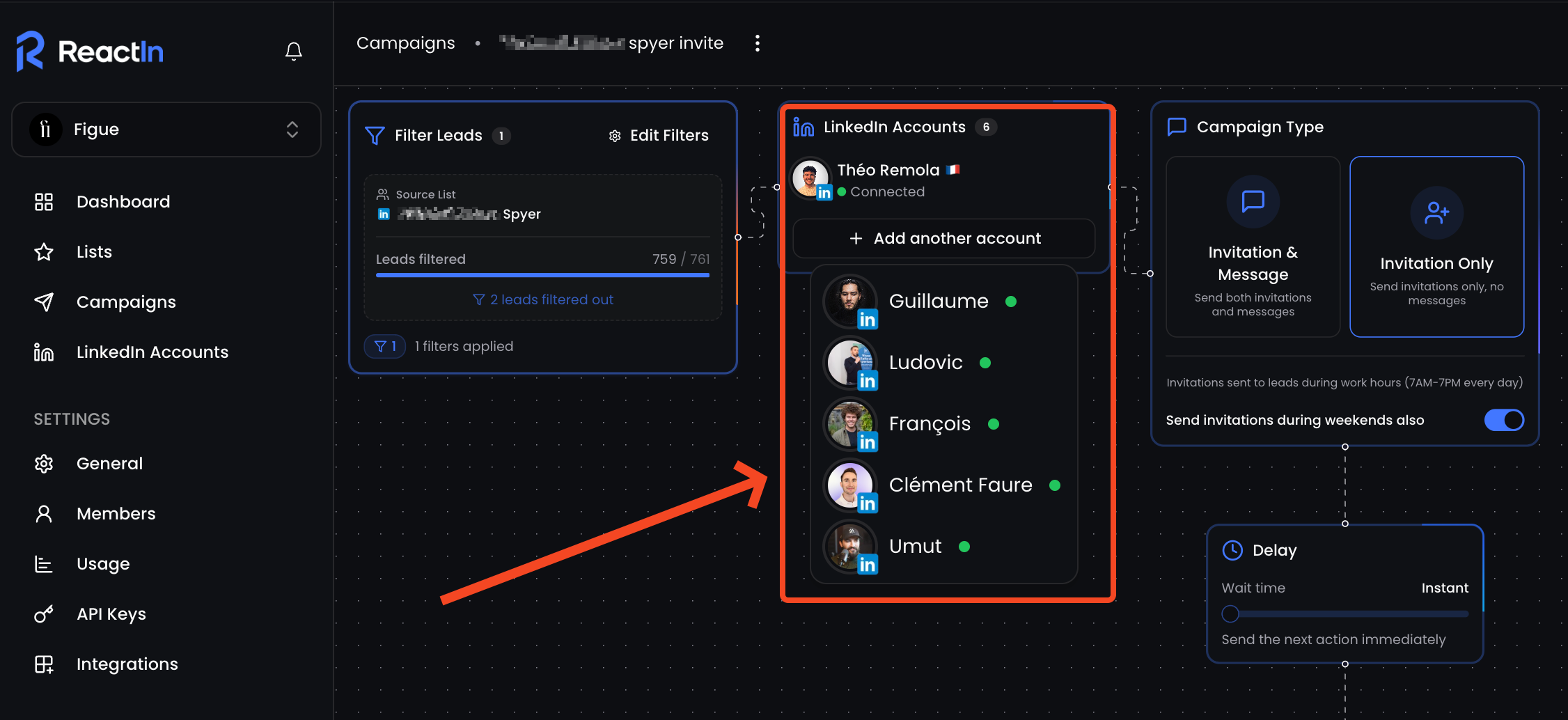
✅ Benefits of this approach
-
Lower volume per account = lower risk
-
Faster campaign execution with shared effort
-
Perfect for agencies, SDR teams, or multiple founder profiles
-
Smooth automation, even with aggressive volumes
💡 Pro tip: ReactIn handles the rotation logic automatically, no setup required beyond assigning the accounts.
Ready to move on?
👉 Next Step: Campaign Types: Invite Only or Invite + DM →