Campaign Types: Invite Only or Invite + DM
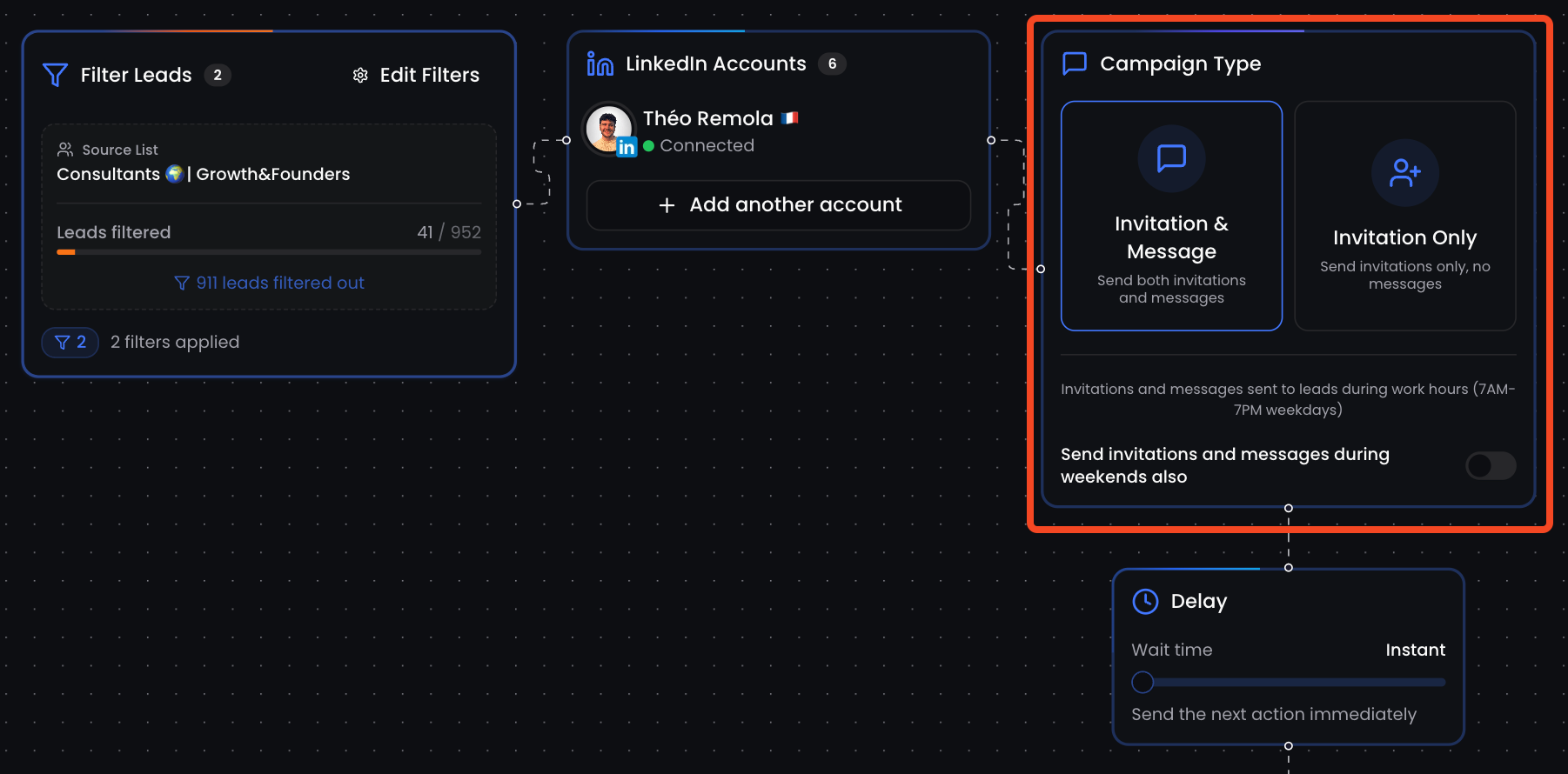
In ReactIn, every campaign starts by choosing its type, which defines how many steps will be sent and when.
You can either send:
-
A simple connection request only,
-
Or a full sequence including the invite + 1st-degree messages after the person accepts.
🧩 Campaign type options
When creating a campaign, you’ll choose between:
| Campaign Type | What It Does |
|---|---|
| Invite only | Sends a single LinkedIn connection request, nothing more |
| Invite + DM | Sends an invite, waits for acceptance, then triggers a message flow |
| DM only | Skips the invite and directly starts the message flow (1st-degree only) |
⚠️ "DM only" campaigns is an “Invite + DM” campaign where your leads are already connected with you on LinkedIn.
🔁 What happens after the invite
If you're running an Invite + DM campaign:
-
The invite is sent
-
As soon as the lead accepts, ReactIn waits for your configured delay
-
Then sends your message sequence, step-by-step
This creates a natural, human-like experience and avoids sudden inbox spam.
🧠 Choosing the right type
| Your goal | Recommended Type |
|---|---|
| Grow network + engage manually later | Invite only |
| Book meetings or push offers | Invite + DM |
| Reengage warm leads or clients | DM only |
📌 You can preview the entire flow during campaign creation to make sure it fits your strategy.
💡 Pro tip: Use “Invite only” for testing new audiences, and “Invite + DM” once you’ve validated your positioning.
Ready to move on?
👉 Next Step: Message Variables & Fallbacks →