Message Variables & Fallbacks
ReactIn makes it easy to write personalized LinkedIn messages at scale, using dynamic variables and fallbacks that adapt to each lead's data. This ensures your campaigns stay relevant and human, without needing to rewrite messages one by one.
📦 Use dynamic variables
When writing a message, you can insert variables like:
-
First name
-
Last name
-
Company name
-
Job title
-
Any custom field from your SmartList
ReactIn will automatically replace these with the correct data for each lead when sending.
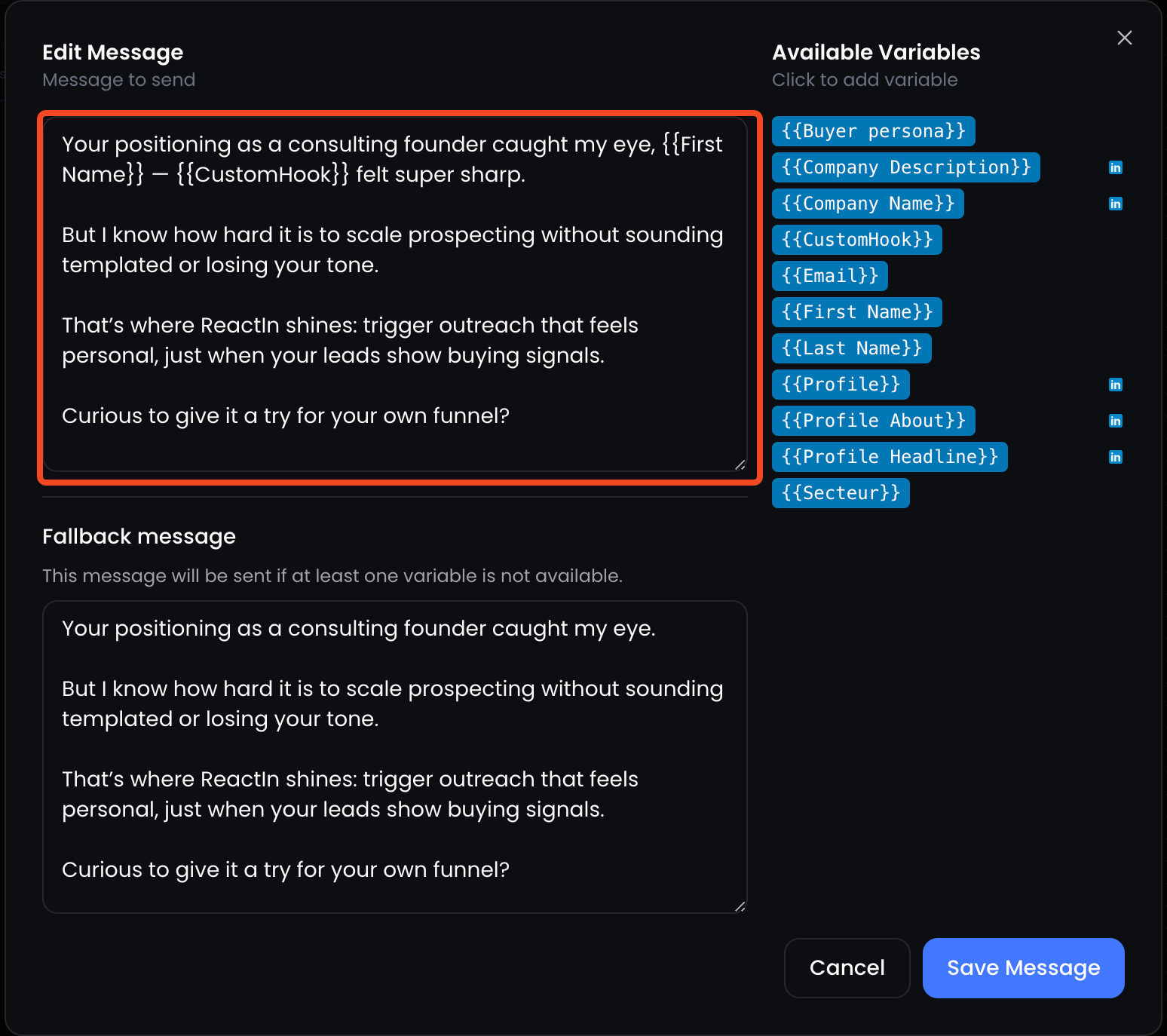
🧠 All imported or enriched fields from your SmartList can be used dynamically in messages.
🧱 Add fallbacks to avoid blanks
If a variable is missing (for example, a company name), you can define a fallback, a default phrase that will appear instead.
This ensures your message always flows naturally, even when some data is incomplete.
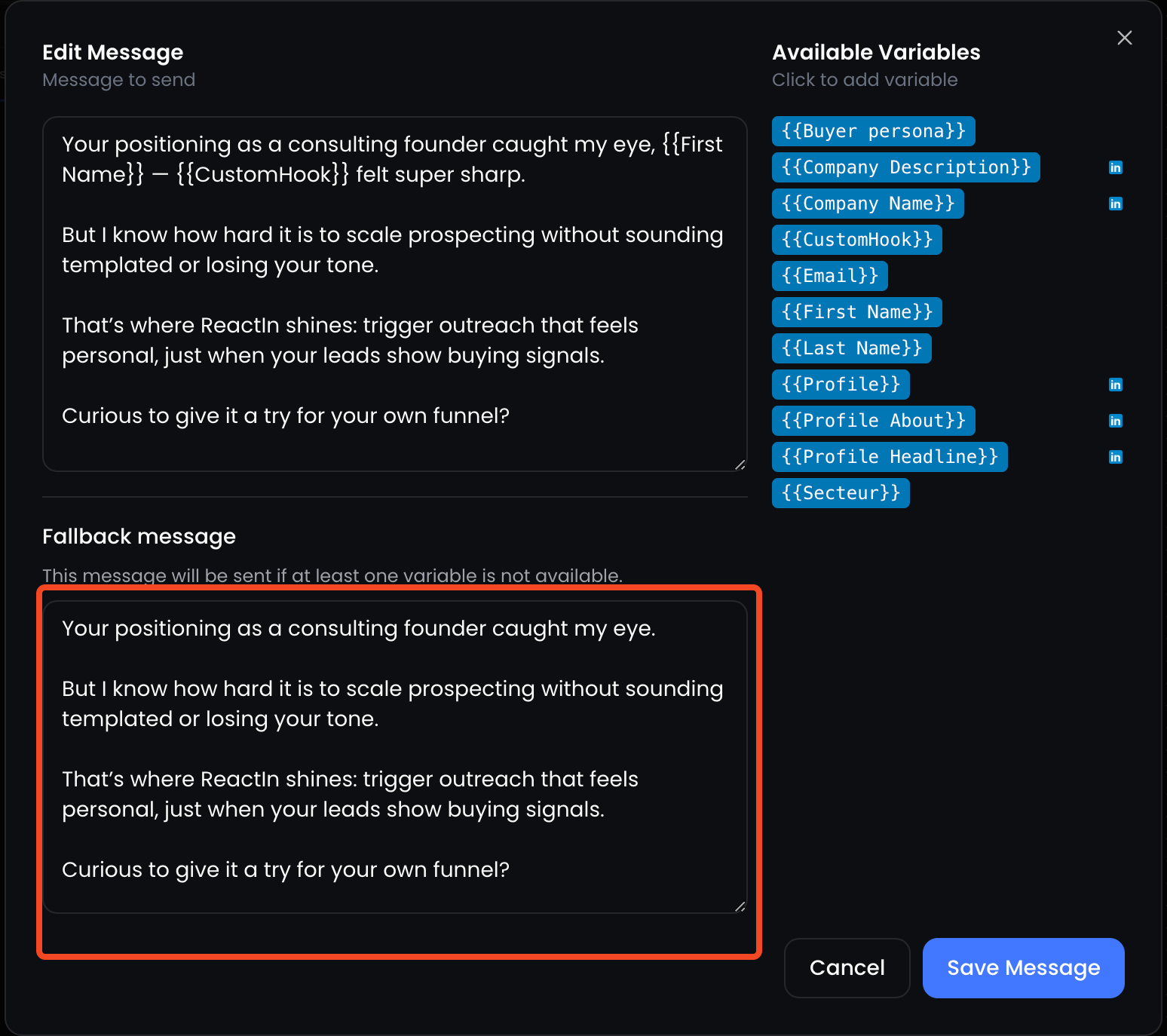
📌 Fallbacks help you avoid awkward gaps like "How’s everything at ?" and keep things smooth.
🔍 Preview messages before launching
Before activating your campaign, you can preview how your message will look for each lead:
-
Go to the campaign step
-
Click Preview
-
Scroll through different leads to see how variables render in context
✅ This lets you catch missing values or formatting issues early, before anything is sent.
💡 Pro tip: Use short variables early in the sentence and keep your message readable even if a fallback is applied.
Ready to move on?
👉 Next Step: Configure Delay Rules Between Messages →