Manage Your Plan & Seats
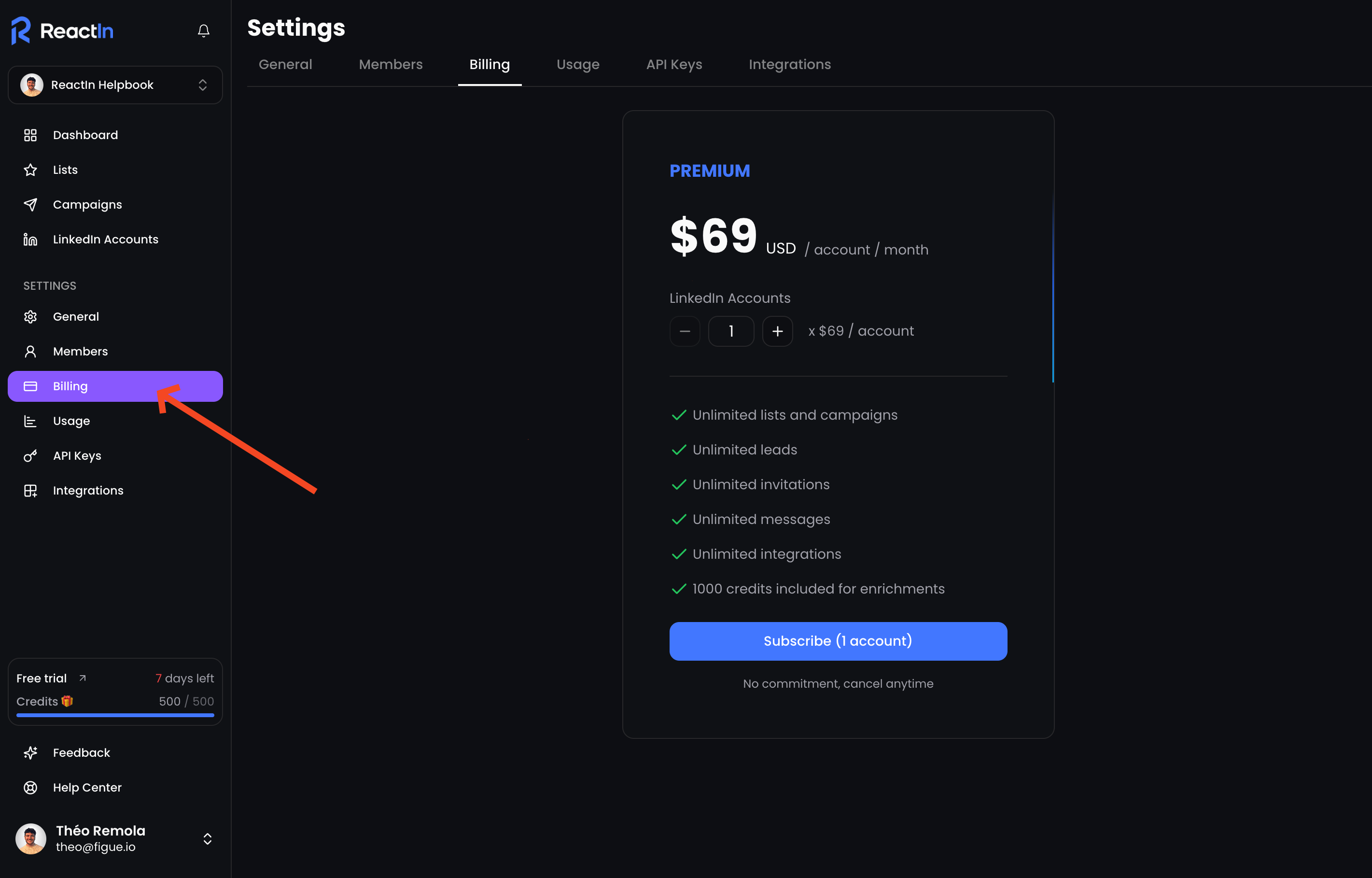
ReactIn is simple by design, there’s only one plan, and all billing operations (payment, receipts, upgrades) are handled securely via Stripe.
📦 What’s included in the ReactIn plan
Your subscription includes:
-
✅ Unlimited SmartLists & campaigns
-
✅ Unlimited LinkedIn messages & invitations
-
✅ Unlimited integrations
-
✅ 1,000 enrichment credits per month
-
✅ Team collaboration (based on number of seats)
🧠 All usage except enrichment is unlimited by default.
👥 How to manage your seats
To invite team members, you first need to add seats to your plan:
-
Go to Settings > Billing
-
Choose how many team members you want to add
-
You’ll be redirected to Stripe to complete the secure payment
Once paid, the new seats will be available instantly and you can invite your team.
💳 Payments & billing
-
All payments are handled via Stripe
-
Invoices, billing info, and payment methods are managed directly in Stripe
-
ReactIn does not store or manage any payment data internally
🔐 Stripe ensures a secure and transparent billing process. You can access your invoice history, update your payment method, or cancel directly from Stripe.
💡 Pro tip: Keep your seats true to your team, our billing system allow you to easily add or remove a seat!
Ready to move on?
👉 Next Step: Understand Unlimited Scraping & Usage →