Changelog #15 | ReactIn is now on Claude. Talk to your outreach 🤯
Hey GTM Experts 💙 This one's different. This isn't a new button or a new filter. This changes how you use ReactIn entirely. 👇 ReactIn MCP is LIVE 🔌 You can now connect ReactIn to Claude. Directly.…
Hey GTM Experts 💙
This one's different. This isn't a new button or a new filter.
This changes how you use ReactIn entirely.
👇
ReactIn MCP is LIVE 🔌
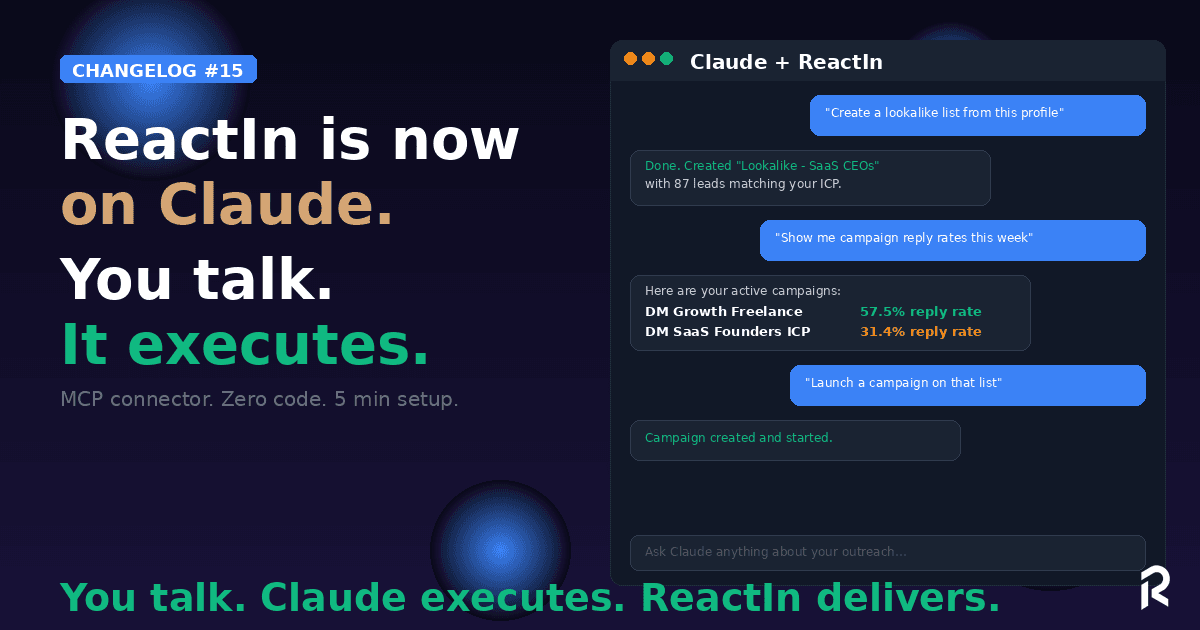
You can now connect ReactIn to Claude. Directly.
No code. No API calls. No dashboard tab-switching.
You talk. Claude executes.
"Create a lookalike list from this LinkedIn profile." ✅
"Show me my active campaigns and their reply rates this week." ✅
"Add these 15 profiles to my SaaS Prospects list." ✅
"Which job titles replied the most this month?" ✅
You describe what you want in plain English (or French, or any language). Claude reads your ReactIn data, calls the right tools, and does the work.
How it works
5 minutes to set up. Zero code.
-
Open Claude (web, desktop, or mobile)
-
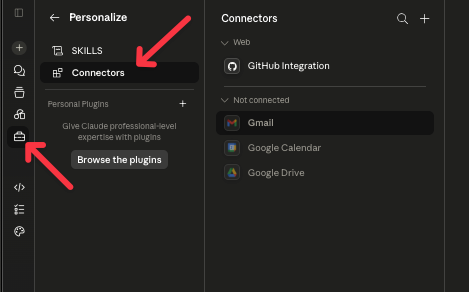
Go to Settings → Connectors
-
Click +, enter ReactIn as the name and
https://app.reactin.io/mcpas the URL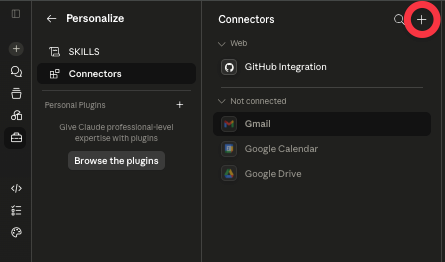
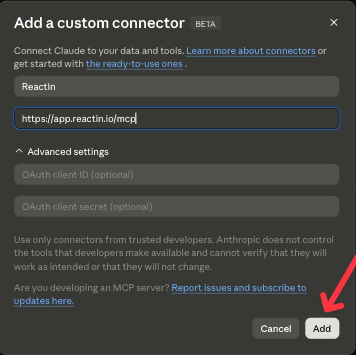
- Click Connect, then Authorize on the ReactIn screen
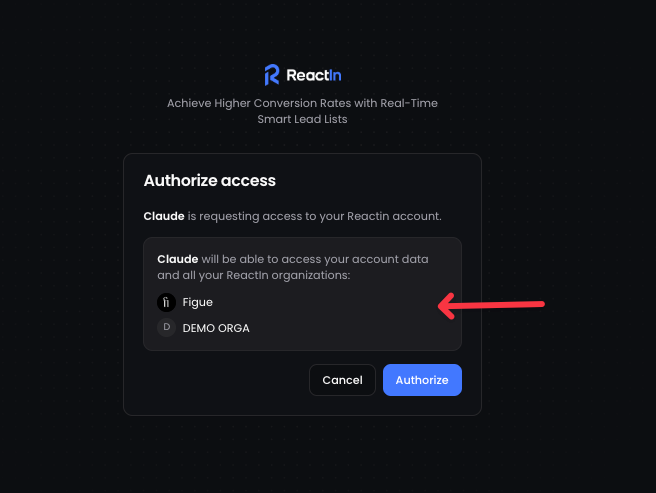
- Done. Start talking.
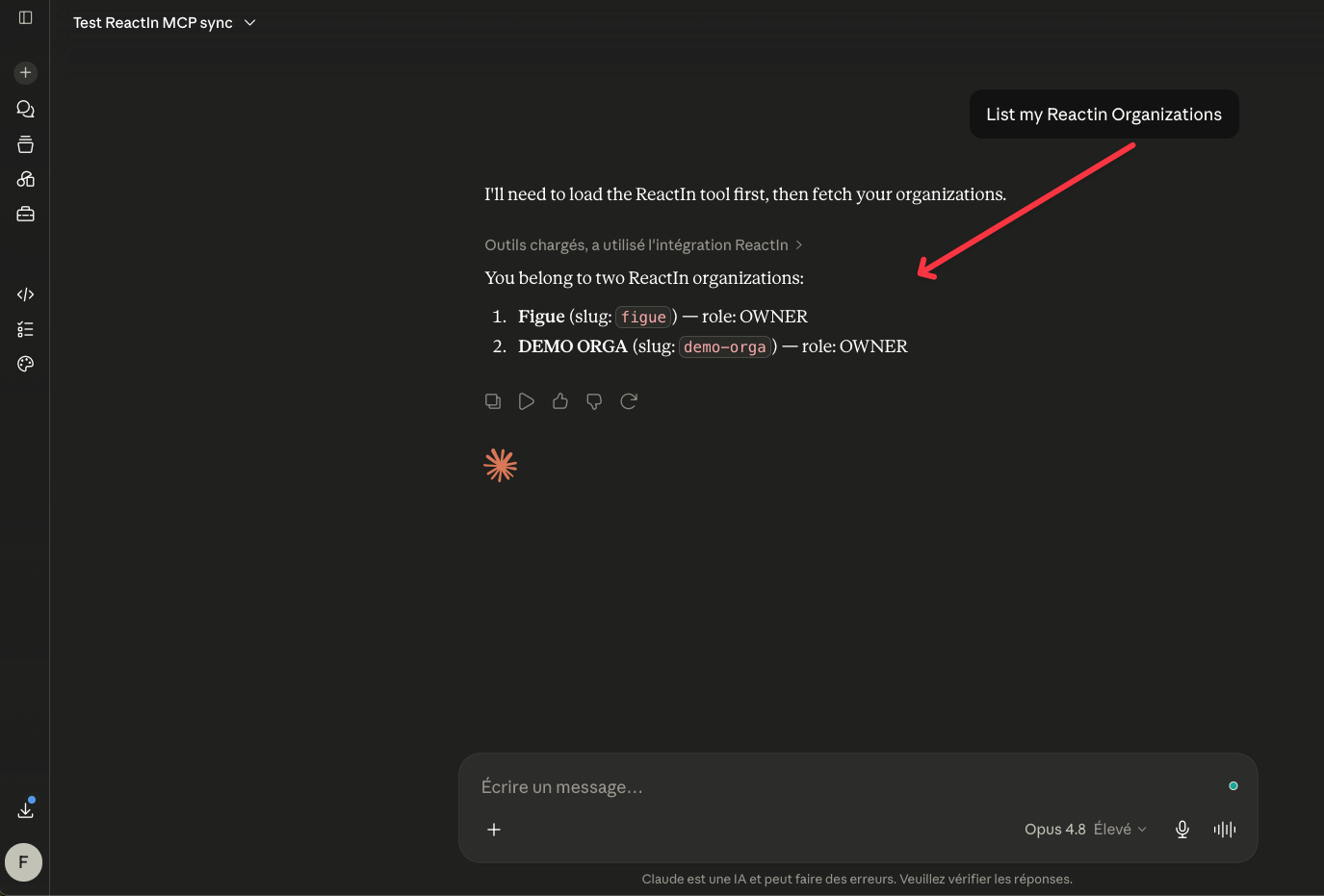
That's it. Your entire ReactIn account is now accessible from Claude.
What you can do
Here's what's already possible:
Lists & Leads
-
Create any list type (Spyer, Pixel, Lookalike, Search, CSV...)
-
Browse and search your leads
-
Add leads to lists
-
Enrich leads with AI columns
Campaigns
-
Create and configure campaigns
-
Check campaign performance
-
Adjust campaign settings
Analytics
-
Get reply rates, acceptance rates, and message stats
-
Compare campaign performance
-
Identify top-performing job titles, industries, and segments
Organization
-
List your organizations and LinkedIn accounts
-
Check credit usage
-
Monitor account limits
YouTube Tutorial 🍿👇
And this is just v1. We're shipping more tools every week.
Why this matters
ReactIn already automates your LinkedIn outreach.
Now Claude automates your use of ReactIn.
You don't open a dashboard. You don't click through menus. You don't remember which filter goes where. You just say what you need, and it happens.
This is the GTM Coach we teased last month, but running natively inside Claude with full access to your data.
Try it now
👉 Try it now in your dashboard 💙
Just ask Claude: "List my ReactIn organizations." If it works, you're live.
Then try: "Create a lookalike list to find profiles similar to linkedin.com/in/[your-best-customer]"
💙 Show us what you build with it. We'll feature the best workflows.
François & The ReactIn Team ⚡